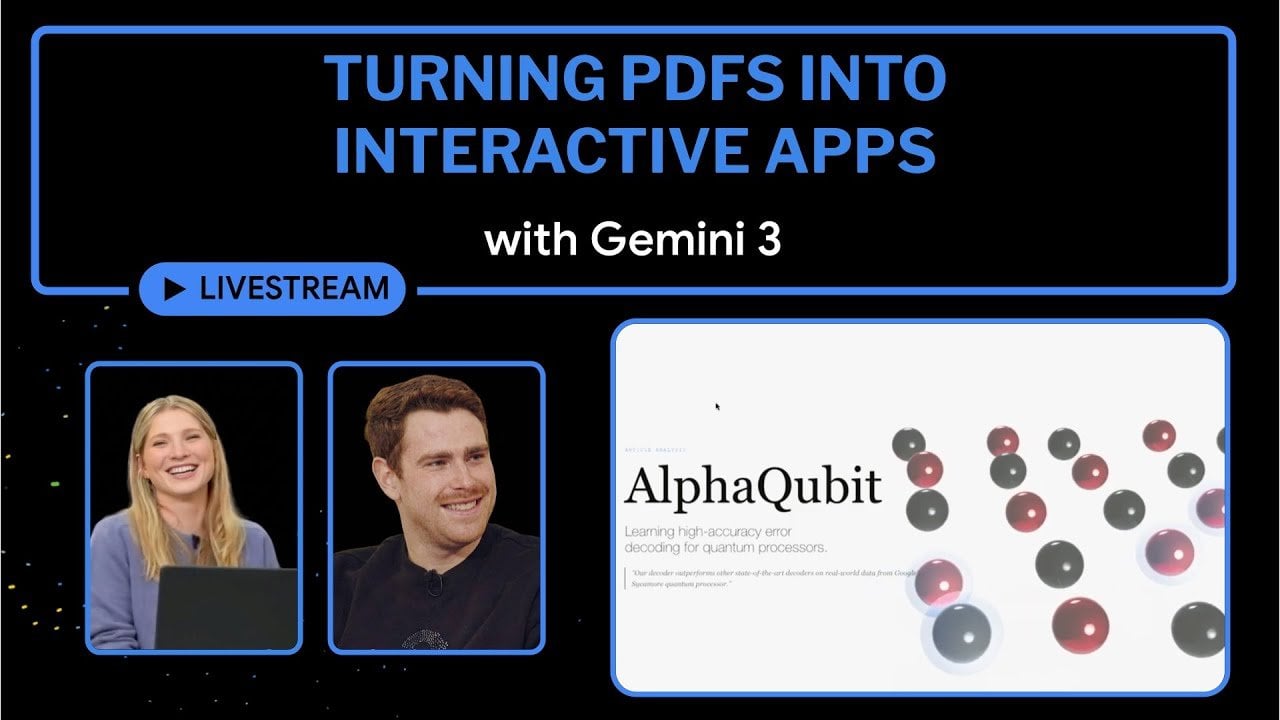
Gemini 3 : How to Turn a PDF into an Interactive App with Simple Prompts
What if your static PDFs could do more than just sit on a screen, waiting to be scrolled through? Imagine transforming a dense research paper or a static business report into an interactive app that allows users to click, explore, and engage with the content dynamically. With the rise of platforms like Gemini 3, this isn’t just a futuristic dream, it’s a reality. By combining the power of artificial intelligence with intuitive design tools, Gemini 3 is redefining how we interact with traditional documents. It’s not just about making content look better; it’s about making it work harder, offering a richer, more immersive experience for users across industries.
In this overview by the Google for Developers team, you’ll discover how Gemini 3 turns static PDFs into interactive, user-focused interfaces that break free from the constraints of traditional formats. From AI-driven tools that automatically generate clickable widgets and responsive layouts to seamless integration of visuals, text, and interactive elements, this platform enables creators to rethink how they present information. Whether you’re an educator looking to make lessons more engaging or a professional aiming to simplify complex data, Gemini 3 offers a solution that’s as innovative as it is accessible. Let’s explore how this tool is bridging the gap between static content and modern interactivity, opening up possibilities you might not have imagined.
Gemini 3 Overview
TL;DR Key Takeaways :
- Gemini 3 transforms static PDFs and images into dynamic, interactive applications using AI-driven tools, enhancing user engagement and accessibility.
- The platform’s AI Studio automates the creation of interactive elements like clickable widgets, dynamic graphs, and responsive layouts, simplifying complex content presentation.
- Gemini 3 supports seamless cross-format integration, combining text, visuals, and interactive elements to create cohesive and versatile digital experiences.
- AI-powered generative layouts enable effortless design, allowing users to create professional, interactive content with minimal effort, regardless of design expertise.
- With tools like AI Studio for design and Gemini App for testing and deployment, the platform offers a streamlined workflow for beginners and advanced users alike.
How AI Powers Interactivity
At the core of Gemini 3 lies its AI-driven interactivity, designed to breathe life into static documents. The platform’s AI Studio analyzes your content and automatically generates interactive elements such as clickable widgets, dynamic graphs, and responsive layouts with minimal effort on your part.
For example, a dense technical PDF can be converted into an interactive app where users can explore data, navigate sections effortlessly, and engage with the material in a meaningful way. This not only enhances the user experience but also makes complex information more accessible and easier to comprehend. By using AI, Gemini 3 ensures that your content is not only functional but also engaging, catering to the needs of diverse audiences.
Streamlining PDF Transformation
Gemini 3 excels in processing even the most intricate PDFs, extracting key elements and reorganizing them into an interactive format. Imagine a research paper filled with charts and tables, Gemini 3 can transform it into a digital interface where users can click on individual data points to uncover deeper insights.
This capability is particularly valuable for educators, researchers, and professionals who need to present detailed information in a more engaging and digestible manner. By turning static data into interactive content, you can communicate ideas more effectively, making sure your audience remains engaged and informed. The platform’s ability to handle complex documents with precision makes it an indispensable tool for anyone looking to elevate their content.
Turning PDFs into Interactive Apps with Gemini 3
Discover other guides from our vast content that could be of interest on Gemini 3.
- Gemini 3 Pro AI Review, Multimodal Reasoning and Agent Skills
- Google Antigravity vs Cursor, Gemini 3 Pro AI Coding Review
- Claude 4.5 Sonnet vs Gemini 3 Pro : AI Coding Face-Off Who Wins
- Get Started with Gemini 3 in Google AI Studio and APIs in Minutes
- Google Gemini 3 Review : Benchmarks and UI Design Strengths
- Gemini 3 vs ChatGPT : Features That Matter in 2026
- Google Gemini 3.0 Pro & Nano Banana Pro Launch Imminent
- Gemini 3 Pro Review, 7 Real-World AI Use Cases Tested to Push Its
- Gemini 3 Release Delay, What Google’s Silence Means for AI
- Gemini 3 vs Claude vs Codex, IDE and CLI Features Explained
Seamless Cross-Format Integration
One of Gemini 3’s standout features is its ability to integrate text, visuals, and interactive elements into a cohesive interface. The platform supports cross-format functionality, allowing you to combine static and dynamic content seamlessly. This ensures your projects are not only visually appealing but also highly functional, catering to diverse user needs and preferences.
For example:
- Link textual explanations to interactive graphs for better context and understanding.
- Embed videos within visual layouts to enhance storytelling and engagement.
- Combine static images with responsive elements to create a richer, more immersive experience.
This flexibility allows you to design content that adapts to various use cases, whether you’re creating educational materials, business presentations, or creative projects. By integrating multiple formats, Gemini 3 ensures your content remains versatile and impactful.
Generative Layouts for Effortless Design
Gemini 3 simplifies the design process with its AI-powered generative layouts. By providing simple prompts, you can guide the platform to create layouts tailored to your specific goals. These layouts often include interactive widgets such as sliders, buttons, and expandable sections, all of which enhance user engagement and usability.
Whether you’re designing an educational app, a business presentation, or a creative project, the generative layout feature ensures your output is professional, polished, and user-friendly. This capability allows even those with minimal design experience to produce high-quality, interactive content that meets their needs. The platform’s focus on ease of use and efficiency makes it a valuable tool for both beginners and experienced designers.
Applications in AI Studio and Gemini App
Gemini 3 provides two primary tools for creating and experiencing interactive content, making sure a seamless workflow from design to deployment:
- AI Studio: This is your workspace for designing, customizing, and refining projects. It offers a suite of tools to experiment with layouts, interactive elements, and overall functionality, giving you full control over your creations.
- Gemini App: This serves as a testing and deployment environment, allowing you to preview and fine-tune your projects. Features like canvas tools and interactive labs encourage exploration and innovation, making sure your final product meets your expectations.
These tools make Gemini 3 a versatile platform, catering to both beginners and advanced users. Whether you’re looking to experiment with new ideas or refine existing projects, the combination of AI Studio and Gemini App provides the flexibility and functionality you need to succeed.
Customization and Aesthetic Precision
Customization is a cornerstone of Gemini 3, offering you the flexibility to align your projects with specific requirements. The platform provides tools to adjust layouts, colors, fonts, and interactive elements, making sure your final output matches your vision. This level of customization allows you to create content that is not only functional but also visually appealing.
Additionally, Gemini 3 emphasizes aesthetic design, delivering clean, professional results that enhance the user experience. Whether you’re creating a professional report, an educational tool, or a creative project, the platform provides the precision and flexibility needed to achieve your goals. By focusing on both functionality and design, Gemini 3 ensures your content stands out in a competitive digital landscape.
Media Credit: Google for Developers
Latest Geeky Gadgets Deals
Disclosure: Some of our articles include affiliate links. If you buy something through one of these links, Geeky Gadgets may earn an affiliate commission. Learn about our Disclosure Policy.