
Build a Fast Offline AI Assistant on a Raspberry Pi 5
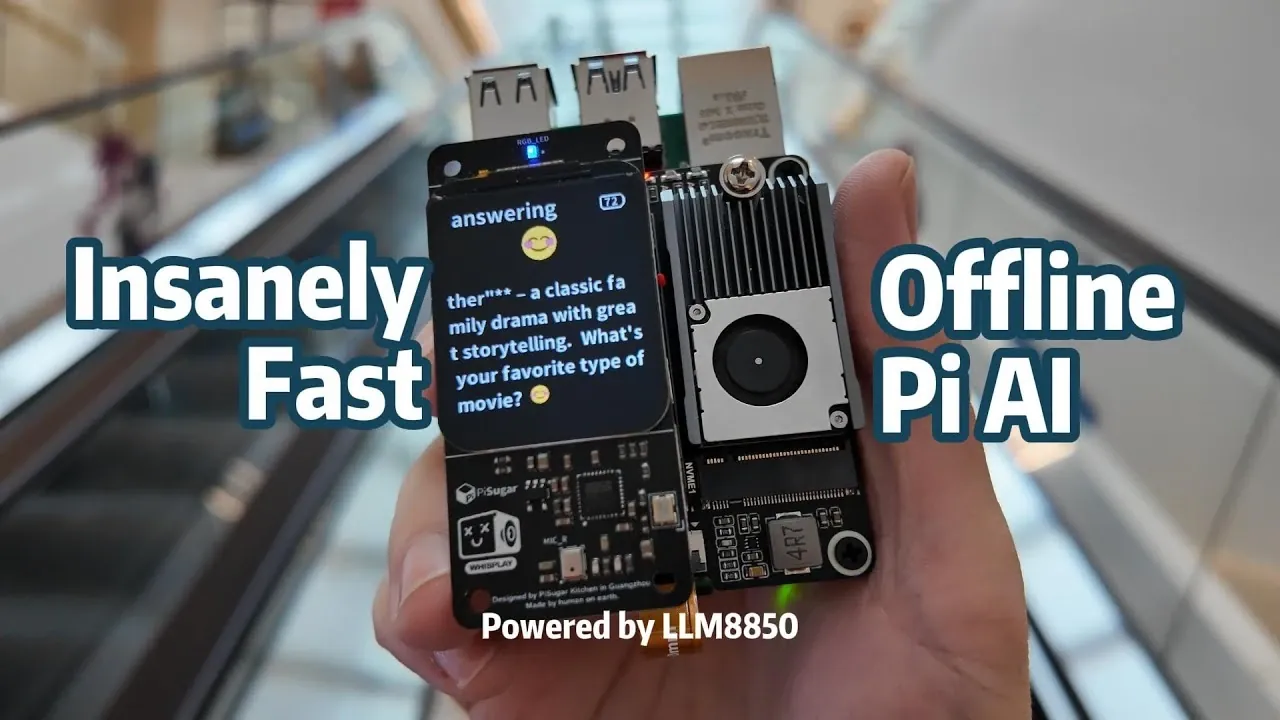
What if you could build an AI chatbot that’s not only blazing fast but also works entirely offline, no cloud, no internet, just pure local processing power? Below, Jdaie Lin breaks down how he achieved exactly that using a Raspberry Pi 5, the RLM AA50 accelerator card, and some clever optimization techniques. Imagine a compact device on your desk that can seamlessly handle speech recognition, natural language processing, and text-to-speech tasks, all while keeping your data private and secure. It’s a bold leap forward in edge computing, and Lin’s approach proves that high-performance AI doesn’t have to be tethered to the cloud.
This guide dives into the nitty-gritty of building your own offline AI chatbot, from hardware setup to software integration and performance tuning. You’ll discover how the RLM AA50 accelerator card unlocks 24 TOPS of compute power, allowing real-time responses even on a resource-constrained Raspberry Pi. Along the way, Lin shares insights on overcoming challenges like thermal management and memory efficiency, making sure your system runs smoothly under heavy workloads. Whether you’re an AI enthusiast or a maker looking to push the limits of DIY tech, this analysis offers a glimpse into what’s possible when innovative hardware meets innovative problem-solving.
Building an Offline Raspberry Pi 5 AI Chatbot
TL;DR Key Takeaways :
- Combining the Raspberry Pi 5 with the RLM AA50 accelerator card enables the creation of a fast, offline AI chatbot capable of Automatic Speech Recognition (ASR), Language Modeling (LLM), and Text-to-Speech (TTS) tasks without internet connectivity.
- The RLM AA50 accelerator card delivers up to 24 TOPS of compute performance, includes 8GB of DDR4 memory, and supports transformer-based models like Whisper (ASR), Qwen-3 (LLM), and MelloTTS (TTS), but requires robust cooling and stable power delivery.
- Hardware setup involves selecting an appropriate M.2 hat for thermal management and power efficiency, with options like the WaveShare M.2 Hat offering a balance of airflow and practicality.
- Software integration includes preloading AI models and running persistent background services to ensure low-latency responses, with memory optimization keeping the system efficient within 4.5GB of memory.
- Challenges include thermal management and the lack of tool chaining for complex workflows, with potential improvements such as advanced tool chaining, better cooling solutions, and adding visual perception capabilities for multimodal interactions.
Understanding the RLM AA50 Accelerator Card
The RLM AA50 accelerator card is a specialized hardware component designed to handle demanding AI workloads. Built on the AX AA50 architecture, it delivers up to 24 TOPS (Tera Operations Per Second) of peak compute performance and includes 8GB of DDR4 memory, making it ideal for running transformer-based models such as Whisper (ASR), Qwen-3 (LLM), and MelloTTS (TTS).
However, the card’s high performance comes with certain challenges. It requires an M.2 interface for connectivity and demands a robust cooling solution to manage its thermal output. Without proper cooling, the card may experience performance throttling, especially during extended use. Additionally, its power requirements necessitate a stable and efficient power delivery system to ensure reliable operation.
Setting Up the Hardware
Integrating the RLM AA50 with the Raspberry Pi 5 involves selecting the right hardware configuration to ensure stability and efficiency. The choice of an M.2 hat is particularly important, as it directly impacts thermal management and power delivery. Below are three viable options for this setup:
- Official Raspberry Pi M.2 Hat: This option is functional but struggles with thermal management, which can lead to performance throttling during prolonged use.
- WaveShare M.2 Hat: Known for its superior airflow, clean layout, and additional SSD space for extended storage, this option balances performance and practicality.
- Heat Sink Integrated M.2 Hat: Compact and efficient, but it poses challenges with power delivery and thermal performance under heavy loads.
To ensure reliable operation, it is critical to implement effective cooling solutions, such as active cooling fans or heat sinks, and to use a high-quality power supply capable of meeting the system’s demands.
Insanely Fast Offline AI Chatbot
Here is a selection of other guides from our extensive library of content you may find of interest on Edge Computing.
- The Role of Cloud Computing in Shaping Edge AI Technology
- AAEON Up Squared 6000 Edge mini PC $599
- SPARKLE Embedded Intel Arc graphics cards for the Edge
- Orange Pi 5 Max Single Board Computer (SBC) from $95
- Silicon Power MEC3H0S M.2 NVMe Gen4 industrial SSD
- Tokay Lite no-code Edge AI camera with TensorFlow Lite support
- Intel AI DFI MTH968 embedded system module (SOM)
- Intel Xeon E-2300 Micro-ATX server motherboard
- 680 Edge Ryzen X86 single board computer (SBC)
- Rock 4D SBC Review: Features, Performance and Limitations
Integrating the Software
Once the hardware is configured, the next step is to integrate the software components. Begin by installing the necessary drivers and packages to enable the RLM AA50 accelerator card. Afterward, configure the ASR, LLM, and TTS services to run persistently in the background, making sure the system is always ready to process input with minimal latency.
For this project, the following AI models were selected for their compatibility with the RLM AA50 and their ability to perform effectively in offline environments:
- Whisper: A robust ASR model designed for accurate speech-to-text conversion, capable of handling diverse accents and languages.
- Qwen-3: A transformer-based language model optimized for the RLM AA50, capable of performing complex natural language processing tasks.
- MelloTTS: A lightweight and efficient text-to-speech model that generates natural-sounding audio output.
These models are preloaded during system boot to eliminate initialization delays, making sure the chatbot is ready to respond instantly to user input.
Optimizing Performance
To achieve optimal performance, several key optimization techniques were implemented:
- Preloading Models: All AI models are loaded into memory during system startup, reducing response times by eliminating the need for on-demand initialization.
- Persistent Background Services: The ASR, LLM, and TTS services run continuously in the background, allowing near-instantaneous processing of user input.
- Memory Optimization: Careful resource allocation ensures the system operates within approximately 4.5GB of memory, leaving sufficient headroom for other processes.
These optimizations ensure the chatbot delivers fast and reliable performance, even on the compact and resource-constrained Raspberry Pi 5 platform.
Challenges and Areas for Improvement
While the project demonstrates the potential of offline AI systems, it also highlights several challenges that need to be addressed for further improvement:
- Lack of Tool Chaining: The current system lacks seamless integration for handling multiple AI tasks in sequence, limiting its ability to perform complex workflows.
- Thermal Management: Prolonged use can lead to overheating, necessitating more effective cooling solutions to maintain performance stability.
Potential areas for future enhancement include:
- Implementing advanced tool chaining to enable more sophisticated workflows and task automation.
- Designing custom enclosures with improved cooling mechanisms to enhance thermal performance and portability.
- Adding visual perception capabilities, such as image recognition, to enable multimodal interactions and expand the chatbot’s functionality.
These improvements would make the system more versatile and better suited for a wider range of applications.
Key Takeaways and Final Results
The final system demonstrates the capabilities of edge computing and offline AI by delivering performance comparable to online models while operating entirely without internet connectivity. It handles natural conversations effectively, provides low-latency responses, and ensures data privacy by processing all tasks locally.
By using the RLM AA50 accelerator card, this project showcases how innovative hardware and software can be combined to create innovative offline AI solutions. The Raspberry Pi 5, paired with the RLM AA50, pushes the boundaries of what is achievable within the Raspberry Pi ecosystem, offering a practical and efficient platform for building high-performance AI applications.
Media Credit: Jdaie Lin
Filed Under: AI, DIY Projects, Guides
Latest Geeky Gadgets Deals
Disclosure: Some of our articles include affiliate links. If you buy something through one of these links, Geeky Gadgets may earn an affiliate commission. Learn about our Disclosure Policy.