Anthropic Adds Claude Cowork Dispatch for Remote Desktop Control From Your Phone

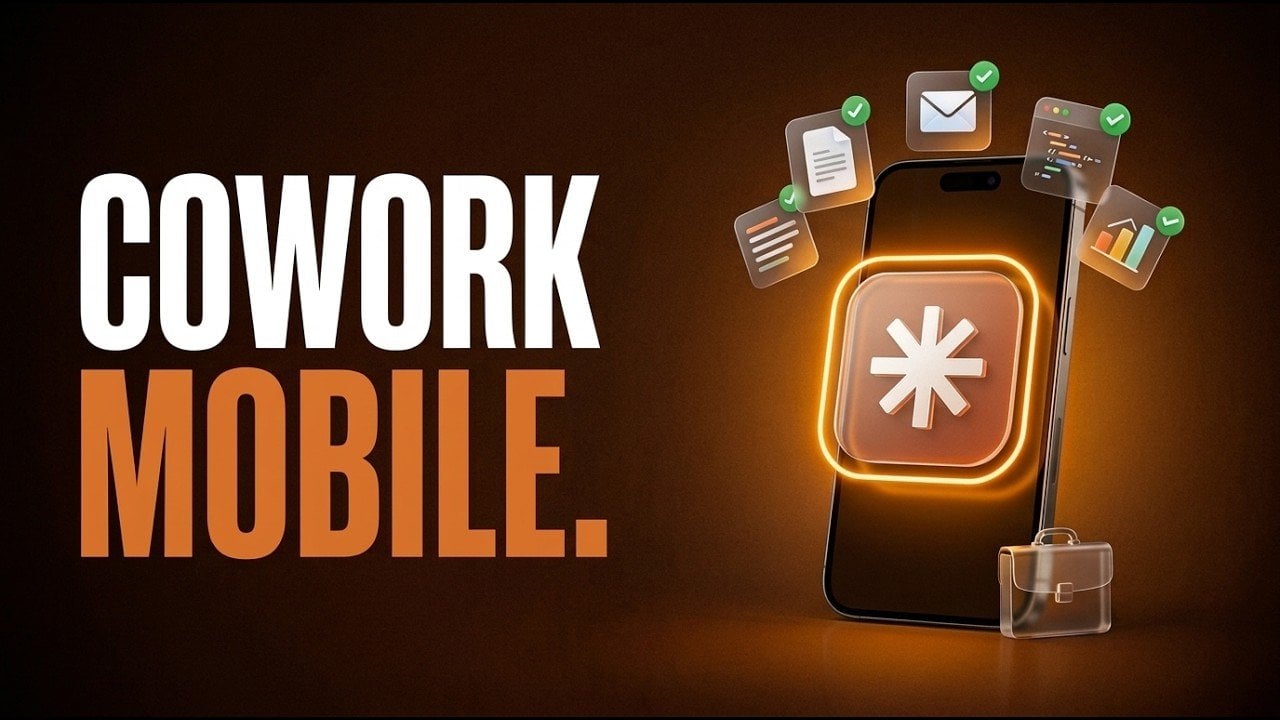
Remote productivity takes a step forward with the introduction of Claude Cowork Dispatch, a new feature from Anthropic’s AI-powered platform. Highlighted by Brock Mesarich | AI for Non Techies, this update allows users to remotely control their desktop-based Claude Cowork agent via mobile devices. For instance, you can now summarize emails, generate reports, or organize files directly from your phone, provided your desktop remains active. This functionality is particularly beneficial for professionals who need to maintain productivity while traveling or working away from their primary workstation.
Dive into this breakdown to uncover how Claude Cowork Dispatch integrates into real-world workflows. You’ll gain insight into its practical applications, such as analyzing receipts for expense reports or compiling daily briefings from multiple sources. Additionally, explore the straightforward setup process, which takes just 60 seconds and learn about the subscription options tailored to varying needs. Whether you’re managing complex tasks or streamlining daily operations, this guide offers actionable steps to make the most of this feature.
What is Claude Cowork Dispatch?
TL;DR Key Takeaways :
- Anthropic’s new Claude Cowork Dispatch feature allows users to remotely control their desktop AI agent via mobile devices, enhancing productivity on the go.
- Claude Cowork integrates with popular platforms like Gmail, Slack and Google Calendar, offering capabilities such as email management, file organization and task automation.
- The Dispatch feature requires an active desktop for secure task execution and is particularly useful for professionals who need to manage tasks while away from their computers.
- Subscription plans for Claude Cowork Dispatch include the Pro Plan ($20/month) and Max Plan ($100/month), catering to different user needs and budgets.
- Future updates aim to expand Claude Cowork’s functionality, solidifying its role as a leading productivity and task automation tool for professionals.
Claude Cowork is an advanced AI agent designed to simplify and streamline your daily tasks. It offers a wide range of capabilities, including:
- Organizing files and managing emails to keep your communications and documents in order.
- Generating spreadsheets, presentations and reports to save time on routine tasks.
- Conducting web research and automating repetitive processes to improve efficiency.
The tool integrates seamlessly with popular platforms like Gmail, Slack and Google Calendar, making it a versatile solution for both personal and professional use. Its ability to work across various applications and browsers ensures a cohesive and efficient workflow, eliminating the need to switch between multiple tools. Whether you’re managing a team or handling personal projects, Claude Cowork adapts to your needs.
Claude Dispatch : Remote Mobile Control
The Dispatch feature is the centerpiece of this update, offering you the ability to control Claude Cowork remotely via your mobile device. Whether you need to summarize emails, analyze files, or compile reports, you can initiate these tasks without being physically present at your computer.
This feature is particularly useful for professionals who are frequently on the move. For example, you can review and respond to important emails during your commute or generate reports while attending off-site meetings. However, it’s important to note that your desktop must remain active for the feature to function. This requirement ensures that tasks are executed securely and efficiently, maintaining the integrity of your workflow. By allowing remote access, Dispatch enables you to stay productive, regardless of your location.

Here is a selection of other guides from our extensive library of content you may find of interest on Claude Cowork.
- Cowork AI Automation Tool for Files, Sheets, Docs & Browser Tasks
- Claude Cowork Completed 7 Days of Work in Just 15 Minutes
- Cowork Features, Google Drive and Gmail Integrations
- Claude Cowork Automations : File Cleanup, Plots, Reports & More
- Cowork Guide for Beginners, Install, Set up & First Tasks
- Claude Cowork Pricing and Limits: Pro and Max Plans from $20
- Cowork : AI Desktop Automation Assistant for macOS
- Claude Cowork for Mac : Features, Price, and Key Limits in 2026
- Claude Cowork Plugins & Custom Skills Guide for Marketing Teams
- How Claude Cowork Works, Pricing & Limits: Beginners Guide 2026
How to Set Up Claude Cowork Dispatch
Setting up Claude Cowork Dispatch is designed to be quick and straightforward, making it accessible to users of all technical skill levels. The setup process takes just 60 seconds, making sure that you can start using the feature without any delays.
The Dispatch feature is available through two subscription plans:
- Max Plan: $100/month, offering advanced features and higher usage limits.
- Pro Plan: $20/month, providing essential functionality for individual users or small teams.
Its intuitive design ensures that even non-technical users can integrate Dispatch into their workflows with ease. The flexibility of these plans allows you to choose the option that best suits your needs and budget.
Practical Use Cases
Claude Cowork Dispatch is designed to handle a variety of tasks efficiently, making it a valuable tool for professionals across industries. Here are some practical examples of how it can be used:
- Summarizing lengthy email threads to save time and improve communication clarity.
- Analyzing receipts and generating detailed expense reports for financial tracking and budgeting.
- Compiling daily briefings by gathering information from multiple sources, making sure you stay informed.
The tool integrates with over 38 applications through Cowork Connectors. When paired with third-party tools like Zapier MCP, it becomes compatible with more than 8,000 apps. This extensive integration capability ensures that your workflows remain uninterrupted and highly customizable, allowing you to tailor the tool to your specific requirements.
How Does It Compare to OpenClaw?
When comparing Claude Cowork Dispatch to OpenClaw, both tools cater to different user needs and preferences:
- Claude Cowork Dispatch: Offers a secure, user-friendly experience with seamless integration into the Claude ecosystem. It requires your desktop to remain active for task execution and is limited to Claude models, making it ideal for users seeking simplicity and security.
- OpenClaw: An open source alternative that supports multiple AI models and operates continuously without needing an active computer. However, it requires a more technical setup and may pose security risks for users unfamiliar with advanced configurations.
For non-technical users or those prioritizing ease of use, Dispatch is the better choice. On the other hand, OpenClaw appeals to advanced users who value flexibility and are comfortable with technical setups.
Security and User Suitability
Security is a critical consideration for any AI-powered tool. Claude Cowork Dispatch incorporates robust security features, making sure that your data remains protected. Its straightforward setup and intuitive interface make it particularly suitable for non-technical users who prioritize simplicity and reliability.
In contrast, OpenClaw’s open source nature offers greater flexibility but may expose users to vulnerabilities if not configured properly. This makes it better suited for those with technical expertise who are willing to invest time in making sure proper security measures.
What’s Next for Claude Cowork?
Anthropic has announced plans to further enhance Claude Cowork’s capabilities. Future updates are expected to introduce new features and use cases, expanding the tool’s utility and adaptability. These developments aim to solidify Claude Cowork’s position as a leading productivity and task automation solution. By continuously evolving to meet user needs, Claude Cowork is poised to remain a valuable asset for professionals seeking to optimize their workflows.
Media Credit: Brock Mesarich | AI for Non Techies
Disclosure: Some of our articles include affiliate links. If you buy something through one of these links, Geeky Gadgets may earn an affiliate commission. Learn about our Disclosure Policy.