Build Your Own Private ChatGPT: How to Run Open-Source AI Locally
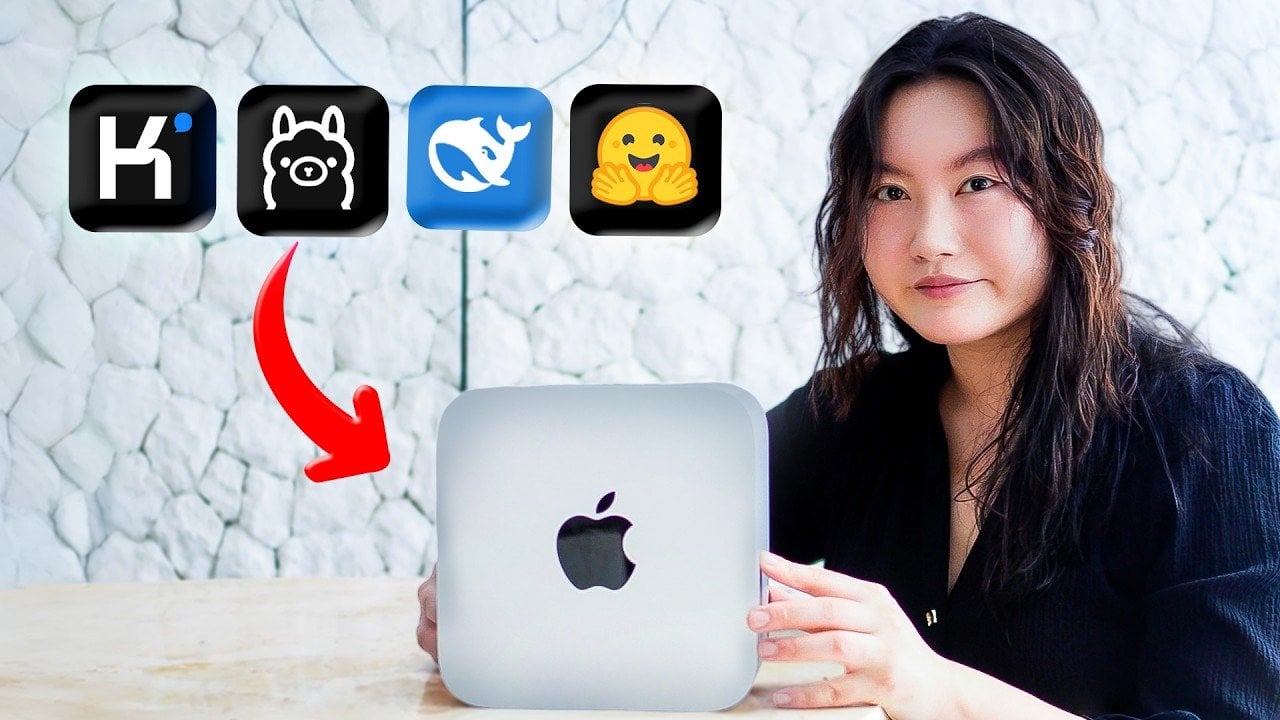
Open source AI models provide a unique opportunity to customize, fine-tune and deploy artificial intelligence solutions tailored to specific needs. In her guide, Tina Huang breaks down the practical steps for running these models, highlighting methods like local setups and browser-based platforms. For example, running models locally on your own hardware offers unmatched privacy and control, though it may require sufficient memory or processing power to handle larger models. This balance between flexibility and technical constraints is a key focus of the guide, offering insights for users across varying levels of expertise.
Explore how to make the most of open source AI by understanding the trade-offs between different deployment methods. You’ll gain insight into browser-based platforms for quick experimentation, managed inference APIs for streamlined integration and VPS setups for scalable solutions. The guide also touches on advanced options like edge deployment for offline functionality and managed cloud solutions for enterprise-level scalability. Each approach is presented with its benefits and challenges, helping you choose the right fit for your specific project needs.
What Are Open source AI Models?
TL;DR Key Takeaways :
- Open source AI models provide flexibility, cost-efficiency and control, allowing for customization, privacy and secure data handling.
- Four main deployment methods include local setups for privacy, browser-based platforms for accessibility, managed inference APIs for simplicity and VPS for scalability and control.
- Advanced deployment options like managed cloud solutions and on-device/edge deployment cater to enterprise needs and offline functionality, respectively.
- Key considerations when choosing a deployment method include hardware requirements, privacy, cost, scalability and technical expertise.
- Carefully selecting the right deployment strategy ensures effective utilization of open source AI models tailored to specific project needs.
Open source AI models are publicly available systems that include the architecture, pre-trained weights and training or inference code. Unlike proprietary solutions, these models allow for modification, fine-tuning and deployment tailored to specific needs. Their benefits include:
- Control: Full control over the model’s behavior, architecture and deployment.
- Cost Efficiency: Avoid vendor lock-in and reduce expenses compared to proprietary alternatives.
- Privacy: Ideal for projects requiring secure data handling and custom optimizations.
These models are particularly valuable for applications where privacy, customization, or unique optimizations are critical.
Four Main Methods for Running Open source AI Models
1. Local Setup
Running AI models on your local hardware offers unmatched privacy and control. This method involves downloading the model and executing it directly on your device, such as a desktop or laptop. Tools like Olama simplify this process by providing user-friendly interfaces for deploying models locally.
Advantages:
- Ensures complete privacy since data remains on your device.
- Enables offline functionality, making it independent of internet access.
- Eliminates recurring hosting fees, offering a cost-effective solution.
However, hardware limitations such as insufficient memory or processing power can restrict the ability to run larger models. For advanced users, local setups can be extended to host models for external access or fine-tune them using GPUs for enhanced performance.
2. Browser-Based AI Platforms
For users without access to powerful hardware, browser-based platforms provide a convenient alternative. Services like Hugging Face Spaces, Arena.ai and Google Colab host models on their servers, allowing access through a web interface.
Advantages:
- Requires no specialized hardware, making it accessible to anyone with an internet connection.
- Offers quick setup, ideal for experimentation and prototyping.
Disadvantages:
- Data privacy may be compromised as processing occurs on third-party servers.
- Usage may be limited by rate caps, session expirations, or restricted access to advanced features.
This method is particularly useful for beginners or those testing models before committing to more robust deployment strategies.
3. Managed Inference APIs
Managed inference APIs simplify the integration of AI models into applications. Providers such as Together AI, Fireworks AI and Groq host the models and offer APIs for inference, allowing developers to focus on application development rather than infrastructure management.
Advantages:
- Eliminates the complexity of deploying and maintaining models.
- Ideal for startups and independent developers prioritizing application development.
While APIs streamline the process, they often require some coding expertise for customization. Additionally, recurring costs can accumulate depending on usage, making this option less cost-effective for large-scale or long-term projects.
4. Virtual Private Servers (VPS)
Virtual private servers (VPS) allow you to rent remote hardware for running AI models. Providers like Hetzner and Hostinger offer scalable solutions, while tools like Docker enable containerized deployments for efficient resource management.
Advantages:
- Provides greater privacy compared to browser-based platforms.
- Offers scalability for running multiple models or handling higher traffic.
This method is well-suited for users who need more control and scalability than browser-based platforms can provide. Advanced workflows may include hybrid deployments that combine local setups with VPS or renting GPUs for larger models to achieve optimal performance.

Find more information on Open source AI by browsing our extensive range of articles, guides and tutorials.
- Open Source AI Agents: Cost Cuts, Setup Needs and Best Practices
- Ion UI Guide: Set up Multiple AI Agents on Mac, Windows, Linux
- Open Source AI Fundamentals Guide : Models, Licenses & Real-World Use
- Shanon Open Source AI Pentester: Features, Cost & Limits
- Kimi K2.5 vs Claude Opus 4.5 : Speed, Cost and Key Features
- AI Voice Open Source App Chatterbox Features Zero-Shot Cloning
- Kimi K2.5 Open Source AI Beats Gemini 3 on Coding Tasks
- Auto Claude: Free Open Source AI Coding Assistant with GitHub
- Nvidia Groq Licensing Explained, $20B Deal Reshapes AI Chips
Advanced Deployment Options
1. Managed Cloud Solutions
Managed cloud solutions are designed for enterprises or startups requiring scalable infrastructure for hosting AI models. These services handle deployment, monitoring and scaling, making them suitable for production environments with high traffic and compliance needs. Providers such as AWS, Google Cloud and Azure offer robust platforms for hosting and managing AI workloads.
2. On-Device/Edge Deployment
Edge deployment involves embedding AI models directly into applications running on user devices, such as smartphones, IoT devices, or embedded systems. This approach prioritizes privacy and offline functionality but requires optimizing model size and performance to accommodate constrained hardware. Tools like TensorFlow Lite and ONNX Runtime are commonly used for such deployments.
Key Considerations Across Methods
When deciding how to run open source AI models, several factors should guide your choice:
- Hardware Requirements: Ensure your chosen method aligns with your available resources, such as GPUs, memory, or storage capacity.
- Privacy and Security: Evaluate how sensitive data will be handled, especially for browser-based or cloud solutions.
- Cost: Balance upfront and recurring expenses, including hardware, hosting and API usage fees.
- Scalability: Plan for future growth, particularly if your application will handle increasing traffic or require additional models.
- Technical Expertise: Consider the level of technical knowledge required for setup, maintenance and troubleshooting.
Making the Right Choice
Open source AI models offer unparalleled flexibility and control, but selecting the right deployment method is essential to maximize their potential. Whether you prioritize the privacy and independence of local setups, the accessibility of browser-based platforms, the simplicity of APIs, or the scalability of VPS and cloud solutions, there is an option to suit your needs. By carefully evaluating the benefits and challenges of each approach, you can make informed decisions and fully harness the power of open source AI for your projects.
Media Credit: Tina Huang
Disclosure: Some of our articles include affiliate links. If you buy something through one of these links, Geeky Gadgets may earn an affiliate commission. Learn about our Disclosure Policy.