Author: theplanetclicker_jgyx66

  • Claude Coding Guide 2026 : Debugging & Testing for a Clean MVP Build

    Claude Coding Guide 2026 : Debugging & Testing for a Clean MVP Build

    Claude Coding Guide 2026 : Debugging & Testing for a Clean MVP Build

    Cursor IDE shows files, terminal, and chat, while the coding assistant drafts commands and fixes errors.

    What if you could build a fully functional app in hours instead of weeks? Below, David Ondrej takes you through how Claude Code, a innovative AI coding assistant, is reshaping the way developers approach app creation in 2026. Imagine outlining your idea in a simple markdown file and watching as the AI generates a tailored Next.js app structure, complete with boilerplate code and optimized workflows. This isn’t just faster, it’s smarter. By automating repetitive tasks like debugging and SQL query generation, Claude Code frees up developers to focus on what really matters: creating innovative, impactful features. The result? A development process that feels less like work and more like pure creativity.

    In this 2026 guide, you’ll discover how AI-powered platforms like Claude Code, Cursor IDE, and Superbase are transforming app development from start to finish. From setting up a robust project environment to deploying your app on Vercel with minimal friction, David’s video explores every step of the journey. You’ll also get a glimpse into how these technologies simplify complex processes like authentication and analytics integration, making them accessible even to smaller teams. Whether you’re curious about the future of coding or eager to streamline your next project, this overview offers a fascinating look at how AI is transforming the development landscape.

    AI-Powered App Development

    TL;DR Key Takeaways :

    • AI tools like Claude Code, Cursor IDE, and Superbase are transforming app development by streamlining workflows, automating repetitive tasks, and allowing faster innovation.
    • Strategic selection of tools, such as Cursor IDE for coding, Superbase for database management, and Vercel for deployment, is critical for efficient and scalable app development.
    • Establishing a strong project environment with Git and GitHub ensures effective version control, collaboration, and a structured development process.
    • Core features of a URL attribution and analytics tool, such as link tracking and data visualization, can be efficiently implemented using Next.js, AI-generated code, and Superbase for secure data management.
    • Deploying applications on Vercel and incorporating analytics for user behavior insights are essential for refining the product, making sure security, and achieving long-term success.

    Strategic Selection of Development Tools

    Choosing the right tools is a foundational step in app development. Cursor IDE stands out as a robust platform for serious software projects, offering advanced features that surpass other options like Replit or Bold. Its seamless integration with AI coding agents, such as Claude Code, ensures a smooth and efficient development experience. For database management, Superbase provides a reliable and feature-rich solution, while Vercel simplifies deployment, making it easier to scale and maintain web applications. These tools collectively empower developers to focus on innovation rather than being bogged down by repetitive tasks.

    Establishing a Strong Project Environment

    Before diving into the development phase, it is essential to set up a solid project environment. Begin by creating an empty project folder and initializing a Git repository. Connecting this repository to GitHub ensures effective version control, allowing you to track changes, collaborate with others, and revert to previous versions if necessary. This practice is critical for safeguarding your work and maintaining a structured development process. By establishing this foundation, you create a reliable framework for building and managing your app.

    Claude Coding a Full App with Cursor IDE & Superbase

    Discover other guides from our vast content that could be of interest on Claude Code.

    Using AI for Smarter and Faster Development

    AI tools like Claude Code are transforming the development process by acting as intelligent coding assistants. These tools can generate terminal commands, debug code, and optimize workflows, significantly reducing the time and effort required for complex tasks. For instance, you can outline your project idea in a markdown file, and Claude Code will generate a tailored Next.js app structure based on your specifications. This approach not only accelerates development but also ensures the production of high-quality, well-structured code. By automating repetitive tasks, AI tools allow developers to focus on creating unique and impactful features.

    Building Core Features and Managing Data Effectively

    The core functionality of a URL attribution and analytics tool lies in its ability to track and analyze user interactions. Using Next.js as the framework, developers can implement essential features such as link creation, click tracking, and data visualization. AI tools simplify these processes by automating the generation of boilerplate code and SQL queries for database interactions. This enables developers to dedicate more time to refining the app’s unique capabilities.

    For data management, Superbase is an excellent choice. Start by creating tables for links and clicks, using SQL queries to define their structure. Superbase also supports authentication and environment variable configuration, making sure secure and efficient operations. For example, implementing email-based authentication allows you to manage user access seamlessly while maintaining robust security measures.

    Making sure Security and Deploying the Application

    Authentication is a vital component of any application, particularly those handling sensitive user data. Superbase simplifies this process by supporting email-based authentication, which is both straightforward and effective. Configure redirect URLs for login and sign-up flows to enhance the user experience while maintaining security. This ensures that only authorized users can access the app’s features.

    Once the app is functional, deploy it on Vercel to make it accessible to users. Vercel streamlines the deployment process, allowing developers to test the app in a production environment. Addressing deployment errors promptly ensures a smooth and reliable user experience. By using Vercel’s capabilities, you can bring your application to life with minimal hassle.

    Incorporating Analytics and Refining the Product

    Analytics play a crucial role in understanding user behavior and improving your app. Implement tools to track traffic sources, click counts, and other key metrics. Present this data through intuitive charts and graphs, providing actionable insights that can guide future development and decision-making. Testing and optimization are equally important. Conduct iterative testing in both local and production environments to identify and resolve issues. AI debugging tools can streamline this process, making sure that your app meets its intended specifications. Maintaining a clean and minimal codebase enhances performance and scalability, setting the stage for future growth.

    Adopting Best Practices for Long-Term Success

    Throughout the development process, adhering to best practices can significantly enhance efficiency and productivity. Commit changes frequently to Git for effective version control, and use AI tools to automate repetitive tasks and upskill your development capabilities. By focusing on a minimal viable product, you can deliver a functional app quickly while leaving room for future enhancements. This approach not only accelerates development but also ensures that your app remains adaptable to evolving user needs and technological advancements.

    The Role of AI in Shaping the Future of Development

    In 2026, AI tools like Claude Code, Cursor IDE, and Superbase are redefining the landscape of app development. By harnessing these technologies, developers can transform ideas into fully functional applications with unprecedented speed and efficiency. This paradigm shift highlights the growing importance of AI in streamlining workflows, enhancing productivity, and allowing innovation. Whether you are an experienced developer or a newcomer to the field, these tools offer powerful solutions to bring your ideas to life and stay ahead in a rapidly evolving industry.

    Media Credit: David Ondrej

    Filed Under: AI, Guides

    Latest Geeky Gadgets Deals

    Disclosure: Some of our articles include affiliate links. If you buy something through one of these links, Geeky Gadgets may earn an affiliate commission. Learn about our Disclosure Policy.
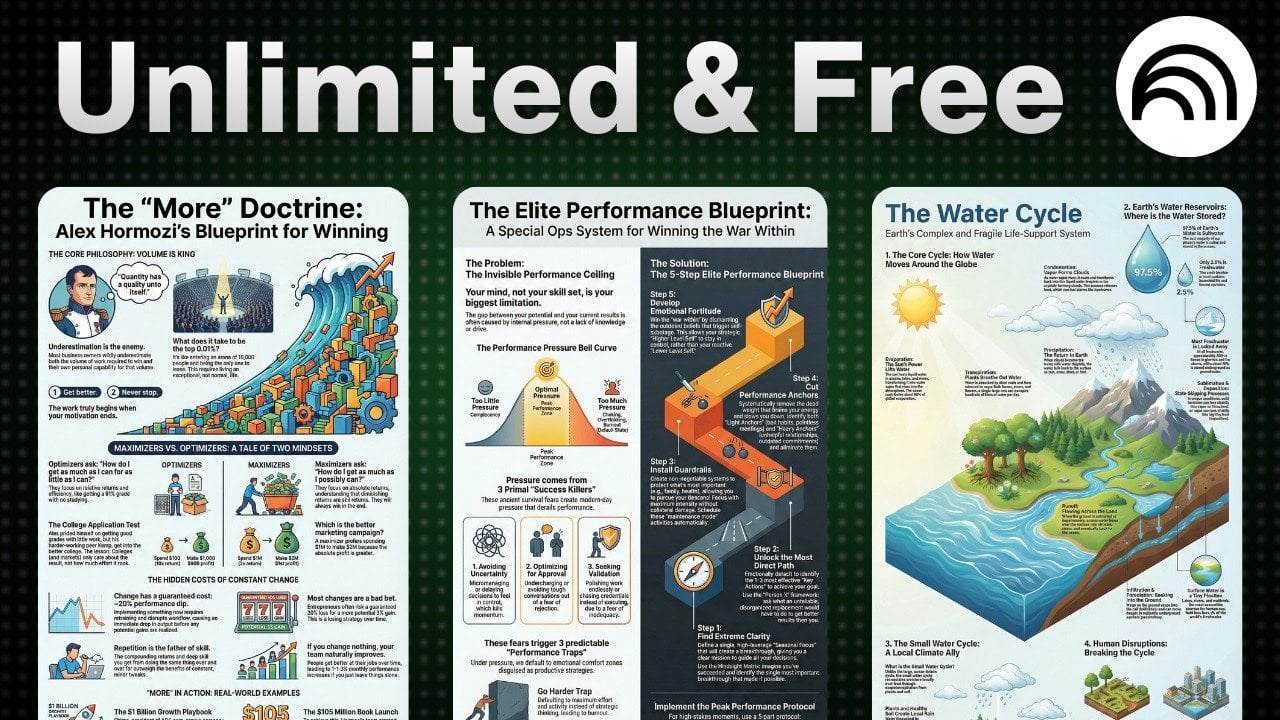
  • Quickly Create Amazing Infographics With NotebookLM from YouTube, Books, Sites & Notes

    Quickly Create Amazing Infographics With NotebookLM from YouTube, Books, Sites & Notes

    Quickly Create Amazing Infographics With NotebookLM from YouTube, Books, Sites & Notes

    Competitive analysis graphic created in NotebookLM, highlighting rivals, pricing, and features at a glance.

    Have you ever struggled to turn a mountain of data into something that’s not only digestible but also visually captivating? In this new guide, Matt Penny explores how Google’s NotebookLM is transforming infographic creation, making it easier than ever to transform complex information into stunning visuals. Whether you’re a marketer trying to grab attention, an educator simplifying tough concepts, or a professional presenting key insights, NotebookLM offers a seamless way to create polished, audience-ready infographics. The best part? It’s completely free, proving that you don’t need a big budget to make a big impact. With its combination of automation and customization, this platform promises to save you time while elevating the quality of your visual storytelling.

    This guide will walk you through the process of using NotebookLM to craft infographics that are not only visually appealing but also packed with meaningful, accurate data. From importing information from trusted sources to tailoring the design to suit your audience, you’ll discover how to use this intuitive platform to its fullest potential. Along the way, you’ll uncover tips for enhancing clarity, engaging your viewers, and making your visuals stand out in a sea of content. If you’ve ever wondered how to simplify data visualization without sacrificing quality, this is your chance to find out.

    Create Infographics with NotebookLM

    TL;DR Key Takeaways :

    • NotebookLM is a free, cloud-based tool by Google that simplifies the creation of professional-grade infographics by integrating automation, customization, and accessibility.
    • Users can import data from various sources like YouTube videos, books, websites, and research papers, making sure infographics are built on accurate and reliable information.
    • The platform offers robust customization options, including layout, language, and design elements, allowing users to tailor infographics to their specific needs and audience.
    • NotebookLM is versatile, catering to applications such as educational materials, marketing campaigns, content summarization, and business insights, making it valuable across industries.
    • Key advantages include time efficiency, ease of use for all skill levels, and the ability to create visually engaging and precise infographics quickly and effectively.

    What Is NotebookLM?

    NotebookLM is a free, cloud-based tool that works effortlessly with your Google account. It allows users to create and manage notebooks filled with data sourced from a variety of platforms, including YouTube videos, books, websites, and research papers. Designed with an intuitive interface, it simplifies the process of organizing and visualizing data, making it accessible to users of all skill levels. Whether you’re a seasoned professional or a beginner, NotebookLM provides the tools you need to create professional-grade infographics.

    How to Create Infographics with NotebookLM

    Creating infographics with NotebookLM is a straightforward process that combines simplicity with flexibility. Follow these steps to get started:

    • Import Data: Begin by importing data from your preferred sources, such as research papers, YouTube videos, or books. This ensures your infographic is built on accurate and relevant information.
    • Customize Your Design: Select the language, layout (landscape, portrait, or square), and level of detail for your infographic. These options allow you to tailor the design to suit your audience and purpose.
    • Generate the Infographic: Once your settings are finalized, NotebookLM generates a polished infographic that is both visually appealing and content-rich.

    This process not only saves time but also ensures that your infographic is both professional and easy to understand, regardless of the complexity of the data.

    How to Create Stunning Infographics with NotebookLM for Free

    Check out more relevant guides from our extensive collection on NotebookLM that you might find useful.

    Applications of Infographics

    NotebookLM’s versatility makes it an ideal tool for a wide range of applications. Here are some practical ways to use it effectively:

    • Educational Materials: Simplify complex subjects, such as scientific theories or technical processes, into clear and engaging visuals for students.
    • Marketing Campaigns: Design professional-grade infographics for presentations, social media, or advertising campaigns to effectively capture and retain your audience’s attention.
    • Content Summarization: Condense lengthy YouTube videos, books, or research papers into concise, visually digestible formats for easier comprehension.
    • Business Insights: Present competitor analysis, performance metrics, or internal data in a clear and actionable format to aid decision-making.

    These applications demonstrate the tool’s ability to cater to diverse needs, making it a valuable resource across various industries.

    Customization and Editable Design Features

    NotebookLM offers robust customization options, allowing you to create infographics that align perfectly with your goals. Users can adjust layouts, select specific design elements, and edit content after the infographic is generated. This flexibility ensures that your final product resonates with your intended audience. Whether you need to refine the color scheme, adjust the level of detail, or modify the layout, NotebookLM provides the tools to make your infographic truly your own.

    Key Advantages of NotebookLM

    NotebookLM stands out as a powerful tool for creating infographics due to its unique combination of features. Here are some of its key advantages:

    • Time Efficiency: By automating the data visualization process, NotebookLM significantly reduces the time and effort required compared to traditional methods.
    • Accuracy from Reliable Sources: The ability to import data directly from trusted sources ensures that your infographics are both credible and precise.
    • Ease of Use: With its user-friendly interface, NotebookLM is designed to accommodate users of all skill levels, making it simple to create professional-quality visuals.

    These advantages make NotebookLM an indispensable tool for anyone looking to create impactful infographics quickly and efficiently.

    Real-World Use Cases

    NotebookLM’s capabilities extend to a variety of real-world scenarios, showcasing its versatility and practicality. Some notable use cases include:

    • Educational Use: Break down complex scientific processes, such as the water cycle or chemical reactions, into easy-to-follow visuals for students.
    • Marketing Strategies: Develop engaging infographics to support campaigns, enhance social media content, or present product features in a visually appealing way.
    • Research Summaries: Visualize key findings from books, research papers, or videos to make information more accessible and easier to understand.
    • Business Analysis: Present data-driven insights, such as competitor comparisons, sales trends, or performance metrics, in a format that assists informed decision-making.

    These examples highlight how NotebookLM can be applied across different fields to simplify complex information and improve communication.

    Why NotebookLM Is a Valuable Tool

    NotebookLM combines automation, customization, and source-based accuracy to simplify the creation of effective infographics. Its intuitive design and versatile applications make it an invaluable resource for professionals in education, marketing, research, and business. By integrating data importation, customizable design options, and a user-friendly interface, NotebookLM enables you to visualize information efficiently and effectively. Whether you’re summarizing a book, analyzing business data, or creating educational content, this tool ensures your infographics are both impactful and precise.

    Media Credit: Matt Penny

    Filed Under: AI, Guides

    Latest Geeky Gadgets Deals

    Disclosure: Some of our articles include affiliate links. If you buy something through one of these links, Geeky Gadgets may earn an affiliate commission. Learn about our Disclosure Policy.
  • New ChatGPT App Store Update Provides Fresh Ways to Work

    New ChatGPT App Store Update Provides Fresh Ways to Work

    New ChatGPT App Store Update Provides Fresh Ways to Work

    Screenshot of Claude in Chrome managing tabs and running Claude Code, reducing manual clicks during heavy browser work.

    What if your favorite apps could go beyond their standard functions, what if they could adapt, anticipate, and transform the way you work and create? The AI Advantage takes a closer look at how the latest ChatGPT apps are delivering on this vision, reshaping our interaction with technology in profound ways. From crafting personalized Spotify playlists to automating intricate design processes in Photoshop, these innovations are proving that AI is no longer a distant dream, it’s an essential, everyday partner. More than just adding convenience, these advancements are unlocking new possibilities for creativity, productivity, and problem-solving that were once unimaginable.

    In this overview, we’ll dive into how ChatGPT’s growing ecosystem is breaking new ground across industries, offering customized solutions for everything from project management to graphic design. Features like “Your Year with ChatGPT” provide actionable insights into personal habits, while innovative capabilities like image layer separation and AI-driven coding assistants are transforming workflows for professionals. Whether you’re curious about enhancing your daily routines or exploring AI’s fantastic impact on specialized fields, this breakdown reveals the evolving synergy between humans and intelligent systems. The question isn’t just what AI can do, it’s how far it can take you.

    ChatGPT App Store: A Thriving Ecosystem of Tools

    TL;DR Key Takeaways :

    • The ChatGPT App Store has expanded, offering integrations with platforms like Spotify, Photoshop, Airtable, and Notion to enhance productivity and creativity across industries.
    • “Your Year with ChatGPT” provides personalized summaries of user interactions, helping individuals optimize workflows and identify areas for growth.
    • Innovative tools like image layer splitting and the Claude Chrome Extension streamline graphic design, web browsing, and coding tasks, improving efficiency and precision.
    • AI-powered solutions are addressing industry-specific challenges, such as virtual property staging for real estate, showcasing AI’s versatility in solving niche problems.
    • Universal AI assistant ecosystems are emerging, centralizing tools and applications to simplify workflows and enhance productivity in both personal and professional contexts.-

    The ChatGPT App Store has expanded significantly, creating a dynamic ecosystem of applications designed to meet diverse user needs. Developers now have the opportunity to submit their own apps, fostering innovation and allowing seamless integration with widely-used platforms such as Spotify, Photoshop, Airtable, and Notion. These integrations are designed to simplify tasks and enhance functionality, making AI more accessible and practical.

    • Spotify: Generate curated playlists or analyze music trends directly within ChatGPT, offering a personalized music experience.
    • Photoshop: Use AI-powered image editing tools to streamline creative projects and achieve professional-grade results.
    • Airtable: Automate database management processes, allowing more efficient organization and data handling.
    • Notion: Use AI to enhance note-taking, project management, and team collaboration.

    The updated app interface has also addressed previous limitations, offering a more intuitive and user-friendly experience. This evolution reflects a commitment to improving accessibility and usability for both casual users and professionals.

    Personalized Insights with “Your Year with ChatGPT”

    One of the standout features introduced by ChatGPT is “Your Year with ChatGPT,” a tool that provides personalized summaries of your interactions with the platform. Similar to Spotify Wrapped, this feature highlights your usage patterns, offering insights into how you’ve used ChatGPT over the past year. By analyzing these patterns, you can identify areas where AI can further optimize your workflows, whether for personal growth or professional development.

    This tool goes beyond simple reflection. It serves as a practical resource for understanding how AI can be integrated into your daily routines, helping you make informed decisions about using technology to achieve your goals.

    New ChatGPT Apps & More AI Use Cases

    Here are additional guides from our expansive article library that you may find useful on ChatGPT 5.2.

    Advancing Design with Image Layer Splitting

    For graphic design professionals, ChatGPT has introduced an innovative image layer splitting model. This tool automates the process of separating images into individual layers, allowing detailed design analysis and creative manipulation. By simplifying this traditionally time-consuming task, the tool enhances both precision and efficiency.

    • Analyze the composition of visual media such as magazine covers, posters, or advertisements.
    • Repurpose design elements for new projects without compromising quality or originality.

    This feature is particularly valuable for creative professionals who seek to streamline their workflows while maintaining high standards of design.

    Enhanced Browsing and Development with Claude Tools

    AI integration into web browsers has reached new heights with the Claude Chrome Extension. This tool allows you to remotely control Chrome, simplifying web-based tasks such as research, navigation, and data collection. For developers, Claude Code offers AI-driven assistance for coding, including debugging, writing, and testing. These tools highlight how AI can enhance both general browsing and specialized technical tasks.

    By incorporating these tools into your workflow, you can save time and improve accuracy, making them indispensable for professionals across industries. The seamless integration of AI into everyday tools reflects its growing importance in modern work environments.

    AI Solutions for Industry-Specific Challenges

    AI is increasingly being used to address niche challenges across various industries. For example, real estate professionals can now use AI-powered staging apps to create virtual property presentations. These tools provide a cost-effective alternative to traditional staging methods, allowing properties to be showcased in their best light without the need for physical staging.

    This application demonstrates AI’s versatility in solving targeted problems and improving efficiency. By offering tailored solutions, AI continues to prove its value in addressing the unique needs of different sectors.

    Google Gemini: Enhancing Collaboration and Content Repurposing

    Google’s Gemini updates have introduced powerful features designed to enhance collaboration and streamline workflows. One notable addition is notebook linking, which allows you to connect multiple notebooks for seamless context sharing. This functionality fosters better integration across projects, making it easier to manage complex tasks.

    Additionally, Gemini supports converting notebooks into various formats, including Google Sheets, slide decks, and even podcasts. These capabilities enable you to repurpose and share content more effectively, catering to the needs of professionals in diverse fields. By simplifying the process of content creation and distribution, Gemini underscores AI’s potential to enhance productivity.

    The Evolution of Universal AI Assistant Ecosystems

    A significant trend in AI development is the rise of universal assistant ecosystems. These platforms aim to integrate a wide range of tools and applications into a single, cohesive system. By centralizing AI capabilities, these ecosystems provide a unified hub for managing tasks, accessing information, and automating workflows.

    This evolution reflects AI’s potential to simplify complex processes and enhance productivity. As these ecosystems continue to develop, they are likely to play an increasingly important role in both personal and professional contexts, offering a glimpse into the future of AI-driven efficiency.

    Media Credit: The AI Advantage

    Filed Under: AI, Technology News, Top News

    Latest Geeky Gadgets Deals

    Disclosure: Some of our articles include affiliate links. If you buy something through one of these links, Geeky Gadgets may earn an affiliate commission. Learn about our Disclosure Policy.

  • How to Spot AI Photos Fast in 2026 Using Content Labels, Hive AI Scores & Reverse Search

    How to Spot AI Photos Fast in 2026 Using Content Labels, Hive AI Scores & Reverse Search

    How to Spot AI Photos Fast in 2026 Using Content Labels, Hive AI Scores & Reverse Search

    Close-up portrait shows very smooth skin and deformed fingers, common signs of an AI-made picture.

    Can you trust everything you see online? As AI-generated images grow more advanced, distinguishing between authentic visuals and artificial creations has become increasingly challenging. From stunningly realistic portraits to intricate landscapes, these images are designed to fool even the most discerning viewers. TheAIGRID takes a closer look at how you can confidently identify AI-generated visuals in today’s digital age. Whether you’re a journalist verifying content, a marketer safeguarding your brand, or simply someone navigating the internet, this how-to guide will help you stay informed and alert in a world where authenticity is more critical than ever.

    This guide provide more insights into effective methods for spotting AI-generated images, from analyzing Google Synth ID’s invisible watermarks to using practical techniques like reverse image searches and metadata checks. You’ll also learn to identify subtle inconsistencies that reveal an AI’s handiwork, empowering you to approach every image with a critical eye. By combining these strategies, you’ll be better equipped to navigate the blurred lines between reality and fabrication. In a time when digital literacy is essential, this guide offers the insights you need to stay ahead.

    AI Image Detection Guide

    TL;DR Key Takeaways :

    • Google Synth ID uses invisible watermarking technology to detect AI-generated images with high accuracy, even after modifications like cropping or compression.
    • Content Credentials relies on metadata tracking to verify image authenticity but may face challenges with altered or stripped metadata in edited files.
    • Hive AI provides an advanced image analysis API that assigns confidence scores for detecting AI-generated content, though it may struggle with low-resolution or cropped images.
    • Reverse image search is a simple method to trace image origins, serving as a useful starting point for identifying AI-generated visuals when combined with other tools.
    • Manual inspection techniques, such as examining blurred text, skin texture, and image composition, remain essential for spotting flaws in AI-generated images, complementing automated tools.

    Google Synth ID: Invisible Watermarking Technology

    Google Synth ID, developed by Google DeepMind, represents a innovative solution for identifying AI-generated images. This technology embeds invisible watermarks into AI-generated visuals, making sure they remain detectable even after modifications like cropping, resizing, or compression. Accessible through Google Gemini, Synth ID allows users to verify image authenticity with ease.

    The tool is particularly valuable because it offers a high degree of accuracy in detecting AI-generated content. Its accessibility and free availability make it a practical option for individuals and organizations alike. By scanning for these invisible watermarks, you can quickly determine whether an image has been created by AI, providing a reliable method for maintaining trust in digital content.

    Content Credentials: Metadata as a Digital Fingerprint

    Content Credentials is another powerful tool that uses metadata tracking to verify image authenticity. Metadata embedded in images contains critical information, such as the creation date, issuing platform, and whether the image was generated by AI. For instance, metadata might indicate that an image originated from platforms like Google LLC or OpenAI.

    However, this method is not without its challenges. Metadata can be stripped or altered, particularly in screenshots or heavily edited files. While Content Credentials is highly effective for downloaded images, it may not always provide reliable results for manipulated or reprocessed content. Despite these limitations, it remains a valuable tool for identifying the origins of digital images.

    How To Easily Identify AI Images in 2026

    Here are more detailed guides and articles that you may find helpful on AI images.

    Hive AI: Advanced Image Analysis API

    Hive AI offers an advanced image analysis API designed to detect AI-generated content. By analyzing images and assigning confidence scores, Hive AI provides insights into the likelihood of AI involvement. This tool excels in scenarios where other methods may falter, such as detecting subtle AI-generated elements in complex visuals.

    That said, Hive AI has its own set of limitations. It may struggle with cropped or low-resolution images, and its accuracy can vary depending on the quality of the input. Despite these challenges, Hive AI remains a robust resource for identifying AI-generated visuals, particularly when used in conjunction with other detection methods.

    Reverse Image Search: Tracing Image Origins

    Reverse image search is a straightforward and widely accessible method for verifying the origin of publicly available images. By uploading an image to a search engine, you can check for matches across the web. If no results appear, it could suggest that the image is AI-generated or newly created.

    While this method is not foolproof, it serves as a useful starting point for image verification. Reverse image search works best when combined with other tools and techniques, providing a more comprehensive approach to identifying AI-generated content.

    Manual Inspection Techniques: A Trained Eye

    While automated tools are invaluable, manual inspection remains an essential skill for identifying AI-generated images. By closely examining specific details, you can spot common flaws associated with AI-generated visuals. Key areas to focus on include:

    • Blurred Text or Objects: AI systems often struggle to render text or objects clearly, especially when viewed up close.
    • Skin Texture: AI-generated images frequently feature unnaturally smooth or flawless skin, lacking realistic imperfections.
    • Image Composition: Look for anomalies such as missing fingers, distorted objects, or inconsistent lighting, which are common in AI-generated visuals.

    These techniques require a trained eye and familiarity with the typical shortcomings of AI-generated imagery. While manual inspection may not be as precise as automated tools, it can provide valuable insights when used alongside other methods.

    Challenges and Limitations of Detection Methods

    No single method is entirely reliable for identifying AI-generated images. Tools like Content Credentials, which rely on metadata, may fail when dealing with screenshots or heavily edited files. Similarly, manual inspection requires expertise and may not always yield definitive results. Automated tools like Hive AI, while advanced, can produce false positives or struggle with altered images.

    To address these challenges, it is essential to use multiple methods in tandem. Combining automated tools with manual inspection techniques increases the likelihood of accurately identifying AI-generated content. This multifaceted approach ensures a higher degree of reliability in distinguishing between authentic and AI-generated visuals.

    Staying Ahead in the Digital Landscape

    In 2026, identifying AI-generated images requires a combination of advanced tools and manual techniques. Solutions like Google Synth ID, Content Credentials, Hive AI, and reverse image search provide valuable insights, while manual inspection adds an extra layer of scrutiny. Each method has its strengths and weaknesses, making it crucial to adopt a comprehensive approach for the most reliable results.

    As AI technology continues to evolve, staying informed about the latest detection tools and techniques is vital. By using these resources effectively, you can navigate the digital landscape with greater confidence, making sure trust and transparency in the content you encounter.

    Media Credit: TheAIGRID

    Filed Under: AI, Technology News, Top News

    Latest Geeky Gadgets Deals

    Disclosure: Some of our articles include affiliate links. If you buy something through one of these links, Geeky Gadgets may earn an affiliate commission. Learn about our Disclosure Policy.

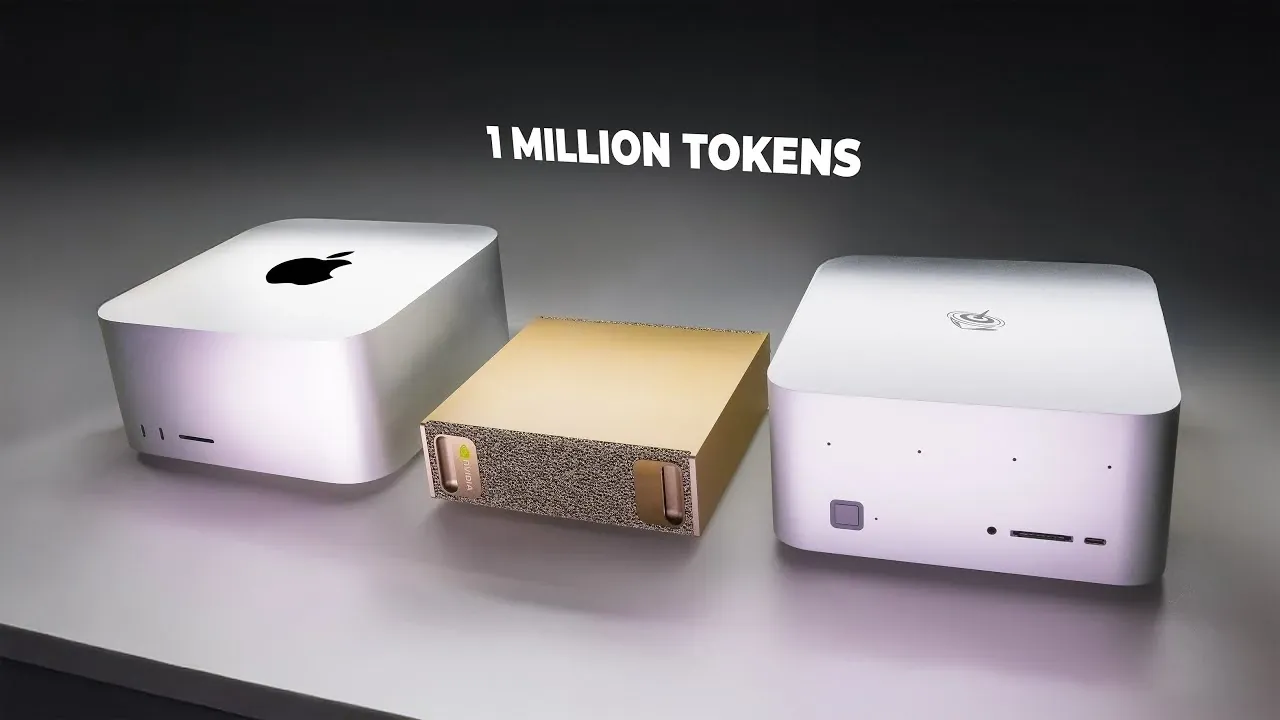
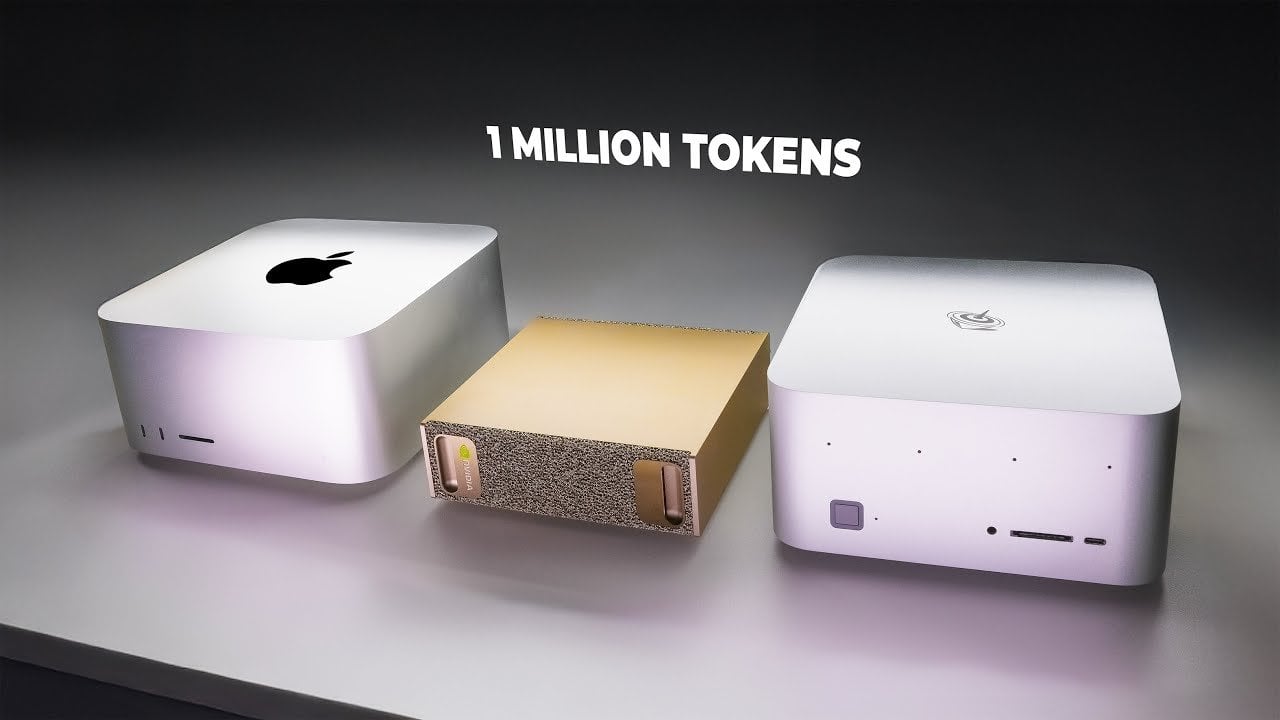
  • DGX Spark vs Radeon 960 XT vs M3 Ultra : One Million AI Tokens Performance Testing

    DGX Spark vs Radeon 960 XT vs M3 Ultra : One Million AI Tokens Performance Testing

    DGX Spark vs Radeon 960 XT vs M3 Ultra : One Million AI Tokens Performance Testing

    Chart showing DGX Spark hitting the million-token run in 6.7 minutes with strong energy efficiency.

    What does it really take to generate 1 million tokens, fast, efficiently, and without breaking the bank? Below, Alex Ziskind breaks down how five distinct computing systems stack up in this high-stakes challenge, revealing surprising trade-offs between speed, energy consumption, and cost. From the lightning-fast DGX Spark to the budget-friendly AMD Radeon 960 XT, each system tells a story of priorities: raw performance, affordability, or sustainability. But the results aren’t always what you’d expect, especially when a system like the Mac Studio M3 Ultra, known for its sleek efficiency, struggles to keep pace in the speed department. If you’ve ever wondered how these machines perform under pressure, this feature offers a detailed look at their strengths and limitations.

    By the end of this guide, you’ll discover which system is the fastest, which one saves the most energy, and which might quietly drain your wallet over time. Whether you’re a tech enthusiast, a professional balancing performance with operational costs, or simply curious about the real-world impact of hardware choices, this guide will leave you with plenty to think about. From the record-setting throughput of the DGX Spark to the unexpected inefficiencies of the Beink GTR9, the comparisons here go beyond surface specs to uncover what truly matters in high-performance computing. It’s a fascinating glimpse into the trade-offs that shape the machines powering modern innovation.

    Token Generation System Comparison

    TL;DR Key Takeaways :

    • The DGX Spark is the fastest and most energy-efficient system, ideal for high-throughput tasks, but requires a significant financial investment.
    • The AMD Radeon 960 XT offers a budget-friendly option with competitive performance and low energy consumption, suitable for smaller-scale operations.
    • The Mac Studio M3 Ultra excels in idle energy efficiency but is slower and less efficient during intensive tasks, making it better for energy-conscious users.
    • Software optimization plays a critical role, with tools like VLM excelling in concurrency for Nvidia and AMD hardware, and MLX optimized for Apple Silicon.
    • The H200 Cluster delivers unmatched speed for enterprise-level tasks but at a high energy and financial cost, suitable only for users with substantial computational demands.

    Test Setup: Hardware and Software Overview

    To ensure a comprehensive and fair evaluation, five distinct systems were tested:

    • AMD Radeon 960 XT: A budget-friendly GPU designed for moderate workloads.
    • DGX Spark: A high-performance system optimized for demanding computational tasks.
    • Beink GTR9 (AMD Strix Halo): A compact system aimed at balancing performance and affordability.
    • Mac Studio M3 Ultra: Apple’s premium offering, designed for energy efficiency and creative workflows.
    • H200 Cluster: A large-scale, high-capacity system built for enterprise-level tasks.

    Each system was tasked with generating 1 million tokens using the Quen 3 4B model, a compact 4-billion-parameter model chosen for its compatibility across diverse platforms. To maximize performance, software tools such as Llama CPP, VLM, and MLX were employed, with a focus on concurrency and cross-platform functionality. This combination of hardware and software ensured a robust comparison of speed, energy efficiency, and cost.

    Performance Results: Speed Matters

    The speed of token generation varied significantly across the systems, reflecting their design priorities and hardware capabilities:

    • DGX Spark: The fastest system, completing the task in just 6.7 minutes with a throughput of 2,451 tokens per second. This makes it ideal for high-throughput environments.
    • AMD Radeon 960 XT: A strong contender in the budget category, generating tokens at 1,913 tokens per second and completing the task in 8.12 minutes.
    • Mac Studio M3 Ultra: While efficient in other areas, it required 26 minutes to generate 1 million tokens, reflecting its focus on energy savings rather than raw speed.
    • Beink GTR9: The slowest of the group, taking 34 minutes to complete the task, highlighting its limitations in handling high-performance workloads.

    The H200 Cluster, tested separately with a larger 480-billion-parameter model, achieved an impressive 2,609 tokens per second, surpassing the DGX Spark in speed. However, this performance came at a significantly higher energy and financial cost, making it suitable only for users with substantial computational demands.

    Million Tokens Speed Test, DGX Spark vs Radeon vs M3 Ultra

    Advance your knowledge in AI tokens by reading more of our detailed content.

    Energy Efficiency: Balancing Power and Performance

    Energy consumption was a critical factor in evaluating the systems, as it directly impacts both operational costs and environmental considerations:

    • DGX Spark: Demonstrated the highest energy efficiency during active processing, producing the most tokens per kilowatt-hour. This makes it a strong choice for users prioritizing both performance and sustainability.
    • Mac Studio M3 Ultra: Excelled in idle energy efficiency, consuming minimal power when not actively generating tokens. However, its energy efficiency during intensive tasks was less competitive.
    • Beink GTR9: Consumed the most energy overall, reflecting inefficiencies in its design for high-performance tasks. This makes it less suitable for users concerned with energy costs.

    For users seeking a balance between energy consumption and performance, the DGX Spark emerged as the most practical option. In contrast, the Beink GTR9’s high energy usage underscores the importance of aligning hardware capabilities with workload requirements.

    Cost Analysis: Operational Expenses

    Operational costs were calculated based on an energy rate of $0.20 per kilowatt-hour, providing a practical perspective on the financial implications of each system:

    • DGX Spark: Despite its high upfront cost, it proved cost-effective for large-scale workloads due to its speed and energy efficiency. This makes it a worthwhile investment for users with demanding computational needs.
    • AMD Radeon 960 XT: Offered a more affordable alternative, balancing performance and cost for budget-conscious users. Its lower energy consumption further enhances its appeal for smaller-scale operations.
    • Beink GTR9: While inexpensive upfront, its inefficiency led to higher energy costs over time, reducing its overall cost-effectiveness.

    The choice between these systems ultimately depends on your workload and budget. For high-throughput tasks, the DGX Spark is an excellent option, while the AMD Radeon 960 XT is better suited for users with limited resources.

    Software Optimization: The Role of Tools

    The performance of each system was significantly influenced by the software tools used, underscoring the importance of optimization:

    • VLM: Excelled in concurrency, particularly on Nvidia and AMD hardware, making it the preferred choice for high-throughput tasks.
    • MLX: Optimized for Apple Silicon, it performed exceptionally well on the Mac Studio but lacked the cross-platform compatibility needed for broader applications.
    • Llama CPP: A versatile baseline tool, suitable for simpler setups. However, it was less effective for high-concurrency tasks compared to specialized software like VLM.

    Selecting the right software is as critical as choosing the hardware itself. Tools like VLM and MLX demonstrate how software optimization can unlock the full potential of a system, enhancing both performance and efficiency.

    H200 Cluster: Pushing the Limits

    The H200 Cluster was tested with a larger 480-billion-parameter model to evaluate its capabilities under extreme conditions. It achieved a throughput of 2,609 tokens per second, outperforming the DGX Spark in speed. However, its energy consumption and operational costs were substantially higher, making it a viable option only for users with significant computational demands and budgets. This system is best suited for enterprise-level applications where performance outweighs cost considerations.

    Key Takeaways: Choosing the Right System

    This analysis highlights the diverse capabilities of modern computing systems for token generation tasks. Here are the main insights:

    • High-end systems: The DGX Spark delivers exceptional speed and energy efficiency, making it ideal for high-throughput environments, though it requires a significant financial investment.
    • Budget-friendly options: The AMD Radeon 960 XT offers competitive performance at a fraction of the cost, making it a practical choice for users with limited resources.
    • Energy considerations: The Mac Studio M3 Ultra is highly efficient at idle but less competitive during intensive tasks, while the Beink GTR9 incurs higher energy costs overall.
    • Software matters: Tools like VLM and MLX highlight the importance of software optimization in maximizing hardware potential.

    Ultimately, the best system for your needs will depend on your specific priorities, whether they are speed, energy efficiency, or cost-effectiveness. By understanding the strengths and limitations of each option, you can make an informed decision that aligns with your computational requirements and budget.

    Media Credit: Alex Ziskind

    Filed Under: AI, Guides, Hardware

    Latest Geeky Gadgets Deals

    Disclosure: Some of our articles include affiliate links. If you buy something through one of these links, Geeky Gadgets may earn an affiliate commission. Learn about our Disclosure Policy.

  • Master Google’s AI Studio in Minutes : from Real-Time Stream to No-Code Build Tools

    Master Google’s AI Studio in Minutes : from Real-Time Stream to No-Code Build Tools

    Master Google’s AI Studio in Minutes : from Real-Time Stream to No-Code Build Tools

    Data analysis scene processing a long report, showing 1 million token context and results grounded with Google Search.

    What if you could unlock the full potential of artificial intelligence in less time than it takes to watch an episode of your favorite show? Ali H. Salem takes a closer look at how Google AI Studio is transforming the way we interact with AI, offering a platform that’s as approachable as it is powerful. Imagine creating professional-grade media, developing no-code applications, or analyzing massive datasets, all from a single, intuitive interface. With its streamlined design and advanced capabilities, Google AI Studio promises to bridge the gap between innovative technology and everyday usability, making AI accessible to everyone from seasoned professionals to curious beginners. This isn’t just another AI platform, it’s a fantastic option.

    In this explainer, you’ll discover what makes Google AI Studio stand out in a crowded field of AI solutions. From its versatile media generation features to its ability to handle large-scale data analysis with ease, the platform offers something for everyone. Want to build an app without writing a single line of code? Or perhaps you’re curious about how its natural language prompts can simplify complex tasks? This guide will walk you through the platform’s standout features and real-world applications, leaving you inspired to explore its possibilities. The question isn’t whether you can master AI, it’s how far you’ll take it.

    What Makes Google AI Studio Unique?

    TL;DR Key Takeaways :

    • Google AI Studio is a versatile platform designed to make AI accessible to users of all skill levels, offering tools for app development, media generation, and data analysis.
    • The platform features an intuitive interface divided into three sections: Modes (task-specific tools), Workspace (project management hub), and Settings (customization options).
    • Key features include conversational AI (Chat), real-time collaboration (Stream), professional media creation (Generate Media), and no-code app development (Build).
    • Advanced capabilities like large-scale data analysis, customizable media generation, and natural language-driven app development make it suitable for professionals and creators.
    • Google AI Studio emphasizes user-centric design, offering extensive customization options and practical applications for individuals and teams across various industries.

    Google AI Studio stands out due to its focus on usability and efficiency. The platform’s interface is thoughtfully structured into three main sections, each designed to streamline your experience:

    • Modes: Located on the left side, this section includes Chat, Stream, Generate Media, and Build. Each mode is tailored for specific tasks, making sure you can quickly access the tools you need.
    • Workspace: At the center of the interface, the workspace serves as the hub for project management and tool interaction. It is designed to keep your focus on your objectives without distractions.
    • Settings: Found on the right, this section allows you to fine-tune parameters and customize outputs, giving you greater control over your projects.

    This streamlined layout ensures that users can navigate the platform with ease, focusing on their goals without being overwhelmed by unnecessary complexity.

    Key Features at a Glance

    Google AI Studio offers a comprehensive suite of tools designed to meet diverse needs, from conversational AI to no-code app development. Below is an overview of its core features:

    • Chat: Engage with an advanced conversational AI capable of brainstorming, answering questions, and generating ideas. Its natural, context-aware interactions rival leading models such as ChatGPT and Gemini, making it a powerful tool for creative and professional tasks.
    • Stream: Collaborate in real-time with tools for brainstorming, problem-solving, and screen sharing. This feature is particularly useful for teams working on dynamic projects.
    • Generate Media: Create professional-quality videos, images, audio, and music using simple text prompts. Adjustable settings allow you to align outputs with your specific vision, making media creation both accessible and precise.
    • Build: Develop applications without writing a single line of code. With pre-built templates and extensive customization options, this feature is especially appealing to non-technical users looking to create functional apps quickly.

    Quickly Master Google AI Studio in 2026

    Gain further expertise in Google AI Studio by checking out these recommendations.

    Standout Capabilities

    Google AI Studio goes beyond basic functionality, offering advanced tools that enhance productivity and creativity across various domains. These standout capabilities make it a versatile platform for professionals and creators alike.

    1. App Development

    The platform simplifies app development through natural language prompts, allowing users to create interactive applications effortlessly. Features such as version control and shareable URLs streamline the development process, allowing you to build, test, and distribute apps efficiently. This no-code approach makes app creation accessible to users without programming expertise.

    2. Media Generation

    Google AI Studio’s media generation tools are designed to produce high-quality visuals, videos, and audio. Tools like Nano Banana for image editing allow you to refine outputs with precision. By using text prompts, you can customize parameters such as negative prompts, which exclude unwanted elements, making sure the final product aligns with your creative vision.

    3. Data Analysis

    The platform excels in handling large-scale data analysis, supporting a context window of up to 1 million tokens. Integration with Google Search ensures that your insights are accurate and reliable. This feature is particularly valuable for professionals managing complex datasets, such as financial analysts or researchers, who require precise and actionable insights.

    Customization and Control

    One of the defining strengths of Google AI Studio is its extensive customization options. Users can adjust parameters such as temperature and Top P to balance creativity and precision in AI-generated outputs. The inclusion of negative prompts further enhances control, particularly in media generation, by allowing you to exclude specific elements from your results. These features ensure that the platform adapts to your unique requirements, whether you are creating media, developing apps, or analyzing data.

    Real-World Applications

    The versatility of Google AI Studio makes it suitable for a wide range of practical applications. Its tools are designed to cater to both individual users and teams, offering solutions that enhance productivity and creativity across various fields.

    • Interactive Apps: Use natural language prompts and pre-built templates to create engaging applications, such as quizzes, games, or productivity tools.
    • Professional Media Creation: Generate and edit high-quality images, videos, and audio for marketing, content creation, or personal projects.
    • Data Insights: Analyze large datasets to uncover trends, patterns, and actionable insights. This feature is particularly useful for industries such as finance, healthcare, and market research.

    User-Centric Design

    Google AI Studio’s interface is designed to be intuitive and accessible, making it suitable for both non-coders and experienced professionals. By integrating powerful AI tools into a cohesive environment, the platform ensures that users can achieve their goals efficiently. Its user-centric design prioritizes simplicity without compromising on functionality, making it an ideal choice for individuals and teams looking to use AI in their workflows.

    Empowering Users with AI

    Google AI Studio bridges the gap between advanced AI technology and practical application. Its comprehensive suite of tools, combined with a user-friendly design, makes it an invaluable resource for creators, analysts, and professionals. Whether you are building apps, generating media, or analyzing data, Google AI Studio equips you with the tools to unlock your potential, all in just 23 minutes.

    Media Credit: Ali H. Salem

    Filed Under: AI, Guides

    Latest Geeky Gadgets Deals

    Disclosure: Some of our articles include affiliate links. If you buy something through one of these links, Geeky Gadgets may earn an affiliate commission. Learn about our Disclosure Policy.

  • Grok 4.2 Quiet Trials Show Sharper UI, Cleaner Code, Plus Playable Games

    Grok 4.2 Quiet Trials Show Sharper UI, Cleaner Code, Plus Playable Games

    Grok 4.2 Quiet Trials Show Sharper UI, Cleaner Code, Plus Playable Games

    Early trials show Grok 4.2 building a sleek finance dashboard with hover cards and animated charts.

    What if the future of AI could not only dream up stunning web designs but also code them into reality with unmatched precision? In this overview, Universe of AI explores how Grok 4.2, codenamed “Obsidian,” is pushing the boundaries of artificial intelligence by blending creativity with technical prowess. Positioned as a major upgrade from its predecessor, Grok 4.1, this version is already making waves on platforms like Design Arena and LM Marina, where its real-world capabilities are being put to the test. From crafting interactive UI components to generating dynamic charts, Grok 4.2 is more than just an incremental update, it’s a bold step toward reshaping how developers and designers approach their craft. But can it truly outpace its competitors in the fiercely contested AI landscape?

    This analysis provide more insights into the breakthroughs and challenges that define Grok 4.2, offering a glimpse into its enhanced coding efficiency, versatility, and design intelligence. Readers will uncover how this model is transforming workflows by automating complex tasks, empowering creators to focus on innovation rather than execution. With early tests revealing both its potential and its limitations, Grok 4.2 stands at a crossroads, poised to either set new industry benchmarks or fall short of its ambitious goals. Whether you’re a developer, designer, or AI enthusiast, this breakdown will leave you questioning what’s next for AI and how Grok 4.2 might shape the future of digital creation.

    Grok 4.2 AI Advancements

    TL;DR Key Takeaways :

    • Grok 4.2, codenamed “Obsidian,” introduces significant advancements in AI, focusing on practical applications like web design, UI development, and coding efficiency.
    • The model undergoes rigorous real-world testing on platforms like Design Arena and LM Marina, emphasizing performance, reliability, and user feedback to refine its capabilities.
    • Key improvements include enhanced web design features, such as dynamic chart generation, interactive UI components, and seamless hover card integration, streamlining workflows for designers and developers.
    • Grok 4.2 demonstrates improved coding efficiency, producing reliable, structured code across multiple programming languages and frameworks, reducing development time for complex projects.
    • While it shows notable progress compared to Grok 4.1, Grok 4.2 faces challenges in surpassing competitors like GPT 5.2 and Gemini 3 Flash Preview, with ongoing refinements needed to achieve broader scalability and industry dominance.

    Rigorous Testing Under Real-World Conditions

    To ensure its readiness for diverse applications, Grok 4.2 is being subjected to extensive testing under real-world conditions. Operating under aliases like “Upside” and “Vortex Shade,” the model is evaluated for performance, reliability, and user experience. These tests are designed to simulate practical scenarios, allowing developers to assess how effectively Grok 4.2 handles complex, dynamic tasks. By using public evaluation platforms, the development team gathers critical feedback from users, making sure the model evolves into a robust, user-centric tool. This approach prioritizes functionality and adaptability over theoretical benchmarks, emphasizing the importance of real-world performance in shaping the model’s future.

    Breakthroughs in Web Design and UI Development

    One of the most notable advancements in Grok 4.2 is its enhanced proficiency in web design and UI development. The model demonstrates a deep understanding of modern design principles, excelling in tasks that demand creativity, precision, and technical expertise. Its capabilities include:

    • Seamless integration of hover card elements, improving interactivity and user engagement.
    • Dynamic chart generation, enhancing data visualization for applications like financial dashboards and weather platforms.
    • Development of interactive UI components that streamline workflows and elevate user experiences.

    These features position Grok 4.2 as a valuable asset for designers and developers seeking to create visually compelling, functional designs with greater efficiency. By automating complex design tasks, the model enables users to focus on innovation and strategic decision-making.

    Early Tests of Elon Musks Grok 4.2 AI Model

    Gain further expertise in Grok by checking out these recommendations.

    Improved Coding Efficiency and Versatility

    Beyond its design capabilities, Grok 4.2 showcases significant advancements in coding efficiency and versatility. Early evaluations highlight its ability to produce structured, readable, and reliable code with minimal user input. For instance, the model can generate fully functional interactive applications such as Snake, Tetris, and Battleship, reducing development time and minimizing errors. Its adaptability across multiple programming languages and frameworks further enhances its appeal, making it an ideal tool for developers tackling complex, multi-faceted projects. By streamlining the coding process, Grok 4.2 enables developers to allocate more time to refining and optimizing their projects, ultimately improving overall productivity.

    Performance in a Competitive AI Landscape

    In the highly competitive AI landscape, Grok 4.2 has emerged as a strong contender. When compared to leading models such as GPT 5.2, Gemini 3 Flash Preview, and Cloud Sonic 4.5, it demonstrates notable improvements over Grok 4.1 in terms of efficiency and accuracy. However, it has yet to surpass its competitors across all performance metrics. This highlights both the model’s potential and the challenges it faces in achieving dominance. The competitive environment underscores the importance of continuous refinement and innovation, as Grok 4.2 strives to carve out a distinct position in the rapidly evolving AI market.

    Future Potential and Areas for Improvement

    While Grok 4.2 represents a significant step forward, it remains a work in progress. The ongoing testing phase provides valuable insights into areas that require further optimization. Key areas of focus include:

    • Customizing the model for specific use cases to enhance its practical utility and relevance.
    • Addressing performance gaps in comparison to leading AI models to ensure competitive parity.
    • Improving scalability and reliability to support broader applications across industries.

    If these refinements are successfully implemented, Grok 4.2 has the potential to set new benchmarks for performance and usability in the AI domain. Its ability to adapt to user needs and industry demands will be critical in determining its long-term success.

    Shaping the Future of AI Development

    Grok 4.2 stands as a testament to the rapid advancements in AI technology, offering significant improvements in web design, UI development, and coding capabilities. Its performance in early evaluations highlights its potential to become an indispensable tool for developers and designers. However, as it continues to compete with established models like GPT 5.2 and Gemini 3 Flash Preview, its ultimate success will depend on the ability to address existing limitations and refine its capabilities. For now, Grok 4.2 represents a promising step forward, embodying the innovative spirit that drives progress in the field of artificial intelligence.

    Media Credit: Universe of AI

    Filed Under: AI, Technology News, Top News

    Latest Geeky Gadgets Deals

    Disclosure: Some of our articles include affiliate links. If you buy something through one of these links, Geeky Gadgets may earn an affiliate commission. Learn about our Disclosure Policy.

  • AI Is Facing a Public Pushback, as Fear over Work, Culture &Power Spreads

    AI Is Facing a Public Pushback, as Fear over Work, Culture &Power Spreads

    AI Is Facing a Public Pushback, as Fear over Work, Culture &Power Spreads

    A split-screen of social feeds showing heated posts about AI, reflecting growing division between supporters and critics.

    What if the very technology designed to transform our lives is also the one fueling distrust, frustration, and even hostility? Below, the AI Grid team breaks down how the rapid rise of artificial intelligence is sparking a growing backlash that few are willing to confront head-on. From concerns about job displacement to ethical dilemmas in creative industries, AI’s integration into society has left many feeling alienated and unheard. This isn’t just about skepticism, it’s about a deeper sense that AI is being imposed on us, prioritizing corporate interests over the public good. As the gap between AI’s promise and its perceived impact widens, the question becomes: can this backlash be addressed before it derails the future of innovation?

    In this overview, you’ll uncover the key drivers behind this wave of discontent, including the widening economic inequality fueled by automation and the erosion of trust in digital content. But it’s not all doom and gloom, there’s a growing push for responsible AI development that could reshape the narrative. Whether you’re curious about how AI is reshaping industries or concerned about its ethical implications, this guide offers a nuanced look at the crossroads we face. The stakes are high, and the path forward will require bold decisions, transparency, and a commitment to fairness. Will the tech industry rise to the challenge?

    AI Backlash and Concerns

    TL;DR Key Takeaways :

    • AI’s rapid integration into society has sparked backlash due to concerns about job displacement, economic inequality, ethical dilemmas, and misinformation proliferation.
    • Public discontent stems from the perception that AI prioritizes corporate profits over societal well-being, with a lack of transparency exacerbating distrust.
    • Automation driven by AI is reshaping industries, but inadequate retraining programs for displaced workers are fueling economic inequality and resentment.
    • AI’s role in creative fields raises ethical concerns about originality, attribution, and the rise of AI-generated misinformation, calling for clearer guidelines.
    • To address growing resistance, experts advocate for responsible AI development, including transparency, ethical frameworks, and investments in education and retraining programs.

    Why Public Discontent for AI is Growing

    For many, AI represents a technology imposed on society rather than a tool designed to enhance lives. You may have encountered AI systems in your workplace or personal life that seem more focused on corporate efficiency than addressing real-world challenges. Critics argue that these systems often prioritize profits over user needs, creating tools that fail to align with individual values or expectations. This perception has fostered a sense of alienation, with AI increasingly viewed as a symbol of unchecked technological progress that benefits corporations at the expense of ordinary people. The lack of transparency in AI development and deployment has only exacerbated this sentiment, leaving many to question whether AI truly serves the public good.

    Job Displacement and Economic Inequality

    One of the most pressing concerns surrounding AI is its impact on employment. Automation, powered by AI, is reshaping industries such as transportation, manufacturing, retail, and even software development. If you work in one of these sectors, you may worry about being replaced by machines or algorithms. The absence of robust retraining programs for displaced workers has heightened these fears, leaving many uncertain about their future. While automation can boost productivity and reduce costs, critics argue that its financial rewards often flow disproportionately to corporations and the wealthy, widening the gap between economic classes. This growing inequality has fueled public resentment, with many questioning whether AI-driven progress is truly equitable.

    The Growing AI Backlash Nobody Wants to Talk About

    Check out more relevant guides from our extensive collection on Artificial Intelligence (AI) that you might find useful.

    Challenges in Creativity and Ethics

    AI’s expanding role in creative fields has sparked heated debates about originality, ethics, and the value of human creativity. AI-generated art, music, and writing can be remarkably sophisticated, but they also raise significant concerns. If you’re a creator, you might feel that AI undermines human ingenuity by replicating styles and ideas without proper attribution or compensation. This has led to calls for clearer ethical guidelines to govern AI’s use in creative industries. Additionally, the rise of AI-generated misinformation and plagiarism has further eroded trust in digital content. These challenges highlight the urgent need for frameworks that ensure AI supports, rather than undermines, human creativity and ethical standards.

    Polarization and Social Division

    The debate over AI has become increasingly polarized, with advocates and critics often at odds. Proponents emphasize AI’s potential to solve complex problems, improve efficiency, and drive innovation, while detractors focus on its negative impacts on jobs, privacy, and trust. This divide is particularly evident on social media, where discussions about AI frequently devolve into hostility. If you’ve followed these debates online, you’ve likely witnessed extreme reactions, ranging from cautious skepticism to outright rejection of AI technologies. This polarization reflects broader societal tensions about the role of technology in shaping the future and underscores the need for more balanced, informed discussions about AI’s potential and risks.

    Political and Cultural Ramifications

    AI has become a contentious issue in political and cultural discourse, reflecting broader anxieties about technological change. Many politicians have been reluctant to address AI directly, fearing backlash from constituents who associate it with job losses, rising costs, and economic inequality. Public perception often ties AI to systemic challenges such as the growing wealth gap and the decline of traditional industries. If you feel that AI has contributed to these issues, you are not alone, this sentiment is shared by a significant portion of the population. The cultural impact of AI extends beyond economics, influencing debates about privacy, surveillance, and the ethical boundaries of technological innovation.

    The Push for Responsible AI Development

    In response to these challenges, there is a growing call for more responsible AI development. Critics argue that tech companies have prioritized speed and innovation over societal well-being, leading to unintended consequences. To rebuild trust, experts recommend greater transparency in AI development, clearer ethical guidelines, and better communication about its potential benefits. If you’re skeptical about AI, these measures could help demonstrate how the technology can serve individuals rather than just corporations. Efforts to address public concerns must also include investments in education and retraining programs to ensure that workers can adapt to the changing job landscape.

    What Lies Ahead for AI?

    The future of AI will depend on how its developers, policymakers, and advocates address the growing public backlash. Without significant changes, societal and political resistance to AI is likely to intensify, potentially stalling its progress. However, there is still an opportunity to reshape the narrative. By focusing on tangible benefits for individuals, addressing ethical concerns, and fostering greater transparency, the tech industry can begin to bridge the gap between AI’s potential and public perception.

    • Will AI developers commit to transparency and ethical considerations?
    • Can retraining programs effectively mitigate the impact of job displacement?
    • How can AI be used to benefit society without exacerbating existing inequalities?

    The answers to these questions will not only shape the trajectory of AI but also determine its role in society. The challenge is clear: AI must be developed and deployed in ways that prioritize fairness, inclusivity, and the well-being of all.

    Media Credit: TheAIGRID

    Filed Under: AI, Technology News, Top News

    Latest Geeky Gadgets Deals

    Disclosure: Some of our articles include affiliate links. If you buy something through one of these links, Geeky Gadgets may earn an affiliate commission. Learn about our Disclosure Policy.

  • Watch Stitch 2.0 Turn Sketches into React, Tailwind & Clickable Prototypes

    Watch Stitch 2.0 Turn Sketches into React, Tailwind & Clickable Prototypes

    Watch Stitch 2.0 Turn Sketches into React, Tailwind & Clickable Prototypes

    A dashboard design shows Tailwind classes on the right, with instant export options for developers and teams.

    What if you could turn a simple sketch on a napkin into a fully functional web design in less than a minute? Below, Teacher’s Tech takes you through how Google Stitch 2.0, powered by the innovative Gemini 3.0 AI, is making this a reality. Whether you’re a seasoned developer or someone just dipping their toes into design, this breakthrough innovation promises to redefine how we approach UI/UX creation. With its ability to transform hand-drawn wireframes or even text prompts into production-ready code, Google Stitch 2.0 isn’t just a convenience, it’s a fantastic option for anyone looking to bridge the gap between creativity and functionality. Imagine exporting polished React or Tailwind CSS code with the same ease as sketching your ideas.

    In this guide, you’ll uncover how Google Stitch 2.0’s interactive prototyping and AI-driven customization can elevate your workflow. From generating heat maps to predict user behavior to experimenting with bold, unconventional layouts using “YOLO” mode, this platform offers something for everyone. Whether you’re a startup founder racing to build an MVP or a designer exploring creative variations, the possibilities are endless. But what truly sets it apart is how it adapts to your unique needs, making it as intuitive as it is powerful. As you explore its features, you might find yourself questioning how you ever worked without it.

    Core Features of Google Stitch 2.0

    TL;DR Key Takeaways :

    • Google Stitch 2.0, powered by Gemini 3.0 Pro AI, transforms sketches, wireframes, or text prompts into professional designs and production-ready code in under a minute.
    • Key features include sketch-to-code conversion, AI-generated heat maps for usability optimization, interactive prototyping, and exportable code in formats like React, Tailwind CSS, and HTML.
    • It caters to developers, designers, startup founders, and educators, offering tools for rapid MVP creation, creative design exploration, and teaching UI/UX concepts.
    • Customization options include AI modes like “Thinking Mode” for complex tasks, “Fast Mode” for quick outputs, and “YOLO” mode for bold, creative designs.
    • Advanced features such as image-to-design conversion, seamless export options, and project organization enhance productivity and streamline collaborative workflows.

    Google Stitch 2.0 stands out for its ability to simplify and accelerate the design-to-code process, offering a range of features tailored to meet diverse needs:

    • Sketch-to-Code Conversion: Convert hand-drawn sketches, wireframes, or text-based prompts into high-fidelity designs and production-ready code with remarkable accuracy.
    • Code Generation: Export real, usable code in formats like React, Tailwind CSS, and HTML, making sure seamless integration into your development projects.
    • Heat Maps: Use AI-generated heat maps to predict user attention and optimize designs for improved usability and engagement.
    • Interactive Prototyping: Simulate navigation and user flows to test functionality and visualize user experiences before development begins.

    These features make Google Stitch 2.0 a versatile and efficient tool, empowering professionals to enhance productivity without compromising on quality.

    From Sketch to Code with Gemini 3

    Google Stitch 2.0 is designed to cater to a wide range of users, each benefiting from its unique capabilities:

    • Developers: Focus on backend logic while effortlessly generating polished front-end designs, saving time and effort.
    • Startup Founders: Rapidly create MVPs without the need for a dedicated design team, reducing costs and accelerating time-to-market.
    • Designers: Explore creative variations, generate layout ideas, and export designs to tools like Figma for further refinement and collaboration.
    • Educators and Students: Use it as a teaching tool to demonstrate the connection between design principles and functional code, fostering a deeper understanding of UI/UX concepts.

    Regardless of your role, Google Stitch 2.0 adapts to your specific needs, making it a valuable addition to your toolkit.

    Google Stitch 2.0 Tutorial 2026

    Take a look at other insightful guides from our broad collection that might capture your interest in Google Stitch.

    Customization and AI Modes

    Google Stitch 2.0 offers a range of customization options and AI-driven modes to suit your project requirements:

    • AI Modes: Choose “Thinking Mode” for handling complex instructions or “Fast Mode” for quick outputs, making sure flexibility based on your workflow needs.
    • Design Customization: Adjust themes, colors, layouts, and other design elements to align with your brand identity or project vision.
    • Creative Variations: Experiment with bold and unconventional designs using the “YOLO” mode, unlocking unique possibilities for your projects.

    These options ensure that your designs are not only functional but also tailored to your creative vision, offering a balance of efficiency and personalization.

    Advanced Features for Enhanced Functionality

    For users seeking advanced capabilities, Google Stitch 2.0 includes several pro-level features designed to elevate your workflow:

    • Image-to-Design Conversion: Upload wireframes or images to automatically generate polished, professional designs, saving time and effort.
    • Seamless Export Options: Export projects to platforms like Figma, Google AI Studio, or directly as code files, making sure compatibility with your preferred tools.
    • Project Organization: Save, categorize, and organize projects for efficient iteration and collaboration, streamlining your design process.

    These advanced features make Google Stitch 2.0 a powerful tool for both individual creators and collaborative teams, allowing you to tackle complex projects with ease.

    Interactive Prototyping: Enhancing User Experience Design

    One of the standout features of Google Stitch 2.0 is its ability to create interactive prototypes. By linking multiple designs, you can simulate navigation and user flows, allowing you to test interactivity and functionality before development. This capability is particularly beneficial for:

    • Designing mobile dashboards for applications such as financial tracking tools or productivity apps.
    • Creating landing pages and additional pages for SaaS products, making sure a cohesive user experience.
    • Transforming hand-drawn wireframes into polished, interactive designs, such as login screens, onboarding flows, or e-commerce product pages.

    By visualizing user flows early in the design process, you can identify potential issues and make adjustments before committing to development, ultimately saving time and resources.

    Practical Tips for Using Google Stitch 2.0

    To maximize the potential of Google Stitch 2.0, consider these practical tips:

    • Be Specific: Provide detailed and clear prompts to guide the AI, making sure more accurate and relevant results tailored to your needs.
    • Use Shortcuts: Take advantage of right-click options to quickly access editing tools and streamline your workflow.
    • Experiment with Modes: Explore creative modes like “YOLO” or switch between AI modes to discover unique design possibilities and optimize outputs.

    By applying these strategies, you can unlock the full potential of Google Stitch 2.0, achieving your design goals with greater efficiency and creativity.

    Media Credit: Teacher’s Tech

    Filed Under: AI, Technology News, Top News

    Latest Geeky Gadgets Deals

    Disclosure: Some of our articles include affiliate links. If you buy something through one of these links, Geeky Gadgets may earn an affiliate commission. Learn about our Disclosure Policy.
  • Claude’s Best Hidden Features : Turn Vague Ideas into Complete Specs for Apps & UIs

    Claude’s Best Hidden Features : Turn Vague Ideas into Complete Specs for Apps & UIs

    Claude’s Best Hidden Features : Turn Vague Ideas into Complete Specs for Apps & UIs

    User selects answers in Claude to refine requirements for dark mode within an existing codebase, before implementation.

    What if the key to unlocking your project’s full potential was hiding in plain sight? In this overview, Prompt Engineering explores how Claude’s “Ask User Question” feature is transforming the way we approach technical planning. This often-overlooked capability doesn’t just assist with project specifications, it redefines them. Imagine turning a vague idea like “add dark mode” into a fully realized, actionable plan that covers every detail, from UI components to accessibility standards. By bridging the gap between technical and non-technical users, this feature makes complex planning more accessible than ever, offering a breakthrough for anyone struggling to articulate ideas or align their team.

    This explainer dives into how this interactive feature simplifies specification-driven development through its structured, question-based approach. From defining API integrations to refining user interface designs, the “Ask User Question” feature ensures no critical detail is missed. It also fosters collaboration, helping teams avoid costly miscommunications and missed opportunities. Whether you’re starting a new project or enhancing an existing system, these insights will show you how to turn abstract concepts into precise, actionable plans.

    Streamlining Project Specifications

    TL;DR Key Takeaways :

    • The “Ask User Question” tool by Anthropic, integrated into Claude, transforms abstract ideas into detailed, actionable technical specifications, streamlining specification-driven development for both technical and non-technical users.
    • It supports key areas like API integration, UI design, and project architecture, using an interactive, question-based approach to refine project requirements and ensure clarity and precision.
    • The tool fosters learning by breaking down complex technical concepts into manageable steps and enhances collaboration between technical and non-technical stakeholders through clear, detailed specifications.
    • Its iterative workflow involves generating an initial draft, refining it through targeted questions, and producing a comprehensive, actionable project plan tailored to user needs.
    • While highly effective, the tool requires review, domain knowledge for optimal results, and iterative adjustments to align outputs with specific project goals and requirements.

    Understanding Specification-Driven Development

    Specification-driven development is a methodology that prioritizes clarity and precision in defining project requirements before implementation begins. This approach reduces ambiguity, aligns stakeholders, and lays a solid foundation for successful project execution. The “Ask User Question” tool supports this methodology by helping users refine vague ideas into well-defined technical plans.

    For instance, the tool can assist in:

    • Designing the architecture of a new application
    • Defining API integration points
    • Planning user interface (UI) enhancements, such as implementing accessibility features or dark mode

    By focusing on detailed specifications, the tool helps you avoid common development pitfalls, saving time and resources while making sure that all project requirements are clearly articulated.

    How the “Ask User Question” Tool Operates

    At its core, the “Ask User Question” tool functions as an interactive assistant, guiding users through the specification process by asking targeted, context-aware questions. These questions are designed to refine your ideas and ensure that all critical aspects of your project are addressed. The tool covers key areas such as:

    • API Integration: Defining REST API endpoints, input/output formats, and data flows
    • UI Design: Addressing themes, accessibility features, and user experience considerations
    • Project Architecture: Structuring files, modules, and overall system design
    • Iterative Refinement: Continuously improving initial concepts to create a polished final specification

    By engaging with these questions, you actively shape the direction of your project. This collaborative process ensures that your insights, preferences, and goals are incorporated into the final technical plan, making it both comprehensive and tailored to your needs.

    Claude’s Best Hidden Features Explored

    Check out more relevant guides from our extensive collection on Claude AI that you might find useful.

    Practical Applications of the Tool

    The versatility of the “Ask User Question” tool makes it applicable to a wide range of projects, from simple enhancements to complex system designs. Below are two real-world examples that demonstrate its utility:

    • Building a Text-to-Image Generator: Suppose you want to create a tool that converts text prompts into images using a REST API. The “Ask User Question” tool can guide you through defining API endpoints, specifying input and output formats, and planning the integration with a front-end interface. This ensures that all technical requirements are addressed before development begins.
    • Implementing Dark Mode in an Application: If you aim to enhance an existing app by adding dark mode, the tool can help identify the necessary UI components, suggest design patterns, and outline the steps for seamless implementation. This structured approach simplifies what might otherwise be a complex task.

    These examples highlight how the tool bridges the gap between technical complexity and user-friendly planning, making it accessible even to those with limited technical expertise.

    Enhancing Learning and Collaboration

    One of the most valuable aspects of the “Ask User Question” tool is its ability to foster learning. By breaking down complex technical concepts into manageable questions, it enables users to explore their options and gain a deeper understanding of the development process. This structured approach not only aids decision-making but also builds confidence in tackling technical challenges.

    In addition to individual learning, the tool enhances collaboration between technical and non-technical stakeholders. By generating clear, detailed specifications, it bridges communication gaps, making sure that everyone involved in the project shares a common understanding of its goals and requirements. This improved alignment reduces misunderstandings and fosters a more cohesive development process.

    Step-by-Step Workflow for Implementation

    The “Ask User Question” tool follows a logical, iterative workflow that ensures your project specifications are both comprehensive and actionable. The process typically involves the following steps:

    • Initial Specification: Based on your input, the tool generates a draft specification that outlines the basic structure and requirements of your project.
    • Iterative Refinement: Through a series of targeted questions, the tool refines the initial draft, addressing gaps, clarifying ambiguities, and incorporating additional details.
    • Actionable Plan: The final output is a detailed, step-by-step project plan. For example, it might include a sequence of actions required to integrate an API, design a user interface, or implement a new feature.

    This iterative process ensures that the final specifications are not only accurate but also aligned with your specific needs and objectives. Users can review and adjust the outputs as necessary, making the workflow both flexible and user-driven.

    Key Advantages of the Tool

    The “Ask User Question” tool offers several significant benefits that make it an invaluable resource for modern development workflows. These include:

    • Streamlined Specification Process: By simplifying the creation of detailed technical plans, the tool saves time and effort, allowing you to focus on execution.
    • Structured Learning: The question-based approach helps users understand technical concepts, empowering them to make informed decisions.
    • Improved Collaboration: Clear, detailed specifications bridge the gap between technical and non-technical team members, fostering better communication and alignment.

    These advantages make the tool particularly useful for teams and individuals looking to enhance their development processes, regardless of their technical expertise.

    Limitations and Considerations

    While the “Ask User Question” tool is a highly effective resource, it is important to be aware of its limitations to maximize its utility. Key considerations include:

    • Review Required: The generated specifications may need to be reviewed and adjusted to ensure they are complete and accurate.
    • Domain Knowledge Enhances Results: Although the tool is designed to be user-friendly, having a basic understanding of the project’s domain can significantly improve the quality of the outputs.
    • Iterative Adjustments Needed: Refining the outputs multiple times may be necessary to align them with your specific requirements and goals.

    By keeping these limitations in mind, you can use the tool effectively while addressing any gaps or challenges that arise during the specification process.

    Empowering Development with the “Ask User Question” Tool

    The “Ask User Question” tool stands out as a practical and interactive solution for specification-driven development. By guiding users through the process of creating detailed technical specifications, it bridges the gap between abstract ideas and actionable plans. Whether you are a developer or a non-technical user, the tool offers a structured approach to project planning that fosters learning, enhances collaboration, and simplifies complex tasks. While it may not be a one-size-fits-all solution, its ability to streamline workflows and improve communication makes it an invaluable asset for modern development projects.

    Media Credit: Prompt Engineering

    Filed Under: AI, Guides

    Latest Geeky Gadgets Deals

    Disclosure: Some of our articles include affiliate links. If you buy something through one of these links, Geeky Gadgets may earn an affiliate commission. Learn about our Disclosure Policy.