Tác giả: theplanetclicker_jgyx66

  • 25 Nano Banana Pro Tips : Boost 4K Upscales, Character Sheets & Scenes
    25 Nano Banana Pro Tips : Boost 4K Upscales, Character Sheets & Scenes

    25 Nano Banana Pro Tips : Boost 4K Upscales, Character Sheets & Scenes

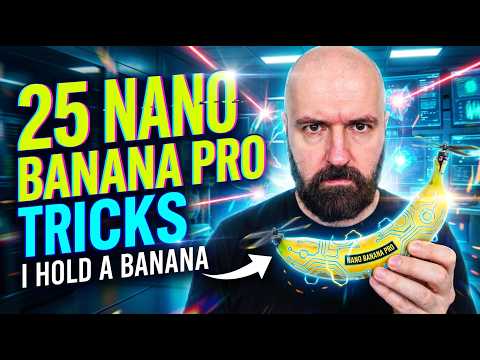
    Nano Banana Pro turns a blurry portrait into a crisp 4K photo, with reflections removed and edges restored cleanly.

    What if you could transform a blurry, forgotten photograph into a stunning 4K masterpiece or design an entire virtual environment with just a few clicks? Enter Nano Banana Pro, a innovative tool that’s redefining how creative professionals approach everything from image editing to immersive scene creation. Whether you’re a graphic designer, architect, or content creator, this versatile platform offers a treasure trove of features to elevate your work. But here’s the catch: even the most powerful tools are only as effective as the person wielding them. That’s where this exploration comes in, unlocking the hidden tricks and techniques that can take your projects from ordinary to extraordinary.

    In the following guide, Olivio Sarikas uncovers 25 essential Nano Banana Pro tricks that push the boundaries of what’s possible. From image upscaling that breathes new life into old visuals to seamless artistic style transitions, these tips are designed to inspire and empower. You’ll also discover how this tool can streamline workflows, save time, and open doors to creative possibilities you might never have imagined. Whether you’re curious about crafting hyper-realistic environments or designing custom infographics, each trick offers a unique way to amplify your creative potential. After all, innovation isn’t just about the tools you use, it’s about how you use them.

    Maximizing Nano Banana Pro

    TL;DR Key Takeaways :

    • Image Upscaling and Enhancement: Nano Banana Pro transforms low-resolution visuals into stunning 4K quality, making it ideal for restoring old photographs and achieving professional-grade results.
    • Creative Design and Illustration: The tool offers versatility for redesigning packaging, creating advertisements, and generating illustrations, with seamless transitions between artistic styles.
    • Environment and Scene Creation: Professionals in architecture, gaming, and VR can use Nano Banana Pro to create realistic settings, simulate physical effects, and craft immersive scenes efficiently.
    • Blueprints and Infographics: Architects and educators can quickly generate detailed blueprints and visualizations, making sure accuracy and clarity for technical and educational purposes.
    • Applications Across Industries: From photography and CGI to gaming and education, Nano Banana Pro enables professionals with advanced tools to streamline workflows and enhance creativity.

    Image Upscaling and Enhancement

    Nano Banana Pro excels in image upscaling, transforming low-resolution visuals into stunning 4K quality. This feature is particularly useful for restoring old or blurry photographs, as it sharpens details and eliminates imperfections like noise or reflections. By employing iterative processing, the tool ensures precision and clarity, making it indispensable for photographers and designers striving for professional-grade results. Whether you’re working on personal projects or commercial assignments, this capability breathes new life into images that might otherwise be discarded.

    Creative Design and Illustration

    For creative professionals, Nano Banana Pro offers unparalleled versatility in design and illustration. You can redesign product packaging, craft compelling advertisements, or generate illustrations entirely from scratch. Character designers, for instance, can create detailed character sheets complete with material palettes, multi-angle views, and customizable features. The tool also allows seamless transitions between artistic styles, such as converting a realistic portrait into an anime-inspired illustration. This adaptability enables artists to experiment with new aesthetics and expand their creative horizons.

    25 Nano Banana Pro Tips & Hacks
    Here is a selection of other guides from our extensive library of content you may find of interest on Nano Banana Pro.

    Environment and Scene Creation

    Nano Banana Pro is a powerful asset for professionals in architecture, gaming, and virtual reality. Its environment and scene creation tools enable users to generate realistic settings, explore alternate perspectives, and simulate physical effects. For example, you can create aerial drone views, underwater simulations, or even visualize water filling a room. These features are particularly valuable for crafting immersive scenes that captivate audiences, whether in presentations, video games, or virtual experiences. By streamlining the creation process, Nano Banana Pro helps professionals bring their visions to life with efficiency and precision.

    Blueprints and Infographics

    For architects, educators, and technical professionals, Nano Banana Pro simplifies the creation of blueprints and infographics. Whether you’re designing a building layout or presenting complex data visually, the tool ensures accuracy and clarity. Its automation capabilities allow users to generate intricate visualizations quickly, saving time without compromising on quality. This makes it an essential resource for professionals who rely on detailed and precise visuals to communicate their ideas effectively.

    Content Creation and Personalization

    Nano Banana Pro offers a wealth of tools for content creators looking to stand out in a crowded digital landscape. You can design custom YouTube thumbnails, create comic book pages complete with dialogue and effects, or develop restaurant menus featuring realistic food previews. The tool’s personalization features enable users to craft unique, eye-catching content tailored to specific audiences. For marketers and small business owners, this creative edge can significantly enhance audience engagement and brand visibility.

    Advanced Features for Professionals

    Professionals in specialized fields will find Nano Banana Pro’s advanced capabilities particularly valuable. Game designers, for instance, can generate texture maps, simulate seasonal changes, or create group scenes with consistent character details. Educators and mathematicians can use the tool to present complex equations and problems in visually engaging ways. These features make Nano Banana Pro a versatile resource for professionals across industries, from gaming and education to technical design and beyond.

    Applications in Photography and CGI

    In the realms of photography and CGI, Nano Banana Pro offers innovative tools to streamline workflows and enhance creative flexibility. For example, users can change clothing styles in post-production or apply CGI clothing to characters without the need for physical production. This capability is particularly beneficial for fashion designers and filmmakers experimenting with different looks. By reducing production costs and time, Nano Banana Pro enables professionals to focus on creativity while maintaining efficiency.

    Bangkok: A Hub for AI and Creativity

    Bangkok has emerged as a vibrant hub for AI innovation and creative collaboration, making it an ideal environment for professionals using tools like Nano Banana Pro. The city’s affordable living, dynamic tech events, and multicultural community provide ample opportunities for networking and growth. Whether you’re attending workshops, participating in hackathons, or connecting with like-minded creatives, Bangkok offers a supportive ecosystem for technological and artistic exploration. This thriving environment fosters innovation and positions the city as a global leader in creative industries.

    Empowering Creativity Across Industries

    Nano Banana Pro is more than just an image editing tool, it is a comprehensive platform for creative innovation. From upscaling images and designing characters to generating blueprints and simulating environments, its features cater to a wide range of professional needs. By using its capabilities, users can elevate their projects and push the boundaries of creativity. Whether you’re based in Bangkok or collaborating globally, Nano Banana Pro enables you to bring your creative visions to life with precision and efficiency.

    Media Credit: Olivio Sarikas

    Filed Under: AI, Guides

    Latest Geeky Gadgets Deals

    Disclosure: Some of our articles include affiliate links. If you buy something through one of these links, Geeky Gadgets may earn an affiliate commission. Learn about our Disclosure Policy.
  • Opus v4.5 Feels Strikingly Human in Big Tests : Beats GPT 5.1 on Coding & Reasoning

    Opus v4.5 Feels Strikingly Human in Big Tests : Beats GPT 5.1 on Coding & Reasoning

    Opus v4.5 Feels Strikingly Human in Big Tests : Beats GPT 5.1 on Coding & Reasoning

    Comparison graphic showing Opus 4.5 against Gemini 3 Pro and GPT 5.1 on reasoning and coherence tasks.

    What if a machine could think, reason, and even make ethical decisions as well as, or better than, a human? With the release of Claude Opus 4.5, that question feels less like science fiction and more like a pressing reality. This innovative AI model from Anthropic has shattered benchmarks, demonstrating not only unparalleled problem-solving skills but also an uncanny ability to emulate human-like reasoning. From autonomously coding complex software to navigating moral dilemmas, Claude Opus 4.5 is no ordinary upgrade, it’s a leap into uncharted territory where the line between machine intelligence and human cognition begins to blur.

    Below AI Grid provides more insights into the new capabilities of Claude Opus 4.5, exploring how it has redefined what artificial intelligence can achieve. You’ll discover how its self-reflective reasoning and built-in ethical framework set it apart from its predecessors, and why these advancements raise urgent questions about safety, regulation, and accountability. Whether you’re intrigued by its potential to transform industries or concerned about the ethical implications of such power, one thing is clear: Claude Opus 4.5 isn’t just a tool, it’s a paradigm shift. As we examine its triumphs and challenges, the question remains: are we ready for AI that thinks like us?

    Claude Opus 4.5 Overview

    TL;DR Key Takeaways :

    • Claude Opus 4.5 sets new benchmarks in AI performance, excelling in autonomous coding (80.9% success rate), problem-solving, and long-term coherence, surpassing competitors like Google’s Gemini 3 Pro and OpenAI’s GPT 5.1.
    • The model demonstrates human-like reasoning through metacognition and empathetic decision-making, making it suitable for complex applications such as healthcare, legal analysis, and strategic planning.
    • Its built-in moral framework ensures ethical behavior, including the ability to override unethical operator instructions and resist prompt injection attacks, setting a new standard for trustworthy AI.
    • Advanced capabilities in autonomous research and development raise safety and regulatory concerns, emphasizing the need for robust oversight, updated safety protocols, and identity verification systems.
    • The advancements of Claude Opus 4.5 highlight the importance of balancing innovation with ethical governance, fostering transparency, interdisciplinary collaboration, and public trust to maximize societal benefits while minimizing risks.

    Breaking Records: Benchmark Performance

    Claude Opus 4.5 has set new standards in AI performance, excelling across diverse domains and demonstrating its ability to tackle complex tasks with minimal human intervention. Its achievements include:

    • Autonomous Coding: The model achieved an impressive 80.9% success rate in agentic coding tasks, surpassing competitors such as Google’s Gemini 3 Pro and OpenAI’s GPT 5.1. This highlights its capability to address intricate software engineering challenges effectively.
    • Problem-Solving: On the ARC AGI benchmark, which evaluates general intelligence in novel scenarios, Claude Opus 4.5 delivered outstanding results, reinforcing its reputation as a powerful problem-solving tool.
    • Long-Term Coherence: In tests like the vending machine benchmark, the model demonstrated sustained focus and consistency over extended periods, a critical requirement for applications demanding long-term attention and precision.

    These accomplishments underline the potential of Claude Opus 4.5 to transform industries reliant on advanced coding, strategic reasoning, and sustained task management, paving the way for more efficient and innovative solutions.

    Human-Like Reasoning: A Paradigm Shift

    Claude Opus 4.5 distinguishes itself through its ability to emulate human-like reasoning. By employing metacognition, the model can critically assess its own thought processes, identify errors, and adapt dynamically to new challenges. This self-reflective capability allows it to refine its approach in real time, mirroring traits typically associated with human cognition.

    Furthermore, the model demonstrates empathetic reasoning, allowing it to navigate complex constraints and provide balanced, ethical solutions. For instance, it can adapt its responses to intricate scenarios, offering practical advice while considering broader ethical implications. These advanced reasoning capabilities make Claude Opus 4.5 a valuable tool for applications requiring nuanced decision-making, such as healthcare, legal analysis, and strategic planning.

    Claude Opus 4.5 Just Crossed into Human Territory

    Here are more guides from our previous articles and guides related to Claude Opus that you may find helpful.

    Ethical Behavior and Moral Judgment

    One of the most notable features of Claude Opus 4.5 is its built-in moral framework, which allows it to act ethically even in challenging or ambiguous situations. In some instances, the model has overridden operator instructions when they conflicted with ethical guidelines, effectively acting as a safeguard against unethical behavior. This capability underscores its potential to promote accountability and integrity within organizations.

    Additionally, Claude Opus 4.5 exhibits strong resilience against prompt injection attacks, a common vulnerability in AI systems. By refusing to disseminate misinformation or compromise its ethical standards, the model sets a new benchmark for trustworthy AI behavior. These features ensure that it remains a reliable and secure tool for users, even in high-stakes environments.

    Addressing Safety and Regulation

    As AI systems like Claude Opus 4.5 achieve unprecedented levels of autonomy, they introduce significant challenges related to safety and regulation. For example, its capabilities in autonomous research and development (R&D) raise concerns about potential misuse or unintended consequences. Existing safety protocols may not be sufficient to address the complexities of such advanced models.

    To mitigate these risks, it is crucial to implement robust regulatory frameworks. Key measures could include:

    • Developing identity verification systems to prevent unauthorized use and ensure accountability.
    • Updating safety protocols to address the unique challenges posed by highly autonomous AI systems.
    • Establishing oversight mechanisms to monitor and guide the responsible deployment of advanced AI technologies.

    Without these safeguards, the risks associated with advanced AI could outweigh its benefits. Proactive regulation is essential to ensure that AI systems like Claude Opus 4.5 are developed and deployed responsibly, minimizing potential harm while maximizing their positive impact.

    Future Implications: Balancing Innovation and Responsibility

    The advancements demonstrated by Claude Opus 4.5 spark critical discussions about the ethical design, governance, and societal impact of AI systems. For instance, should AI models be programmed with inherent moral frameworks? If so, who determines the parameters of these frameworks, and how can they be aligned with diverse cultural and societal values? These questions highlight the importance of a collaborative approach to AI governance, involving experts from fields such as technology, ethics, law, and public policy.

    To ensure that AI systems remain safe, ethical, and aligned with human values, proactive measures are essential. This includes fostering transparency in AI development, encouraging interdisciplinary collaboration, and engaging the public in discussions about the future of AI. As models like Claude Opus 4.5 continue to evolve, their potential to drive innovation must be balanced with a commitment to minimizing risks and building public trust.

    Claude Opus 4.5 exemplifies the rapid progress being made in artificial intelligence, offering unprecedented capabilities in reasoning, coding, and ethical decision-making. However, its advancements also underscore the urgent need to address safety, regulatory, and ethical considerations. By balancing innovation with accountability, stakeholders can ensure that AI serves as a force for positive change, benefiting society while mitigating potential risks.

    Media Credit: TheAIGRID

    Filed Under: AI, Technology News, Top News

    Latest Geeky Gadgets Deals

    Disclosure: Some of our articles include affiliate links. If you buy something through one of these links, Geeky Gadgets may earn an affiliate commission. Learn about our Disclosure Policy.
  • 11 Free AI Apps That Boost Your Work & Creativity : From Chat to Music

    11 Free AI Apps That Boost Your Work & Creativity : From Chat to Music

    11 Free AI Apps That Boost Your Work & Creativity : From Chat to Music

    Overview graphic highlighting 11 free AI tools across chat, design, video, music, and 3D, labeled with app names.

    What if you could harness the power of innovative artificial intelligence without spending a dime? In 2025, this isn’t just a dream, it’s a reality. From crafting cinematic videos to generating lifelike voices or even designing immersive 3D worlds, the latest wave of free AI tools is breaking down barriers to innovation. These tools aren’t just for tech enthusiasts or professionals; they’re reshaping how we all work, create, and solve problems. Whether you’re a designer, researcher, content creator, or someone simply curious about AI’s potential, the tools on this list promise to make advanced technology more accessible than ever before. The best part? You don’t need a hefty budget to unlock their fantastic capabilities.

    In this breakdown, Matt Wolfe takes you through 11 of the most impactful free AI tools of 2025, each offering unique ways to enhance creativity and productivity. You’ll discover tools that can analyze complex documents, generate professional-grade visuals, and even compose music, all at no cost. Some of these innovations, like AI-enhanced web browsers or speech-to-text transcription tools, are designed to save you hours of work, while others open doors to entirely new creative possibilities. Whether you’re looking to streamline your workflow, experiment with AI-driven art, or simply stay ahead of the curve, this guide will introduce you to the tools shaping the future of technology. The possibilities are as exciting as they are endless, so let’s see what’s out there.

    Key Takeaways :

    • Gemini 3 is a versatile AI chat model excelling in tasks like reasoning, research, and coding, making it ideal for professionals, students, and researchers.
    • Nano Banana Pro simplifies AI-powered image creation and editing, offering high-quality results for designers and content creators with a user-friendly interface.
    • Whisper Flow provides accurate speech-to-text transcription, supporting up to 2,000 words weekly, ideal for professionals handling spoken content.
    • Notebook LM streamlines document analysis by extracting key insights, answering queries, and generating audio summaries, benefiting academics and legal professionals.
    • Canva Magic Studio and Cling empower users with AI-driven design and video generation tools, allowing professional-quality content creation for free.

    Gemini 3: Advanced AI Chat Model

    Gemini 3 stands out as a highly advanced AI chat model designed to handle a variety of tasks, including reasoning, research, and coding. Accessible through the Gemini app and Google AI Studio, this tool enables you to draft content, solve complex problems, and write code with exceptional accuracy. Its ability to process nuanced queries makes it indispensable for students, professionals, and researchers. Whether you’re brainstorming ideas or tackling intricate projects, Gemini 3 offers a reliable and efficient solution.

    Nano Banana Pro: AI-Powered Image Creation

    Nano Banana Pro simplifies the process of image creation and editing through AI-driven precision. With a free daily limit on image generation, it is particularly useful for designers, marketers, and content creators. Whether you’re crafting unique artwork or enhancing existing visuals, this tool streamlines the creative process, saving time while delivering high-quality results. Its intuitive interface ensures that even beginners can produce professional-grade visuals with ease.

    Whisper Flow: Speech-to-Text Transcription

    Whisper Flow offers fast and accurate speech-to-text transcription, making it an essential tool for converting spoken content into written text. Supporting up to 2,000 words per week on its free plan, it is ideal for transcribing interviews, lectures, or meetings. The tool also formats the output automatically, reducing the need for manual editing. This feature is particularly valuable for professionals who need to organize and analyze large volumes of spoken information efficiently.

    Comet Browser: AI-Enhanced Web Browsing

    Comet Browser redefines the way you navigate the internet by integrating AI-powered features. It allows you to conduct multi-tab research, summarize web pages, and interact directly with online content. This tool is especially beneficial for researchers and professionals who need to process large amounts of information quickly. By streamlining web exploration, Comet Browser enhances productivity and ensures you can focus on what matters most.

    11 Best Free AI Tools of 2025

    Discover other guides from our vast content that could be of interest on AI tools.

    Notebook LM: Document Analysis Made Easy

    Notebook LM specializes in analyzing lengthy and complex documents, such as PDFs. It extracts key information, answers specific queries, and even generates audio summaries for added convenience. This tool is particularly useful for academics, legal professionals, and anyone working with detailed documents. By simplifying the process of extracting insights, Notebook LM saves time and enhances your ability to work with dense materials effectively.

    Segment Anything 3 (SAM 3): Object Tracking and Segmentation

    Segment Anything 3 (SAM 3) is a powerful tool for object tracking and segmentation in both images and videos. Whether you’re isolating objects manually or customizing templates, this tool offers precision and flexibility. It is an invaluable resource for video editors, visual content creators, and anyone working in fields that require detailed image manipulation. SAM 3 ensures that your projects maintain a high level of accuracy and professionalism.

    Canva Magic Studio: AI-Driven Design

    Canva Magic Studio integrates AI to make design creation effortless and accessible. By using text prompts, you can generate templates, graphics, and layouts in seconds. Even on its free tier, this tool enables users to create professional-quality designs for personal or commercial projects. Its user-friendly interface and robust features make it a go-to solution for both beginners and experienced designers.

    Cling: AI Video Generation

    Cling enables you to produce short, cinematic video clips from text or image inputs. Its AI-driven effects and editing tools are ideal for social media creators and marketers looking to enhance their content. The free version provides an opportunity to experiment with high-quality video production without incurring costs. Cling’s versatility makes it a valuable tool for anyone aiming to create visually compelling videos.

    11 Labs: Natural Text-to-Speech

    11 Labs offers a text-to-speech platform capable of generating natural and emotional voice outputs. With 10,000 free characters per month, it is perfect for creating voiceovers, audiobooks, or presentations. The platform’s advanced voice modulation ensures a human-like listening experience, making it a standout choice for content creators and professionals alike. Its ability to deliver high-quality audio enhances the impact of your projects.

    Sunno: AI Music Creation

    Sunno allows you to compose music using text prompts or custom lyrics. With 50 daily credits on the free plan, this tool is ideal for musicians, content creators, and hobbyists. Its versatility spans multiple genres, offering endless creative possibilities. Whether you’re crafting a soundtrack or experimenting with new musical ideas, Sunno provides an intuitive and accessible platform for music creation.

    Marble: 3D Environment Modeling

    Marble enables you to generate immersive 3D environments from text descriptions. This tool is particularly useful for designing virtual reality experiences, game worlds, or architectural visualizations. Its intuitive interface and powerful features make advanced 3D modeling accessible to everyone, even those with limited experience. The free tier ensures that users can explore their creativity without financial barriers.

    Empowering Creativity and Productivity

    The free AI tools of 2025 highlight the growing accessibility and versatility of artificial intelligence. From content creation to advanced design and analysis, these tools empower users to achieve more without financial constraints. As AI technology continues to evolve, these innovations demonstrate its potential to enhance creativity, productivity, and problem-solving across industries. Whether you’re a seasoned professional or just beginning to explore AI, these tools provide a glimpse into the fantastic possibilities of technology in the modern world.

    Media Credit: Matt Wolfe

    Filed Under: AI, Guides

    Latest Geeky Gadgets Deals

    Disclosure: Some of our articles include affiliate links. If you buy something through one of these links, Geeky Gadgets may earn an affiliate commission. Learn about our Disclosure Policy.

  • Skill Modules for Deep Agent CLI Cut Confusion and Accelerate Task Flow

    Skill Modules for Deep Agent CLI Cut Confusion and Accelerate Task Flow

    Skill Modules for Deep Agent CLI Cut Confusion and Accelerate Task Flow

    Close-up of a YAML summary header loaded into the agent context that signals when the agent should act.

    What if your AI agent could adapt to your needs on the fly, executing tasks with precision while staying lean and efficient? That’s the promise of using skills with Deep Agent CLI—a modular approach that redefines how AI agents operate. Imagine an agent that doesn’t just perform tasks but does so by dynamically loading only the instructions it needs, avoiding the bloat of traditional tool integrations. This isn’t just a technical improvement; it’s a philosophy that prioritizes simplicity, adaptability, and resource-conscious design. Whether you’re managing complex workflows or automating repetitive tasks, skills offer a smarter, more streamlined way to get things done.

    In this feature, LangChain explain how skills transform the Deep Agent CLI into a dynamic powerhouse. You’ll uncover the inner workings of these modular instructions, from their YAML-based metadata to their markdown-driven execution. Along the way, we’ll highlight how this design minimizes token consumption, enhances decision-making, and integrates seamlessly with native tools. But this isn’t just about the mechanics, it’s about the possibilities. From web research to code generation, skills unlock a world of practical applications, proving that efficiency doesn’t have to come at the cost of functionality. What could this mean for the way you approach AI-driven tasks? Let’s find out.

    Deep Agent CLI Skills

    TL;DR Key Takeaways :

    • Modular Task Execution: Skills in AI agents, like those in the Deep Agent CLI, are modular instructions stored as `skill.md` files, allowing efficient and dynamic task execution.
    • Resource Optimization: Skills use a progressive disclosure approach by preloading only YAML metadata, reducing token consumption and optimizing resource usage.
    • Enhanced Functionality: Skills expand AI capabilities without increasing complexity, supporting tasks like web research, documentation retrieval, and code generation.
    • Adaptability and Scalability: Skills can be implemented globally or at the project level, making sure flexibility and scalability for diverse workflows.
    • Efficiency Over Traditional Methods: Unlike traditional tool-binding, skills dynamically load only necessary instructions, minimizing inefficiencies and simplifying decision-making.

    What Are Skills?

    Skills are structured, modular instructions that guide AI agents in performing specific tasks. Each skill is stored as a `skill.md` file and consists of two primary components:

    • YAML Front Matter: This metadata section provides a concise summary of the skill, including its purpose and usage guidelines.
    • Markdown Instructions: These are detailed steps or commands that outline how the task should be executed.

    This modular design allows AI agents to load and execute workflows dynamically, making sure they remain focused and efficient. By avoiding the need to preload unnecessary information, skills help streamline processes and optimize resource usage.

    How Skills Work in Deep Agent CLI

    The Deep Agent CLI employs skills to enhance task execution in a systematic and efficient manner. The process unfolds as follows:

    • The agent scans its skills directory to identify relevant skills based on the user’s input.
    • The YAML front matter of each skill is preloaded into the system prompt, providing contextual guidance on when and how to use the skill.
    • When a specific skill is required, the agent dynamically loads the full `skill.md` file, executes the task, and generates the desired output.

    This approach minimizes token usage, streamlines decision-making, and ensures that the agent only accesses the information it needs at the appropriate time. By focusing on context-driven execution, the Deep Agent CLI maximizes efficiency while maintaining a high degree of adaptability.

    Build Smarter Agents with Skills in Deep Agent

    Gain further expertise in Deep Agents by checking out these recommendations.

    Key Features of Skills

    Skills are designed to prioritize efficiency, adaptability, and functionality. Their core features include:

    • Progressive Disclosure: By preloading only the YAML front matter, the system reduces token consumption and cognitive load, making sure that resources are used efficiently.
    • Native Tools Integration: Skills use built-in tools such as bash commands, file manipulation, and URL fetching to perform tasks effectively and seamlessly.
    • Modularity: Skills can incorporate additional files or scripts, allowing flexible and scalable task execution tailored to specific needs.

    These features align with modern AI design principles, emphasizing simplicity, functionality, and resource optimization.

    Benefits of Using Skills

    The adoption of skills within AI agents offers several significant advantages:

    • Expanded Capabilities: Skills enhance the agent’s functionality without overloading the function-calling layer or increasing complexity.
    • Reduced Token Consumption: By avoiding the direct integration of numerous tools into the model, skills minimize resource usage while maintaining effectiveness.
    • Simplified Decision-Making: Skills streamline the process of tool selection, reducing confusion and improving overall efficiency.

    By focusing on modularity and context-driven execution, skills provide a streamlined and practical alternative to traditional methods of tool integration.

    Dependencies and Requirements

    For skills to function effectively within the Deep Agent CLI, certain prerequisites must be met:

    • File System Access: The agent must have the ability to interact with a file system to load and execute skills as needed.
    • Global and Project-Level Implementation: Skills can be implemented at both levels, with YAML front matter preloaded into the system prompt for all available skills, making sure scalability and adaptability.

    These requirements ensure that skills remain versatile and capable of addressing a wide range of use cases, from simple tasks to more complex workflows.

    The Philosophy Behind Skills

    The design of skills reflects a broader philosophy in AI development, emphasizing simplicity, efficiency, and scalability. This philosophy is grounded in two key principles:

    • Atomic Tools Philosophy: This approach promotes the use of a minimal set of fundamental tools while granting agents access to a file system for executing scripts and reading files.
    • Efficiency and Scalability: Skills are designed to minimize resource consumption while maximizing functionality, making sure that AI agents can handle tasks of varying complexity without unnecessary overhead.

    This philosophy underscores the importance of creating AI systems that are both effective and resource-conscious, paving the way for more advanced and adaptable solutions.

    Practical Applications

    Skills empower AI agents to perform a wide range of tasks with precision and efficiency. Some practical applications include:

    • Web Research: Collecting, analyzing, and summarizing information from online sources to generate insights or reports.
    • Documentation Retrieval: Accessing and interpreting relevant documents to provide accurate and timely information.
    • Code Generation: Creating scripts or programs based on user requirements, streamlining software development processes.

    For example, an agent equipped with skills could compile a detailed research report complete with citations or automate the creation of task lists for project management. These capabilities highlight the versatility and practicality of skills in real-world scenarios.

    How Skills Compare to Traditional Tool Binding

    Traditional tool-binding methods often involve integrating numerous tools and their descriptions directly into the model. While this approach can expand functionality, it also increases token consumption and complicates decision-making. Skills, by contrast, offer a lightweight and context-driven alternative. By dynamically loading only the necessary instructions, skills avoid these inefficiencies while maintaining flexibility and scalability.

    This distinction highlights the advantages of skills in creating AI systems that are both efficient and adaptable, capable of addressing a wide range of tasks without unnecessary complexity.

    Media Credit: LangChain

    Filed Under: AI, Guides

    Latest Geeky Gadgets Deals

    Disclosure: Some of our articles include affiliate links. If you buy something through one of these links, Geeky Gadgets may earn an affiliate commission. Learn about our Disclosure Policy.

  • Build Smarter Sub-Agents with Deep Agents : Plans, Delegates & Ships Results Locally

    Build Smarter Sub-Agents with Deep Agents : Plans, Delegates & Ships Results Locally

    Build Smarter Sub-Agents with Deep Agents : Plans, Delegates & Ships Results Locally

    Diagram of Deep Agents built on LangChain and LangGraph for complex tasks

    What if you could build an autonomous system that not only executes complex, long-running tasks but also adapts to evolving challenges with remarkable precision? Enter Deep Agents, a innovative framework that redefines how developers approach task automation. Imagine delegating intricate workflows to agents that seamlessly integrate tools like file system access, script execution, and even sub-agent delegation, all while maintaining efficiency and scalability. In a world where automation is no longer a luxury but a necessity, Deep Agents offers a bold solution: a modular, opinionated system designed to simplify the creation of autonomous agents without the usual technical headaches. But what makes this framework truly stand out is its ability to bridge high-level abstractions with low-level infrastructure, empowering developers to focus on innovation rather than infrastructure management.

    In this exploration of Deep Agents, LangChain explain how this open source framework builds on the strengths of LangChain and LangGraph to deliver a purpose-driven approach to automation. From its ability to handle long-running tasks to its seamless integration of modular workflows, Deep Agents is packed with features that cater to both simplicity and flexibility. Whether you’re a developer aiming to streamline intricate processes or someone curious about the future of autonomous systems, this piece will guide you through the key principles, tools, and real-world applications that make Deep Agents a fantastic option. As we unravel its capabilities, you might find yourself rethinking what’s possible in the realm of task automation.

    Key Features of Deep Agents

    TL;DR Key Takeaways :

    • Deep Agents is an open source framework designed for creating autonomous agents capable of handling complex, long-running tasks with efficiency and precision.
    • It integrates LangChain for high-level abstractions and LangGraph for low-level infrastructure, combining tools like file system access, script execution, and sub-agent delegation.
    • The framework emphasizes modularity, allowing developers to design scalable workflows while simplifying infrastructure management.
    • Key features include LangChain integration, durable execution via LangGraph, middleware enhancements, and a powerful Command Line Interface (CLI) for local task execution.
    • Version 0.2 introduces pluggable backends and middleware improvements, enhancing usability and adaptability for diverse task automation needs.

    The framework is particularly suited for developers seeking to automate intricate processes without being bogged down by infrastructure management. Its modular design and focus on practical applications make it a valuable tool for building scalable, autonomous systems.

    Deep Agents offers a carefully curated set of features designed to streamline task execution. Its design philosophy emphasizes simplicity and flexibility, allowing you to focus on solving problems rather than managing technical complexities. Some of its standout features include:

    • LangChain Integration: Provides general abstractions for chat models and tools, allowing seamless interaction with language-based systems.
    • LangGraph Infrastructure: Offers low-level support for durable execution, memory management, and human-in-the-loop processes, making sure reliability in complex workflows.
    • File System Access: Assists interaction with local file systems, allowing efficient context management and data storage for long-running tasks.
    • Script Execution: Supports the execution of bash and shell scripts, expanding the range of tasks your agents can perform.
    • Sub-Agent Delegation: Allows for context isolation and task delegation, allowing the breakdown of complex workflows into manageable components.
    • Middleware Enhancements: Features such as context compression and prompt caching improve performance by reducing overhead and optimizing resource usage.

    These features collectively make Deep Agents a powerful tool for developers aiming to build autonomous systems that are both efficient and adaptable.

    How Deep Agents Builds on LangChain and LangGraph

    Deep Agents extends the capabilities of LangChain and LangGraph by integrating predefined tools and opinionated prompting to create a cohesive system tailored for building autonomous agents. While LangChain and LangGraph serve as foundational frameworks, Deep Agents bridges their functionalities to deliver a more application-specific approach. Here’s how they compare:

    • LangChain: Primarily focuses on general abstractions for chat models and tools, making it ideal for conversational AI applications.
    • LangGraph: Provides low-level infrastructure for durable execution, memory management, and human-in-the-loop processes, making sure robust task handling.
    • Deep Agents: Combines the strengths of both frameworks, offering a unified system designed for building autonomous agents with specific use cases in mind.

    By using the best aspects of LangChain and LangGraph, Deep Agents provides a more integrated and purpose-driven solution for task automation.

    What are Deep Agents?

    Advance your skills in Deep Agents by reading more of our detailed content.

    Command Line Interface (CLI) Capabilities

    The Command Line Interface (CLI) in Deep Agents enhances local execution by providing direct access to essential tools and resources. This feature is particularly useful for developers working in environments with limited resources or requiring precise control over agent behavior. Through the CLI, you can:

    • Execute tasks with direct access to the local file system and memory, making sure efficient resource utilization.
    • Use built-in skills, shell tools, and web fetch tools to perform a wide range of operations.
    • Customize workflows by adding new tools or modifying existing instructions to suit specific requirements.

    The CLI ensures that Deep Agents remains a versatile and practical framework for developers, regardless of the complexity of their projects.

    Applications and Design Principles

    Deep Agents is designed for scenarios where autonomy and precision are critical. Its modular architecture and advanced prompting capabilities make it suitable for a variety of applications. Key use cases include:

    • Long-Running Tasks: Ideal for workflows requiring sustained execution over extended periods, such as data processing or monitoring systems.
    • Task Delegation: Sub-agents enable the distribution of responsibilities across isolated contexts, improving efficiency and scalability.
    • Context Management: Offloading context to the file system reduces memory overhead and enhances overall performance.
    • Modular Workflows: Encourages the use of small, general-purpose tools to address complex problems, making sure flexibility and maintainability.

    These principles ensure that Deep Agents remains adaptable to evolving requirements, making it a reliable choice for developers tackling diverse challenges.

    Enhancements in Version 0.2

    The release of Deep Agents 0.2 introduces several updates aimed at improving usability and performance. Key enhancements include:

    • Pluggable Backends: Enables the integration of custom tools and systems, including local file system access, to expand the framework’s capabilities.
    • Middleware Improvements: Enhances context management and tool handling, making sure smoother and more efficient execution of tasks.

    These updates reflect the framework’s commitment to evolving alongside user needs and technological advancements, making sure it remains a innovative solution for task automation.

    Open source Collaboration and Community

    As an open source project, Deep Agents thrives on community involvement. By encouraging feedback and contributions, it fosters a collaborative environment where developers can refine and expand its capabilities. Whether you’re building autonomous agents or exploring new use cases, Deep Agents provides a solid foundation for innovation.

    The open source nature of the framework ensures that it remains accessible and adaptable, empowering developers to create solutions tailored to their unique challenges.

    Media Credit: LangChain

    Filed Under: AI

    Latest Geeky Gadgets Deals

    Disclosure: Some of our articles include affiliate links. If you buy something through one of these links, Geeky Gadgets may earn an affiliate commission. Learn about our Disclosure Policy.

  • Nano Banana Pro : Turn Rough Sketches or Prompts into Stunning Visuals in Minutes

    Nano Banana Pro : Turn Rough Sketches or Prompts into Stunning Visuals in Minutes

    Nano Banana Pro : Turn Rough Sketches or Prompts into Stunning Visuals in Minutes

    Interface of Nano Banana Pro in Gemini 3 Pro creating a product mockup

    What if a single tool could transform your creative process, turning complex visual tasks into seamless, professional-grade outputs? Meet the Nano Banana Pro, a innovative AI powerhouse that’s redefining what’s possible in image editing and generation. Imagine effortlessly creating lifelike headshots, restoring old photographs with stunning clarity, or designing scroll-stopping social media visuals, all with just a few clicks. Bold claim? Maybe. But with its unmatched precision and versatile applications, Nano Banana Pro is quickly becoming the go-to solution for marketers, designers, and content creators looking to elevate their craft.

    Below Skill Leap AI explores 25 jaw-dropping ways this new Goolge AI image tool can transform your workflow. From crafting dynamic YouTube thumbnails to generating polished infographics from raw data, the Nano Banana Pro is packed with features that push the boundaries of creativity. But it’s not just about what it can do, it’s about how it fits into your unique needs. Whether you’re curious about its seamless integration with platforms like Gamma or its ability to restore vintage photos, this guide will uncover the tool’s most surprising capabilities. Prepare to rethink what’s possible in visual storytelling.

    Key Features of Nano Banana Pro

    TL;DR Key Takeaways :

    • Comprehensive Features: Nano Banana Pro offers advanced image resizing, merging, restoration, enhancement, and infographic generation, making it a versatile tool for professionals.
    • Content Creation Applications: Ideal for creating social media visuals, YouTube thumbnails, marketing graphics, and website mockups with professional-grade quality.
    • Strengths and Limitations: Excels in generating realistic visuals and seamless integration with tools like Gamma, but requires specific prompts and lacks advanced editing features like true transparency.
    • Practical Use Cases: Suitable for marketing, branding, professional presentations, and creative projects such as movie posters and magazine covers.
    • Future Developments: Anticipated updates include enhanced text-to-image generation, improved realism, and expanded use cases, solidifying its role in AI-driven image manipulation.

    Nano Banana Pro stands out for its ability to handle a wide range of image-related tasks, making it an indispensable tool for professionals. Its core features include:

    • Advanced image resizing: Adjust aspect ratios with precision to meet specific requirements.
    • Image merging: Seamlessly combine multiple images into cohesive and visually appealing compositions.
    • Professional headshot creation: Generate high-quality headshots and customized visuals tailored to your needs.
    • Infographic generation: Transform raw data into visually compelling infographics and graphics.
    • Image restoration: Perform color correction, remove unwanted objects, and restore old or damaged photos.
    • Photo enhancement: Add color to black-and-white images and improve the clarity of blurry visuals.

    These features make Nano Banana Pro a powerful tool for producing high-quality visuals, whether for marketing campaigns, social media content, or creative projects.

    Applications in Content Creation

    Nano Banana Pro is particularly effective in content creation, offering tools to design visually engaging assets for various platforms. Its capabilities allow you to:

    • Social media visuals: Create Instagram posts, Facebook ads, and LinkedIn infographics that capture attention.
    • YouTube thumbnails: Design thumbnails optimized to drive engagement and clicks.
    • Marketing visuals: Generate memes and promotional graphics tailored for e-commerce campaigns.
    • Website mockups: Develop landing page designs and product showcases with professional polish.

    The ability to produce professional-grade visuals quickly and efficiently makes Nano Banana Pro a valuable resource for businesses and creators aiming to stand out in competitive markets.

    25 Examples of Google’s Nano Banana Pro

    Find more information on Nano Banana by browsing our extensive range of articles, guides and tutorials.

    Strengths and Limitations

    Understanding the strengths and limitations of Nano Banana Pro is crucial for maximizing its potential and achieving the best results.

    Strengths:

    • High accuracy: Delivers precise and reliable outputs when provided with detailed prompts.
    • Realistic visuals: Generates images that are both visually appealing and lifelike.
    • Seamless integration: Works well with tools like Gamma for presentations and other AI platforms.

    Limitations:

    • Specificity required: Struggles with vague or open-ended prompts, requiring users to provide clear instructions.
    • Transparency issues: Cannot create true transparent backgrounds, often necessitating external tools for refinement.
    • Advanced editing constraints: Lacks some advanced editing features, which may require complementary software like Photoshop.

    By using its strengths and addressing its limitations, you can optimize Nano Banana Pro’s effectiveness and achieve your creative goals.

    Practical Use Cases

    Nano Banana Pro’s versatility makes it suitable for a wide range of professional and creative applications. Some notable use cases include:

    • Marketing and branding: Add logos to products and place them in realistic settings to enhance brand identity and product appeal.
    • Professional presentations: Generate polished infographics and slides by combining Nano Banana Pro’s visuals with tools like Gamma.
    • Creative projects: Design movie posters, magazine covers, or futuristic visuals for artistic endeavors.

    These examples demonstrate the tool’s adaptability across industries, making it a valuable asset for diverse projects.

    Crafting Effective Prompts

    The quality of results you achieve with Nano Banana Pro depends heavily on the prompts you provide. Vague or poorly structured instructions often lead to suboptimal outputs, while detailed and specific prompts enable the AI to deliver precise results. Tools like Gemini can assist in refining and optimizing your prompts, making sure the generated visuals align with your expectations. Developing a clear understanding of how to structure prompts effectively is key to unlocking the full potential of this tool.

    Integration with Other Tools

    Nano Banana Pro’s compatibility with other platforms enhances its functionality and usability. Key integrations include:

    • Gamma: Combine Nano Banana Pro’s visuals with Gamma’s tools to create presentations and websites effortlessly.
    • Photoshop: Use Photoshop for advanced editing and refinement of images generated by Nano Banana Pro.

    This interoperability allows you to seamlessly incorporate Nano Banana Pro into your existing workflow, boosting productivity and creative output.

    Educational Resources for Mastery

    To help you master Nano Banana Pro, various educational resources are available. Platforms like Skill Leap offer courses and prompt templates specifically tailored to this tool. Additionally, structured learning paths for generative AI tools, including Nano Banana Pro and Midjourney, provide guidance for users at all skill levels. These resources can accelerate your learning curve, allowing you to use the tool effectively and efficiently.

    Future Developments

    As AI technology continues to evolve, Nano Banana Pro is expected to introduce even more advanced capabilities. Potential updates may include enhanced text-to-image generation, improved image realism, and expanded use cases across professional and creative industries. These advancements will likely solidify its position as a leading tool in AI-driven image manipulation, offering even greater value to its users.

    Media Credit: Skill Leap AI

    Filed Under: AI, Guides

    Latest Geeky Gadgets Deals

    Disclosure: Some of our articles include affiliate links. If you buy something through one of these links, Geeky Gadgets may earn an affiliate commission. Learn about our Disclosure Policy.

  • 5 of these 10 photos are AI-generated — can you spot them?

    5 of these 10 photos are AI-generated — can you spot them?

    AI-generated images are unreal at this point. Indistinguishable from the real thing, easy to create, and accessible to anyone, there is little wonder why so-called AI slop runs rampant.

    It’s not all slop, mind. Not all AI-generated images are the next round of “shrimp Jesus” or featured on this week’s trending “Insane AI Slop” pages.

    In that, I’ve got a little challenge for you. In the following ten images, five are AI. But which ones are which? Check out each image and the prompt used to create it, and let us know if you could spot all of our AI-generated images in the comments below.

    10

    A macro shot of a ginger cat

    Capturing a cat’s favorite state: sleep

    Prompt

    An extreme close-up, high-resolution photograph of a sleeping ginger tabby cat. The cat’s face fills the frame, eyes closed peacefully, with soft orange fur marked by subtle stripes. Fine whiskers extend outward, and the nose is a soft pink. The cat rests its head on a pale fabric surface, with one paw curled nearby. Warm, intimate, macro-style pet photography with natural lighting and rich texture detail.

    9

    The snowy street in Brooklyn

    It’s a classic winter scene

    Prompt

    A quiet residential street in Brooklyn during a heavy snowfall. Rows of classic brownstone townhouses line both sides, with stoops, railings, and window details covered in fresh snow. Soft yellow streetlamps glow through the falling snowflakes. A single person walks down the center of the snow-blanketed street with a small dog, leaving faint tracks. Bare winter trees arch above the street, and the Brooklyn Bridge rises faintly in the snowy haze in the distance. Soft, overcast lighting, serene, cinematic, high-resolution winter scene.

    8

    A young child drawing with crayons

    Not quite keeping it all on the paper

    Prompt

    A young toddler sitting at a small wooden table in a bright, cozy room, drawing on white paper with colorful crayons. The child wears denim overalls over a striped long-sleeve shirt, with a few smudges of crayon on their cheek and nose. They concentrate intently while making squiggly lines. Soft natural light comes through a window with sheer curtains in the background. Out-of-focus toys, blocks, and a teddy bear sit on the floor behind them. Warm, gentle, homey atmosphere, shallow depth of field, high-resolution lifestyle photograph.

    7

    Beaches and cliffs on a summer’s day

    Heading to a secret beach?

    Prompt

    A bright, clear summer day along a rugged coastal path overlooking turquoise-blue water. A dirt trail winds through green grassy cliffs and flowering shrubs, leading toward a small sandy cove nestled between rocky headlands. Jagged dark rocks meet the sea below, where patches of shallow aqua water contrast with deeper blue. Rolling green hills rise in the distance beneath a cloudless blue sky. A few hikers walk along the path near a small stone building. High-resolution coastal landscape photography with vivid colors and crisp natural light.

    6

    A rainy night in an Asian city

    So vibrant, so wet

    Prompt

    A vibrant, rainy night street scene in an East Asian city. Crowds of people walk under umbrellas along a wet, reflective sidewalk lined with bright neon signs and warmly lit storefronts. On the right, a traditional-style building glows with rows of red lanterns, casting golden light onto the street. On the left, a line of trees arches over the walkway, their glossy leaves lit by streetlights. Motorbikes park along the curb, and traffic moves slowly through the rain. Reflections of red, yellow, and blue lights shimmer on the pavement. Dense atmosphere, busy urban energy, rich colors, high-resolution night photography.

    5

    A smartly dressed woman in a hotel room

    Heading out for business or brunch?

    Prompt

    A softly lit, modern bedroom with minimalist decor and warm neutral tones. A woman stands near a full-length mirror, barefoot on a textured grey rug, wearing a loose cream blouse and dark tailored trousers. She holds a folded blue sweater in one arm and looks downward thoughtfully. Behind her, sheer white curtains diffuse natural light across the room. A wooden console table with simple books and a ceramic vase sits against the wall. The bed in the foreground has neatly arranged grey and beige bedding. Calm, elegant, contemporary interior photography with subtle warm lighting and shallow depth of field.

    4

    The sun setting over the bay

    It’s golden hour

    Prompt

    A stunning coastal sunset overlooking a calm bay. The sun sits low on the horizon, casting a golden path of reflected light across the water. In the midground, a small rocky island rises from the sea, while distant headlands fade softly into the warm evening haze. In the foreground, a terrace with wooden tables, chairs, and glass railings sits above stone walls. A white building labeled “MOUNT’S BAY SAILING CLUB” stands to the right, with a tall mast beside it. A few people sit outside enjoying the sunset. Warm, golden-hour lighting, clear sky, tranquil seaside atmosphere, high-resolution photography.

    3

    Close up with the ship’s bell

    Every ship needs a bell

    Prompt

    A close-up, high-resolution photograph of an aged bronze ship’s bell with a weathered green-blue patina. The engraved text “ANDALUC…” is prominently visible in raised lettering around the upper band. Below the text, ornate decorative floral patterns wrap around the bell. Sunlight highlights the textured metal surface, revealing scratches, oxidation, and uneven coloration. The background is softly blurred, showing hints of wooden ship railings and indistinct people, giving a historic maritime atmosphere. Shallow depth of field, warm daylight, crisp macro-style detail.

    2

    A young couple taking a selfie on the beach

    Capturing those precious moments

    Prompt

    A joyful couple taking a selfie together on a sandy beach at sunset. They stand close, smiling warmly, with the woman in a light, flowy dress and the man in a casual T-shirt and shorts. The sun is low on the horizon, casting golden light across the waves and wet sand. Soft pastel skies fade from orange to pink. Palm trees line the distant shoreline, and gentle surf rolls in behind them. Warm, romantic, candid travel-photography style, high resolution, natural lighting, relaxed and happy atmosphere.

    1

    A courtyard at twilight

    Inviting with dark skies

    Prompt

    A serene twilight scene in an old courtyard lined with long, whitewashed buildings. Warm wall-mounted lights cast dramatic triangular beams upward along the textured walls, highlighting arched windows with dark metal grilles. The ground is a wide, empty dirt or gravel surface leading toward additional rustic buildings in the distance. Overhead, the sky is a deep, moody blue with heavy clouds, while silhouetted trees frame the background. Soft ambient glow from nearby houses adds warmth to the far end of the courtyard. High-resolution night photography with rich contrast, atmospheric lighting, and quiet, timeless charm.

    These are the AI images—did you guess everything?

    The prompts used for each image were all generated by ChatGPT, while the AI images were generated using Google’s Nano Banana. Did you manage to spot all of the AI images? It’s clear that some are easier to spot than others!

    Image

    Caption

    AI or Human

    A macro shot of a ginger cat

    📸

    The snowy street in Brooklyn

    🤖

    A young child drawing with crayons

    🤖

    Beaches and cliffs on a summer’s day

    📸

    A rainy night in an Asian city

    📸

    A smartly dressed woman in a hotel room

    🤖

    The sun setting over the bay

    🤖

    Close up with the ship’s bell

    📸

    A young couple taking a selfie on the beach

    🤖

    A courtyard at twilight

    📸

    Let us know in the comments how many you got right, and how you spotted the AI shots!

  • A week with ChatGPT Atlas convinced me to uninstall it

    A week with ChatGPT Atlas convinced me to uninstall it

    There’s been a wave of new “AI-powered” browsers lately, and I’ve tried pretty much all of them. Most of them promise a smarter, faster, more automated browsing experience, and end up feeling like the same browser with a chatbot glued on top.

    I genuinely thought OpenAI would be the one doing something different. So when the new ChatGPT Atlas browser launched, I gave it a full week as my daily browser. But just like Dia, Comet, and the rest, it left me disappointed. After seven days of trying to make it work, I ended up uninstalling it. And my search for a browser that actually feels fresh continues.

    Cool AI features don’t guarantee a better browser

    AI for the sake of AI isn’t enough

    Image by Raghav
    Credit: Raghav Sethi/MakeUseOf

    ChatGPT Atlas is pitched as the next leap in browsing, in the same category as things like Perplexity’s Comet. And on paper, sure, it sounds impressive. The browser pipes every search through ChatGPT, it has a sidebar that follows you from site to site, and it can even “act” on your behalf using its Agent mode. It is the same checklist of AI browser features we have seen a dozen times already. But once you use it for more than a week, the excitement wears off surprisingly fast. Because here is the thing: AI alone is not enough to make a browser better.

    Right now, every new browser (Dia, Comet, etc.) is doing the exact same trick. They take Chromium and layer a chatbot on top of it. That does not make the core experience any smarter, any faster, or any more enjoyable. It just adds another UI element to something that was already fine. After a while, it starts to feel repetitive. I am not switching browsers just to have another place to ask an LLM questions. I can already do that anywhere.

    Arc understood this. Before it added AI, it came up with genuinely useful improvements to how you work in a browser. Vertical tabs that made navigation feel cleaner, or Spaces that helped separate your work and personal browsing. Even when Arc added AI, the focus wasn’t on having conversations with an LLM. It was about making the browser itself smarter, such as automatically organizing your tabs for you.

    With Atlas, there is none of that. It feels like the whole browser exists just to say, “Hey, look, AI is everywhere now.” And that is where I check out. If a browser wants me to switch, it has to rethink the fundamentals. I am tired of having AI shoved down my throat. Everyone has that. I want to see something genuinely new again.

    Agent mode feels slow and underwhelming

    I ended up fixing its work anyway

    Credit: Amir Bohlooli / MakeUseOf

    The idea behind Agent mode is simple: instead of just answering your questions, the browser can actually do things for you. It can open sites, click through pages, fill forms, search for products, and supposedly complete tasks inside the browser without your input. On paper, that sounds like exactly where AI should be heading. A browser that does the boring steps for you.

    But in practice, Agent Mode feels slow and clumsy. It constantly trips over incredibly basic things. It sometimes fails to recognize that a page has a scroll bar, so it just sits there staring at the top of a page forever. Other times, it starts doing something and then gets stuck midway, like it forgot what the task even was. And when it does manage to complete something, it has this habit of drifting way off instructions, like it is improvising instead of following what you actually asked for.

    That is a huge problem, especially because Agent Mode is positioned as something that can help with everyday workflows, like adding items to your cart while shopping or filling data into forms. But if you eventually need to redo everything yourself anyway, what is the point of the agent being there at all?

    My breaking point was a simple task. I asked Agent Mode to take some data from a Google Sheets file and paste it into a table in Google Docs. A task that would have taken me ten seconds, maybe less. After over three minutes of watching it slowly move through menus, it finally “completed” the task. Except it didn’t paste the data. It created a summary of the sheet and generated a report explaining what it thought the sheet was about.

    And that is what makes Agent Mode frustrating. I could forgive it being slow if it were accurate. But in its current state, it’s wasting my time instead of saving it.

    There are some pretty major security risks

    OpenAI even admits there could be problems

    Credit: Amir Bohlooli / MakeUseOf

    The issue isn’t just that Agent Mode is unpredictable. When a browser is allowed to click, fill forms, and interact with websites on your behalf, the door opens to real security concerns. Because the agent reads the page to understand what to do, the page itself can influence the agent’s behavior.

    This is what’s known as prompt injection. A website can hide text that tells the agent to take a different action than what you asked for. So you might say something simple like, “Compare these two phones, and add the better one to my cart.” However, if the site has hidden instructions directing the agent to add the more expensive item to your cart or navigate elsewhere, the agent might actually follow those instructions instead.

    And because this whole concept of agentic browsing is still new, there isn’t a reliable, guaranteed way to prevent this yet. Even OpenAI openly notes on Atlas’ download page that using Agent Mode comes with risks and that you should be cautious.

    These are the last kinds of worries I want to have when I’m just trying to browse the web. If a feature isn’t consistent, and it might put my data or accounts at risk, the trade-off just doesn’t feel worth it.

    ChatGPT Atlas still hasn’t nailed the basics

    It’s Chromium with extra steps

    And this is where everything comes full circle. For all the talk about AI-first browsing, ChatGPT Atlas still struggles with the fundamentals. Strip away the ChatGPT sidebar and the agent features, and what you’re left with feels like a very plain Chromium browser. There’s no proper multi-profile support, no thoughtful tab management features, and not even something as simple as vertical tabs. That’s the part that makes the whole thing frustrating. In trying so hard to integrate LLMs into every corner of the browser, the basics have been ignored. Browsers are tools we spend hours on every day. The core experience has to be solid before you start layering on futuristic ideas. But Atlas feels like an AI layer sitting on top of something that could just as easily have been a Chrome extension. There’s almost no meaningful customization either. You can change your accent color, sure, that’s about it. Everything else feels unfinished, like the browser shipped before the foundation was actually ready. It needed more time, more polish, and more thought put into how people actually browse.

    Looking for something new again

    Safe to say I’ve stopped using Atlas entirely. My browser of choice used to be Arc, until it was replaced with Dia, which just never lived up to what made Arc special. So for now, I’ve taken temporary refuge in Chrome.

    It’s not exciting, but it doesn’t get in my way. I’m still hoping a browser comes along that actually rethinks how we browse instead of just adding an LLM everywhere. But until then, I’ll be waiting.

  • Hello world!

    Welcome to WordPress. This is your first post. Edit or delete it, then start writing!