Category: ChatGPT

  • Nano Banana Pro Camera Controls Guide : One Image With Infinite Angles

    Nano Banana Pro Camera Controls Guide : One Image With Infinite Angles

    Nano Banana Pro Camera Controls Guide : One Image With Infinite Angles

    VO3.1 timeline with first and last frames highlighted to guide smooth movement between planned shots.

    Have you ever imagined transforming a single image into a limitless array of perspectives, each as stunning and precise as the last? It might sound like a creative dream, but with tools like Nano Banana Pro, this is no longer just an idea, it’s a reality. In a world where visual storytelling is king, the ability to generate infinite angles from one image is a fantastic option for photographers, designers, and filmmakers alike. Whether you’re crafting cinematic scenes or refining AI-generated visuals, Nano Banana Pro offers an unprecedented level of control and creative freedom. This primer will show you how to harness its full potential, turning static visuals into dynamic masterpieces.

    In this guide, Chase AI takes you through the secrets to building a strong foundational image, generating cohesive variations, and even transforming still images into cinematic videos. Along the way, you’ll learn how to use tools like advanced prompt libraries to streamline your workflow and maintain consistency across your projects. Whether you’re a seasoned creator or just starting out, these techniques will empower you to push the boundaries of your imagination. So, what does it take to elevate a single image into a visual narrative that feels alive? Let’s explore the possibilities together.

    Building a Strong Foundation: The Core Image

    TL;DR Key Takeaways :

    • Creating a strong foundational image is essential for setting the tone, mood, and aesthetic of AI-generated projects, serving as the blueprint for all subsequent visuals.
    • Generating image variations ensures visual consistency while exploring different perspectives, lighting, and poses, aided by tools like prompt libraries for precise control.
    • Nano Banana Pro enables the transformation of static images into cinematic videos by using advanced prompts for dynamic camera movements and seamless transitions.
    • A well-organized prompt library simplifies the creative process, offering pre-made examples for replicating specific angles, lighting effects, and moods, saving time and enhancing quality.
    • Optimizing workflows with structured steps, foundational images, variations, and advanced prompts, streamlines the creative process, making sure efficiency and professional-quality results.

    Every successful AI-generated project begins with a well-crafted foundational image. This image serves as the cornerstone of your creative vision, setting the tone, mood, and aesthetic for the entire project. It acts as a blueprint, influencing every subsequent visual element. A clear and precise vision of your desired outcome is critical at this stage.

    Using tools like Midjourney, you can refine your foundational image iteratively, making sure it aligns with your creative goals. For instance, if your project involves designing a cinematic scene, the foundational image should encapsulate the lighting, composition, and atmosphere you aim to replicate. The precision of your prompts is equally important, as it directly impacts the quality, consistency, and overall coherence of the output. By investing time in crafting a strong foundation, you set the stage for a seamless creative process.

    Generating Image Variations: Making sure Visual Consistency

    Once your foundational image is complete, the next step is to create variations. Variations allow you to explore different perspectives, lighting conditions, or character poses while maintaining the core aesthetic of your project. However, achieving visual cohesion across these variations is essential to avoid disruptions in the narrative or design.

    A prompt library can be an invaluable tool in this process. For example, a library with pre-designed prompts for camera angles, such as Dutch angles, macro shots, or bird’s-eye views, can help you articulate your creative ideas more effectively. These prompts guide the AI to interpret your intent accurately, reducing the need for extensive manual adjustments. By maintaining consistency across variations, you ensure that your project retains its visual integrity and narrative flow.

    Nano Banana Pro Camera Controls Guide 2025

    Dive deeper into Nano Banana Pro with other articles and guides we have written below.

    Transforming Static Images into Cinematic Videos

    The transition from static images to cinematic videos requires careful planning and the right combination of tools. Nano Banana Pro, when paired with video generation tools like VO3.1, enables you to create seamless and visually engaging video sequences. The key lies in maintaining a consistent aesthetic and narrative flow throughout the video.

    Advanced prompts play a pivotal role in this transformation. By specifying camera movements, such as pans, zooms, or tracking shots, you can guide the AI to produce dynamic and captivating videos. For instance, transitioning smoothly from a wide-angle bird’s-eye view to a detailed macro shot can add depth and intrigue to your video. Experimenting with these techniques allows you to push creative boundaries while maintaining professional-quality results. With practice, you can master the art of turning static visuals into compelling cinematic narratives.

    Enhancing Efficiency with a Prompt Library

    A well-organized prompt library is a fantastic option for creators, regardless of their experience level. It simplifies the process of communicating complex ideas to AI tools by providing pre-made examples tailored to various scenarios. Whether you’re aiming to replicate a specific camera angle, experiment with lighting effects, or achieve a particular mood, a prompt library offers a reliable starting point.

    For instance, if you’re working on a commercial project, you might use prompts designed for cinematic lighting or dramatic compositions to evoke a specific emotion. By combining these prompts with your foundational image, you can achieve polished results without the need for extensive trial and error. This approach not only saves time but also enhances the overall quality and consistency of your work.

    Optimizing Your Workflow for AI-Generated Content

    Efficiency is a critical factor when working with AI-generated content, particularly for large-scale projects. A structured workflow that integrates foundational images, variations, and advanced prompts can significantly streamline the creative process while making sure high-quality results.

    Here’s a step-by-step approach to optimize your workflow:

    • Begin by crafting a strong foundational image that encapsulates your creative vision and serves as the blueprint for your project.
    • Use a prompt library to generate consistent variations that align with your original concept, making sure visual cohesion across all elements.
    • Use video generation tools to bring your project to life, using advanced prompts to control camera movements, transitions, and other dynamic elements.

    This systematic approach minimizes errors, encourages experimentation, and allows you to explore new creative possibilities. By adopting a structured workflow, you can maximize efficiency and focus on refining the artistic aspects of your project.

    Unlocking the Full Potential of Nano Banana Pro

    Nano Banana Pro provides a robust platform for creating high-quality, consistent AI-generated images and videos. By mastering the techniques of foundational image creation, using prompt libraries, and optimizing your workflow, you can achieve professional results with ease. Whether you’re working on personal creative endeavors or commercial campaigns, these strategies equip you with the tools to bring your vision to life. With practice and experimentation, you can unlock the full potential of AI tools, transforming a single image into a cohesive and dynamic visual narrative.

    Media Credit: Chase AI

    Filed Under: AI, Guides

    Latest Geeky Gadgets Deals

    Disclosure: Some of our articles include affiliate links. If you buy something through one of these links, Geeky Gadgets may earn an affiliate commission. Learn about our Disclosure Policy.


  • From Jogging to Mid-Air Balance : Humanoid Robots Nail Lifelike Moves

    From Jogging to Mid-Air Balance : Humanoid Robots Nail Lifelike Moves

    From Jogging to Mid-Air Balance : Humanoid Robots Nail Lifelike Moves

    Tesla Optimus 3 picks and places small items with steady hands, highlighting improved dexterity from refined actuators.

    Imagine a robot that doesn’t just walk but glides across a room with the grace of a dancer. Picture a machine that can not only pick up a fragile glass without shattering it but also assemble intricate components with the precision of a skilled craftsman. This isn’t a scene from the latest sci-fi blockbuster, it’s happening right now. Humanoid robots are moving in ways that were once thought impossible, breaking free from the stiff, mechanical motions of the past. Thanks to innovative advancements in robotics, these machines are achieving a level of realism that’s both awe-inspiring and unsettling, challenging our understanding of what technology can truly accomplish. What does it mean when robots move like us, think like us, and perhaps one day, work alongside us?

    Below the AI Grid team explores the new innovations that are propelling humanoid robots into uncharted territory. From dynamic stabilization systems that allow them to balance mid-air to machine learning algorithms that refine their movements with every step, these robots are no longer just tools, they’re becoming lifelike collaborators. You’ll discover how companies like Tesla and Xpeng Robotics are redefining the boundaries of robotics, and why their creations are sparking both fascination and skepticism. But as these machines inch closer to human-like behavior, they also raise profound questions about the future of work, ethics, and our relationship with technology. Are we ready for a world where robots don’t just serve us but move and interact as if they were one of us?

    Humanoid Robots Advancing Rapidly

    TL;DR Key Takeaways :

    • Humanoid robots are achieving lifelike movements, such as jogging, jumping, and balancing, thanks to advanced stabilization systems and real-time motion planning.
    • Technological breakthroughs in reinforcement learning, enhanced software algorithms, and humanlike hardware are driving the realism and functionality of these robots.
    • Key industry players like Tesla, Engine AI, and Xpeng Robotics are leading the development of humanoid robots, showcasing impressive capabilities and transparency through live demonstrations.
    • Humanoid robots are expected to play diverse roles in the future, including household assistance, caregiving, and performing hazardous industrial tasks, transforming daily life and work environments.
    • Despite their advancements, humanoid robots face challenges in navigating unpredictable environments and interpreting complex social cues, highlighting the need for further research and development.

    How Robots Are Moving Like Humans

    Modern humanoid robots have achieved a level of movement that is remarkably lifelike. They can jog, jump, balance mid-air, and navigate uneven terrain with exceptional precision. For example, Tesla’s Optimus 3 robot has demonstrated smooth and coordinated dexterity, performing tasks such as picking up objects, assembling components, and adapting to complex environments. These movements are no longer rigid or mechanical; instead, they are fluid and natural, thanks to advanced balancing systems and optimized physical designs.

    This progress is made possible by integrating innovative technologies such as dynamic stabilization and real-time motion planning. These systems allow robots to respond to external forces and maintain balance, even in unpredictable conditions. By mimicking the biomechanics of human movement, humanoid robots are steadily closing the gap between machine functionality and human-like behavior, paving the way for broader applications in both personal and professional settings.

    The Technology Behind the Realism

    The realism of humanoid robots is the result of new advancements in both hardware and software. Several key technological drivers are responsible for this progress:

    • Reinforcement Learning: This advanced machine learning technique enables robots to refine their movements through trial and error, improving their efficiency and adaptability over time.
    • Enhanced Software Algorithms: Sophisticated decision-making systems allow robots to analyze their surroundings and execute tasks with greater precision and autonomy.
    • Humanlike Hardware: Innovations in joints, actuators, and sensors replicate the flexibility, strength, and range of motion found in the human body, allowing robots to perform intricate physical feats.

    These components work in harmony to create robots capable of executing tasks that were once deemed impossible for machines. For instance, robots equipped with advanced sensors can detect subtle changes in their environment, while actuators designed to mimic human muscles provide the strength and agility needed for complex movements. Together, these technologies are transforming humanoid robots into highly capable and versatile tools.

    Humanoid Robots Are Moving in Ways We’ve Never Seen Before

    Expand your understanding of humanoid robots with additional resources from our extensive library of articles.

    Key Players and Industry Milestones

    The development of humanoid robots has attracted significant attention from leading technology companies, each contributing to the rapid advancements in this field. Some of the most notable players include:

    • Tesla: The company’s Optimus robot has showcased impressive dexterity and adaptability, setting a new standard for humanoid robotics.
    • Engine AI: A leader in developing robots capable of intricate and precise physical movements, pushing the boundaries of what machines can achieve.
    • Xpeng Robotics: Known for creating robots that blur the line between machine and human, demonstrating lifelike behaviors and interactions.

    To address skepticism about the authenticity of their robots’ capabilities, some companies have taken extraordinary measures, such as conducting live demonstrations where robots are disassembled to prove they are not CGI or humans in costumes. These efforts highlight the remarkable progress being made and underscore the industry’s commitment to transparency and innovation.

    What the Future Holds for Humanoid Robots

    The rapid pace of development in humanoid robotics suggests a future where these machines play an increasingly prominent role in society. As technology continues to advance, humanoid robots are expected to take on more complex and diverse roles, including:

    • Assisting with household chores, such as cleaning, cooking, and organizing.
    • Providing caregiving services for the elderly or individuals with disabilities, offering companionship and support.
    • Performing repetitive or hazardous tasks in industrial and manufacturing settings, improving efficiency and safety.

    These robots could eventually become seamlessly integrated into human environments, transforming how we live and work. By combining humanlike movement with advanced decision-making capabilities, humanoid robots have the potential to enhance productivity, improve quality of life, and address labor shortages in various industries.

    Challenges and Current Limitations

    Despite their impressive capabilities, humanoid robots still face several challenges that limit their widespread adoption. While they excel in controlled environments and specific tasks, they often struggle in dynamic and unpredictable real-world scenarios. Key limitations include:

    • Difficulty navigating crowded or chaotic spaces, where split-second decision-making is required.
    • Limited ability to interpret and respond to complex social cues or nuanced human behaviors.

    However, in certain specialized tasks, such as precise object manipulation or endurance-based activities, some robots already outperform humans. These achievements highlight the immense potential of humanoid robotics while also emphasizing the need for continued research and development to overcome existing barriers.

    Public Perception: Awe and Skepticism

    The growing realism of humanoid robots has sparked a mix of fascination and skepticism among the public. Many observers are astonished by the lifelike appearance and movements of these machines, often mistaking them for CGI or humans in disguise. This reaction underscores the significant progress made in the field and reflects the increasing public interest in robotics.

    At the same time, the skepticism surrounding humanoid robots highlights broader societal questions about the role of machines in human life. As these robots become more advanced, they challenge traditional perceptions of what technology can achieve, prompting discussions about ethics, trust, and the potential impact on employment and social dynamics. These debates are likely to intensify as humanoid robots continue to evolve and integrate into everyday life.

    A New Era for Robotics

    The evolution of humanoid robots represents a pivotal moment in technological history. With advancements in movement, dexterity, and realism, these machines are poised to reshape how humans interact with technology. While challenges remain, the progress achieved thus far suggests a future where humanoid robots become an integral part of daily life, bridging the gap between imagination and reality. As this fantastic journey unfolds, it promises to redefine the role of robotics in society, opening new possibilities for innovation and collaboration.

    Media Credit: TheAIGRID

    Filed Under: AI, Top News

    Latest Geeky Gadgets Deals

    Disclosure: Some of our articles include affiliate links. If you buy something through one of these links, Geeky Gadgets may earn an affiliate commission. Learn about our Disclosure Policy.

  • Grok 4.20 Wins Alpha Arena, Posting 12.11% Gains and a 50% Peak in Tests over Two Weeks

    Grok 4.20 Wins Alpha Arena, Posting 12.11% Gains and a 50% Peak in Tests over Two Weeks

    Grok 4.20 Wins Alpha Arena, Posting 12.11% Gains and a 50% Peak in Tests over Two Weeks

    Side-by-side cards comparing starting capital of $10,000 for each bot, with most negative, while Grok 4.20 finishes positive.

    What if the future of finance wasn’t just shaped by human intuition or market trends, but by an AI so advanced it could outthink its competitors in real time? Enter Grok 4.20, Elon Musk’s latest brainchild, which has already sent shockwaves through the financial world. This innovative AI system didn’t just participate in the notoriously unforgiving Alpha Arena Benchmark, it dominated it, delivering consistent profits where others faltered. With its ability to adapt dynamically to market volatility and execute trades with surgical precision, Grok 4.20 isn’t just a tool; it’s a glimpse into the future of Artificial General Intelligence (AGI). But as with any new innovation, its rise raises as many questions as it answers.

    In this overview Wes Roth explains how Grok 4.20 is changing AI trading, from its unmatched risk management to its ability to thrive in the most volatile market conditions. You’ll discover the advanced architecture powering its success, the ethical dilemmas it introduces, and the bold vision Musk has for its evolution. Could this be the model that bridges the gap to AGI, or does it signal a new era of financial disruption? The implications go far beyond trading floors, touching on everything from economic stability to energy sustainability. As we explore the world of Grok 4.20, one thing becomes clear: this isn’t just a technological milestone, it’s a paradigm shift.

    A Test of AI Trading Excellence

    TL;DR Key Takeaways :

    • Elon Musk introduced Grok 4.20, an advanced AI model that excelled in the Alpha Arena Benchmark, showcasing its potential to transform financial trading and progress toward Artificial General Intelligence (AGI).
    • Grok 4.20 achieved a 12.11% aggregate return over two weeks, demonstrating dynamic adaptability to market conditions and exceptional risk management across diverse trading strategies.
    • The model integrates real-time market trends, technical indicators, and news sentiment analysis to execute precise and profitable trades, setting a new standard for AI-driven trading systems.
    • Its success highlights the fantastic potential of AI in financial markets but raises concerns about market manipulation, fairness, and the need for updated regulatory oversight.
    • Musk envisions sustainable AI growth through energy-efficient solutions like solar-powered, space-based data centers, with Grok 4.20 paving the way for broader AI applications across industries.

    The Alpha Arena Benchmark

    The Alpha Arena Benchmark serves as a high-stakes testing ground for evaluating AI trading systems. Each participating model starts with a virtual $10,000 and must navigate a series of simulated trading environments. These scenarios are designed to mimic real-world conditions, incorporating elements such as fluctuating market trends, technical indicators, and news sentiment. The benchmark challenges AI systems to adapt to a variety of trading strategies, ranging from high-risk, high-reward approaches to more conservative, capital-preserving methods.

    Many AI models struggle to maintain profitability in this demanding environment, with some even incurring significant losses. Grok 4.20, however, emerged as a standout performer. By consistently generating returns and outperforming its competitors, it has set a new standard for AI-driven trading systems.

    Grok 4.20 AI Trading

    Grok 4.20 achieved an impressive aggregate return of 12.11% over a two-week period, with peak returns reaching 50% under specific conditions. Its success lies in its ability to adapt dynamically to market conditions and the strategies of competing systems. For instance, the model demonstrated an advanced capacity to adjust its use and exit points in response to market volatility, making sure steady gains while minimizing risks. Even in conservative trading modes, Grok 4.20 showcased exceptional risk management, further solidifying its reputation as a reliable and versatile trading tool.

    What sets Grok 4.20 apart is its ability to balance aggressive using with cautious decision-making. This dual capability enables it to perform optimally across a wide range of market conditions, making it a valuable asset for traders and financial institutions alike.

    Elon Reveals Grok 4.20

    Learn more about Grok by reading our previous articles, guides and features :

    The Advanced Technology Powering Grok 4.20

    The foundation of Grok 4.20’s success lies in its innovative architecture, which integrates multiple data streams to deliver precise and informed trading decisions. These data streams include:

    • Market trends: Real-time analysis of price movements and patterns
    • Technical indicators: Metrics such as moving averages and relative strength indices
    • News sentiment analysis: Insights derived from global news and social media platforms

    By synthesizing these inputs, Grok 4.20 identifies profitable opportunities and executes trades with remarkable precision. Its adaptability allows it to respond effectively to changing market conditions, while its advanced algorithms ensure that it maintains a balance between risk and reward. This combination of features distinguishes Grok 4.20 from traditional AI trading systems and underscores its potential to transform financial markets.

    Implications for Financial Markets and Beyond

    The success of Grok 4.20 underscores the fantastic potential of AI in financial systems. By outperforming both human traders and other AI models, it demonstrates the increasing sophistication of AI-driven decision-making. However, this advancement also raises important questions about the broader implications of AI in trading and economics.

    Key concerns include:

    • Market manipulation risks: The potential for AI systems to exploit market inefficiencies
    • Fairness in trading practices: Making sure equitable access to advanced AI tools
    • Regulatory oversight: The need for updated policies to govern AI-driven trading

    Elon Musk’s suggestion that Grok 5 could achieve AGI within the next decade adds another layer of complexity to these discussions. If realized, AGI could transform not only financial markets but also global economic systems, presenting both unprecedented opportunities and significant challenges. The prospect of AGI raises questions about its potential impact on employment, wealth distribution, and the stability of financial systems.

    Energy Efficiency and Future Applications

    Musk has also emphasized the importance of addressing the energy demands associated with advanced AI systems. One proposed solution involves the development of solar-powered, space-based data centers. These energy-efficient facilities could support the growth of AI technologies like Grok 4.20 while minimizing their environmental impact. By using renewable energy sources, Musk aims to ensure that the expansion of AI remains sustainable.

    The success of Grok 4.20 paves the way for further innovations in AI trading. Researchers are likely to build on this achievement by developing more advanced algorithms, enhancing situational awareness, and refining risk management strategies. Beyond the financial sector, the integration of AI into industries such as healthcare, logistics, and climate modeling could accelerate as the technology continues to evolve. These advancements have the potential to drive efficiency, improve decision-making, and address complex global challenges.

    A Milestone in AI and Economic Innovation

    Grok 4.20 represents a significant milestone in the application of AI to financial markets. Its ability to consistently outperform competitors in complex trading scenarios highlights the potential of AI to reshape economic systems. At the same time, its success raises critical ethical and regulatory questions that must be addressed as AI technologies advance.

    As Elon Musk and his team continue to push the boundaries of AI innovation, the implications for technology, economics, and society are profound. Grok 4.20 is not just a leap forward for financial AI, it offers a glimpse into the future of intelligent systems and their role in shaping the world.

    Media Credit: Wes Roth

    Filed Under: AI, Top News

    Latest Geeky Gadgets Deals

    Disclosure: Some of our articles include affiliate links. If you buy something through one of these links, Geeky Gadgets may earn an affiliate commission. Learn about our Disclosure Policy.

  • 6 Overlooked AI Skills, from Prompt Structure to Combining Tools, That Save Hours Weekly

    6 Overlooked AI Skills, from Prompt Structure to Combining Tools, That Save Hours Weekly

    6 Overlooked AI Skills, from Prompt Structure to Combining Tools, That Save Hours Weekly

    Comparison chart of AI tool categories, including LLMs, research assistants, and creative apps, mapped to common tasks.

    What if the skills that could future-proof your career and supercharge your creativity were hiding in plain sight? As artificial intelligence (AI) continues to transform industries, most people remain stuck at surface-level interactions, asking ChatGPT for quick answers or dabbling with AI art tools. But here’s the catch: true mastery of AI isn’t about using tools passively; it’s about understanding how to wield them strategically. The difference between someone who merely uses AI and someone who masters it could mean the difference between staying relevant or being left behind. Imagine automating hours of repetitive work, crafting AI prompts that deliver exactly what you need, or seamlessly blending human creativity with machine efficiency. These are the kinds of fantastic skills that 99% of people overlook, but you don’t have to.

    Below Enovair uncover six essential AI skills that aren’t just useful, they’re innovative. From selecting the right tools for specific tasks to refining AI outputs with a personal touch, these skills will empower you to work smarter, not harder. You’ll learn how to define problems clearly so AI delivers precise solutions, how to verify its outputs for accuracy, and even how to build automated workflows that save you time and energy. Whether you’re a professional looking to stay competitive or a curious learner eager to explore AI’s potential, these insights will help you unlock capabilities you didn’t know you had. After all, the future isn’t about competing with AI, it’s about collaborating with it in ways that elevate your impact.

    Essential AI Skills Overview

    TL;DR Key Takeaways :

    • Mastering AI Tools: Learn to select and use the right AI tools across categories like large language models, research tools, and creative tools to maximize efficiency and tackle diverse tasks effectively.
    • Defining Clear Objectives: Clearly define goals, audience, and success criteria before using AI tools to ensure relevant and actionable outputs with minimal revisions.
    • Crafting Effective Prompts: Develop well-structured prompts with detailed instructions, context, and examples to improve the quality and accuracy of AI-generated outputs.
    • Verifying AI Outputs: Always fact-check and validate AI-generated content using trusted sources or tools to maintain accuracy and credibility, especially for professional or academic work.
    • Balancing Automation and Refinement: Use AI to automate repetitive tasks while applying human refinement to enhance creativity, emotional connection, and audience relevance in the final output.

    1. Choosing the Right AI Tools

    Selecting the appropriate AI tools is the foundation of effective AI utilization. Relying on a single tool for all tasks can limit your potential, as different tools are designed for specific purposes. To maximize your capabilities, familiarize yourself with tools across three primary categories:

    • Large Language Models: Tools like ChatGPT, Claude, and Gemini excel at generating text, answering questions, and summarizing information.
    • AI Research Tools: Platforms such as Perplexity and Notebook LM are ideal for conducting in-depth research, verifying facts, and analyzing data.
    • AI Creative Tools: Tools like Midjourney and Ideogram specialize in creating visual content and other creative outputs.

    By mastering tools in each category, you can tackle a wide range of tasks with precision. For instance, you might use ChatGPT to draft a proposal, Perplexity to validate your data, and Midjourney to design visuals that enhance your presentation. This strategic approach ensures you’re equipped to handle diverse challenges efficiently.

    2. Defining Problems Clearly

    A clear understanding of your objectives is crucial when working with AI. Before engaging with any tool, take the time to define your goals, audience, and success criteria. A well-defined problem not only ensures that the AI’s output aligns with your expectations but also minimizes the need for extensive revisions. To clarify your objectives, consider the following questions:

    • What specific outcome am I aiming to achieve?
    • Who is the intended audience for this output?
    • What constraints or requirements must the solution meet?

    For example, if you’re using AI to draft a marketing email, specify the tone, target audience, and key message. This level of clarity allows the AI to generate results that are both relevant and actionable, saving you time and effort in the long run.

    6 AI Skills 99% of People Don’t Know, But Should

    Stay informed about the latest in AI Tools by exploring our other resources and articles.

    3. Crafting Effective Prompts

    The quality of AI outputs is directly influenced by the prompts you provide. Crafting well-structured prompts that include clear instructions, context, and examples is essential for obtaining high-quality results. Here are some techniques to improve your prompts:

    • Provide detailed instructions, such as, “Write a 500-word article summarizing recent advancements in AI technology.”
    • Include examples to guide the AI, like, “Here’s an example of the tone and style I want: [insert example].”
    • Ask the AI to critique or refine its own outputs to improve quality and relevance.

    For more complex tasks, you can even use AI to refine your prompts iteratively. By engaging in a back-and-forth dialogue, you can ensure the system fully understands your requirements, leading to more accurate and tailored results.

    4. Verifying AI Outputs

    While AI tools are powerful, they are not immune to errors. Verifying the accuracy of AI-generated outputs is a critical step, particularly for professional or academic work where precision is essential. Fact-checking tools like Perplexity or cross-referencing information with multiple sources can help identify inaccuracies. Additionally, you can ask the AI to indicate its confidence level in its responses or explicitly state when it is uncertain.

    For instance, if an AI-generated report includes statistical data, verify the numbers using trusted sources. This step ensures that your work maintains credibility and reliability, especially when presenting findings to stakeholders or publishing content.

    5. Automating Workflows

    AI has the potential to significantly enhance productivity by automating repetitive tasks. By combining multiple tools, a practice known as tool stacking, you can create seamless workflows that save time and effort. For example:

    • Use ChatGPT to draft content, then integrate it with Midjourney to generate complementary visuals.
    • Automate routine tasks, such as scheduling emails or managing data entry, using AI-powered scripts or agents.

    While automation is highly effective for predictable processes, it’s important to recognize when manual intervention is necessary. Creative or unique tasks often require a human touch to ensure quality and originality. Striking the right balance between automation and manual oversight allows you to achieve both efficiency and excellence.

    6. Refining AI Outputs

    AI-generated content often serves as a strong foundation, but it typically requires human refinement to make it truly impactful. Refinement involves tailoring the content to better suit your audience and objectives. Key steps include:

    • Adding your personal voice to the content to make it more relatable.
    • Simplifying overly technical language or removing unnecessary jargon.
    • Incorporating emotional elements to create a stronger connection with your audience.

    For example, if AI drafts a blog post, you can enhance it by adjusting the tone, adding anecdotes, or tailoring the message to align with your audience’s preferences. This human touch ensures that the final product resonates on a deeper level, combining the efficiency of AI with the authenticity of human creativity.

    Mastering AI for the Future

    The ability to effectively use AI tools is becoming an indispensable skill in today’s fast-evolving landscape. By focusing on these six essential skills, tool selection, problem definition, prompt engineering, verification, workflow automation, and human refinement, you can unlock the full potential of AI. These skills not only enhance your productivity but also enable you to integrate AI seamlessly into your workflows, making sure clarity, accuracy, and emotional connection in every project. As AI continues to advance, your ability to harness its capabilities will set you apart, making you a valuable asset in any field.

    Media Credit: Enovair

    Filed Under: AI, Guides

    Latest Geeky Gadgets Deals

    Disclosure: Some of our articles include affiliate links. If you buy something through one of these links, Geeky Gadgets may earn an affiliate commission. Learn about our Disclosure Policy.

  • Build Reliable n8n AI Agents That Adapt, Improve Accuracy & Stay Secure

    Build Reliable n8n AI Agents That Adapt, Improve Accuracy & Stay Secure

    Build Reliable n8n AI Agents That Adapt, Improve Accuracy & Stay Secure

    Diagram showing an n8n workflow where an AI agent saves proven SQL patterns to answer future questions.

    What if your database could not only answer your queries but also learn from them, growing smarter and more intuitive with every interaction? Imagine an AI-powered agent that understands your intent, adapts to your needs, and delivers precise insights, all while safeguarding your data. In a world where data drives decisions, the ability to create such self-improving systems isn’t just a futuristic dream; it’s a tangible opportunity. Yet, building these agents is no small feat. From overcoming the limitations of vector stores for structured data to integrating robust security protocols, the challenges are as complex as the solutions are fantastic. But the rewards? They could redefine how we interact with data.

    AI Automators explores the innovative techniques behind crafting intelligent database agents that evolve with use. You’ll uncover how natural language queries (NLQ) bridge the gap between human intent and database logic, making data interaction more intuitive. We’ll also delve into methods like managed connection protocols and parameterized queries, which not only enhance efficiency but also fortify security. Whether you’re grappling with the limitations of traditional vector stores or seeking scalable solutions for growing datasets, this guide offers a roadmap to building agents that don’t just respond, they learn, adapt, and thrive. After all, the future of data isn’t static; it’s dynamic, responsive, and smarter with every query.

    Smarter AI Database Agents

    TL;DR Key Takeaways :

    • AI-powered database agents must adapt to user needs, learn from past interactions, and ensure robust security to remain effective and reliable.
    • Vector stores are less suitable for structured data due to limitations in preserving relational context and performing essential operations like calculations and aggregations.
    • Natural Language Query (NLQ) enhances data interaction by allowing intuitive, everyday language queries, allowing agents to learn and improve over time.
    • Effective database interaction methods include Managed Connection Protocols, Direct API Connections, Hardcoded Schemas, Database Views, and Parameterized Queries, each with unique benefits and trade-offs.
    • Security measures such as Role-Level Security, Read-Only Users, Principle of Least Privilege, and Parameterized Queries are critical for protecting sensitive data and making sure safe database access.

    Challenges of Vector Stores for Structured Data

    While vector stores are highly effective for managing unstructured data, they often struggle when applied to structured, tabular data. These systems rely on vector embeddings to store information, which can fragment the relational context inherent in structured datasets. For example, retrieving a single row or column without its associated relationships can lead to incomplete or misleading results. Furthermore, vector stores lack critical functionalities such as calculations, aggregations, and groupings, capabilities that are essential for structured data queries. These limitations can result in inaccuracies or even hallucinations, making vector stores less suitable for applications requiring precise database interactions.

    Natural Language Query (NLQ): Transforming Data Interaction

    Natural language query (NLQ) has transformed the way users interact with structured data by allowing queries to be expressed in everyday language. This approach bridges the gap between human intent and database logic, making data retrieval more intuitive and accessible. AI agents equipped with NLQ capabilities can learn from successful queries, gradually improving their accuracy and adaptability. For instance, if an agent retrieves sales data for a specific region based on a user’s query, it can store this query pattern and apply it to similar future requests. This self-learning capability is a cornerstone of smarter, more responsive database agents.

    Build n8n Database Agents That Get Smarter With Every Query

    Learn more about n8n by reading our previous articles, guides and features :

    Effective Methods for Database Interaction

    To ensure seamless and efficient database access, several interaction methods can be employed. Each method offers distinct advantages and trade-offs, allowing you to tailor your approach based on specific requirements:

    • Managed Connection Protocol (MCP): MCP dynamically retrieves database schemas and executes SQL queries, streamlining the querying process. It also stores successful queries for future use. However, fallback mechanisms may be necessary to address potential reliability issues.
    • Direct API Connection: This method establishes a direct connection to databases such as PostgreSQL, allowing real-time schema retrieval and query execution. It is particularly reliable for applications requiring immediate responses.
    • Hardcoded Schema: Embedding the database schema directly into the agent’s system prompt eliminates the need for frequent API calls. While this approach reduces latency, it requires manual updates whenever the schema changes, which can be labor-intensive.
    • Database Views: Pre-defined views simplify complex relationships by flattening data structures. They also enhance security by restricting access to specific fields, reducing query complexity and potential vulnerabilities.
    • Parameterized Queries: These pre-prepared queries use dynamic parameters to ensure both security and efficiency. They are particularly effective in preventing SQL injection attacks and improving query reliability.

    Using Query Memory for Continuous Improvement

    One of the defining features of advanced database agents is their ability to learn from past interactions. By storing successful queries in a vector database, agents can build a repository of effective query patterns. This enables them to adapt to similar requests in the future, reducing response times and enhancing accuracy. For example, an agent frequently tasked with retrieving quarterly revenue data can refine its approach to handle variations in phrasing or additional parameters. This iterative learning process is essential for creating agents that grow smarter and more efficient over time.

    Making sure Security in Database Access

    Security is a critical consideration when granting database access to AI agents. Implementing robust security measures ensures that sensitive data remains protected and unauthorized actions are prevented. Key strategies for securing database interactions include:

    • Role-Level Security (RLS): Restrict access based on user roles to ensure agents only retrieve data they are authorized to view.
    • Read-Only Users: Assign agents read-only roles to limit them to non-destructive actions, safeguarding the integrity of the database.
    • Principle of Least Privilege: Grant agents access only to the data necessary for their tasks, minimizing the risk of data breaches.
    • Parameterized Queries: Use parameterized queries to prevent SQL injection attacks and ensure controlled data access.

    Applications and Scalability of AI Database Agents

    AI-powered database agents have a wide range of applications, from serving as exploratory tools to acting as analytics Copilots. For example, an analytics Copilot can dynamically query data and present insights in a user-friendly format, assisting users in making informed decisions. Deterministic workflows, such as customer-facing agents, benefit significantly from parameterized queries, which ensure predictable and secure interactions.

    Scalability is another critical factor to consider. As databases grow in complexity or serve a larger number of users, interaction methods must evolve to maintain performance and security. Multi-tenant setups, for instance, require careful data separation and robust access controls to prevent cross-tenant data leaks. By addressing these challenges, you can ensure that your database agents remain effective and secure, even as demands increase.

    Building the Future of Database Agents

    Creating smarter database agents involves a careful balance of advanced query methods, self-learning mechanisms, and stringent security protocols. While vector stores have their strengths, they often fall short for structured data applications. Natural language query (NLQ) stands out as a fantastic approach, allowing agents to adapt and improve with each interaction. By selecting the right interaction methods and prioritizing security, you can develop AI agents that not only meet today’s requirements but also evolve to address future challenges effectively.

    Media Credit: The AI Automators

    Filed Under: AI, Guides

    Latest Geeky Gadgets Deals

    Disclosure: Some of our articles include affiliate links. If you buy something through one of these links, Geeky Gadgets may earn an affiliate commission. Learn about our Disclosure Policy.

  • Inside Mistral 3’s Big Return, Large 3 MoE and Mini 14B, 8B, 3B Bring Flexible Tuning

    Inside Mistral 3’s Big Return, Large 3 MoE and Mini 14B, 8B, 3B Bring Flexible Tuning

    Inside Mistral 3’s Big Return, Large 3 MoE and Mini 14B, 8B, 3B Bring Flexible Tuning

    The Mistral 3 series returns after five months with four models for research, fine-tuning, and practical deployment.

    What if the future of artificial intelligence wasn’t locked behind proprietary walls but instead placed directly in your hands? The Mistral 3 series is here to challenge the status quo, introducing four new models that promise to redefine the open source AI landscape. From the powerhouse Mistral Large 3, boasting an innovative mixture-of-experts design, to the compact and efficient Mini Mistral 3 models, this lineup offers something for everyone, from researchers tackling complex reasoning tasks to developers optimizing for limited hardware. In a world where AI advancements often feel out of reach, Mistral’s bold approach to accessibility and performance is a breath of fresh air. Could this be the shake-up the AI community has been waiting for?

    In this deep dive, Sam Witteveen explains what makes the Mistral 3 series a standout in an increasingly crowded field. You’ll uncover how these models balance innovative performance with practical usability, offering configurations tailored for everything from natural language processing to domain-specific applications. We’ll also examine the unique flexibility of the series, including its support for fine-tuning and GGUF quantized versions, which simplify deployment for users across the spectrum. Whether you’re curious about the flagship model’s 675-billion-parameter architecture or intrigued by the efficiency of the smaller variants, this exploration will reveal how Mistral is pushing the boundaries of what open source AI can achieve. As we unpack the details, one question lingers: is this the new benchmark for open source innovation?

    What Sets the Mistral 3 Series Apart?

    TL;DR Key Takeaways :

    • The Mistral 3 series introduces four new open source AI models, including the flagship 675-billion-parameter Mistral 3 Large and three smaller Mini Mistral 3 models (14B, 8B, and 3B), focusing on performance, flexibility, and accessibility.
    • Each model is available in three configurations—base, instruction-tuned, and reasoning variants—to cater to diverse AI applications, from natural language processing to domain-specific tasks.
    • The Mistral Large 3 model, a mixture-of-experts system, activates 41 billion parameters during inference, making it a top-performing open source model for complex reasoning tasks, with a reasoning-specific variant in development.
    • The Mini Mistral 3 models are optimized for efficiency and versatility, offering strong performance for users with limited computational resources, making them competitive alternatives to proprietary solutions.
    • Mistral emphasizes user customization and accessibility with Apache 2 licensing and GGUF quantized versions, allowing developers to fine-tune models and deploy them efficiently across various hardware setups.

    The Mistral 3 series stands out by offering a range of models tailored to meet the demands of various AI applications. Each model is available in three configurations—base, instruction-tuned, and reasoning variants—making sure adaptability for different use cases. This versatility positions the Mistral 3 series as a comprehensive solution for developers and researchers alike.

    • Mistral Large 3: At the forefront of the lineup is the 675-billion-parameter mixture-of-experts model. During inference, it activates 41 billion parameters, making it a powerful tool for complex reasoning tasks. Competing directly with models like DeepSig 3.1 and Kimmy K2, it is one of the most advanced open source options available. A reasoning-specific variant is also in development, which is expected to further enhance its capabilities.
    • Mini Mistral 3 Models: The smaller models, featuring 14B, 8B, and 3B parameters, are designed for efficiency and versatility. These models succeed earlier Mistral versions and compete with offerings from developers like Quen and Gemma. They are particularly well-suited for applications requiring lower computational resources, striking a balance between performance and efficiency for users with limited hardware.

    The availability of these models in multiple configurations ensures that they can be fine-tuned for specific tasks, whether in natural language processing, reasoning, or domain-specific applications. This adaptability makes the Mistral 3 series a valuable resource for a wide range of AI projects.

    Performance Insights and Benchmarks

    The Mistral 3 models have undergone rigorous benchmarking, demonstrating competitive performance across a variety of tasks. The Mistral Large 3 model has emerged as one of the top-performing open source models with Apache 2 licensing, which ensures both transparency and flexibility for users. This licensing model enables developers to integrate Mistral’s technology into their projects without restrictive limitations, fostering innovation within the open source community.

    The Mini Mistral 3 models, on the other hand, excel in instruction-following and reasoning tasks, making them strong alternatives to proprietary solutions. Their ability to perform well on diverse benchmarks highlights their potential for real-world applications, particularly in environments where computational efficiency is a priority.

    However, some aspects of the models remain undisclosed, such as details about the training data and token counts. This lack of transparency may lead users to conduct their own evaluations to fully understand the models’ strengths and limitations. Despite this, the performance metrics shared by Mistral suggest that these models are well-positioned to compete with both open source and proprietary alternatives.

    Mistral 3 Returns : Large and New Mini Models Released

    Explore further guides and articles from our vast library that you may find relevant to your interests in Mistral 3 Models.

    Why Flexibility Matters

    A defining feature of the Mistral 3 series is its focus on user customization. By providing base models, Mistral enables developers to fine-tune and adapt the models to suit specific applications. This flexibility is particularly valuable for organizations and researchers working on specialized tasks, as it allows them to build on a robust foundation without starting from scratch.

    The inclusion of GGUF quantized versions further enhances the accessibility of these models. This format simplifies deployment by allowing efficient use of hardware resources, making the models suitable for a wide audience. Whether you are a researcher exploring new methodologies or a developer building production-grade applications, the Mistral 3 series provides the tools needed to achieve your goals.

    This emphasis on flexibility and accessibility ensures that the Mistral 3 series can meet the needs of a diverse user base, from academic researchers to industry professionals.

    Positioning in a Competitive Market

    The release of the Mistral 3 series comes at a time when the open source AI market is more competitive than ever. Industry leaders like OpenAI, Google, and Anthropic dominate with proprietary models, while smaller open source developers focus on niche applications. Mistral’s strategy of offering both large-scale and compact models addresses gaps left by competitors, strengthening its position in the market.

    The Mini Mistral 3 models are particularly appealing to users seeking efficient alternatives to resource-intensive models. These smaller models provide a practical solution for developers working with limited computational resources, without compromising on performance. Meanwhile, the Mistral Large 3 model positions itself as a innovative option for those requiring high performance within an open source framework.

    By addressing the needs of both ends of the market, those seeking efficiency and those demanding high performance, Mistral has carved out a unique position in the AI ecosystem. This dual approach not only broadens its appeal but also ensures that its models remain relevant in a rapidly evolving industry.

    What’s Next for Mistral?

    Mistral’s roadmap includes the release of a reasoning-specific variant of the Mistral Large 3 model, which is expected to further enhance its capabilities for complex tasks. This upcoming addition is likely to solidify Mistral’s standing in the open source community, as it continues to push the boundaries of what open source AI can achieve.

    At the same time, competition from other developers, such as Quen, is expected to drive further innovation in the field. This dynamic environment underscores the importance of Mistral’s commitment to open source development. By offering diverse model sizes, configurations, and Apache 2 licensing, Mistral enables users to explore new possibilities in AI development.

    Whether you are a researcher, developer, or organization, the Mistral 3 series provides the tools to advance your work and contribute to the ongoing evolution of open source AI. With its focus on performance, flexibility, and accessibility, Mistral is well-positioned to remain a key player in the competitive AI landscape.

    Media Credit: Sam Witteveen

    Filed Under: AI, Technology News, Top News

    Latest Geeky Gadgets Deals

    Disclosure: Some of our articles include affiliate links. If you buy something through one of these links, Geeky Gadgets may earn an affiliate commission. Learn about our Disclosure Policy.

  • New Copilot Agents Turn Prompts into Apps, Workflows, and Microsoft Forms

    New Copilot Agents Turn Prompts into Apps, Workflows, and Microsoft Forms

    New Copilot Agents Turn Prompts into Apps, Workflows, and Microsoft Forms

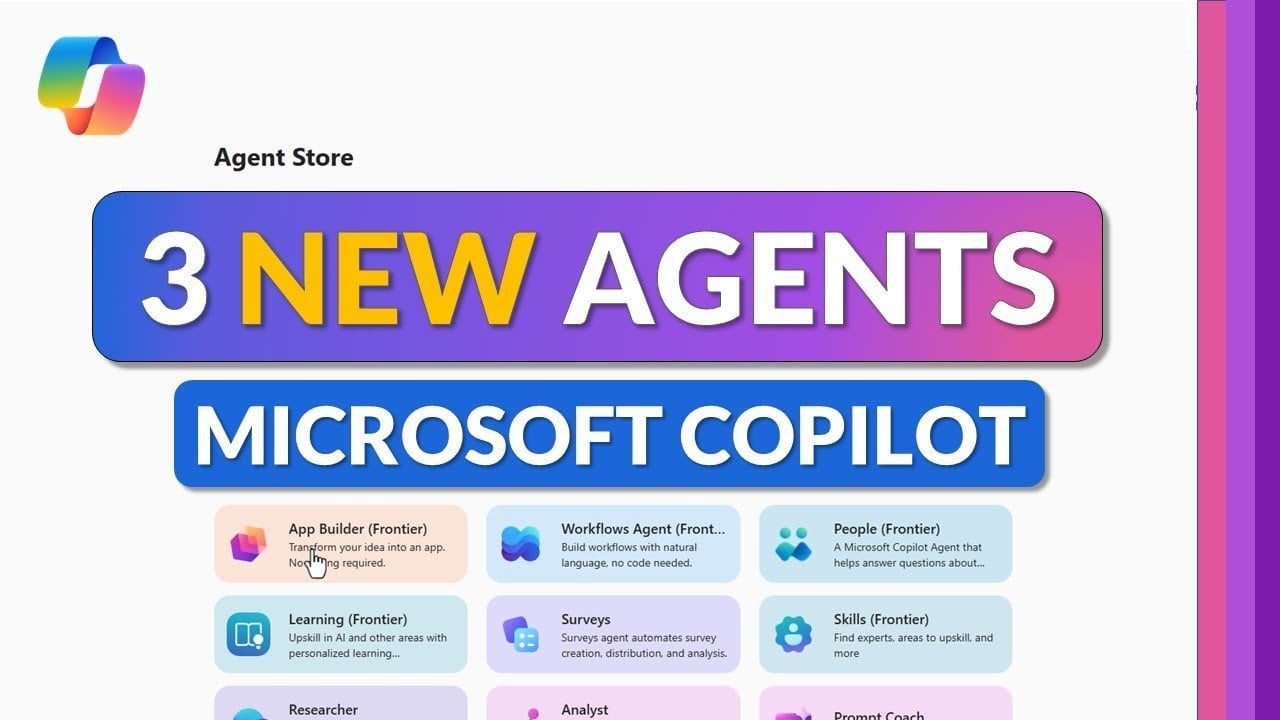
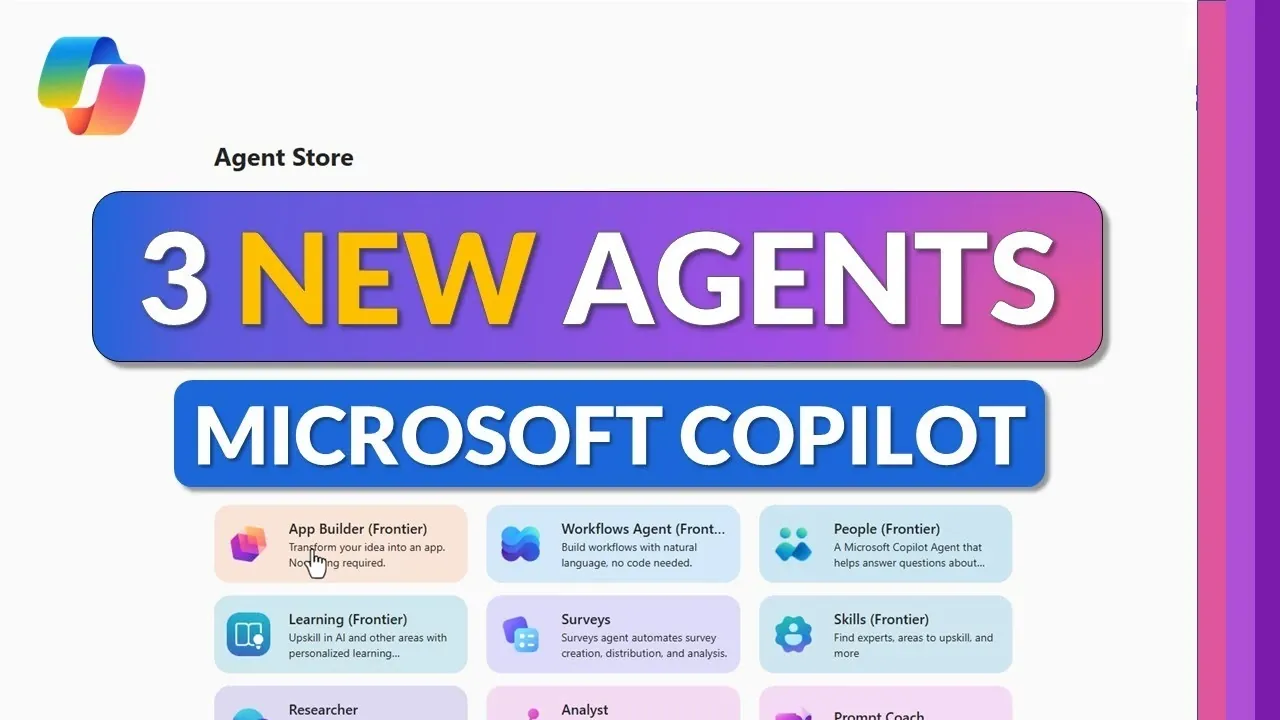
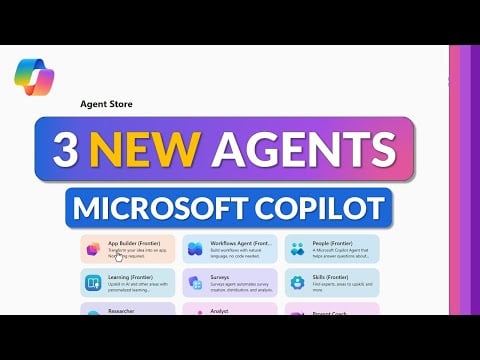
    Copilot shows App Builder, Workflows, and Surveys side by side, turning plain prompts into working tools.

    What if creating apps, automating workflows, or designing surveys was as simple as having a conversation? With the latest advancements in Microsoft 365 Copilot, this isn’t just a bold claim, it’s the new reality. By introducing three new agents, App Builder, Workflows, and Surveys, Microsoft is reshaping how we approach productivity. These tools use the power of natural language processing to break down complex tasks into effortless actions, making once-daunting processes accessible to everyone, regardless of technical expertise. Imagine building a custom app for your team or automating repetitive tasks in minutes, no coding, no hassle, just results.

    In this quick-start guide, Mike Tholfsen explains how these new agents can help you work smarter and faster. You’ll discover how the App Builder provide widespread access tos app creation, how the Workflows agent streamlines repetitive tasks, and how the Surveys agent transforms feedback collection into a seamless process. Along the way, we’ll highlight how these tools integrate seamlessly with Microsoft staples like SharePoint, Power Automate, and Teams, making sure your productivity ecosystem stays connected. Whether you’re a seasoned pro or just starting to explore automation, these tools are designed to meet you where you are. Let’s uncover how these innovations can redefine your daily workflow and unlock new possibilities.

    Microsoft 365 Copilot Agents Overview

    TL;DR Key Takeaways :

    • Microsoft 365 Copilot introduces three new agents, App Builder, Workflows, and Surveys, designed to simplify app creation, automate workflows, and streamline survey management using natural language processing.
    • App Builder: Enables users to create custom applications without coding, store them in SharePoint, and customize them in real time, making app development accessible to all skill levels.
    • Workflows Agent: Automates repetitive tasks with natural language commands, offering a user-friendly alternative to Power Automate for optimizing operations and boosting productivity.
    • Surveys Agent: Simplifies survey creation and analysis through Microsoft Forms integration, providing real-time customization and actionable insights for feedback collection.
    • Seamless integration with Microsoft tools like SharePoint, Power Automate, Forms, and Teams enhances collaboration, accessibility, and efficiency across the Microsoft ecosystem.

    App Builder: Simplified App Creation for Everyone

    The App Builder agent enables you to create fully functional applications without requiring any coding expertise. By simply describing your requirements in natural language, you can design apps that address specific needs. For instance, you might develop a task tracker to monitor project milestones or a custom meeting scheduler to streamline team coordination.

    Once created, these apps are stored in SharePoint lists, making sure they are easily accessible and shareable across your organization. The App Builder also supports real-time customization, allowing you to adjust app features as your needs evolve. This tool is currently available to early adopters through the Frontier program, making app development more inclusive and accessible for users of all skill levels. By removing technical barriers, the App Builder provide widespread access tos app creation, allowing you to focus on solving problems rather than learning complex programming languages.

    Workflows Agent: Automate and Optimize Routine Processes

    The Workflows agent simplifies task automation by allowing you to create workflows using natural language commands. Acting as a user-friendly alternative to Power Automate, this tool helps you handle repetitive tasks efficiently. For example, you can automate the generation of daily task summaries, schedule recurring reminders, or send notifications directly to Microsoft Teams.

    Customization is a key feature of the Workflows agent, allowing you to tailor workflows to meet your specific requirements. By automating time-consuming processes, this tool allows you to focus on strategic priorities, enhancing productivity across your team or organization. Whether you’re managing a small team or overseeing a large department, the Workflows agent provides a scalable solution for optimizing operations.

    How to Use the New Agents in Copilot

    Explore further guides and articles from our vast library that you may find relevant to your interests in Microsoft Copilot.

    Surveys Agent: Simplify Feedback Collection and Analysis

    The Surveys agent transforms the way you design and manage surveys by using Microsoft Forms technology. Using natural language commands, you can create surveys tailored to your objectives, whether you’re gathering employee feedback, assessing customer satisfaction, or planning an event.

    This tool offers extensive customization options, allowing you to adjust survey content, layout, and settings in real time. Robust response tracking features enable you to monitor participation rates and analyze results effectively, providing actionable insights. By integrating seamlessly with Microsoft Forms, the Surveys agent ensures that your surveys are both engaging and impactful. This streamlined approach to feedback collection helps you make informed decisions and drive meaningful improvements.

    Enhanced Integration Across the Microsoft Ecosystem

    These agents are designed to work seamlessly with existing Microsoft tools, enhancing their functionality and accessibility. Key integrations include:

    • SharePoint: Store and share apps created with the App Builder, fostering collaboration and accessibility across teams.
    • Power Automate: Use the Workflows agent to automate tasks and integrate with broader automation frameworks for enhanced efficiency.
    • Microsoft Forms: Use the Surveys agent to design, distribute, and analyze surveys with advanced customization options.
    • Microsoft Teams: Automate notifications and updates to keep your team informed and aligned on key tasks and priorities.

    Natural Language Processing: A New Era of Productivity

    The introduction of App Builder, Workflows, and Surveys agents underscores Microsoft 365 Copilot’s commitment to making advanced tools accessible to all users. By using natural language processing, these agents eliminate technical barriers, allowing you to focus on achieving tangible results. Whether you’re building apps, automating workflows, or collecting feedback, these tools provide an intuitive and user-friendly experience that enhances both productivity and collaboration.

    As organizations face increasing demands and complex workflows, these agents offer practical solutions for streamlining operations and fostering innovation. Their seamless integration into the Microsoft ecosystem ensures that users can maximize the potential of existing tools while exploring new possibilities. These advancements represent a significant step forward in the evolution of productivity tools, empowering individuals and teams to work smarter and achieve more in an increasingly dynamic workplace.

    Media Credit: Mike Tholfsen

    Filed Under: AI, Technology News, Top News

    Latest Geeky Gadgets Deals

    Disclosure: Some of our articles include affiliate links. If you buy something through one of these links, Geeky Gadgets may earn an affiliate commission. Learn about our Disclosure Policy.

  • INMO Air 3 Runs Android, 1080p OLED, Private Screen, No Phone Needed

    INMO Air 3 Runs Android, 1080p OLED, Private Screen, No Phone Needed

    INMO Air 3 Runs Android, 1080p OLED, Private Screen, No Phone Needed

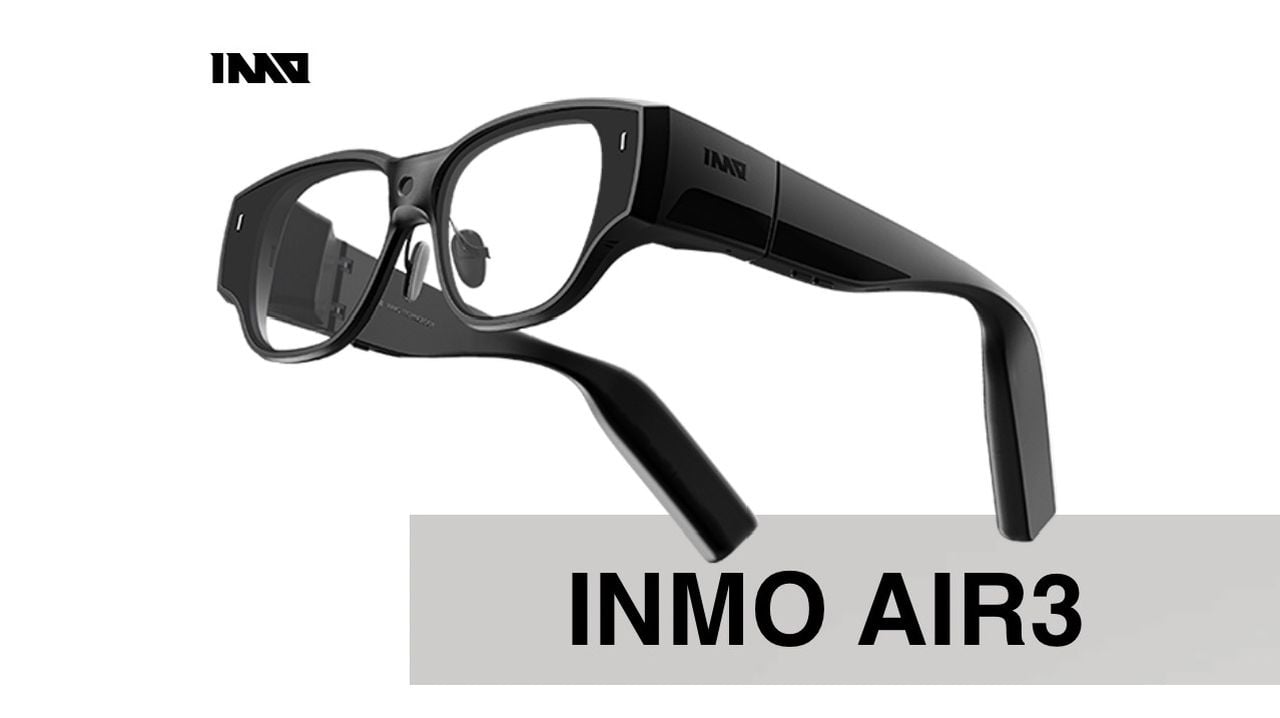
    What if your glasses weren’t just glasses? Imagine slipping on a sleek, lightweight pair that doesn’t just help you see the world, but transforms how you interact with it. The INMO Air 3 isn’t your typical pair of augmented reality (AR) glasses; it’s a fully self-contained device that redefines what wearable tech can do. Forget bulky headsets tethered to external hardware, this innovation packs advanced display technology, intuitive controls, and standalone functionality into a design so seamless, you might forget you’re wearing it. Whether you’re navigating a busy commute, diving into immersive gaming, or managing tasks on the go, the Air 3 promises to make your digital and physical worlds feel closer than ever.

    In this piece, TT Technology explain how the INMO Air 3 sets a new standard for AR devices, offering features that cater to both casual users and tech enthusiasts alike. From its vibrant 1080p Sony Micro OLED display to its hands-free camera and developer-friendly tools, this device is more than just a gadget, it’s a gateway to a smarter, more connected lifestyle. But what truly sets the Air 3 apart is its ability to function independently, without the need for a smartphone or external hardware. Could this be the future of augmented reality? Let’s unpack the possibilities and see how this innovative device is reshaping the way we experience media and technology.

    INMO Air 3 Overview

    TL;DR Key Takeaways :

    • The INMO Air 3 is a fully self-contained AR device, offering standalone functionality powered by the Snapdragon XR platform with 8GB RAM and 128GB storage, eliminating the need for external hardware.
    • Its lightweight and portable design, featuring a flat-lens structure, ensures comfort and extended wearability, making it ideal for on-the-go use in various environments.
    • The device features a 1080p Sony Micro OLED display with 600 nits brightness, a 36° field of view, and an anti-peeping layer, delivering immersive visuals and privacy for gaming, media, and productivity.
    • Equipped with a 16MP ultra-wide camera and intuitive controls, including a touchpad and optional Smart Ring 3 with 3D motion tracking, the Air 3 supports hands-free content creation and versatile interaction.
    • Developer-friendly tools, such as an OpenAI interface, SDK, and N8N workflow engine, enable customization and innovation, making the Air 3 a versatile platform for both consumers and developers.

    Lightweight and Portable Design

    The INMO Air 3 is engineered with comfort and portability in mind. Weighing significantly less than conventional AR headsets, it ensures extended wearability without causing strain. Its flat-lens design contributes to a natural and unobtrusive fit, making it ideal for use during commutes, travel, or even while navigating busy urban environments. Unlike many AR devices that rely on external battery packs, cables, or additional hardware, the Air 3 is entirely self-sufficient. This lightweight and portable design makes it an excellent choice for professionals, travelers, and anyone seeking a hassle-free AR experience that can adapt to their on-the-go lifestyle.

    High-Quality Display for Immersive Visuals

    The Air 3 is equipped with a 1080p Sony Micro OLED display, delivering sharp and vibrant visuals. With a brightness level of 600 nits, the display ensures excellent visibility even in bright outdoor settings, a feature that sets it apart from many competitors. Its 36° field of view creates the illusion of a 150-inch virtual screen, offering an immersive experience for gaming, media consumption, or productivity tasks. To enhance privacy, the device incorporates an anti-peeping layer, making sure that only the wearer can view the content displayed. This feature is particularly valuable for professionals handling sensitive information or for users in public spaces.

    INMO Air 3 Review

    Here are more guides from our previous articles and guides related to smart glasses that you may find helpful.

    Standalone Functionality Powered by Android

    At the heart of the Air 3 is the Snapdragon XR platform, which powers its fully independent operation. With 8GB of RAM and 128GB of internal storage, the device can run applications natively without requiring a connection to a smartphone or computer. Access to the Google Play Store and Google Mobile Services expands its functionality, allowing users to download and use a wide range of apps. The Air 3 also supports multitasking through floating windows, allowing you to manage multiple tasks efficiently. This standalone capability ensures that the device is not only versatile but also highly practical for users who need a reliable AR solution on the move.

    Intuitive and Versatile Controls

    Navigating the Air 3 is made simple through its multiple control options. A built-in touchpad on the glasses allows for intuitive swiping and tapping, allowing smooth interaction with menus and applications. For more advanced control, the INMO Smart Ring 3 introduces 3D motion tracking, offering precise input for AR applications and games. These versatile control methods ensure that the Air 3 is accessible to a wide range of users, from casual consumers to tech-savvy professionals. Whether you’re managing tasks or immersing yourself in AR environments, the controls are designed to be both intuitive and efficient.

    Hands-Free Camera for Content Creation

    The Air 3 features a 16MP ultra-wide camera with a 120° field of view, making it an excellent tool for hands-free photography and videography. This functionality is particularly beneficial for content creators, travelers, and professionals who need to document moments or create media without relying on additional equipment. Whether you’re capturing scenic landscapes, recording vlogs, or taking group photos, the camera delivers high-quality results. Its hands-free design ensures that you can focus on your activities while still producing professional-grade content.

    Immersive Gaming and Entertainment

    For gaming enthusiasts, the Air 3 transforms the way you experience digital entertainment. Supporting both Android games and cloud gaming services, it turns the virtual 150-inch display into a dynamic gaming platform. Bluetooth connectivity allows you to pair accessories such as controllers, enhancing gameplay and providing a more traditional gaming setup. Whether you’re a casual gamer exploring new titles or a dedicated player seeking immersive experiences, the Air 3 offers a versatile and engaging platform for entertainment.

    Developer-Friendly Tools for Innovation

    The Air 3 is not just a consumer device; it also serves as a powerful tool for developers. With an OpenAI interface and SDK, it enables the creation of custom applications and AI-driven tools tailored to specific needs. The integration of the N8N workflow engine further supports automation and customization, making the Air 3 a versatile platform for innovation. These developer-friendly tools encourage experimentation and creativity, positioning the Air 3 as a valuable asset for those looking to push the boundaries of AR technology.

    Everyday Features for Practical Use

    Designed with practicality in mind, the Air 3 includes a range of features to enhance everyday usability. Bluetooth compatibility allows you to connect accessories such as keyboards and headphones, expanding its functionality for both work and leisure. The customizable screen brightness ensures optimal visibility in various lighting conditions, while an optional sunglasses attachment adds further convenience for outdoor use. These thoughtful features make the Air 3 a well-rounded device suitable for diverse scenarios, from casual media consumption to professional productivity.

    Redefining Augmented Reality

    The INMO Air 3 sets a new benchmark for what augmented reality glasses can achieve. By combining innovative technology with a lightweight, portable design, it offers a seamless blend of functionality and convenience. From immersive gaming and hands-free content creation to productivity and media consumption, the Air 3 caters to a wide range of applications. With its advanced display, standalone capabilities, and developer-friendly tools, the Air 3 is more than just a device, it’s a glimpse into the future of augmented reality, designed to enhance and simplify your digital interactions.

    Media Credit: TT Technology

    Filed Under: AI, Technology News, Top News

    Latest Geeky Gadgets Deals

    Disclosure: Some of our articles include affiliate links. If you buy something through one of these links, Geeky Gadgets may earn an affiliate commission. Learn about our Disclosure Policy.

  • Meet the MS Excel AI Assistant That Plans, Builds and Fixes Your Tasks & Workflows

    Meet the MS Excel AI Assistant That Plans, Builds and Fixes Your Tasks & Workflows

    Meet the MS Excel AI Assistant That Plans, Builds and Fixes Your Tasks & Workflows

    Setup screen displays Excel Labs add-in and Copilot license prompt required to start the autonomous assistant.

    Have you ever wished your spreadsheets could think for themselves? Imagine an Excel feature so advanced it doesn’t just assist you, it acts as your personal data analyst, automating complex tasks and delivering insights in real time. Enter AI Agent Mode, a innovative tool in Microsoft Excel that’s transforming how professionals handle data. Whether you’re juggling sales reports, building dashboards, or analyzing market trends, this feature takes the heavy lifting off your plate, allowing you to focus on the bigger picture. Developed as part of Microsoft’s innovative AI initiatives, AI Agent Mode is more than a helper; it’s a proactive partner in your workflow, designed to simplify even the most intricate data challenges.

    In the below step-by-step video instructional feature, created by the experts at Teacher’s Tech, you’ll uncover how to unlock the full potential of AI Agent Mode. From setting up the Excel Labs add-in to using its ability to generate dynamic dashboards and integrate external data, this guide walks you through every essential detail. Along the way, you’ll discover how this tool adapts to your specific goals, offering tailored solutions that save time and boost accuracy. Ready to see how AI can transform your approach to data? Let’s explore what’s possible when Excel becomes more than a spreadsheet, it becomes your strategic ally.

    Understanding Excel AI Agent Mode

    TL;DR Key Takeaways :

    • AI Agent Mode in Microsoft Excel automates complex tasks like data analysis, pivot table creation, and dashboard generation, acting as a virtual junior data analyst.
    • The feature is available in preview for users with a Microsoft 365 Copilot license and the Excel Labs add-in, accessible via Excel for the web or desktop.
    • Key functionalities include proactive task execution, dynamic updates, external data integration, and conversational feedback for refining outputs.
    • Practical applications include sales reporting, performance dashboards, and data modeling, allowing professionals to focus on strategic decision-making.
    • While powerful, AI Agent Mode requires well-organized data, active oversight, and manual adjustments to address limitations and ensure accuracy.

    AI Agent Mode is a robust tool designed to automate intricate tasks such as data analysis, pivot table creation, and dashboard generation. Unlike the standard Microsoft 365 Copilot, which provides passive assistance, AI Agent Mode actively plans, executes, and refines tasks based on your specific goals. Acting as a virtual junior data analyst, it adapts to your needs, whether you’re working with sales metrics, financial reports, or external market data. This adaptability makes it a versatile solution for professionals seeking efficiency without compromising precision.

    Key highlights of AI Agent Mode include:

    • Proactive task execution based on user-defined objectives.
    • Dynamic adaptability to various data types and structures.
    • Integration with external data sources for comprehensive analysis.

    By using these capabilities, AI Agent Mode transforms how you interact with data, allowing faster and more accurate decision-making.

    Setting Up and Accessing AI Agent Mode

    To begin using AI Agent Mode, ensure you meet the following prerequisites:

    • A valid Microsoft 365 Copilot license.
    • The Excel Labs add-in installed on your system.
    • Enrollment in the Windows Insider beta channel for preview access.

    Once these requirements are fulfilled, you can access AI Agent Mode through Excel for the web or desktop. After installation, the feature becomes readily available, allowing you to automate workflows and streamline data management processes. This setup ensures that you are equipped to maximize the potential of AI-driven automation in Excel.

    How to Use AI Agent Mode in Microsoft Excel

    Below are more guides on AI Agents from our extensive range of articles.

    Key Features and Functionalities

    AI Agent Mode offers a suite of advanced features designed to enhance productivity and streamline data workflows. These include:

    • Automated Pivot Tables and Dashboards: The AI generates pivot tables, charts, and dashboards based on your specified objectives, saving significant time.
    • Dynamic Updates: Data and visualizations are automatically updated as new information is added, making sure real-time accuracy.
    • External Data Integration: Seamlessly incorporates external data sources, such as market trends or economic indicators, into your analysis.
    • Conversational Feedback: Enables you to refine outputs through natural language prompts, tailoring results to your specific needs.

    For instance, if you need a sales performance dashboard, you can provide your objectives, and the AI will generate the necessary pivot tables, charts, and summaries. As new sales data is added, the dashboard updates automatically, making sure that your insights remain current and actionable.

    How AI Agent Mode Differs from Standard Copilot

    While Microsoft 365 Copilot offers formula suggestions and answers specific queries, AI Agent Mode takes a more proactive and goal-oriented approach. It not only interprets your instructions but also executes tasks independently, adapting to your objectives. This makes it particularly effective for automating repetitive or complex workflows, freeing up your time for higher-level analysis and decision-making. Key distinctions include:

    • Proactive Execution: AI Agent Mode actively completes tasks based on your goals, unlike Copilot’s reactive assistance.
    • Goal-Oriented Design: It focuses on achieving specific outcomes, such as generating reports or creating dashboards, with minimal input.
    • Adaptability: The tool adjusts to various data types and user requirements, offering a tailored experience.

    This proactive functionality positions AI Agent Mode as an indispensable tool for professionals managing data-intensive tasks.

    Practical Applications and Use Cases

    AI Agent Mode is particularly effective for tasks that require precision, efficiency, and adaptability. Common use cases include:

    • Sales Reporting: Automatically generates detailed sales reports with visualizations, saving time and effort.
    • Performance Dashboards: Creates dashboards to monitor key performance metrics, making sure real-time insights.
    • Data Modeling: Incorporates external factors, such as inflation rates or market trends, into your data models for more comprehensive analysis.

    By automating these processes, AI Agent Mode allows you to allocate more time to strategic initiatives, enhancing overall productivity.

    Best Practices for Effective Use

    To maximize the benefits of AI Agent Mode, consider the following best practices:

    • Define Clear Goals: Clearly articulate your objectives to ensure accurate and relevant results.
    • Review Outputs: Treat the AI as a junior assistant that requires oversight, carefully reviewing its outputs and formulas.
    • Use Feedback Loops: Provide conversational prompts to refine and iterate on the results, improving accuracy and relevance.

    For example, if the AI generates a chart that doesn’t fully meet your expectations, you can provide feedback to adjust its parameters or improve the visualization. This iterative process ensures that the outputs align with your specific needs.

    Limitations and Considerations

    As a preview feature, AI Agent Mode has certain limitations. It may occasionally produce errors or struggle with highly complex tasks. Additionally, its performance depends on the quality and structure of your data. To mitigate these challenges, it is essential to:

    • Ensure your data is well-organized and accurately formatted.
    • Review and validate the AI’s outputs to maintain accuracy.
    • Be prepared to make manual adjustments when necessary.

    By understanding these limitations, you can use AI Agent Mode more effectively, using its strengths while addressing its shortcomings.

    Advanced Tools to Enhance Your Workflow

    AI Agent Mode includes additional features that cater to more sophisticated data challenges:

    • Claude: Handles intricate logic chains and complex data reasoning, allowing advanced analysis.
    • Dynamic Summaries: Automatically generates summaries that adapt to changes in your data, making sure up-to-date insights.
    • Helper Blocks: Organizes and structures data for improved clarity and usability, streamlining workflows.

    These tools provide added flexibility, allowing you to tackle complex scenarios with confidence and efficiency.

    Empowering Data Management with AI Agent Mode

    AI Agent Mode in Microsoft Excel represents a significant advancement in data management, offering a seamless transition from manual processes to AI-driven workflows. By automating repetitive tasks and providing dynamic, goal-oriented assistance, it enables professionals to achieve more in less time. While it requires active oversight to verify and refine outputs, its ability to adapt to user needs makes it an invaluable tool for anyone working with data. With AI Agent Mode, you can streamline your workflows, enhance productivity, and focus on what truly matters, strategic decision-making.

    Media Credit: Teacher’s Tech

    Filed Under: AI, Guides

    Latest Geeky Gadgets Deals

    Disclosure: Some of our articles include affiliate links. If you buy something through one of these links, Geeky Gadgets may earn an affiliate commission. Learn about our Disclosure Policy.
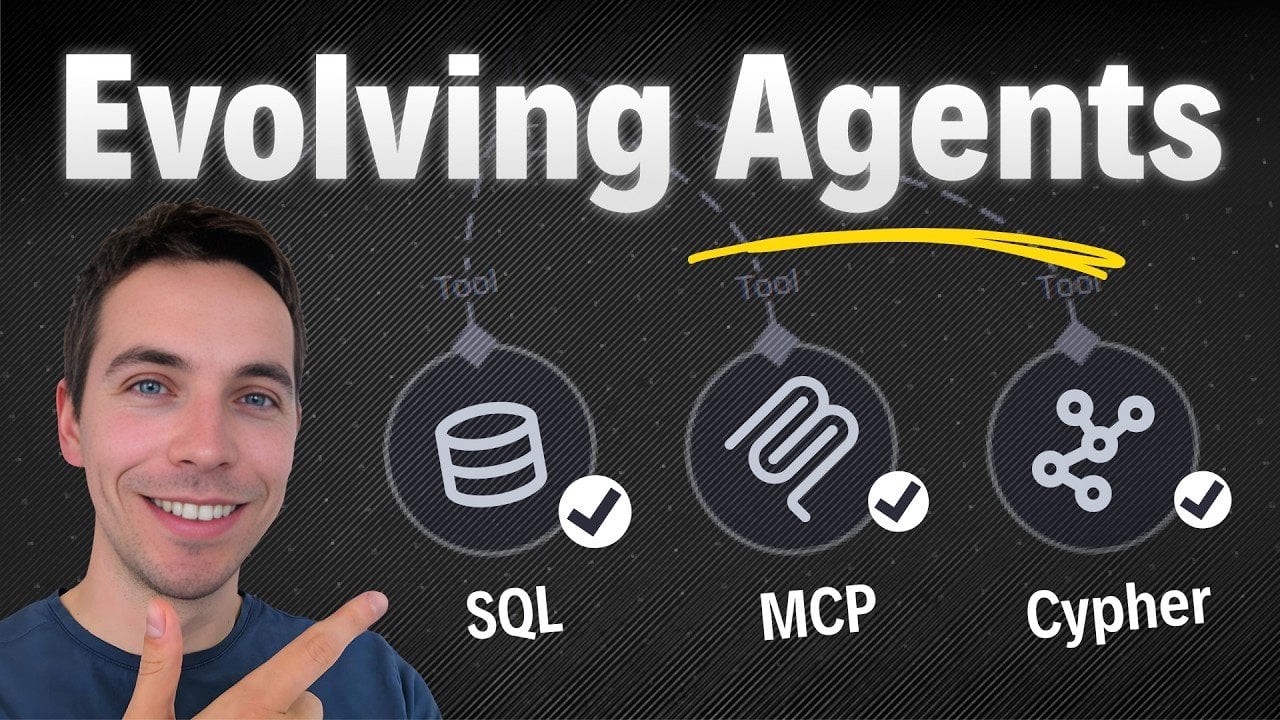
  • The Future of Dynamic UIs Design : Redefining B2B SaaS Products in 2026

    The Future of Dynamic UIs Design : Redefining B2B SaaS Products in 2026

    The Future of Dynamic UIs Design : Redefining B2B SaaS Products in 2026

    A diagram concept showing systems of record, an agent layer, and disposable pixels generating task views.

    What if the very thing you’ve spent years perfecting, your beautifully designed user interface, becomes irrelevant? It’s not just a provocative question; it’s a looming reality. By 2026, the rise of agent-driven systems and ephemeral UIs could render traditional user interfaces obsolete. Imagine a world where users no longer click through dashboards or navigate static screens, but instead interact with software through dynamic, task-specific layers or AI agents that bypass visual interfaces entirely. This isn’t a distant sci-fi scenario, it’s a transformation already underway, and clinging to outdated design paradigms could leave your product struggling to stay relevant in this evolving ecosystem.

    In this breakdown, Nate B Jones explores why static UIs are losing ground and what you should build instead to thrive in the era of generative and agentic technologies. From the rise of disposable pixels to the critical role of APIs and modular systems, this shift demands a fundamental rethinking of how software is designed and delivered. Whether you’re a product manager, designer, or engineer, understanding these changes isn’t just helpful, it’s essential. The future of software isn’t about creating interfaces that last; it’s about building systems that adapt, evolve, and disappear when they’re no longer needed. So, what does it take to build for a world where permanence is no longer the goal?

    The Changing Landscape of User Interfaces

    TL;DR Key Takeaways :

    • By 2026, traditional static user interfaces (UIs) are expected to be replaced by dynamic, context-driven systems powered by generative and agentic technologies.
    • Generative UIs and ephemeral interfaces are transforming software design, allowing on-demand, task-specific, and disposable visual elements.
    • Three key forces driving this shift are generative UIs, ephemeral UIs, and agentic software, which prioritize adaptability and efficiency over permanence.
    • Software development is evolving to focus on modular systems, agent compatibility, and APIs, with less emphasis on static, visually rich interfaces.
    • While dynamic UIs dominate, traditional UIs still hold value in areas like cognitive mapping, compliance, and team collaboration, where stability and predictability are essential.

    For decades, user interfaces were designed to be durable. High development costs and technical limitations necessitated interfaces that were carefully crafted, rigorously tested, and maintained over time. However, the emergence of generative UIs has disrupted this paradigm. Today, interfaces can be generated on demand, customized to meet specific user needs, and discarded just as quickly. These “ephemeral UIs” are hyper-contextual, existing only when required to complete a task or deliver precise information.

    Generative tools such as UISard and Nano Banana Pro exemplify this shift. These systems can create entire screens or mockups from simple text inputs or contextual data, allowing a level of flexibility and responsiveness previously unattainable. As a result, the pixel, once the cornerstone of software design, has become a transient artifact, serving as a temporary means to an end rather than a permanent fixture.

    Three Forces Driving the Shift

    The transition toward dynamic UIs is being propelled by three interconnected trends that are redefining the software landscape:

    • Generative UIs: These systems dynamically create interfaces based on user inputs or contextual cues, significantly reducing the need for pre-designed screens and static layouts.
    • Ephemeral UIs: Interfaces are now disposable, designed to appear and disappear as needed, aligning seamlessly with specific tasks or user intents.
    • Agentic Software: AI-driven agents automate tasks, interpret user intent, and generate outputs, often bypassing traditional UIs entirely in favor of direct, intent-driven interactions.

    These forces are not only changing how interfaces are built but also how users interact with software, emphasizing adaptability and efficiency over permanence and predictability.

    Agents Will Kill Your Ul by 2026 : Unless You Build This Instead

    Here is a selection of other guides from our extensive library of content you may find of interest on Generative UIs.

    How Software Layers Are Evolving

    This paradigm shift is fundamentally altering the structure of software, particularly its core layers. The traditional emphasis on static, visually rich interfaces is giving way to a more modular and dynamic approach:

    • Layer 1: Durable Systems of Record: Core elements such as data models, workflows, and system integrity remain essential. These foundational components enable automation and ensure reliability.
    • Layer 2: Agentic Layers: These layers interpret user intent and execute tasks, acting as intermediaries that bridge the gap between users and underlying systems.
    • Layer 3: Disposable Pixels: Visual interfaces are now transient, designed to fulfill specific tasks and then disappear, reducing the need for static dashboards and permanent UI elements.

    For software creators, this evolution necessitates a shift in focus. The priority is no longer on building enduring, visually stunning interfaces but on creating flexible, modular systems that can adapt to user needs in real time. APIs, data semantics, and agent compatibility are becoming the cornerstones of modern software design.

    What This Means for B2B SaaS

    The implications of this shift are particularly profound for B2B SaaS products. These platforms are increasingly evolving into ecosystems for agent-driven interactions rather than standalone tools. This transformation requires a fundamental rethinking of software design and development strategies:

    • APIs and Data Semantics: These elements now take precedence over traditional UIs, allowing seamless integration with agentic systems and other platforms.
    • Generative UIs: By reducing the need for maintaining low-traffic pages, generative UIs allow development teams to focus on high-impact areas that deliver greater value to users.
    • Agent Compatibility: Making sure compatibility with AI-driven systems is critical for allowing smooth, automated workflows and enhancing user experiences.

    This shift is not just a technical challenge but also a strategic one, requiring organizations to align their goals and processes with the demands of a rapidly evolving digital ecosystem.

    How Roles and Workflows Are Changing

    The rise of generative and agentic technologies is also transforming roles within software development teams. Traditional responsibilities are being redefined to align with the demands of dynamic, intent-driven systems:

    • Designers: Instead of focusing on static screens, designers now define interface grammars, constraints, and design systems that guide generative tools.
    • Product Managers: The emphasis shifts from static feature roadmaps to understanding user intents, defining safe state transitions, and making sure seamless task completion.
    • Engineers: Developers prioritize building stable, composable interfaces that support agents and generators, with a focus on validation logic and system reliability.

    These changes highlight the need for cross-functional collaboration and a shared understanding of how generative and agentic technologies can be used to create more adaptive and user-centric software.

    Where Traditional UIs Still Have an Edge

    Despite the advancements in generative and agentic technologies, there are scenarios where traditional UIs remain indispensable. These include:

    • Cognitive Mapping: Stable interfaces are essential for tasks that rely on spatial memory, such as financial trading, medical diagnostics, or complex data analysis.
    • Audit and Compliance: Regulated industries require consistent, reproducible workflows to ensure accountability and meet legal standards.
    • Team Collaboration: Shared, coherent views are necessary for collaborative decision-making, communication, and coordination among team members.

    In these contexts, the permanence and predictability of traditional UIs provide advantages that dynamic, ephemeral interfaces cannot yet replicate.

    Winners and Losers in the New Era

    As the software landscape continues to evolve, certain products and teams are better positioned to thrive in this new environment:

    • Winners: Products that are agent-compatible, schema-clean, and composable will excel. Teams that treat UI as a runtime language rather than a static artifact will lead the way in innovation and adaptability.
    • Losers: Products that rely solely on traditional interfaces or resist integration with agentic systems will struggle to remain relevant in a rapidly changing market.

    The ability to embrace change and use emerging technologies will be the defining factor for success in this new era of software development.

    Looking Ahead

    By 2026, agent-driven interactions are expected to dominate, fundamentally altering how software is built, deployed, and used. Users will increasingly rely on AI agents to perform tasks, bypassing traditional UIs in favor of dynamic, intent-driven interfaces. For software creators, the challenge is clear: adapt to this new reality or risk obsolescence. The future belongs to those who can build flexible, modular systems that seamlessly integrate with the agentic technologies shaping tomorrow’s digital landscape.

    Media Credit: AI News & Strategy Daily | Nate B Jones

    Filed Under: AI, Guides

    Latest Geeky Gadgets Deals

    Disclosure: Some of our articles include affiliate links. If you buy something through one of these links, Geeky Gadgets may earn an affiliate commission. Learn about our Disclosure Policy.