• M4 Pro Macs Stack : Thunderbolt 5 Links Make Mac AI Go Way Faster

    M4 Pro Macs Stack : Thunderbolt 5 Links Make Mac AI Go Way Faster

    M4 Pro Macs Stack : Thunderbolt 5 Links Make Mac AI Go Way Faster

    macOS 26.2 update adds RDMA support, letting developers run bigger AI workloads locally on Apple hardware.

    What if you could run trillion-parameter AI models on your desk without relying on expensive cloud infrastructure? In the video, Alex Ziskind breaks down Apple’s latest innovations in artificial intelligence, and it’s nothing short of innovative. With the release of Exo 1.0, macOS 26.2, and RDMA over Thunderbolt 5, Apple is reshaping how AI workflows operate on their hardware. Imagine clustering multiple Mac Studios or Mac Minis to handle massive machine learning tasks with ease, this isn’t just a technical upgrade; it’s a bold step toward making advanced AI accessible to more people than ever before.

    In this deep dive, we’ll explore how Apple’s ecosystem is transforming AI development, from the new tensor parallelism in Exo 1.0 to the lightning-fast data transfers enabled by RDMA. Whether you’re a seasoned developer or just curious about the future of AI, you’ll discover how these innovations eliminate bottlenecks, boost scalability, and redefine performance. The implications for researchers, businesses, and creators are enormous, but the real question is: how will this change what’s possible in your own work?

    Apple’s AI Clustering Breakthrough

    TL;DR Key Takeaways :

    • Apple introduced new AI technologies, including Exo 1.0, MLX Distributed Framework, macOS 26.2, and RDMA over Thunderbolt 5, allowing trillion-parameter AI models to run efficiently on Apple Silicon clusters.
    • Exo 1.0 simplifies distributed machine learning with an intuitive interface, real-time performance monitoring, and tensor parallelism for efficient model sharding across multiple devices.
    • RDMA over Thunderbolt 5 delivers up to 10x faster data transfer speeds, eliminating bottlenecks and allowing seamless scaling of AI workloads on devices with M4 Pro chips or higher.
    • The MLX Distributed Framework optimizes AI performance on Apple Silicon, supporting both dense and quantized models for diverse applications, from high-precision tasks to resource-constrained environments.
    • With macOS 26.2 and unified memory, Apple’s ecosystem enhances scalability and accessibility, allowing cost-effective local AI workflows without reliance on expensive cloud infrastructure.

    Exo 1.0: Simplifying AI Clustering

    At the heart of Apple’s advancements lies Exo 1.0, a powerful clustering solution designed to simplify distributed machine learning. With its user-friendly installer and intuitive interface, Exo 1.0 allows you to set up and manage clusters with remarkable ease. Its real-time dashboard provides detailed insights into cluster performance and model execution, making it accessible even if you are new to distributed computing.

    Exo 1.0 introduces tensor parallelism, a method that divides large AI models into smaller, manageable segments for simultaneous processing across multiple devices. This approach optimizes model sharding, making sure that even the most complex models can run efficiently. Whether you are a developer or researcher, Exo 1.0 removes the technical barriers to using clustering technology, allowing you to focus on innovation and results.

    RDMA over Thunderbolt 5: Eliminating Bottlenecks

    A standout feature of Apple’s ecosystem is the integration of RDMA (Remote Direct Memory Access) over Thunderbolt 5, which transforms data transfer speeds between devices. This technology achieves communication speeds up to 10 times faster than traditional methods, significantly reducing data transfer delays. By eliminating bottlenecks, RDMA ensures that distributed AI tasks run smoothly and efficiently, even at scale.

    To take advantage of RDMA over Thunderbolt 5, you will need devices equipped with Apple’s latest M4 Pro chips or higher. This combination of innovative hardware and software delivers exceptional performance, allowing you to scale AI workloads across multiple nodes without the latency issues that often hinder multi-machine setups. This innovation is particularly beneficial for tasks requiring real-time processing or large-scale model training.

    RDMA on Thunderbolt 5 Speeds Apple Silicon AI Clusters

    Here are more detailed guides and articles that you may find helpful on Apple Silicon.

    MLX Distributed Framework: Optimized for Apple Silicon

    The MLX Distributed Framework is another cornerstone of Apple’s AI ecosystem, specifically designed to maximize the potential of Apple Silicon. Seamlessly integrated with RDMA, MLX accelerates both model training and inference, offering unparalleled performance for a wide range of AI applications. It supports both dense models and quantized models, providing flexibility based on your specific requirements.

    • Dense models: Known for their high accuracy, these models can now be processed more efficiently, making them ideal for tasks requiring precision.
    • Quantized models: These models reduce computational demands while maintaining performance, making them suitable for resource-constrained environments.

    This adaptability ensures that you can optimize performance regardless of the complexity or scale of your AI tasks. Whether you are working on resource-intensive projects or lightweight applications, MLX provides the tools needed to achieve your goals efficiently.

    macOS 26.2 and Unified Memory: A Cohesive Ecosystem

    The release of macOS 26.2 further enhances Apple’s AI capabilities by introducing native support for RDMA, creating a seamless integration between hardware and software. One of the most notable features of Apple Silicon, unified memory, allows memory to be shared effortlessly across clusters. This capability enables you to run larger models on devices like the M4 Mac Mini, which are more cost-effective than traditional high-end alternatives.

    By combining macOS 26.2 with unified memory, Apple ensures that AI workflows are not only faster but also more accessible. Whether you are using a compact Mac Mini or a high-performance Mac Studio, this cohesive ecosystem enables you to achieve remarkable results without the need for expensive cloud-based infrastructure.

    Real-World Applications

    Apple’s advancements in AI clustering technology open up a wide array of possibilities for real-world applications. Large language models (LLMs), which power technologies such as chatbots, natural language processing tools, and content generation systems, can now be run locally on Apple Silicon clusters. This eliminates the reliance on costly cloud-based solutions, giving you greater control over your data while significantly reducing operational expenses.

    For developers and researchers, these tools provide a robust platform for experimentation and innovation. Whether you are training new models, fine-tuning existing ones, or exploring novel AI applications, Apple’s ecosystem offers the resources and scalability needed to push the boundaries of what is possible in artificial intelligence.

    Performance and Scalability

    Apple’s integration of tensor parallelism, RDMA, and unified memory delivers substantial performance improvements for AI workflows. Key metrics, such as token generation rates—a critical measure of efficiency for LLMs, have seen significant enhancements. Apple’s clustering technology scales seamlessly across multiple nodes, allowing faster processing even for trillion-parameter models.

    This scalability ensures that you can tackle demanding AI workloads without compromising speed or accuracy. By using Apple’s ecosystem, you can achieve results that were previously only possible with large-scale cloud infrastructure. This makes Apple’s solution not only powerful but also cost-effective for businesses and researchers alike.

    Shaping the Future of AI

    Apple’s latest innovations represent a significant leap forward in machine learning technology. By combining Exo 1.0, the MLX Distributed Framework, RDMA over Thunderbolt 5, and macOS 26.2, Apple has created an ecosystem that makes advanced AI more accessible, efficient, and scalable. These tools provide the performance, flexibility, and ease of use required to meet the demands of modern AI workflows.

    Whether you are an experienced AI professional or just beginning your journey, Apple’s advancements offer a powerful platform for innovation. With these technologies, Apple is not only enhancing the way AI models are developed and deployed but also paving the way for a future where artificial intelligence is more integrated into everyday life.

    Media Credit: Alex Ziskind

    Filed Under: AI, Apple, Top News

    Latest Geeky Gadgets Deals

    Disclosure: Some of our articles include affiliate links. If you buy something through one of these links, Geeky Gadgets may earn an affiliate commission. Learn about our Disclosure Policy.
  • Gemini 3 Flash : Fast, Multimodal & Easy on Your Budget

    Gemini 3 Flash : Fast, Multimodal & Easy on Your Budget

    Gemini 3 Flash : Fast, Multimodal & Easy on Your Budget

    Screenshot highlighting Gemini 3.0 Flash pricing, showing $0.50 per million input tokens with clear savings tips.

    What if you could access an AI model that’s not only faster and smarter but also dramatically cheaper than anything else on the market? Enter Gemini 3 Flash, Google’s latest innovation that’s turning heads across industries. With a bold promise of delivering up to three times the speed of its predecessor and slashing costs by over 75%, this model isn’t just an upgrade, it’s a redefinition of what’s possible in AI. Imagine a tool that can analyze massive datasets, generate human-like reasoning, and even assist in creative tasks like game development, all while staying accessible to small developers and enterprises alike. The question isn’t whether Gemini 3 Flash is powerful; it’s whether the competition can keep up.

    In this in-depth coverage, we’ll explore why Gemini 3 Flash is being hailed as a fantastic option, from its new cost-efficiency measures like Context Caching to its advanced multimodal capabilities that tackle everything from deepfake detection to enterprise-level data analysis. But is it truly the most powerful, fastest, and cheapest model ever created? Or are there trade-offs hidden beneath its impressive specs? Whether you’re a developer, a business leader, or simply an AI enthusiast, this exploration will uncover how Gemini 3 Flash is reshaping the AI landscape, and what it means for the future of innovation. Sometimes, the most innovative ideas come at the most unexpected price.

    Why Gemini 3 Flash Redefines Affordability

    TL;DR Key Takeaways :

    • Google’s Gemini 3 Flash is a innovative AI model offering exceptional speed, advanced reasoning, multimodal functionality, and cost efficiency, making it ideal for developers, enterprises, and creative professionals.
    • It redefines affordability with pricing at $0.50 per 1 million input tokens and $3 per 1 million output tokens, using features like Context Caching and Batch API to significantly reduce costs.
    • The model delivers up to three times faster performance than its predecessor, excelling in tasks like visual reasoning, large-scale data analysis, and achieving competitive benchmarks in accuracy tests.
    • Gemini 3 Flash supports diverse applications, including software development, data transformation, enterprise solutions, gaming, multimodal tasks, and career tools, showcasing its versatility across industries.
    • Accessibility is a priority, with availability through platforms like Google AI Studio, the Gemini App, and developer APIs, making sure ease of use for a wide range of users and organizations.

    Gemini 3 Flash establishes a new benchmark for cost efficiency in AI technology. With pricing set at just $0.50 per 1 million input tokens and $3 per 1 million output tokens, it is less than a quarter of the cost of its predecessor, Gemini 3 Pro. This significant reduction in pricing makes it accessible to a broader audience, from small-scale developers to large enterprises.

    The model achieves its affordability through innovative features that optimize resource usage:

    • Context Caching: This feature reuses prior computations, reducing costs by up to 90% without compromising performance.
    • Batch API Functionality: By optimizing processing, this functionality lowers expenses by an additional 50%, making large-scale operations more economical.

    These cost-saving measures ensure that Gemini 3 Flash is not only budget-friendly but also a practical choice for businesses aiming to maximize value while maintaining high-quality outputs.

    Performance: Speed Meets Advanced Functionality

    Gemini 3 Flash delivers a significant leap in performance, operating up to three times faster than its predecessor, Gemini 2.5 Pro. Its advanced reasoning capabilities and multimodal features enable it to tackle complex tasks with precision and efficiency. This combination of speed and functionality makes it a versatile tool for a wide range of applications.

    Key performance highlights include:

    • Visual and Spatial Reasoning: Enables tasks like image-based code execution and object recognition.
    • Large-Scale Data Analysis: Handles enterprise-level challenges, such as processing vast datasets and generating actionable insights.
    • Competitive Benchmarks: Achieves 90.4% accuracy on the GBQA Diamond test and a 33.7% score on a humanities exam, showcasing its advanced reasoning capabilities.

    These features ensure that Gemini 3.0 Flash can address both technical and creative challenges, making it a reliable choice for industries requiring high-speed, accurate AI solutions.

    Google’s Most Powerful, Cheapest, & Fastest AI Model Tested

    Dive deeper into Google Gemini Flash with other articles and guides we have written below.

    Applications: A Model for Every Industry

    The versatility of Gemini 3.0 Flash is evident in its wide-ranging applications, which span multiple industries and use cases. Its adaptability allows it to cater to the unique needs of developers, enterprises, and individuals alike.

    Some of its standout applications include:

    • Software Development: Assists the creation of front-end and full-stack applications, browser-based operating systems, and creative outputs such as SVG animations.
    • Data Transformation: Converts unstructured data into clean, structured formats, streamlining workflows and improving efficiency for businesses.
    • Enterprise Solutions: Supports multi-step reasoning, tool integration, and tasks like data analysis, spreadsheet operations, and document editing.
    • Gaming: Assists in creating game clones, interactive applications, and even game mechanics, offering valuable support to game developers.
    • Multimodal Tasks: Excels in areas such as deepfake detection, large-scale document analysis, and other complex multimodal challenges.
    • Career Tools: Provides resume analysis, skill profiling, and job matching to help professionals advance their careers.

    This broad range of applications underscores the model’s ability to meet diverse demands, making it a valuable asset across various fields.

    Accessibility: Easy to Use, Widely Available

    Google has prioritized accessibility in the design of Gemini 3.0 Flash, making sure that it is available to a wide audience. The model can be accessed through multiple platforms, making it easy for users to integrate its capabilities into their workflows.

    Access options include:

    • Google AI Studio: A comprehensive platform for exploring and deploying AI models, offering a user-friendly interface for developers and enterprises.
    • The Gemini App: Provides a straightforward way to use the model’s features, catering to users with varying levels of technical expertise.
    • Developer APIs: Enables seamless integration of the model into custom applications, allowing for tailored solutions.

    For those seeking free options, platforms like Kilo Code and Antigravity IDE offer opportunities to experiment with Gemini 3.0 Flash without financial commitment. This wide availability ensures that developers and organizations of all sizes can harness the model’s power without significant barriers.

    Strengths and Limitations

    Gemini 3.0 Flash features several strengths that make it a standout choice in the AI landscape:

    • High-Speed Performance: Delivers results faster than previous models, enhancing productivity and efficiency.
    • Cost Efficiency: Offers advanced capabilities at a fraction of the cost of comparable models, making it accessible to a broader audience.
    • Versatility: Supports a wide range of applications, from software development to enterprise solutions and creative tasks.

    However, the model is not without limitations. While its performance is impressive, the output quality may fall slightly short of the Gemini 3 Pro in certain scenarios. Additionally, it may encounter minor functionality gaps in specific use cases, such as incomplete game mechanics or highly specialized tasks.

    Despite these limitations, Gemini 3.0 Flash remains a compelling option for users seeking a balance of affordability, speed, and advanced features. Its strengths far outweigh its weaknesses, making it a practical choice for a wide range of applications.

    Media Credit: WorldofAI

    Filed Under: AI, Technology News, Top News

    Latest Geeky Gadgets Deals

    Disclosure: Some of our articles include affiliate links. If you buy something through one of these links, Geeky Gadgets may earn an affiliate commission. Learn about our Disclosure Policy.

  • Inside OpenAI’s Pro-Grade Codex 5.2 Made for Software Teams & Security Work

    Inside OpenAI’s Pro-Grade Codex 5.2 Made for Software Teams & Security Work

    Inside OpenAI’s Pro-Grade Codex 5.2 Made for Software Teams & Security Work

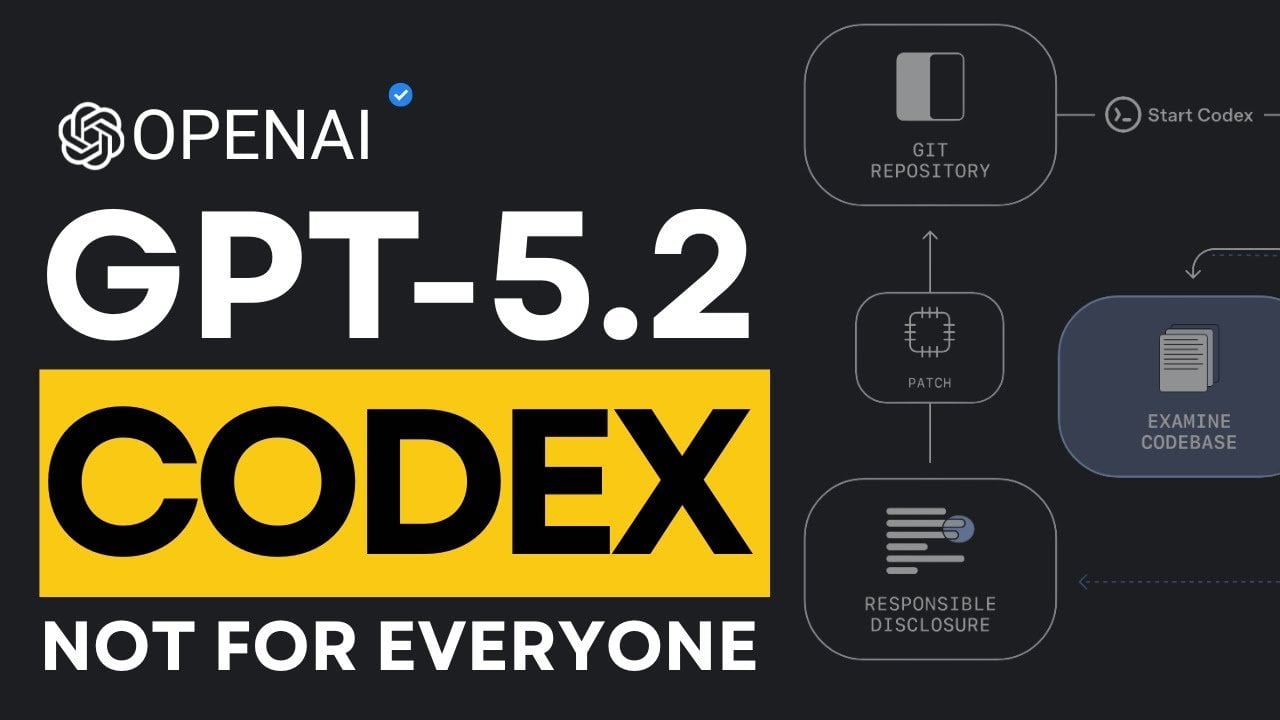
    Benchmark chart highlighting 56.4 percent on Software Engineering Bench Pro and 64 percent on terminal bench two.

    What if the next big leap in artificial intelligence wasn’t meant for everyone? OpenAI’s GPT-5.2 Codex is making waves, not as a general-purpose AI, but as a highly specialized system crafted for professionals in software engineering and cybersecurity. Learn how this advanced model emphasizes precision and reliability, featuring innovations like agentic coding for automating intricate tasks and fuzz testing to uncover hidden vulnerabilities. By targeting high-stakes applications, GPT-5.2 Codex challenges us to rethink what it means for AI to innovate.

    Below, Universe of AI explores the new features that set GPT-5.2 Codex apart. From streamlining complex workflows to fortifying cybersecurity strategies, this model marks OpenAI’s decisive move toward specialization over generalization. It’s not just an evolution, it’s a bold redefinition of AI’s role in solving critical problems. Whether you’re intrigued by its unprecedented capabilities or eager to understand its implications for the future, this explainer offers a fascinating dive into how AI can excel when it’s built with a clear purpose.

    GPT-5.2 Codex Overview

    TL;DR Key Takeaways :

    • GPT-5.2 Codex is a specialized AI model designed for professional use in software engineering and cybersecurity, focusing on precision, reliability, and advanced functionality rather than general-purpose applications.
    • Key features include Agentic Coding for automating complex tasks, Code Refactoring for efficient system upgrades, Windows Optimization for enterprise compatibility, and advanced cybersecurity tools like vulnerability detection and fuzz testing.
    • The model sets new performance benchmarks, achieving 56.4% accuracy on Software Engineering Bench Pro and 64% on Terminal Bench 2.0, excelling in debugging, code generation, and large-scale system management.
    • In cybersecurity, GPT-5.2 Codex enhances vulnerability detection, automates patching, and streamlines threat response, reducing risks and improving system security.
    • It bridges design and development by generating functional UI prototypes from mockups, accelerating workflows and fostering collaboration between designers and developers.

    OpenAI’s Strategic Focus on Specialization

    The development of GPT-5.2 Codex reflects OpenAI’s strategic pivot toward specialization in AI. Rather than competing solely on metrics like speed or cost, OpenAI has chosen to prioritize depth, expertise, and targeted functionality. This model is specifically designed to address the intricate demands of modern software development and cybersecurity, areas where precision and reliability are paramount. By narrowing its focus to professional use cases, OpenAI positions GPT-5.2 Codex as an indispensable tool for organizations that require advanced AI capabilities to solve real-world challenges. This approach not only differentiates GPT-5.2 Codex from its predecessors but also highlights OpenAI’s commitment to delivering value to enterprise users.

    What Makes GPT-5.2 Codex Stand Out?

    GPT-5.2 Codex introduces a suite of features that enhance productivity, security, and efficiency in professional settings. These capabilities are carefully designed to meet the specific needs of developers and cybersecurity experts, making it a powerful tool for tackling complex tasks.

    • Agentic Coding: Automates long-term, intricate software engineering tasks, making sure seamless continuity and efficiency in workflows. This feature reduces the need for constant human intervention, allowing teams to focus on higher-level problem-solving.
    • Code Refactoring: Simplifies large-scale code modifications, minimizing human error and significantly improving productivity. This capability is particularly valuable for maintaining and upgrading legacy systems.
    • Windows Optimization: Offers enhanced compatibility with Windows systems, a critical requirement for many enterprise environments. This ensures smooth integration into existing infrastructures.
    • Cybersecurity Tools: Includes advanced features like vulnerability detection and fuzz testing, allowing organizations to proactively secure their systems against potential threats.

    These specialized tools are not just enhancements but essential components for professionals dealing with the complexities of modern software development and cybersecurity. By addressing these specific needs, GPT-5.2 Codex sets itself apart as a highly targeted and effective solution.

    Why OpenAI Built GPT-5.2 Codex

    Dive deeper into Codex with other articles and guides we have written below.

    Performance Benchmarks: A New Standard

    GPT-5.2 Codex has established itself as a leader in the AI industry by setting new performance benchmarks. It achieved a remarkable 56.4% accuracy rate on the Software Engineering Bench Pro, outperforming previous models in tasks such as debugging, code generation, and system optimization. On Terminal Bench 2.0, it scored an impressive 64%, excelling in automating server setups, compiling code, and managing large-scale deployments. These results highlight the model’s ability to handle complex, high-stakes scenarios with precision and reliability.

    The performance of GPT-5.2 Codex is not just a testament to its technical capabilities but also a reflection of OpenAI’s commitment to creating AI tools that deliver measurable value. By consistently outperforming its predecessors, GPT-5.2 Codex sets a new standard for what specialized AI can achieve in professional environments.

    Transforming Cybersecurity

    In the realm of cybersecurity, GPT-5.2 Codex offers fantastic capabilities that enhance both efficiency and effectiveness. The model assists researchers in identifying vulnerabilities within production code, streamlining the patching process, and automating repetitive tasks. These features enable organizations to respond more effectively to emerging threats, reducing the time and effort required to secure their systems.

    One of the standout features of GPT-5.2 Codex is its fuzz testing capability. This advanced tool helps teams uncover hidden software flaws that could be exploited by malicious actors. By identifying these vulnerabilities early in the development process, organizations can implement proactive measures to mitigate risks. This not only strengthens the overall security posture but also reduces the potential for costly breaches and downtime.

    Bridging Design and Development

    Beyond its applications in coding and cybersecurity, GPT-5.2 Codex demonstrates advanced capabilities in visual understanding, making it a valuable asset for user interface (UI) prototyping. The model can generate functional prototypes directly from design mockups, effectively bridging the gap between design and development. This capability accelerates the creation of intuitive, user-friendly interfaces, streamlining the development process for teams working on complex projects.

    By allowing seamless collaboration between designers and developers, GPT-5.2 Codex enhances productivity and ensures that the final product aligns with user expectations. This feature is particularly beneficial for organizations that prioritize innovation and user experience in their software solutions.

    Looking Ahead: The Future of GPT-5.2 Codex

    OpenAI envisions GPT-5.2 Codex as a foundational step toward even more advanced AI solutions. The model’s reasoning and cybersecurity capabilities are expected to evolve, allowing it to tackle increasingly complex challenges in the future. OpenAI is actively preparing for these advancements by prioritizing safety, reliability, and ethical considerations in its development process.

    While GPT-5.2 Codex has not yet reached its highest risk threshold, its current capabilities already demonstrate significant potential for transforming professional workflows. OpenAI’s forward-looking approach ensures that future iterations of the model will continue to deliver value while addressing the growing demands of enterprise users. This commitment to innovation and responsibility positions GPT-5.2 Codex as a key player in the ongoing evolution of AI technology.

    Media Credit: Universe of AI

    Filed Under: AI, Technology News, Top News

    Latest Geeky Gadgets Deals

    Disclosure: Some of our articles include affiliate links. If you buy something through one of these links, Geeky Gadgets may earn an affiliate commission. Learn about our Disclosure Policy.
  • Best Free AI Search Tools for Daily Questions, Shopping & Fixes

    Best Free AI Search Tools for Daily Questions, Shopping & Fixes

    Best Free AI Search Tools for Daily Questions, Shopping & Fixes

    Side-by-side view comparing six AI search tools across tasks like shopping, troubleshooting, and quick facts in 2025.

    Can you imagine a world where your search engine doesn’t just give you results but actually understands your intent, adapts to your needs, and delivers hyper-relevant answers? That’s the reality of AI search in 2025, and it’s changing how we interact with information. In the video, Kevin Stratvert and team breaks down some of the most innovative free AI search platforms available today, highlighting how they’ve evolved beyond traditional search engines like Google or Bing. These platforms don’t just retrieve data, they analyze, summarize, and even personalize results in ways that feel almost human. But with so many options out there, how do you know which one is right for your specific needs?

    This guide explores the top contenders, each offering unique strengths for tasks like technical troubleshooting, evidence-based research, or even shopping assistance. You’ll discover how platforms like Google Gemini and Consensus cater to specialized audiences, while others, such as ChatGPT, provide a more conversational and versatile experience. Whether you’re a researcher, a casual user, or someone in between, there’s something here for everyone. By the end, you might just rethink how you approach online searches, and realize that the right AI platform could save you time, energy, and frustration in ways you never thought possible.

    Top Free AI Search Tools

    TL;DR Key Takeaways :

    • Perplexity is a dependable AI search tool for general knowledge and straightforward queries but struggles with complex or specialized tasks like price comparisons or nuanced research.
    • Google Gemini excels in technical troubleshooting, advanced research, and image recognition, making it ideal for professionals, though it may overwhelm casual users and falter in shopping-related tasks.
    • ChatGPT is versatile and user-friendly, suitable for casual inquiries and personalized recommendations, but its free version has limitations like outdated information and occasional inaccuracies.
    • Google AI Mode is reliable for local searches, fact-checking, and verifying information but has inconsistent shopping capabilities and limited product comparison features.
    • Consensus specializes in evidence-based research, offering concise summaries of studies and data, making it invaluable for academic and professional users but unsuitable for casual or shopping-related tasks.

    Perplexity: Reliable for General Knowledge, But Limited in Complexity

    Perplexity integrates a language model with web-based search capabilities, making it a dependable choice for answering general knowledge questions. It performs well by aggregating information from multiple sources, making sure concise and accurate responses for straightforward queries. For example, it can efficiently handle questions about historical events, scientific facts, or definitions. However, its limitations become apparent when dealing with more intricate or specialized queries. Tasks such as price comparisons, shopping recommendations, or nuanced research often result in incomplete or unclear answers. If your needs are simple and focused on general knowledge, Perplexity is a strong contender. However, for more detailed or complex tasks, it may not meet expectations.

    Google Gemini: A Research Powerhouse with Technical Expertise

    Google Gemini stands out as a robust tool for technical troubleshooting, advanced research, and image recognition. Its ability to provide detailed insights and comprehensive reports makes it particularly valuable for users tackling complex problems, such as debugging code, analyzing datasets, or exploring technical concepts. Gemini’s depth and precision make it a favorite among researchers, engineers, and professionals. However, its extensive capabilities can overwhelm casual users who are seeking quick or simple answers. Additionally, while it excels in technical domains, it occasionally falters in areas like shopping preferences or advanced Excel-related queries. If your focus is on technical expertise and in-depth research, Google Gemini is an exceptional choice.

    Which AI Smart Search Wins?

    Take a look at other insightful guides from our broad collection that might capture your interest in AI search tools.

    ChatGPT: Versatile and User-Friendly, But Limited in Free Mode

    ChatGPT is a highly versatile AI tool capable of handling a wide array of tasks, from answering general questions to providing shopping and product recommendations. Its conversational style makes it approachable and easy to use, adapting well to individual preferences. For instance, it can assist with writing, brainstorming ideas, or offering tailored suggestions for products. However, the free version has notable constraints, such as outdated information and occasional inaccuracies in how-to guides or technical explanations. While the paid version unlocks advanced features and improved accuracy, the free mode is best suited for casual users seeking general assistance or light research. For more demanding tasks, its limitations may require consideration of alternative tools.

    Google AI Mode: Dependable for Local Searches and Fact-Checking

    Google AI Mode is a reliable tool for local searches, brand recognition, and verifying the credibility of information. It excels in fact-checking and troubleshooting, delivering accurate and trustworthy results. For example, it can efficiently locate nearby services, confirm the authenticity of news sources, or resolve common technical issues. However, its shopping capabilities can be inconsistent, occasionally failing to align with user preferences or provide comprehensive product comparisons. If your primary goal is accuracy and source reliability, Google AI Mode is a dependable option that ensures credible and precise outcomes.

    Amazon Rufus: Optimized for Shopping Within Amazon’s Ecosystem

    Amazon Rufus is specifically designed to enhance the shopping experience, offering quick and detailed product recommendations. It integrates seamlessly with Amazon’s platform, making it an excellent choice for users exploring products within the ecosystem. For instance, it can suggest alternatives, highlight deals, or provide detailed product specifications. However, its utility is limited outside of Amazon, and it may not fully address the needs of users seeking a broader range of shopping options. If your primary focus is on product discovery and purchasing within Amazon, Rufus is a highly effective and efficient tool.

    Consensus: Evidence-Based Insights for Research and Academia

    Consensus is a specialized tool that excels in summarizing findings from multiple studies, making it an invaluable resource for evidence-based research. It is particularly useful for academic or professional inquiries, offering concise and reliable summaries of complex topics. For example, it can synthesize data from scientific papers, medical studies, or industry reports, providing users with clear and actionable insights. However, it is not designed for casual searches, troubleshooting, or shopping-related tasks. If your focus is on deep research and data-driven insights, Consensus is unmatched in its niche, offering unparalleled value for academic and professional users.

    Best Tools by Use Case

    Each AI search tool has distinct strengths, making them suitable for specific scenarios. To help you select the right tool for your needs, consider the following recommendations:

    • General Knowledge: Perplexity is a reliable option for straightforward queries and basic information gathering.
    • Technical Troubleshooting: Google Gemini excels in debugging, data analysis, and solving complex technical problems.
    • Shopping: Amazon Rufus is ideal for product discovery within Amazon, while ChatGPT offers personalized recommendations for broader shopping needs.
    • Fact-Checking: Google AI Mode provides accurate and credible results for verifying information and resolving local queries.
    • In-Depth Research: Consensus is perfect for evidence-based insights, while Google Gemini and ChatGPT offer broader research capabilities.

    Choosing the Right Tool for Your Needs

    The free AI search tools of 2025 cater to a wide range of requirements, from casual inquiries and shopping to technical troubleshooting and academic research. While no single tool can address every need perfectly, understanding their unique strengths and limitations allows you to select the one that aligns best with your specific goals. By using these tools effectively, you can navigate the digital world with greater precision, efficiency, and confidence, making sure that your searches yield meaningful and actionable results.

    Media Credit: Kevin Stratvert

    Filed Under: AI

    Latest Geeky Gadgets Deals

    Disclosure: Some of our articles include affiliate links. If you buy something through one of these links, Geeky Gadgets may earn an affiliate commission. Learn about our Disclosure Policy.
  • Essential AI Skills Map for 2026 : From Prompt Engineering to Agents & Careers

    Essential AI Skills Map for 2026 : From Prompt Engineering to Agents & Careers

    Essential AI Skills Map for 2026 : From Prompt Engineering to Agents & Careers

    A simple roadmap of AI skills for 2026 showing prompts, tools, agents, and community models side by side.

    Imagine a world where your ability to communicate with machines becomes as essential as your ability to communicate with people. By 2026, this won’t just be a futuristic fantasy, it will be the reality shaping careers, industries, and innovation. In a recent video, Tina Huang breaks down the critical AI skills that professionals will need to thrive in this rapidly evolving landscape. From mastering the art of crafting precise prompts to using open source AI for customized solutions, she highlights how these skills are no longer optional but fundamental to staying competitive. The question is no longer whether AI will impact your career but how prepared you’ll be to harness its fantastic potential.

    This feature dives into the most impactful AI skills that will define the workplace of the future, offering a roadmap for professionals eager to stay ahead of the curve. You’ll uncover how AI fluency can supercharge your productivity, why understanding autonomous AI agents might be your next big advantage, and how data literacy is becoming the new must-have competency. Whether you’re an entrepreneur, a seasoned professional, or just starting out, these insights will challenge you to rethink how you approach your work and your role in a world increasingly shaped by artificial intelligence. The future isn’t waiting, are you ready to shape it?

    Mastering AI Skills 2026

    TL;DR Key Takeaways :

    • AI skills will become essential by 2026, with businesses increasingly integrating AI to drive efficiency, innovation, and competitiveness across industries.
    • Key foundational AI skills include prompt engineering, AI tool fluency, deploying autonomous AI agents, and using open source AI for cost-effective, customized solutions.
    • Core workplace skills such as data literacy, critical thinking, continuous learning, and workflow integration are vital for effectively using AI technologies.
    • AI is reshaping careers by allowing professionals to automate tasks, enhance productivity, and focus on higher-value, creative work, while opening new opportunities for non-technical users through tools like “vibe coding.”
    • Open source AI is transforming industries by offering accessible, flexible, and transparent alternatives to proprietary systems, empowering businesses to innovate and customize solutions to their needs.

    Why AI Skills Are Crucial

    AI is becoming the backbone of modern workplaces, driving efficiency and innovation across industries. A recent survey indicates that 81% of business leaders anticipate deep AI integration into their operations within the next 12 to 18 months. This shift underscores the growing importance of AI proficiency for professionals at all levels. Whether you are an experienced professional, a freelancer, or an entrepreneur, developing AI expertise can significantly enhance your productivity, open doors to new career opportunities, and position you as a leader in your field.

    Mastering AI enables you to automate repetitive tasks, analyze complex data, and develop tailored solutions that address specific challenges. By acquiring these skills, you can not only improve your individual performance but also contribute to the broader success of your organization. As the demand for AI expertise continues to grow, those who invest in learning and applying these skills will stand out in an increasingly competitive job market.

    The Four Pillars of AI Expertise

    To excel in an AI-driven world, focusing on these four foundational skill areas is essential:

    • Prompt Engineering: Effective communication with AI systems is a cornerstone of AI proficiency. Crafting precise and actionable prompts allows you to guide AI tools toward delivering accurate and relevant results. Developing a library of refined prompts and employing iterative frameworks can significantly enhance your interactions with AI, making sure that the outputs align with your objectives.
    • AI Tool Fluency: Familiarity with AI tools specific to your industry is critical for optimizing workflows and improving efficiency. Whether you are in content creation, software development, or business process automation, building a personalized AI toolkit tailored to your needs can streamline your operations and help you achieve better outcomes.
    • AI Agents: Autonomous AI agents are transforming industries by performing complex, multi-step tasks with minimal human intervention. From customer service to advanced data analysis, understanding how to deploy and integrate these agents into your systems can provide a significant competitive advantage.
    • Open source AI: Open source AI models are gaining traction due to their flexibility, cost-effectiveness, and privacy benefits. Platforms like DeepSeek empower businesses to create customized AI solutions without relying on expensive proprietary systems, making AI technology more accessible and adaptable to specific needs.

    Essential AI Skills For 2026 & Beyond

    Here are more detailed guides and articles that you may find helpful on AI tips & tricks.

    Core Workplace AI Skills

    In addition to technical expertise, certain cognitive and analytical skills are essential for effectively using AI in the workplace. These skills enable you to maximize the potential of AI while maintaining control over its applications:

    • Data Literacy: The ability to understand, analyze, and interpret data is fundamental for making informed decisions and optimizing AI outputs. Data literacy ensures that you can extract meaningful insights and apply them to real-world scenarios.
    • Critical Thinking: Evaluating AI-generated results for accuracy, bias, and relevance is crucial for maintaining the integrity of automated processes. Critical thinking allows you to identify potential issues and make adjustments as needed.
    • Continuous Learning: The AI landscape is constantly evolving, with new tools, techniques, and trends emerging regularly. Staying updated and continuously expanding your knowledge is vital for maintaining your competitive edge in an AI-driven world.
    • Workflow Integration: Identifying opportunities to integrate AI into your workflows while balancing automation with human expertise can enhance productivity and foster innovation. This skill involves recognizing where AI can add value and implementing it effectively.

    How AI Is Reshaping Careers

    AI expertise is rapidly becoming a defining factor in career advancement. Professionals with AI skills are driving innovation, securing high-value roles, and contributing to the growth of their organizations. Entrepreneurs and freelancers are also using AI to create custom solutions, optimize operations, and expand their market reach. For instance, “vibe coding,” which uses natural language to develop software, is allowing non-technical users to participate in software development, opening new opportunities for creativity and collaboration.

    AI-assisted tools are empowering individuals to enhance productivity, whether through AI-driven coding platforms, advanced data analysis tools, or automated content creation systems. The ability to harness these technologies not only improves efficiency but also allows professionals to focus on higher-value tasks that require human creativity and judgment. As AI continues to reshape industries, those who embrace its potential will be well-positioned to lead and innovate.

    The Open source AI Revolution

    Open source AI is emerging as a powerful alternative to proprietary models, offering greater accessibility, flexibility, and cost-effectiveness. Companies worldwide, including leading innovators in China, are driving this movement by developing tools that provide widespread access to AI access. Industries such as healthcare, manufacturing, and education are already reaping the benefits of open source AI solutions, which enable organizations to customize technology to their specific needs.

    By adopting open source AI, businesses can use innovative technology without incurring the high costs associated with proprietary systems. This approach also promotes transparency and collaboration, fostering a global ecosystem of innovation. For professionals, understanding and using open source AI tools can provide a significant advantage, allowing you to create tailored solutions that address unique challenges and opportunities.

    How to Build Your AI Skills

    Preparing for an AI-driven future requires a proactive approach to learning and skill development. Here are some practical steps to help you build your AI expertise:

    • Experiment with AI tools and platforms relevant to your industry to gain hands-on experience.
    • Participate in workshops, webinars, and boot camps to deepen your understanding of AI concepts and applications.
    • Focus on solving real-world problems using AI to develop practical, impactful solutions.
    • Stay informed about emerging trends, advancements, and best practices in AI technology.

    By taking these steps, you can position yourself as a leader in the AI revolution, making sure that your skills remain relevant and valuable in an increasingly AI-driven world. Embracing continuous learning and innovation will enable you to navigate the challenges and opportunities of 2026 with confidence and expertise.

    Media Credit: Tina Huang

    Filed Under: AI, Guides

    Latest Geeky Gadgets Deals

    Disclosure: Some of our articles include affiliate links. If you buy something through one of these links, Geeky Gadgets may earn an affiliate commission. Learn about our Disclosure Policy.
  • Turn Any Photo into a 3D Model with SAM 3D : From One Snapshot to Shareable Mesh

    Turn Any Photo into a 3D Model with SAM 3D : From One Snapshot to Shareable Mesh

    Turn Any Photo into a 3D Model with SAM 3D : From One Snapshot to Shareable Mesh

    Low-poly animal asset created by SAM 3D from a photo, with smooth surfaces and slight proportion quirks visible.

    Imagine snapping a photo of your favorite object, a vintage car, a family heirloom, or even your pet, and instantly transforming it into a lifelike 3D model. Thanks to Meta’s SAM 3D, this futuristic concept is now a reality. In the video, Better Stack breaks down how this new AI uses advanced techniques like image segmentation and depth analysis to create highly detailed 3D reconstructions from simple 2D images. Whether you’re a designer crafting virtual worlds or a hobbyist experimenting with 3D printing, SAM 3D opens up a world of possibilities by bridging the gap between flat photos and immersive, interactive models. It’s not just a technical leap; it’s a glimpse into how AI is reshaping creativity.

    In this overview, you’ll discover how SAM 3D works its magic, from isolating objects in an image to generating realistic 3D meshes with textures and depth. You’ll also learn about its specialized variants, including one tailored for human body modeling, and explore the practical applications of this technology in fields like gaming, architecture, and virtual reality. But it’s not all smooth sailing, SAM 3D has its quirks and limitations, especially when it comes to intricate patterns or hardware demands. Still, the potential is undeniable. Could this be the next big step in making 3D modeling accessible to everyone?

    Meta’s SAM 3D Overview

    TL;DR Key Takeaways :

    • Meta’s SAM 3D technology converts 2D images into detailed 3D objects using advanced AI techniques like segmentation, depth inference, and geometry mapping.
    • SAM 3D offers two specialized variants: SAM 3D Objects for general use cases and SAM 3D Body for human shapes and poses, catering to diverse applications such as gaming, VR, and architecture.
    • The workflow involves vision encoding, depth and geometry analysis, and 3D point cloud generation, allowing accurate reconstructions even for partially obscured objects.
    • The SAM 3D mobile app simplifies the process with features like photo capture, segmentation, and real-time 3D visualization, while its open source codebase encourages customization and innovation.
    • Despite challenges like dependency on high-quality input images and powerful GPUs, SAM 3D excels in versatility, realistic outputs, and handling occlusions, making it a valuable tool across industries.

    Meta’s SAM models are built to isolate and segment objects in images with exceptional precision. The original SAM model focuses on generating pixel-perfect masks for objects within 2D images, serving as the foundation for SAM 3D. Expanding on this, SAM 3D reconstructs 3D shapes from segmented images by analyzing depth, geometry, and texture to produce realistic 3D meshes. This progression highlights the adaptability and scalability of SAM technology.

    SAM 3D is available in two specialized variants:

    • SAM 3D Objects: Optimized for general objects and diverse environments, making it suitable for a broad range of use cases.
    • SAM 3D Body: Specifically tailored for human body shapes and poses, offering enhanced accuracy in applications like animation and virtual avatars.

    These models are versatile and adaptable, making them ideal for applications ranging from gaming and virtual reality to architectural visualization and beyond. Their ability to handle diverse scenarios ensures that users can explore a wide array of creative and technical possibilities.

    How SAM 3D Works

    The process behind SAM 3D is both sophisticated and efficient, combining multiple AI-driven techniques to achieve high-quality results. The workflow can be broken down into the following steps:

    • Vision Encoding: The system processes the 2D image to identify key features such as edges, contours, and object boundaries.
    • Depth and Geometry Analysis: A flow-based transformer interprets these features to infer depth and spatial geometry, creating a foundational understanding of the object’s structure.
    • 3D Point Cloud Generation: Using Gaussian splatting, the system generates a 3D point cloud, which is then refined into a solid mesh with detailed textures and realistic geometry.

    This approach ensures that even partially obscured objects can be reconstructed with remarkable accuracy. However, the quality of the output is influenced by factors such as the clarity of the input image and the precision of the segmentation process. SAM 3D’s ability to handle occlusions and complex geometries makes it a powerful tool for a variety of applications.

    Turns Any Photo into a 3D Object Using Meta’s SAM3D AI

    Advance your skills in AI 3D modelling by reading more of our detailed content.

    Behind the Scenes: The SAM 3D App

    The SAM 3D mobile app serves as a user-friendly interface for using the capabilities of SAM 3D. Built using the Expo framework, the app simplifies the process of photo capture and 3D visualization, making it accessible to users with varying levels of technical expertise. It communicates with a remote server hosting the SAM models via an API interface, making sure that the computationally intensive tasks of 3D reconstruction are handled efficiently.

    Key features of the app include:

    • Photo Capture: Users can upload or capture images directly within the app, streamlining the workflow.
    • Segmentation: The SAM model isolates objects in the image, preparing them for 3D reconstruction.
    • 3D Visualization: Reconstructed models are displayed in real-time, allowing users to interact with and explore the 3D objects.

    The app’s codebase, including its API integration, is available on GitHub, providing developers with the opportunity to customize and expand its functionality. This open-access approach encourages innovation and collaboration, allowing users to adapt the technology to their specific needs.

    Performance and Real-World Applications

    SAM 3D demonstrates impressive performance across a variety of scenarios, excelling in reconstructing objects with complex geometries and handling occlusions effectively. For instance, it can generate accurate 3D models of animals, vehicles, and landmarks such as the CN Tower. However, it may encounter challenges when dealing with intricate patterns, fine details, or text labels.

    Practical applications of SAM 3D include:

    • Gaming: Create low-poly assets for immersive gaming environments, enhancing realism and interactivity.
    • 3D Modeling: Design objects for virtual reality (VR) and augmented reality (AR) projects, expanding possibilities in digital experiences.
    • Architectural Visualization: Develop detailed models of buildings and interiors for planning, presentation, and design purposes.

    While SAM 3D offers significant advantages, it also has limitations. It relies heavily on accurate segmentation and performs best on high-powered GPUs. Processing times may increase on less capable hardware, and occasional errors in proportions or fine details can occur. Despite these challenges, its strengths make it a valuable tool for a wide range of industries.

    Strengths and Challenges

    SAM 3D provides several notable advantages:

    • Effective Occlusion Handling: It reconstructs objects even when parts are obscured, making sure comprehensive results.
    • Versatility: Its adaptability across various applications, from gaming to architecture, makes it a powerful tool for diverse use cases.
    • Realistic Outputs: The system produces accurate 3D reconstructions with detailed textures and geometry.

    However, there are challenges to consider:

    • Input Quality Dependency: High-quality input images are essential for achieving optimal results.
    • Hardware Requirements: The technology depends on powerful GPUs for efficient processing, which may limit accessibility for some users.
    • Detail Limitations: SAM 3D may struggle with intricate details or highly complex patterns, requiring further refinement in certain cases.

    By addressing these challenges and building on its strengths, SAM 3D continues to evolve, offering new opportunities for innovation in 3D modeling and visualization. Its potential applications are vast, and as the technology matures, it is likely to become an even more integral part of creative and professional workflows.

    Media Credit: Better Stack

    Filed Under: AI, Guides

    Latest Geeky Gadgets Deals

    Disclosure: Some of our articles include affiliate links. If you buy something through one of these links, Geeky Gadgets may earn an affiliate commission. Learn about our Disclosure Policy.
  • Learn Google Gemini 3 Pro Fast, Free vs Paid, Image & Video Generation Tools Explained

    Learn Google Gemini 3 Pro Fast, Free vs Paid, Image & Video Generation Tools Explained

    Learn Google Gemini 3 Pro Fast, Free vs Paid, Image & Video Generation Tools Explained

    Deep research chat view, where answers include sources, summaries, and expandable citations for follow-up questions.

    Imagine having a personal assistant that not only understands your creative vision but also brings it to life with precision and speed. Whether you’re crafting a cinematic video, generating stunning visuals, or diving deep into complex research, Google Gemini 3 Pro promises to transform the way you work. But here’s the catch: with its vast array of tools and features, knowing where to start can feel overwhelming. That’s where this framework comes in, designed to guide beginners through the essentials of this innovative AI platform, it ensures you can unlock its full potential without the steep learning curve.

    In this step-by-step guide, you’ll discover how to navigate Gemini 3 Pro’s intuitive interface, master its core features like image generation and video creation, and tailor its capabilities to suit your unique needs. In the video below Manizha & Ryan share practical tips and insights to help you avoid common pitfalls and maximize efficiency. Whether you’re exploring the free plan or diving into advanced subscription tiers, this guide will empower you to transform your ideas into reality. After all, the real question isn’t whether Gemini 3 Pro can help, it’s how far you’re willing to take it.

    What is Google Gemini 3 Pro?

    TL;DR Key Takeaways :

    • Google Gemini 3 Pro is an advanced AI platform designed for tasks like image generation, video creation, and deep research, catering to both beginners and professionals.
    • Key features include AI-driven tools for creating visuals, videos, and conducting guided learning, with options for customization and personalization to suit specific needs.
    • Subscription plans range from a free tier with basic tools to professional-grade options offering enhanced capabilities, storage, and priority support.
    • The platform’s intuitive chat-based interface simplifies workflows, allowing users to interact directly with the AI for efficient task execution.
    • While powerful, limitations include restricted features in the free plan, a learning curve for advanced tools, and the need for precise prompts to achieve optimal results.

    Gemini 3 Pro is a flagship component of Google’s AI ecosystem, comparable to other advanced platforms like OpenAI’s ChatGPT or Anthropic’s Claude. It integrates sophisticated AI models to support a wide range of tasks, including image generation, video creation, and guided learning. Designed to enhance productivity and creativity, it’s an ideal solution for professionals, researchers, and learners seeking efficiency and precision. Here are some of its standout features:

    • Image Generation: Create detailed, high-quality visuals using descriptive prompts.
    • Video Creation: Develop videos with AI-driven tools and customizable templates.
    • Deep Research: Access AI-powered insights for academic, market, or professional projects.
    • Personalization: Receive tailored recommendations and assistance based on your preferences.
    • Customization: Adjust AI models to suit specific tasks or creative styles.

    Gemini 3 Pro is designed to simplify workflows, making it a valuable tool for anyone looking to enhance their creative or research processes.

    Subscription Plans: What’s Available?

    Gemini 3 Pro offers a range of subscription plans to accommodate different user needs, from casual exploration to professional-grade projects. Each plan is designed to scale with your requirements, making sure flexibility and value.

    • Free Plan: Includes basic tools, 100 AI credits per month, and 15 GB of cloud storage. This is ideal for casual users or those exploring the platform’s capabilities.
    • AI Plus Plan: Unlocks advanced AI models, 50 GB of storage, and additional features for more complex tasks.
    • AI Plus Pro Plan: Offers enhanced image generation capabilities, 200 AI credits per month, and 100 GB of storage for users with more demanding projects.
    • AI Ultra Plan: Designed for professionals, this plan includes advanced video creation tools, 200 GB of storage, and priority customer support.

    These plans allow users to start small and upgrade as their projects grow in scale and complexity. The free plan is an excellent starting point for exploring the platform before committing to a paid subscription.

    Using Gemini 3 Pro : Step By Step Guide for Beginners in 2026

    Check out more relevant guides from our extensive collection on Google Gemini 3 that you might find useful.

    Core Features and Tools

    Gemini 3 Pro’s tools are designed to balance simplicity and power, allowing users to achieve professional results with minimal effort. Below is a closer look at its key functionalities:

    • Image Generation: Use detailed prompts to create visuals that match your vision. For instance, you can request “a futuristic cityscape at night,” and the AI will generate an image based on your description.
    • Video Creation: Develop videos by selecting templates and providing clear instructions. This feature is particularly useful for marketing campaigns, educational content, or personal projects.
    • Deep Research: Use AI to gather insights on complex topics. This tool is invaluable for academic research, market analysis, or professional reporting.
    • Guided Learning: Explore career paths or educational topics with AI-driven guidance tailored to your goals and interests.
    • Customization: Adjust AI models and presets to optimize outputs for specific tasks, such as creating unique artistic styles or refining research queries.

    These features make Gemini 3 Pro a versatile tool for a wide range of applications, from creative projects to professional research.

    How to Navigate the User Interface

    Gemini 3 Pro’s user-friendly interface ensures a seamless experience for users of all skill levels. After logging in with your Google account, you’ll find tools and options neatly organized for easy navigation. The chat-based interface allows you to interact directly with the AI, making it simple to access features or refine outputs.

    For example, you can type, “Generate a storyboard for a promotional video,” or “Create a logo with a minimalist design,” and the AI will deliver results based on your input. The platform’s design prioritizes efficiency, allowing you to focus on your creative or research goals without unnecessary distractions.

    Tips for Getting the Most Out of Gemini 3 Pro

    To fully harness the capabilities of Gemini 3 Pro, consider the following tips:

    • Provide Detailed Prompts: The more specific your instructions, the better the AI’s output. For example, instead of requesting “a landscape,” specify “a tranquil beach at sunset with palm trees.”
    • Experiment with Models: Test different presets and AI models to find the best fit for your project. This is particularly useful for creative tasks like image or video generation.
    • Use Free Trials: Begin with the free plan to explore the platform’s features before committing to a paid subscription. This allows you to assess its value without financial risk.
    • Refine Outputs: Use the chat interface to provide feedback or request adjustments to AI-generated content. This iterative process helps you achieve the desired results.

    By following these tips, you can optimize your experience and unlock the full potential of Gemini 3 Pro.

    Limitations to Consider

    While Gemini 3 Pro is a powerful and versatile tool, it’s important to be aware of its limitations:

    • Restricted Free Plan: The free tier offers limited access to advanced tools and features, which may not be sufficient for professional tasks.
    • Precision Required: Advanced features like video creation require clear and detailed prompts to produce accurate results. Vague instructions may lead to suboptimal outputs.
    • Learning Curve: While the interface is user-friendly, mastering advanced features may take time and experimentation, particularly for new users.

    Understanding these limitations can help you set realistic expectations and use the platform more effectively.

    Unlock the Potential of Google Gemini 3 Pro

    Google Gemini 3 Pro is a versatile AI platform that combines advanced technology with an intuitive interface. Whether you’re a creative professional, a researcher, or a learner, its tools can help you achieve your goals efficiently and effectively. By understanding its features, subscription plans, and best practices, you can make the most of this powerful platform.

    Starting with the free plan is a practical way to explore its capabilities, and upgrading as your needs evolve ensures you have access to the tools required for more complex projects. With the right approach, Gemini 3 Pro can become an indispensable asset in your creative or research endeavors.

    Media Credit: Tutorials by Manizha & Ryan

    Filed Under: AI, Guides

    Latest Geeky Gadgets Deals

    Disclosure: Some of our articles include affiliate links. If you buy something through one of these links, Geeky Gadgets may earn an affiliate commission. Learn about our Disclosure Policy.
  • Using Files with ChatGPT : Smart Ways to Analyses Docs, Summarize Policies, Compare Quotes & More

    Using Files with ChatGPT : Smart Ways to Analyses Docs, Summarize Policies, Compare Quotes & More

    Using Files with ChatGPT : Smart Ways to Analyses Docs, Summarize Policies, Compare Quotes & More

    How to Upload Documents to ChatGPT for Fast, Accurate Review

    Imagine being able to upload a dense financial statement or a lengthy legal contract and have the key details summarized and organized for you in seconds. Sounds like a dream, right? In the video, Simon Sez IT breaks down how ChatGPT is making this possible, transforming the way accountants and small business owners handle their most time-consuming tasks. Whether you’re managing financial documents, decoding complex policies, or comparing vendor quotations, this AI-powered approach promises to save time, reduce errors, and improve decision-making. If you’ve ever felt overwhelmed by the sheer volume of information in your daily workflow, this guide might just be the fantastic option you’ve been waiting for.

    In the sections ahead, you’ll discover how to harness ChatGPT to streamline your document management processes, from automating repetitive tasks to extracting actionable insights from intricate datasets. This guide will also explore how AI can simplify the interpretation of dense policy documents and even help you create customized bookkeeping templates tailored to your needs. By the end, you’ll have a clear understanding of how to integrate these features into your workflow, unlocking new levels of efficiency and accuracy. The possibilities are vast, and the potential to reclaim your time is real, so let’s explore how AI can reshape the way you work with documents.

    Streamlining AI Document Management

    TL;DR Key Takeaways :

    • AI tools like ChatGPT streamline document management by automating repetitive tasks, extracting critical insights, and reducing human error, allowing accountants to focus on strategic planning.
    • ChatGPT simplifies the interpretation of dense policy documents, such as tax codes and compliance regulations, by summarizing key clauses and providing actionable insights for better compliance.
    • Small business owners can use ChatGPT to efficiently compare vendor quotations by analyzing multiple options based on predefined criteria, allowing quicker and more informed decisions.
    • ChatGPT assists in creating customized bookkeeping templates for tasks like tax forms and asset tracking, making sure consistency and accuracy in financial documentation.
    • Integrating AI into accounting processes enhances efficiency, automates tasks, improves compliance, and provides actionable insights for better decision-making and optimized operations.

    Managing financial documents is a cornerstone of accounting, but it can also be one of the most time-consuming tasks. Accountants often handle large volumes of invoices, contracts, and financial statements that require meticulous organization and analysis. AI tools like ChatGPT simplify this process by automating repetitive tasks and extracting critical insights from complex datasets.

    For example, you can upload a financial statement or legal contract, and ChatGPT will summarize the content, extract key details, and organize the information into actionable formats. This functionality not only saves time but also reduces the risk of human error, making sure your records are both accurate and well-structured. By using AI for document management, you can focus on higher-value tasks, such as strategic planning and decision-making.

    Decoding Policy Documents with AI

    Policy documents, such as tax codes, compliance regulations, or legal agreements, are often dense and difficult to interpret. ChatGPT can assist by breaking down these complex texts into concise, understandable summaries. It can extract relevant clauses, highlight critical compliance requirements, and even provide tailored insights based on your specific needs.

    For instance, if you’re preparing for changes in tax regulations, ChatGPT can identify the sections most relevant to your business and summarize the updates in a clear and actionable manner. This capability ensures you remain compliant without the need to manually sift through lengthy and technical documents. By using AI to decode policy documents, you can stay informed and proactive in adapting to regulatory changes.

    How to Upload and Analyze Documents Using ChatGPT

    Expand your understanding of ChatGPT with additional resources from our extensive library of articles.

    Comparing Vendor Quotations Efficiently

    Evaluating vendor quotations is a crucial yet often tedious process for small business owners. Multiple factors, such as cost, delivery timelines, and service quality, must be considered to make informed decisions. ChatGPT simplifies this task by allowing you to upload multiple quotations and analyze them based on predefined criteria.

    By setting specific evaluation parameters, such as budget constraints or delivery deadlines, ChatGPT can provide clear, data-driven recommendations on the most suitable options for your business. This feature is particularly valuable for small businesses that need to make quick yet informed decisions without dedicating excessive time to manual analysis. With AI, you can streamline the vendor selection process and ensure optimal outcomes.

    Creating Bookkeeping Templates with Ease

    Standardized templates are essential for maintaining accurate and efficient bookkeeping practices. ChatGPT can help you create customized templates tailored to your specific needs, whether for tax forms, profitability reports, or asset tracking.

    For example, you can request a pre-filled template for tax summaries, such as a 1099 NEC or W2 form, or design a tool to monitor fixed assets. These templates ensure consistency in your financial records and simplify the process of tracking and reporting data. By automating the creation of bookkeeping templates, ChatGPT enhances your ability to maintain organized and accurate financial documentation.

    Key Benefits of AI in Accounting

    Integrating AI tools like ChatGPT into your accounting processes offers numerous advantages, including:

    • Automation of repetitive tasks: Reduces manual effort and minimizes errors in financial documentation.
    • Improved efficiency: Accelerates workflows, allowing you to focus on strategic activities like financial planning and decision-making.
    • Enhanced compliance: Identifies potential risks and ensures adherence to legal and regulatory requirements.
    • Better decision-making: Provides actionable insights, helping small business owners optimize operations and make informed choices.

    Maximizing the Potential of AI in Accounting

    AI tools like ChatGPT are reshaping the accounting landscape by simplifying complex tasks and improving overall efficiency. From managing financial documents to analyzing policies, comparing vendor quotations, and creating bookkeeping templates, these tools empower accountants and small business owners to work smarter, not harder. By integrating AI into your daily operations, you can reduce errors, save valuable time, and focus on achieving your strategic goals. Embracing AI-driven solutions ensures that your financial processes remain accurate, compliant, and efficient in an increasingly competitive business environment.

    Media Credit: Simon Sez IT

    Filed Under: AI, Guides

    Latest Geeky Gadgets Deals

    Disclosure: Some of our articles include affiliate links. If you buy something through one of these links, Geeky Gadgets may earn an affiliate commission. Learn about our Disclosure Policy.

  • RayNeo X3 Pro vs Meta Display : AI Smart Glasses Compared

    RayNeo X3 Pro vs Meta Display : AI Smart Glasses Compared

    RayNeo X3 Pro vs Meta Display : AI Smart Glasses Compared

    Live translation interface on RayNeo X3 Pro supporting 14 languages, helping travelers understand speech in real time.

    What if your next pair of glasses could do more than just improve your vision? Imagine navigating your day with augmented reality overlays, live translations, and immersive digital displays right in front of your eyes. In the video, Tech Fowler breaks down the battle between two of the most talked-about smart glasses on the market: the RayNeo X3 Pro and the Meta Ray-Ban Displays. While both promise to redefine how we interact with technology, their approaches couldn’t be more different. One focuses on innovative features and versatility, while the other leans into simplicity and ecosystem integration. But which one truly delivers on its promises?

    This overview by will guide you through the key differences, from immersive visuals and app compatibility to control mechanisms and AR capabilities. Whether you’re a tech enthusiast seeking the latest in augmented reality or someone curious about how these devices fit into everyday life, there’s plenty to unpack. Are you drawn to the vibrant dual displays of the RayNeo X3 Pro or the streamlined design of the Meta Ray-Ban Displays? By the end, you’ll have a clearer sense of which smart glasses align with your needs, and maybe even a glimpse of what the future of wearable tech holds.

    RayNeo vs Meta

    TL;DR Key Takeaways :

    • The RayNeo X3 Pro offers superior display technology with dual full-color displays simulating a 43-inch virtual screen, providing immersive visuals and enhanced color accuracy compared to the single display of the Meta Ray-Ban Displays.
    • The RayNeo X3 Pro excels in AR capabilities with a central 3K camera and advanced features like object recognition, while the Meta Ray-Ban Displays focus on basic camera functionality for casual use.
    • App compatibility is broader with the RayNeo X3 Pro, supporting Android apps like YouTube and TikTok, whereas the Meta Ray-Ban Displays are limited to Meta’s proprietary ecosystem, including WhatsApp and Instagram DMs.
    • The RayNeo X3 Pro uses precise touchpad controls, while the Meta Ray-Ban Displays rely on gesture-based neural band controls, which may lack consistency and precision.
    • Both models face battery life limitations, but the RayNeo X3 Pro stands out with additional features like live translation for 14 languages, screen recording, and full map navigation, making it a more versatile and feature-rich option.

    Display Technology: Immersive Visuals vs. Simplicity

    The RayNeo X3 Pro features dual full-color displays that simulate a 43-inch virtual screen, offering a vibrant and immersive viewing experience. Whether you’re streaming videos, exploring AR applications, or navigating digital tools, the larger and brighter displays provide a significant advantage. The enhanced color accuracy and screen size make it ideal for users who prioritize visual clarity and immersion.

    In contrast, the Meta Ray-Ban Displays use a single display, which inherently limits screen size and functionality. While it offers basic visual capabilities, it falls short in delivering the same level of immersion and detail. If immersive visuals and a larger screen are essential to your experience, the RayNeo X3 Pro is the superior choice.

    Camera Capabilities: Advanced AR Tools vs. Basic Functionality

    The RayNeo X3 Pro is equipped with a central 3K camera, designed for high-quality photo and video capture. Additionally, a secondary camera enhances its AR capabilities, allowing features such as object recognition and interactive overlays. These tools make it an excellent option for AR enthusiasts and professionals seeking advanced spatial computing features.

    On the other hand, the Meta Ray-Ban Displays focus on basic camera functionality, primarily for casual photo and video use. They lack the advanced AR tools found in the RayNeo X3 Pro, making them less suitable for users who want to explore the full potential of augmented reality. For those seeking innovative AR features, the RayNeo X3 Pro clearly leads the way.

    RayNeo X3 Pro vs Meta Ray-Ban Display Smart Glasses

    Advance your skills in smart glasses by reading more of our detailed content.

    App Compatibility: Flexibility vs. Ecosystem Integration

    One of the standout features of the RayNeo X3 Pro is its broad app compatibility, supporting Android applications such as YouTube, TikTok, and more. This allows users to seamlessly integrate entertainment, productivity, and communication tools into their daily routines. The ability to access a wide range of apps enhances its versatility and makes it a comprehensive digital companion.

    In comparison, the Meta Ray-Ban Displays are limited to Meta’s proprietary ecosystem, supporting apps like WhatsApp, Instagram DMs, and Facebook Messenger. While this integration may appeal to users already immersed in Meta’s digital environment, it restricts flexibility for those who prefer a more diverse app selection. If app diversity and broader functionality are priorities, the RayNeo X3 Pro offers a more expansive experience.

    Control Mechanisms: Precision vs. Gesture Innovation

    The RayNeo X3 Pro employs touchpads on both arms, providing an intuitive and precise method for navigating apps, adjusting settings, and interacting with content. This design ensures ease of use and reliability, catering to users who value straightforward control mechanisms.

    In contrast, the Meta Ray-Ban Displays use a neural band for gesture-based controls. While this approach introduces an innovative way to interact with the device, it may lack the precision and consistency offered by the RayNeo X3 Pro’s touchpads. For users seeking reliable and precise controls, the RayNeo X3 Pro is the more practical option.

    Battery Life: A Common Challenge

    Both models face similar challenges in battery life, with usage times ranging from 30 minutes to 5 hours, depending on activity. The dual displays of the RayNeo X3 Pro, while impressive, may slightly impact its battery efficiency. Similarly, the Meta Ray-Ban Displays are constrained by current battery technology, limiting their usage for extended periods.

    This shared limitation underscores the need for advancements in battery performance across the smart glasses industry. Regardless of which model you choose, managing battery usage will be essential for maximizing functionality.

    Additional Features: Enhancing Everyday Utility

    The RayNeo X3 Pro excels in offering a range of additional features that enhance its practicality. These include live translation for 14 languages, a teleprompter app, full map navigation, and screen recording capabilities. Such tools make it a versatile choice for both personal and professional use. High-resolution playback further adds to its appeal, positioning it as a comprehensive solution for modern smart glasses users.

    In comparison, the Meta Ray-Ban Displays support live translation for only four languages and lack many of the advanced features found in the RayNeo X3 Pro. While they provide basic functionality, they may not meet the needs of users seeking a more robust and feature-rich device.

    Design and Build: Balancing Functionality and Style

    Both models feature thick frames and arms to accommodate their internal components, resulting in a design that prioritizes functionality over sleekness. Built-in speakers provide decent audio quality, but sound leakage remains a concern, potentially compromising privacy in public settings.

    While neither model achieves a lightweight or minimalist profile, these design choices reflect the current technological constraints in the smart glasses market. Users should weigh the trade-off between practicality and aesthetics when considering their options.

    Choosing the Right Smart Glasses for You

    The RayNeo X3 Pro emerges as the more versatile and feature-rich option, offering dual full-color displays, Android app compatibility, and advanced AR capabilities. These features make it an excellent choice for users seeking a comprehensive and immersive smart glasses experience. Its additional tools, such as live translation and screen recording, further enhance its utility for both personal and professional applications.

    However, the Meta Ray-Ban Displays may appeal to users who prioritize simplicity and seamless integration with Meta’s ecosystem. Their focus on basic functionality and proprietary app support makes them a suitable option for those already invested in Meta’s digital environment.

    Ultimately, your decision will depend on your priorities. If you value innovative technology, flexibility, and advanced features, the RayNeo X3 Pro is the clear winner. On the other hand, if you prefer a more streamlined connection to Meta’s ecosystem and a simpler user experience, the Meta Ray-Ban Displays may be the better fit.

    Media Credit: Tech Fowler

    Filed Under: AI, Hardware, Top News

    Latest Geeky Gadgets Deals

    Disclosure: Some of our articles include affiliate links. If you buy something through one of these links, Geeky Gadgets may earn an affiliate commission. Learn about our Disclosure Policy.

  • Use These Clear Prompt Habits to Cut Errors, Lower Costs, and Guide AI to Better Results

    Use These Clear Prompt Habits to Cut Errors, Lower Costs, and Guide AI to Better Results

    Use These Clear Prompt Habits to Cut Errors, Lower Costs, and Guide AI to Better Results

    Phone display of a free tool rating a prompt across 15 principles, with suggestions for clearer instructions.

    Imagine spending hours refining an AI-generated output, only to realize the problem wasn’t the AI, it was the way you asked for help. In the video, Robin Ebers breaks down the findings from analyzing 2,236 AI prompts, revealing that 75% of failures stem from vague or poorly constructed instructions. It’s a frustratingly common issue: you expect innovative results, but the AI delivers something generic, misaligned, or outright unusable. These missteps don’t just waste time, they can erode trust in AI systems and inflate subscription costs. If you’ve ever wondered why your prompts fall short or how to unlock the full potential of AI, you’re not alone.

    This guide uncovers the hidden mechanics behind effective AI prompts and how small adjustments can yield dramatically better results. You’ll discover why clarity and specificity are non-negotiable, how ambiguous phrasing leads to subtle but costly errors, and actionable strategies to improve your prompts immediately. Whether you’re crafting a marketing strategy, summarizing complex data, or generating creative content, the insights shared here will help you avoid common pitfalls and maximize efficiency. By the end, you might just rethink how you communicate with AI, and realize that the key to better results was always in your hands.

    Improving AI Prompt Clarity

    TL;DR Key Takeaways :

    • Clarity and precision in AI prompts are crucial for effective outputs, with 75% of failures attributed to vague or insufficiently specific instructions.
    • Ambiguous prompts can lead to “silent failures,” where outputs appear correct but contain subtle inaccuracies, wasting time and resources.
    • Best practices for writing effective prompts include being specific, defining outcomes, providing examples, and breaking tasks into smaller steps.
    • Tools like Prompt Coach can help refine prompts by identifying weaknesses and offering actionable suggestions, improving efficiency and output quality.
    • Common pitfalls to avoid include unclear objectives, lack of examples, over-reliance on AI, and ambiguous phrasing, all of which hinder performance and increase revision needs.

    The Role of Clarity in AI Prompts

    An analysis revealed that 75% of prompts failed due to vagueness or insufficient specificity. When instructions lack clarity, the AI struggles to interpret your intent, often producing outputs that fall short of expectations. For instance, a prompt like “write an article about technology” is too broad, leaving the system to guess your requirements. In contrast, specifying the topic, audience, tone, and desired length ensures the AI delivers results that align with your goals.

    Clear prompts not only improve the quality of outputs but also reduce the need for multiple revisions. This is particularly critical for subscription-based AI services, where usage often determines cost. By crafting precise instructions, you can save time, minimize iterations, and optimize your expenses. Additionally, clear communication fosters trust in the AI’s ability to meet your expectations, making it a more reliable tool for your needs.

    The Hidden Costs of Ambiguity

    While modern AI systems are highly advanced, they are not immune to errors. Ambiguous instructions often lead to “silent failures,” where the output appears correct but contains subtle inaccuracies. These flaws may go unnoticed until significant time and resources have been invested, potentially jeopardizing entire projects.

    For example, requesting an AI to “create a marketing strategy” without clearly defining your brand’s goals can result in a detailed plan that is misaligned with your objectives. By the time these discrepancies are identified, you may have already committed to a flawed course of action, wasting both time and resources. This highlights the importance of providing clear, actionable instructions to avoid costly mistakes and ensure alignment with your goals.

    I Analyzed 2,236 AI Prompts : Here’s Why Yours Fail

    Explore further guides and articles from our vast library that you may find relevant to your interests in AI prompt writing.

    Strategies for Writing Effective AI Prompts

    To avoid common pitfalls and improve the effectiveness of your prompts, consider the following best practices:

    • Be specific: Use detailed and precise language to minimize ambiguity.
    • Define outcomes: Clearly state the desired result, tone, and format of the output.
    • Provide examples: Offer references or samples to guide the AI’s interpretation of your request.
    • Break tasks into steps: Divide complex requests into smaller, manageable parts for better results.

    For instance, instead of saying, “Summarize this report,” you could specify, “Summarize this 10-page report into a 300-word executive summary, focusing on key findings and actionable recommendations.” This level of detail ensures the AI understands your expectations and delivers a more accurate output.

    Tools to Enhance Prompt Quality

    Improving your prompts doesn’t have to be a trial-and-error process. Tools like Prompt Coach can assist in evaluating and refining your instructions. This free tool assesses prompts against 15 principles derived from research by OpenAI and Anthropic. It identifies weaknesses, such as unclear objectives or missing stylistic guidelines, and provides actionable suggestions for improvement.

    For example, if your prompt lacks specificity, Prompt Coach might recommend adding examples or clarifying the desired tone. By using such tools, you can ensure your prompts are well-structured and aligned with your goals. This not only improves the quality of AI-generated outputs but also reduces the time spent on revisions, making your workflow more efficient.

    Common Pitfalls to Avoid

    The analysis of 2,236 prompts revealed several recurring issues that hinder the performance of AI systems. These include:

    • Unclear objectives: Failing to define the desired outcome or key features of the output.
    • Lack of examples: Omitting references or stylistic preferences that could guide the AI.
    • Over-reliance on AI: Expecting the system to infer intent without providing sufficient guidance.
    • Ambiguous phrasing: Using language that can be interpreted in multiple ways, leading to inconsistent results.

    These issues often result in outputs that require extensive revisions, negating the efficiency gains that AI systems are designed to provide. Addressing these flaws at the outset can save you time and ensure better results on the first attempt. By focusing on clarity and specificity, you can avoid these common pitfalls and achieve more reliable outcomes.

    Maximizing the Potential of AI Systems

    The quality of AI-generated outputs is directly tied to the effectiveness of your prompts. Vague or incomplete instructions not only lead to subpar results but also increase costs and waste valuable time. By adopting best practices, using tools like Prompt Coach, and applying insights from research by OpenAI and Anthropic, you can significantly improve your prompt-writing skills.

    This approach allows you to unlock the full potential of AI systems, reduce inefficiencies, and build confidence in the outputs you receive. With clear and precise communication, you can ensure that AI tools become a valuable asset in achieving your goals, whether in business, education, or creative endeavors.

    Media Credit: Robin Ebers

    Filed Under: AI, Guides

    Latest Geeky Gadgets Deals

    Disclosure: Some of our articles include affiliate links. If you buy something through one of these links, Geeky Gadgets may earn an affiliate commission. Learn about our Disclosure Policy.