Blog

  • BettaFish AI : Free Powerful Public Opinion Analysis Tool

    BettaFish AI : Free Powerful Public Opinion Analysis Tool

    BettaFish AI : Free Powerful Public Opinion Analysis Tool

    Dashboard view of BetterFish mapping sentiment trends and hotness across Chinese social platforms in near real time.

    What if a single piece of software could peer into the collective mind of society, decoding emotions, trends, and even private thoughts with uncanny precision? This isn’t the plot of a dystopian novel, it’s the reality of BettaFish, a new AI tool originally developed in China and now freely available to anyone with the technical know-how. Once shrouded in secrecy and ethical controversy, this “mind-reading” AI has been unleashed into the open source world, sparking both excitement and alarm. Its ability to scrape data from platforms like TikTok and Weibo, analyze public sentiment, and assign “hotness” scores to trending topics is as powerful as it is unsettling. But with great power comes great responsibility, or, in this case, a Pandora’s box of privacy concerns and potential misuse.

    In this exploration, Better Stack uncover how BettaFish operates, from its trio of specialized AI agents to its real-world applications in industries like business, healthcare, and social media monitoring. You’ll also gain a deeper understanding of the ethical and legal dilemmas it presents, including the risks of surveillance and misinformation. Is this an innovative tool for understanding society, or a harbinger of unchecked data exploitation? By the end, you’ll have a clearer picture of the delicate balance between innovation and accountability that defines the future of AI. The question remains: how far is too far when it comes to reading the pulse of humanity?

    AI-Powered Public Opinion Tool

    TL;DR Key Takeaways :

    • BettaFish, an AI-powered public opinion analysis tool, is now freely available on GitHub, offering advanced data collection and analysis capabilities across social media, private databases, and multimedia content.
    • The system operates through three specialized agents (Insight, Media, and Query) and uses sentiment analysis, “hotness” scoring, and a large language model to generate actionable insights.
    • Applications span industries such as business, healthcare, and social media monitoring, allowing organizations to track trends, analyze public sentiment, and make informed decisions.
    • Ethical and legal concerns arise due to privacy risks, potential misuse (e.g., phishing, misinformation, surveillance), and conflicts with data protection regulations, highlighting the need for robust oversight.
    • Despite being open source, BettaFish requires advanced technical expertise and specific API keys for full functionality, limiting its accessibility to highly skilled users and reducing the risk of widespread misuse.

    How BettaFish Operates

    At its core, BettaFish is powered by a Python Flask Orchestrator that manages three specialized agents, each designed to perform distinct tasks with precision:

    • Insight Agent: Focuses on extracting specific information from private databases, offering a detailed understanding of targeted datasets.
    • Media Agent: Analyzes visual content such as images and videos to detect trends, patterns, and public sentiment.
    • Query Agent: Conducts comprehensive web searches to gather news and online content, making sure a broad scope of data collection.

    The system also employs a media crawler to scrape data from popular platforms like TikTok, Weibo, and Zoo. Once the data is collected, it is stored in a database where it undergoes sentiment analysis. The system assigns “hotness” scores to measure public interest and emotional reactions. A large language model (LLM) further refines the process by moderating an agent forum and generating in-depth reports, providing users with actionable insights.

    Real-World Applications

    The versatility of BettaFish makes it a valuable tool across multiple industries. Its ability to analyze public sentiment and trends enables its use in diverse fields, including:

    • Business: Companies can use BettaFish to monitor customer feedback, track market trends, and refine their strategies based on real-time data.
    • Healthcare: Public health researchers could analyze discussions on emerging health issues, identifying areas of concern and improving response strategies.
    • Social Media Monitoring: Governments and organizations might track societal trends, public reactions, and online discourse to inform decision-making.

    These applications demonstrate the system’s potential to provide organizations with a deeper understanding of public behavior, allowing them to make informed decisions and adapt to changing circumstances.

    China’s Forbidden Mind-Reading AI is Now Free

    Learn more about China’s AI technologies by reading our previous articles, guides and features :

    Ethical and Legal Concerns

    Despite its technical sophistication, BettaFish raises critical ethical and legal questions. The system’s reliance on web scraping, a practice that often conflicts with privacy and data protection regulations, poses significant challenges. By accessing private databases and scraping content from social media platforms, BettaFish risks infringing on user privacy and intellectual property rights.

    The potential for misuse amplifies these concerns. In the wrong hands, BettaFish could be exploited for harmful purposes, such as:

    • Conducting phishing attacks by extracting sensitive user data.
    • Spreading misinformation through targeted campaigns.
    • Facilitating real-time surveillance of individuals, undermining personal freedoms.

    These risks underscore the urgent need for robust ethical guidelines and regulatory frameworks to govern the development and deployment of such technologies. Without proper oversight, tools like BettaFish could exacerbate existing privacy concerns and contribute to societal harm.

    Technical Barriers to Entry

    While BettaFish is now open source, its use is not without challenges. The system requires advanced technical expertise to operate effectively. Users must configure models and servers, making sure that all components function seamlessly. Additionally, specific API keys, such as the Bcker web search API, are essential for full functionality.

    These technical requirements mean that only individuals with significant programming skills and resources can fully use the tool. This limitation may restrict its accessibility to a smaller, more technically proficient audience, potentially reducing the risk of widespread misuse but also limiting its broader application.

    Implications for the Future

    The release of BettaFish highlights the increasing accessibility of advanced AI tools for data analysis. It demonstrates how such systems can provide profound insights into public opinion and behavior, offering opportunities to transform industries ranging from marketing to public health. However, it also serves as a stark reminder of the ethical and legal challenges that accompany technological innovation.

    As AI continues to evolve, tools like BettaFish are likely to become more prevalent, raising critical questions about their responsible use. Policymakers, developers, and users must work together to establish clear ethical standards, promote transparency, and ensure that these technologies are used responsibly. By addressing these challenges proactively, society can harness the benefits of AI while safeguarding privacy and ethical principles, paving the way for innovation that aligns with public trust and accountability.

    Media Credit: Better Stack

    Filed Under: AI, Technology News, Top News

    Latest Geeky Gadgets Deals

    Disclosure: Some of our articles include affiliate links. If you buy something through one of these links, Geeky Gadgets may earn an affiliate commission. Learn about our Disclosure Policy.
  • NotebookLM with Gemini 3.0 : Now Researches, Builds Reports, Decks, Source Notes & More

    NotebookLM with Gemini 3.0 : Now Researches, Builds Reports, Decks, Source Notes & More

    NotebookLM with Gemini 3.0 : Now Researches, Builds Reports, Decks, Source Notes & More

    Gemini 3.0 in NotebookLM maps connections between documents, creating a mind map for faster topic understanding.

    What if you could cut your research time in half while producing smarter, more insightful work? It sounds like a productivity dream, but with Google NotebookLM, that dream is becoming a reality. This AI-powered platform is not just another tool, it’s a fantastic option for anyone who juggles dense information, complex projects, or creative outputs. Imagine uploading a stack of academic papers, handwritten notes, and spreadsheets, only to have a virtual assistant organize, summarize, and even generate tailored insights for you. Whether you’re a student tackling a thesis or a professional managing intricate workflows, NotebookLM promises to transform how you think, learn, and create.

    In this feature, World of AI explore how Google NotebookLM uses innovative AI, including the latest Gemini 3.0 model, to transform research, productivity, and content creation. From generating annotated source lists to crafting visually engaging presentations, this platform is designed to simplify the most demanding tasks. But it doesn’t stop at efficiency, NotebookLM also enables users to dive deeper into complex topics, offering clarity and actionable insights where they’re needed most. If you’ve ever felt overwhelmed by the sheer volume of information in your work or studies, this might just be the tool you’ve been waiting for. Let’s unpack the possibilities and see how NotebookLM is reshaping the way we approach knowledge in the digital age.

    Google NotebookLM Overview

    TL;DR Key Takeaways :

    • Google NotebookLM is a free, AI-powered platform designed to simplify research, learning, and productivity by organizing, analyzing, and synthesizing information from diverse sources.
    • The platform uses advanced AI, including the Gemini 3.0 model, to provide precise data analysis, summarize dense content, and generate actionable insights for complex topics.
    • NotebookLM supports various content creation formats, such as reports, slide decks, infographics, and AI-generated podcasts, making it versatile for professionals, educators, and students.
    • Interactive learning tools like flashcards, quizzes, and mind mapping enhance engagement and retention, catering to both individual and collaborative educational environments.
    • Seamlessly integrated with Google accounts, NotebookLM offers intuitive organization, streamlined workflows, and continuous updates, making it a powerful tool for modern knowledge work.

    Efficient Research with AI Integration

    NotebookLM excels in simplifying research processes by using its advanced AI capabilities. It allows you to upload a variety of file types, including PDFs, Word documents, spreadsheets, and even handwritten notes. The platform’s AI then processes these inputs, extracting and synthesizing critical information to save you hours of manual effort.

    Key functionalities include:

    • Generating annotated source lists for detailed projects.
    • Creating structured, customized reports tailored to your objectives.
    • Developing study guides that focus on essential concepts.

    These tools enable you to shift your focus from tedious data collection to higher-level analysis and decision-making. By automating repetitive tasks, NotebookLM ensures you can dedicate more time to interpreting and applying your findings effectively.

    Advanced AI Assistance for Complex Topics

    At the core of NotebookLM is the Gemini AI model, a sophisticated virtual research assistant designed to provide precise and contextual support. This AI-powered system excels at summarizing dense content, answering specific questions, and identifying credible sources, making it an invaluable tool for tackling intricate subjects.

    For example:

    • Struggling with a challenging academic paper? NotebookLM can distill it into digestible key points.
    • Need reliable references? The platform highlights high-quality, credible sources to support your work.

    This feature is particularly beneficial for navigating complex material, making sure you gain a nuanced understanding of even the most demanding topics. By offering clarity and actionable insights, NotebookLM enhances your ability to engage with and master sophisticated content.

    Google NotebookLM Deep Research Update Explained

    Dive deeper into Google NotebookLM with other articles and guides we have written below.

    Comprehensive Content Creation Tools

    Beyond research, NotebookLM enables users with robust content creation capabilities. It enables you to transform your findings into a variety of formats, making it a versatile tool for professionals, educators, and students alike. Supported formats include:

    • Reports, blog posts, and white papers for written communication.
    • Slide decks and infographics for visually engaging presentations.
    • Audio content, including AI-generated podcasts, for auditory learners.

    Additionally, the platform features transcription tools that seamlessly convert audio recordings into text, further enhancing its utility. These tools make NotebookLM a comprehensive solution for presenting ideas effectively, regardless of the medium or audience.

    Interactive Learning and Collaboration

    NotebookLM also caters to students and educators by offering interactive learning tools that foster engagement and retention. These features are designed to support both individual and collaborative educational environments.

    Highlighted tools include:

    • Flashcards and quizzes for reinforcing key concepts and improving recall.
    • Mind mapping tools to visualize workflows and explore connections between ideas.

    These resources encourage a deeper understanding of material, making the platform ideal for enhancing both personal learning and group projects. By integrating these tools into your study or teaching routine, you can create a more dynamic and effective learning experience.

    Seamless Productivity and Organization

    NotebookLM is designed to help you stay organized and focused, integrating seamlessly with your Google account for secure and accessible work management. Its intuitive interface and robust free tier make it a practical choice for users across various fields.

    Whether you’re managing a large-scale project, preparing for an exam, or organizing your notes, NotebookLM simplifies the process. By streamlining workflows and centralizing your resources, the platform allows you to concentrate on what truly matters, achieving your goals efficiently.

    Enhanced Functionality with Gemini 3.0

    The integration of the Gemini 3.0 AI model has significantly expanded NotebookLM’s capabilities, making it an even more powerful tool for research, content creation, and productivity. This advanced system enhances accuracy and efficiency across a wide range of tasks.

    With Gemini 3.0, users benefit from:

    • More precise and detailed data analysis for research projects.
    • Enhanced creative outputs, including improved writing and design suggestions.
    • Greater versatility in handling diverse tasks, from coding to content generation.

    This upgrade ensures that NotebookLM remains at the forefront of AI-powered productivity tools, offering innovative solutions to meet the evolving needs of its users.

    Empowering Knowledge and Productivity

    Google NotebookLM is redefining how you approach research, learning, and productivity. By combining advanced research capabilities, AI-powered assistance, and versatile content creation tools, it enables you to tackle complex topics with confidence. Whether you’re synthesizing information, generating reports, or visualizing workflows, NotebookLM provides a comprehensive solution tailored to your needs. With its free access, seamless Google integration, and continuous updates, it stands out as an invaluable resource for anyone looking to enhance their knowledge and productivity in today’s fast-paced world.

    Media Credit: WorldofAI

    Filed Under: AI, Tablet News, Top News

    Latest Geeky Gadgets Deals

    Disclosure: Some of our articles include affiliate links. If you buy something through one of these links, Geeky Gadgets may earn an affiliate commission. Learn about our Disclosure Policy.
  • How DeepSeek 3.2 Uses Specialists & Improved Memory to Outthink Gemini 3.0 Pro

    How DeepSeek 3.2 Uses Specialists & Improved Memory to Outthink Gemini 3.0 Pro

    How DeepSeek 3.2 Uses Specialists & Improved Memory to Outthink Gemini 3.0 Pro

    Itinerary example created under budget limits, showing better planning and constraint handling by DeepSeek V3.2.

    What if we told you that an open source AI just outperformed one of the most advanced proprietary models on the market? Yes, you read that right—DeepSeek 3.2 has officially outclassed Gemini 3.0 Pro, a feat many thought impossible just a few years ago. For decades, open source AI has been seen as the underdog, often dismissed as a step behind its corporate-funded counterparts. But with new innovations like Sparse Attention and domain-specific training, DeepSeek 3.2 has shattered those expectations, proving that open systems can deliver not just parity but superiority. This isn’t just an incremental improvement; it’s a paradigm shift that could redefine the future of artificial intelligence.

    In this deep dive, Universe of AI explore how DeepSeek 3.2 has tackled the core challenges that have historically held open source AI back—computational inefficiency, reasoning gaps, and agent behavior limitations—and turned them into strengths. You’ll discover how its innovative features, from enhanced memory retention to domain-specific expertise, are allowing it to excel in everything from debugging code to solving Olympiad-level math problems. But what does this mean for the broader AI landscape? Could this be the tipping point where open source models finally rival, or even surpass, the proprietary giants? Let’s unpack the innovations, implications, and real-world applications that make DeepSeek V3.2 a fantastic option.

    DeepSeek 3.2 Overview

    TL;DR Key Takeaways :

    • DeepSeek 3.2 narrows the performance gap between open source and proprietary AI models by integrating Sparse Attention, domain-specific training, and advanced reinforcement learning.
    • The model addresses key challenges in open source AI, including computational inefficiency, weak reasoning capabilities, and limitations in agent behavior.
    • Innovative features like DeepSeek Sparse Attention (DSA), domain-specific training, and enhanced memory retention improve efficiency, reasoning, and multi-step task execution.
    • DeepSeek 3.2 demonstrates exceptional performance in benchmarks and real-world applications, excelling in reasoning, problem-solving, debugging, and constrained planning tasks.
    • This release highlights the fantastic potential of open source AI, challenging proprietary systems and fostering accessibility and innovation across industries.

    Addressing Core Challenges in Open source AI

    The development of DeepSeek 3.2 directly tackles three persistent challenges that have historically limited the competitiveness of open source AI models: computational inefficiency, weak reasoning capabilities, and limitations in agent behavior. These obstacles have long hindered open models from excelling in tasks requiring advanced reasoning, long-context processing, and multi-step planning.

    • Computational Inefficiency: Traditional attention mechanisms in AI models demand significant computational resources, making scalability and efficiency difficult to achieve. This has been a major barrier for open source systems aiming to match the performance of proprietary counterparts.
    • Reasoning Gaps: Open source models often struggle with tasks requiring logical depth and structured problem-solving due to limitations in reinforcement learning techniques and training methodologies.
    • Agent Behavior Limitations: Complex tasks such as debugging, tool use, and iterative planning expose gaps in the ability of open models to execute multi-step processes effectively and adapt to dynamic scenarios.

    Innovative Features of DeepSeek 3.2

    DeepSeek 3.2 introduces a suite of innovative features designed to overcome these challenges, positioning it as a formidable competitor to leading proprietary AI systems. These advancements not only enhance the model’s performance but also expand its practical applications.

    • DeepSeek Sparse Attention (DSA): This advanced attention mechanism selectively prioritizes relevant input data, significantly reducing computational overhead while maintaining high accuracy in long-context tasks. This innovation allows the model to process large datasets efficiently, making it ideal for resource-intensive applications.
    • Domain-Specific Training: By focusing on specialized areas such as mathematics, coding, and logic, DeepSeek V3.2 integrates expertise from multiple domains into a unified system. This approach enhances its reasoning capabilities and ensures structured, reliable outputs for complex tasks.
    • Enhanced Memory Retention: The model excels at maintaining contextual understanding across multi-step processes, a critical feature for tasks involving iterative problem-solving, tool use, and dynamic planning. This capability ensures consistency and precision in extended workflows.

    DeepSeek 3.2 Just Beat Gemini 3.0 Pro

    Check out more relevant guides from our extensive collection on DeepSeek 3 that you might find useful.

    Performance Benchmarks and Real-World Applications

    DeepSeek 3.2 has demonstrated exceptional performance across a range of benchmarks, often rivaling or surpassing proprietary models. Its achievements underscore the potential of open source AI to deliver competitive results in both theoretical and practical domains.

    • Reasoning and Problem-Solving: The model has achieved top-tier results in prestigious competitions such as the International Math Olympiad, Chinese Math Olympiad, Informatics Olympiad, and ICPC. These accomplishments highlight its ability to tackle complex logical and computational challenges with precision.
    • Tool Use and Planning: DeepSeek 3.2 excels in practical applications, including debugging code, creating detailed itineraries, and executing constrained planning tasks. Its advanced agent behavior ensures adaptability and accuracy in real-world scenarios.
    • Efficiency Gains: By using Sparse Attention, the model operates with reduced computational demands, making it a cost-effective solution for tasks requiring extensive context processing. This efficiency is particularly valuable for organizations with limited computational resources.

    Broader Implications for Open source AI

    The release of DeepSeek 3.2 signifies a fantastic moment for open source AI, proving that accessible models can achieve performance levels once thought exclusive to proprietary systems. This achievement not only sets a new standard for innovation but also fosters collaboration and accessibility within the AI community.

    • Benchmark Success: The model’s performance in reasoning and problem-solving tasks demonstrates the potential of open source AI to meet and exceed industry standards, challenging the dominance of proprietary systems.
    • Real-World Applications: From academic competitions to practical problem-solving, DeepSeek 3.2 showcases the versatility and reliability of open source solutions, making them viable alternatives for a wide range of use cases.
    • Future Prospects: Innovations in efficiency, reasoning, and memory retention pave the way for further advancements in open source AI. These developments promise to expand accessibility and drive innovation across industries, allowing more organizations to use innovative AI technologies.

    Media Credit: Universe of AI

    Filed Under: AI, Technology News, Top News

    Latest Geeky Gadgets Deals

    Disclosure: Some of our articles include affiliate links. If you buy something through one of these links, Geeky Gadgets may earn an affiliate commission. Learn about our Disclosure Policy.
  • Gemini 3.5 & Gemini 3 Flash Being Tested on LM Arena, Year-End Launch?

    Gemini 3.5 & Gemini 3 Flash Being Tested on LM Arena, Year-End Launch?

    Gemini 3.5 & Gemini 3 Flash Being Tested on LM Arena, Year-End Launch?

    Timeline graphic marking a possible December launch window for Gemini 3.0 Flash, with speed and context length notes.

    What if the future of artificial intelligence wasn’t just faster or smarter, but fundamentally more accessible to everyone? That’s the promise behind Google’s Gemini 3.5, a model that insiders are already calling the company’s most ambitious leap forward yet. Imagine an AI so powerful it can tackle the most intricate design challenges, yet so cost-efficient that even small businesses could harness its capabilities. The stakes are high, and the whispers about Gemini 3.5’s unmatched speed, affordability, and versatility are setting the tech world abuzz. But is this just another overhyped release, or are we witnessing a genuine turning point in AI evolution?

    In this overview, World of AI unpacks the new innovations that make Gemini 3.5 stand out, from its ability to handle extended context seamlessly to its integration with browser-based operating systems that redefine user interaction. You’ll also get a glimpse into the rigorous testing behind the scenes on platforms like Alamarina and Google AI Studio, where the model’s real-world potential is being fine-tuned. Whether you’re a developer, a business leader, or simply an AI enthusiast, the details emerging about Gemini 3.5 promise to challenge everything you thought you knew about innovative technology. Could this be the model that finally bridges the gap between elite AI performance and everyday usability?

    Google Gemini AI Advancements

    TL;DR Key Takeaways :

    • Google’s Gemini 3.0 Flash and Gemini 3.5 models are designed to set new standards in speed, cost-efficiency, and scalability, with a potential release by the end of 2025.
    • The models are undergoing rigorous testing on platforms like Alamarina and Google AI Studio, focusing on capabilities, efficiency, and accuracy to meet diverse user needs.
    • Key features include browser-based operating systems, interactive 3D applications, enhanced coding and reasoning capabilities, and extended context handling for improved AI outputs.
    • The Gemini lineup, including Skyhawk and Seahawk variants, demonstrates high performance in precision tasks like mechanical design and 3D simulations, though some areas like lighting and texture quality require further optimization.
    • Google aims to balance innovation, affordability, and scalability, positioning the Gemini models as versatile AI solutions for both individual and enterprise-level applications.

    Gemini 3.0 Flash and Gemini 3.5: Testing in Action

    The Gemini 3.0 Flash and Gemini 3.5 models are undergoing extensive testing to ensure they meet the diverse needs of developers, businesses, and individual users. Platforms such as Alamarina provide an environment for real-time comparisons, allowing users to evaluate these models against other AI systems. This hands-on testing offers valuable insights into their capabilities, efficiency, and accuracy.

    Google AI Studio, another key testing platform, serves as an interactive space for developers to explore and refine the models. This platform enables users to experiment with the models’ features, making sure they are optimized for practical applications. Additionally, the Skyhawk and Seahawk variants within the Gemini lineup are being assessed for their ability to deliver high-quality outputs efficiently, further demonstrating Google’s commitment to innovation and reliability.

    Key Features and Innovations

    The Gemini models introduce a range of advanced features that set them apart from their predecessors. These innovations are designed to enhance user experience and expand the models’ practical applications across industries. Key features include:

    • Browser-based operating systems that enable seamless and intuitive user interaction.
    • Interactive 3D applications, such as weather simulations and mechanical design tools, offering dynamic and realistic outputs.
    • Enhanced coding and reasoning capabilities to tackle complex computational problems with greater efficiency.
    • Extended context handling, which improves continuity and coherence in AI-generated outputs, particularly in long-form content or intricate tasks.

    These features reflect Google’s dedication to creating versatile AI systems that cater to a wide array of user needs, from developers and researchers to businesses seeking innovative solutions.

    Google Gemini 3.0 Flash : Price, Speed & Release Window

    Here are more detailed guides and articles that you may find helpful on Google Gemini 3.

    Strategic Positioning and Scalability

    The Gemini 3.0 Flash is strategically positioned as a high-performance yet cost-efficient AI solution. Unlike budget-tier models that often compromise on quality, the Gemini 3.0 Flash is optimized for both individual users and enterprise-level applications. Its scalability ensures it can adapt to various use cases, from small-scale projects to large-scale industrial applications.

    The model’s speed enhancements further reinforce its versatility, making it an ideal tool for industries that demand rapid processing and real-time decision-making. By balancing performance with affordability, Google aims to appeal to a broad audience, making sure that advanced AI technology is accessible without sacrificing quality or reliability.

    Testing Platforms and User Feedback

    To ensure the Gemini models meet the highest standards of performance and reliability, Google has made them available to select testers through platforms like Alamarina and Google AI Studio. These platforms assist A/B testing, allowing users to compare the Gemini models’ performance against other leading AI systems.

    The feedback gathered from these testing environments plays a crucial role in refining the models. Testers provide insights into areas such as output quality, response time, and user experience, helping Google identify and address potential issues before the official release. This iterative approach underscores Google’s commitment to delivering robust and reliable AI solutions.

    Performance Observations and Output Quality

    The Skyhawk and Seahawk variants within the Gemini lineup have demonstrated remarkable capabilities during testing. These models excel in generating detailed and functional designs, particularly in applications requiring high levels of precision, such as mechanical watch designs and interactive 3D simulations.

    However, some areas for improvement have been identified. For instance, inconsistencies in lighting and texture quality have been observed in certain outputs, highlighting the need for further optimization. These observations emphasize the importance of continuous refinement, making sure the models achieve their full potential and deliver consistently high-quality results.

    Google’s Vision and Anticipated Release

    Sundar Pichai, Google’s CEO, has highlighted the fantastic potential of the Gemini 3.0 Flash and its role in shaping the future of AI technology. With a focus on innovation, user-centric design, and practical applications, these models are expected to set new benchmarks in the field.

    Speculation suggests a release date before the end of December 2025, with December 22 or 31 being likely candidates. If these timelines are met, the Gemini 3.0 Flash could become a cornerstone of Google’s AI portfolio, reinforcing its leadership in the rapidly evolving AI landscape. The anticipated release has generated significant excitement, with many viewing these models as a testament to Google’s ability to balance innovative technology with real-world usability.

    Media Credit: WorldofAI

    Filed Under: AI, Technology News, Top News

    Latest Geeky Gadgets Deals

    Disclosure: Some of our articles include affiliate links. If you buy something through one of these links, Geeky Gadgets may earn an affiliate commission. Learn about our Disclosure Policy.
  • Antigravity & Gemini 3 : Code Smarter, Ship Faster in 2026

    Antigravity & Gemini 3 : Code Smarter, Ship Faster in 2026

    Antigravity & Gemini 3 : Code Smarter, Ship Faster in 2026

    Developer views Gemini 3 handling text, images, and code while planning an app workflow inside Google’s ecosystem.

    What if the future of innovation wasn’t just about working harder, but smarter, using tools so advanced they almost feel like magic? Imagine designing an entire app in hours, generating stunning visuals with a few clicks, or automating complex workflows that once took days. With breakthroughs like Gemini 3, Nano Banana Pro, and the Antigravity IDE, this isn’t a distant dream, it’s happening now. These innovative technologies are redefining how we build, create, and collaborate, offering a glimpse into a world where AI doesn’t just assist but transforms. But with so many tools and promises, how do we navigate this new frontier effectively?

    In this guide Google Cloud Tech explains how these innovations are reshaping industries and empowering creators to push boundaries. From Gemini 3’s multimodal capabilities that seamlessly integrate text, images, and code, to Nano Banana Pro’s ability to craft hyper-detailed generative media, and the Antigravity IDE’s AI-native development environment, each tool brings something innovative to the table. Whether you’re a developer, designer, or entrepreneur, these advancements hold the potential to streamline your workflows, spark creativity, and unlock new possibilities. But as we peel back the layers of these technologies, one question lingers: are we ready to embrace the full potential of this AI-powered era?

    Key Features and Advancements of Gemini 3

    TL;DR Key Takeaways :

    • Gemini 3, the latest AI model from Google’s DeepMind, excels in coding, reasoning, and automating complex tasks with multimodal capabilities across text, images, audio, video, and code.
    • Key tools like Antigravity IDE and AI Studio integrate seamlessly with Gemini 3, offering features such as real-time code generation, task planning, debugging, and pre-built templates to streamline AI-driven development.
    • Nano Banana Pro, another DeepMind innovation, specializes in generating high-quality visuals with customizable resolutions, making it ideal for industries like gaming, education, and media production.
    • Gemini 3 undergoes rigorous training and benchmarking, excelling in multimodal processing, complex problem-solving, and long-term decision-making, making sure high performance across diverse applications.
    • Applications span industries such as insurance (automating assessments), web development (streamlining workflows), and content creation (producing visuals), showcasing the versatility of Google’s AI ecosystem.

    Gemini 3 builds upon its predecessors with a range of advanced features that enhance its performance in real-world scenarios. These advancements include:

    • Advanced Tool Usage: The model is optimized for agent-style workloads, allowing efficient app development and task automation.
    • Function Calling: Enhanced integration capabilities allow seamless interaction with complex systems and workflows.
    • Composite Model Architectures: These architectures improve the handling of multimodal inputs, such as combining text and images for diverse applications.

    For example, in the insurance sector, Gemini 3 can automate object assessment and valuation processes, reducing manual effort while improving accuracy. Its ability to process multimodal inputs makes it a valuable resource for tasks ranging from content creation to software development, offering practical solutions across industries.

    Nano Banana Pro: Transforming Generative Media

    Nano Banana Pro, another new innovation from DeepMind, is designed to redefine the landscape of generative media. This advanced model specializes in producing high-quality visuals, offering unmatched flexibility for a variety of industries. Its standout features include:

    • Customizable Resolutions and Aspect Ratios: Outputs can be tailored to meet specific project requirements, making sure precision and adaptability.
    • Versatility: Ideal for generating game assets, orthographic blueprints, or detailed visual explainers.

    For instance, game developers can use Nano Banana Pro to create intricate textures and immersive environments, while educators can design visually engaging instructional materials. Its adaptability ensures it meets the needs of both creative and technical projects, making it a valuable tool for professionals across multiple domains.

    Gemini 3 AI Upgrades for Coding, Multimodal and Planning

    Check out more relevant guides from our extensive collection on Gemini 3 AI that you might find useful.

    Antigravity IDE: A Hub for AI-Driven Development

    Antigravity IDE is a innovative development environment tailored specifically for AI-native workflows. Seamlessly integrating with Gemini 3, it offers a suite of features designed to enhance efficiency and creativity. Key highlights include:

    • Real-Time Code Generation: Accelerate development processes by generating code dynamically as you work.
    • Task Planning and Debugging: Built-in tools simplify the management of complex projects, streamlining workflows.
    • Multimodal Input Support: Incorporate diverse media types, such as images and text, directly into your development process.

    By using Antigravity IDE, you can reduce repetitive tasks, optimize your workflows, and bring AI-native applications to life with greater efficiency. This platform enables developers to focus on innovation while minimizing operational bottlenecks.

    AI Studio: Simplifying AI Application Development

    AI Studio is a comprehensive platform designed to simplify the process of building and deploying AI-powered applications. Catering to developers of all experience levels, it provides a range of features to support seamless project execution. These include:

    • App Galleries and Templates: Access a library of pre-built resources to jumpstart your projects and reduce development time.
    • Auto-Fix Capabilities: Quickly identify and resolve issues, making sure smooth and uninterrupted workflows.
    • Google Cloud Integration: Use scalable infrastructure and reliable monitoring to support your applications.

    For example, you can use AI Studio to redesign a website by combining Gemini 3’s advanced capabilities with Antigravity IDE for a seamless and efficient development experience. This integration allows you to unlock the full potential of AI in your projects.

    Rigorous Training and Benchmarking

    Gemini 3 undergoes extensive pre-training and post-training processes to ensure optimal performance across a wide range of applications. Rigorous benchmarks, such as “Vending Bench,” evaluate its capabilities in areas like long-term decision-making, reasoning, and planning. These evaluations highlight its strengths in:

    • Multimodal Processing: Effortlessly handling diverse input types, including text, images, and audio.
    • Complex Problem-Solving: Excelling in tasks that require advanced reasoning, planning, and adaptability.

    These benchmarks provide valuable insights into Gemini 3’s capabilities, helping you determine whether it aligns with your specific needs and expectations. Its performance in these tests underscores its potential to drive innovation and efficiency across various industries.

    Applications Across Industries

    The versatility of Gemini 3 and its associated tools unlocks opportunities across a wide range of industries. Some notable applications include:

    • Insurance: Automate object assessment and valuation processes using Gemini Live API, reducing manual effort and enhancing accuracy.
    • Web Development: Combine Gemini 3 with Antigravity IDE to implement innovative design philosophies and streamline development workflows.
    • Content Creation: Use Nano Banana Pro to produce high-quality visuals, enhance research, and deliver impactful presentations.

    These tools empower professionals to innovate and achieve more efficient, creative, and effective outcomes, making them indispensable assets in today’s rapidly evolving technological landscape.

    The Google AI Ecosystem

    Google’s AI ecosystem provides a robust suite of tools and resources, ranging from hardware to deployment platforms. Compatibility with OpenAI APIs ensures seamless integration with existing projects, allowing you to use the strengths of both ecosystems. This comprehensive approach fosters accessibility, creativity, and productivity, allowing you to stay ahead in the fast-paced world of AI development.

    Media Credit: Google Cloud Tech

    Filed Under: AI, Guides

    Latest Geeky Gadgets Deals

    Disclosure: Some of our articles include affiliate links. If you buy something through one of these links, Geeky Gadgets may earn an affiliate commission. Learn about our Disclosure Policy.
  • Gemini 3 : How to Turn a PDF into an Interactive App with Simple Prompts

    Gemini 3 : How to Turn a PDF into an Interactive App with Simple Prompts

    Gemini 3 : How to Turn a PDF into an Interactive App with Simple Prompts

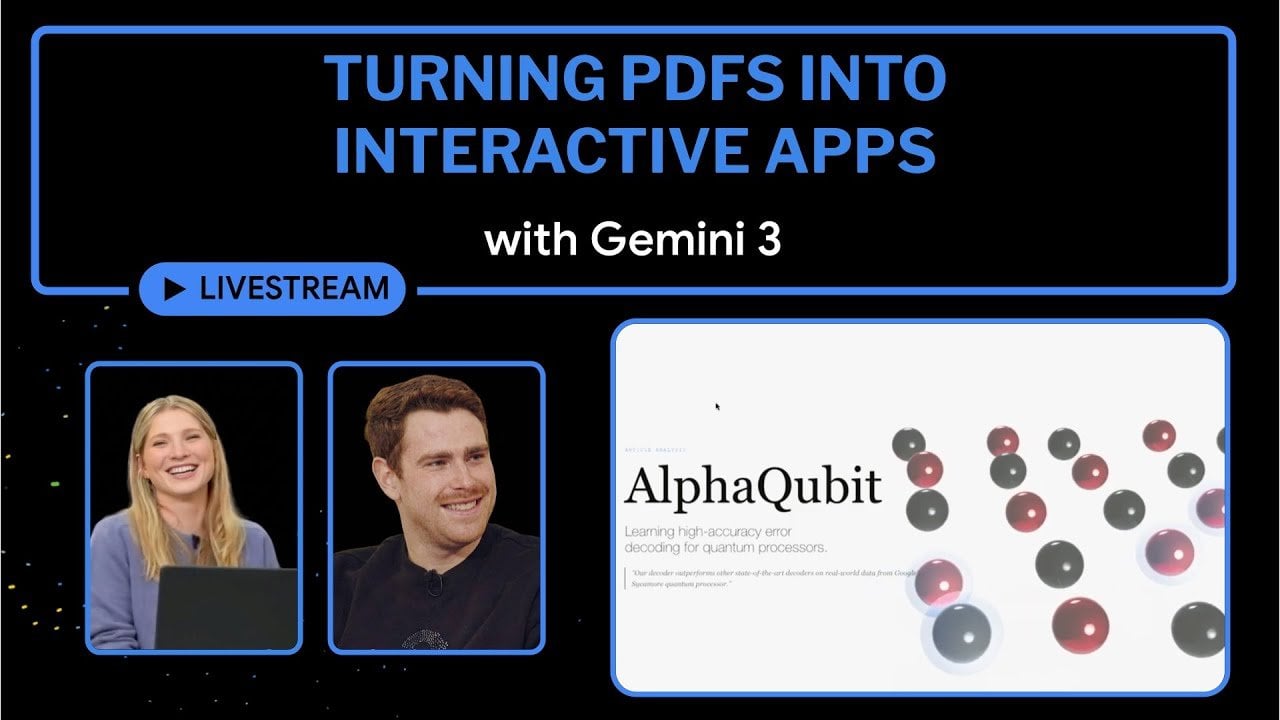
    Side-by-side view of text and charts, built by Gemini 3 from a research paper for easier exploration.

    What if your static PDFs could do more than just sit on a screen, waiting to be scrolled through? Imagine transforming a dense research paper or a static business report into an interactive app that allows users to click, explore, and engage with the content dynamically. With the rise of platforms like Gemini 3, this isn’t just a futuristic dream, it’s a reality. By combining the power of artificial intelligence with intuitive design tools, Gemini 3 is redefining how we interact with traditional documents. It’s not just about making content look better; it’s about making it work harder, offering a richer, more immersive experience for users across industries.

    In this overview by the Google for Developers team, you’ll discover how Gemini 3 turns static PDFs into interactive, user-focused interfaces that break free from the constraints of traditional formats. From AI-driven tools that automatically generate clickable widgets and responsive layouts to seamless integration of visuals, text, and interactive elements, this platform enables creators to rethink how they present information. Whether you’re an educator looking to make lessons more engaging or a professional aiming to simplify complex data, Gemini 3 offers a solution that’s as innovative as it is accessible. Let’s explore how this tool is bridging the gap between static content and modern interactivity, opening up possibilities you might not have imagined.

    Gemini 3 Overview

    TL;DR Key Takeaways :

    • Gemini 3 transforms static PDFs and images into dynamic, interactive applications using AI-driven tools, enhancing user engagement and accessibility.
    • The platform’s AI Studio automates the creation of interactive elements like clickable widgets, dynamic graphs, and responsive layouts, simplifying complex content presentation.
    • Gemini 3 supports seamless cross-format integration, combining text, visuals, and interactive elements to create cohesive and versatile digital experiences.
    • AI-powered generative layouts enable effortless design, allowing users to create professional, interactive content with minimal effort, regardless of design expertise.
    • With tools like AI Studio for design and Gemini App for testing and deployment, the platform offers a streamlined workflow for beginners and advanced users alike.

    How AI Powers Interactivity

    At the core of Gemini 3 lies its AI-driven interactivity, designed to breathe life into static documents. The platform’s AI Studio analyzes your content and automatically generates interactive elements such as clickable widgets, dynamic graphs, and responsive layouts with minimal effort on your part.

    For example, a dense technical PDF can be converted into an interactive app where users can explore data, navigate sections effortlessly, and engage with the material in a meaningful way. This not only enhances the user experience but also makes complex information more accessible and easier to comprehend. By using AI, Gemini 3 ensures that your content is not only functional but also engaging, catering to the needs of diverse audiences.

    Streamlining PDF Transformation

    Gemini 3 excels in processing even the most intricate PDFs, extracting key elements and reorganizing them into an interactive format. Imagine a research paper filled with charts and tables, Gemini 3 can transform it into a digital interface where users can click on individual data points to uncover deeper insights.

    This capability is particularly valuable for educators, researchers, and professionals who need to present detailed information in a more engaging and digestible manner. By turning static data into interactive content, you can communicate ideas more effectively, making sure your audience remains engaged and informed. The platform’s ability to handle complex documents with precision makes it an indispensable tool for anyone looking to elevate their content.

    Turning PDFs into Interactive Apps with Gemini 3

    Discover other guides from our vast content that could be of interest on Gemini 3.

    Seamless Cross-Format Integration

    One of Gemini 3’s standout features is its ability to integrate text, visuals, and interactive elements into a cohesive interface. The platform supports cross-format functionality, allowing you to combine static and dynamic content seamlessly. This ensures your projects are not only visually appealing but also highly functional, catering to diverse user needs and preferences.

    For example:

    • Link textual explanations to interactive graphs for better context and understanding.
    • Embed videos within visual layouts to enhance storytelling and engagement.
    • Combine static images with responsive elements to create a richer, more immersive experience.

    This flexibility allows you to design content that adapts to various use cases, whether you’re creating educational materials, business presentations, or creative projects. By integrating multiple formats, Gemini 3 ensures your content remains versatile and impactful.

    Generative Layouts for Effortless Design

    Gemini 3 simplifies the design process with its AI-powered generative layouts. By providing simple prompts, you can guide the platform to create layouts tailored to your specific goals. These layouts often include interactive widgets such as sliders, buttons, and expandable sections, all of which enhance user engagement and usability.

    Whether you’re designing an educational app, a business presentation, or a creative project, the generative layout feature ensures your output is professional, polished, and user-friendly. This capability allows even those with minimal design experience to produce high-quality, interactive content that meets their needs. The platform’s focus on ease of use and efficiency makes it a valuable tool for both beginners and experienced designers.

    Applications in AI Studio and Gemini App

    Gemini 3 provides two primary tools for creating and experiencing interactive content, making sure a seamless workflow from design to deployment:

    • AI Studio: This is your workspace for designing, customizing, and refining projects. It offers a suite of tools to experiment with layouts, interactive elements, and overall functionality, giving you full control over your creations.
    • Gemini App: This serves as a testing and deployment environment, allowing you to preview and fine-tune your projects. Features like canvas tools and interactive labs encourage exploration and innovation, making sure your final product meets your expectations.

    These tools make Gemini 3 a versatile platform, catering to both beginners and advanced users. Whether you’re looking to experiment with new ideas or refine existing projects, the combination of AI Studio and Gemini App provides the flexibility and functionality you need to succeed.

    Customization and Aesthetic Precision

    Customization is a cornerstone of Gemini 3, offering you the flexibility to align your projects with specific requirements. The platform provides tools to adjust layouts, colors, fonts, and interactive elements, making sure your final output matches your vision. This level of customization allows you to create content that is not only functional but also visually appealing.

    Additionally, Gemini 3 emphasizes aesthetic design, delivering clean, professional results that enhance the user experience. Whether you’re creating a professional report, an educational tool, or a creative project, the platform provides the precision and flexibility needed to achieve your goals. By focusing on both functionality and design, Gemini 3 ensures your content stands out in a competitive digital landscape.

    Media Credit: Google for Developers

    Filed Under: AI, Guides

    Latest Geeky Gadgets Deals

    Disclosure: Some of our articles include affiliate links. If you buy something through one of these links, Geeky Gadgets may earn an affiliate commission. Learn about our Disclosure Policy.
  • Using Gemini 3 AI Easily Create Fully Animated Websites

    Using Gemini 3 AI Easily Create Fully Animated Websites

    Using Gemini 3 AI Easily Create Fully Animated Websites

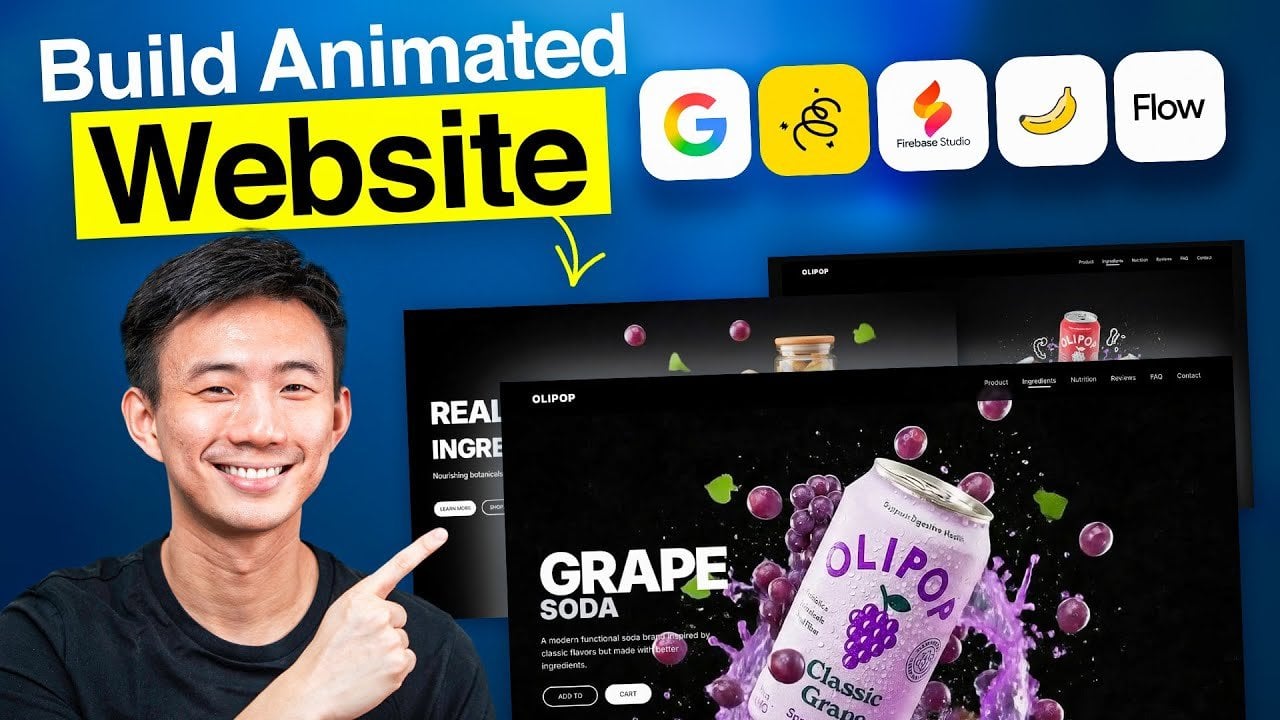
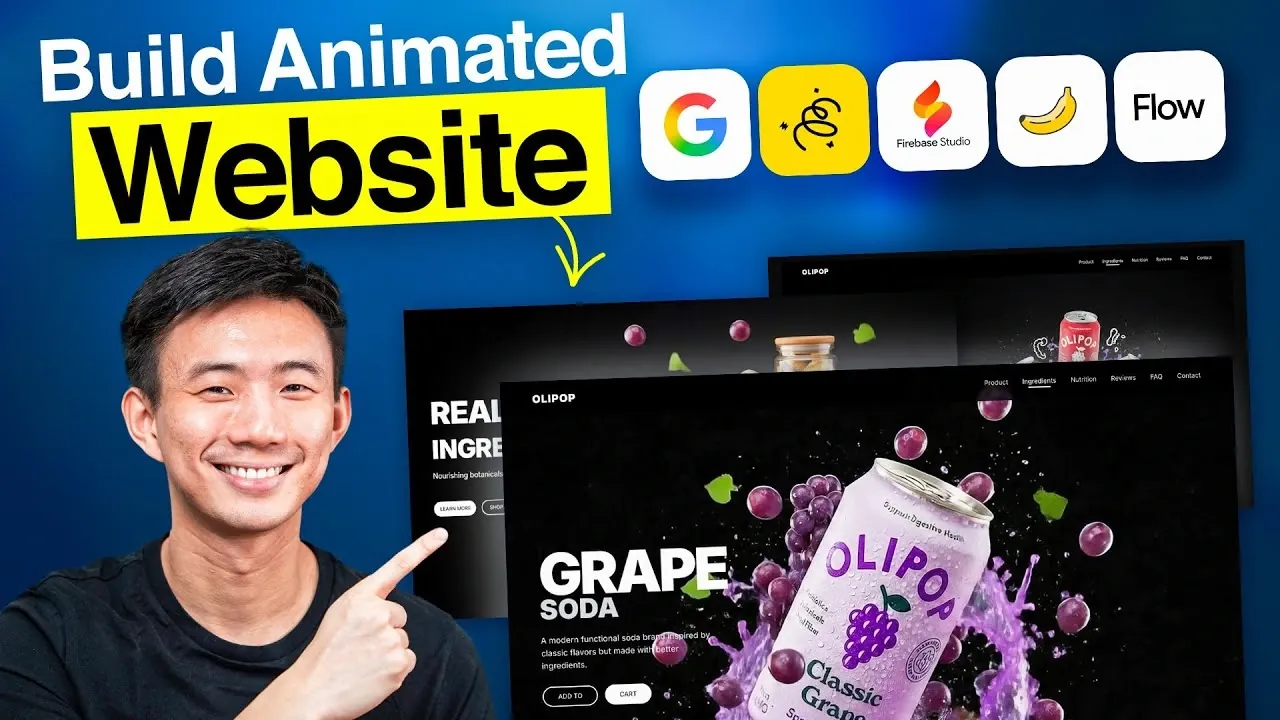
    Flow from Google maps transitions between frames, creating smooth motion paths and layered depth for sections and buttons.

    Have you ever wondered how Apple manages to create websites that feel so effortlessly sleek and innovative? Their secret lies in the perfect balance of design, animation, and user experience, a trifecta that traditionally required a team of skilled developers and designers. But here’s the exciting part: with Google’s Gemini free AI tools, you can now replicate that same level of sophistication without writing a single line of code. Whether you’re a small business owner, a creative professional, or just someone who loves experimenting with tech, this walkthrough will show you how to build an Apple-style AI-powered website faster than you’d think possible. Let’s demystify the process and put the power of AI into your hands.

    In this step-by-step guide by Andy Lo, you’ll discover how to use tools like Nano Banana and Google Flow to craft a visually stunning, animated website that rivals professional-grade designs. From defining a cohesive visual identity to adding dynamic animations and making sure responsiveness, this walkthrough covers it all. But it’s not just about aesthetics, these tools make the process intuitive, accessible, and surprisingly fun. Ready to see how AI can transform your creative workflow? By the end, you might just rethink what’s possible when design meets automation.

    Create Apple-Style Websites Easily

    TL;DR Key Takeaways :

    • Google’s Gemini suite of free AI tools enables users to create professional, animated websites without any coding or design expertise.
    • The suite includes tools like Nano Banana for visual frames, Google Whisk for refining aesthetics, Google Flow for animations, and Firebase Studio for structure and interactivity.
    • AI-powered tools streamline the website creation process, saving time, making sure consistency, and making it accessible to non-technical users.
    • Key benefits include cost-effectiveness, polished designs, and responsive layouts optimized for both desktop and mobile devices.
    • Practical applications, such as designing a soda brand website, demonstrate how these tools can create engaging, visually appealing, and functional websites efficiently.

    The Importance of Design and Functionality

    Your website’s design is often the first interaction users have with your brand. A clean layout, smooth animations, and engaging visual effects can create a lasting impression. These elements not only enhance the website’s visual appeal but also improve usability and engagement. A well-designed website communicates trust, innovation, and professionalism, qualities that resonate with users and build credibility.

    Traditionally, achieving this balance between aesthetics and functionality required significant time, technical expertise, and creative effort. Designers and developers often spent countless hours refining layouts, animations, and responsiveness. However, with the advent of AI-powered tools, this process has become more streamlined and accessible, allowing anyone to create high-quality websites with ease.

    Exploring Google’s Gemini AI Tools

    Google’s Gemini platform offers a comprehensive suite of AI tools designed to simplify and accelerate website creation. These tools eliminate the need for coding while making sure professional-grade results. Here’s a closer look at the key tools and their roles in the design process:

    • Nano Banana: This tool generates the initial and final visual frames for your website, setting the foundation for its overall look and feel. It helps establish a cohesive design direction from the start.
    • Google Whisk: Focused on refining visual elements, this tool adjusts lighting, color tones, and composition to ensure a polished and professional appearance.
    • Google Flow: Responsible for animations and transitions, this tool adds depth and motion to your website, creating a dynamic and engaging user experience.
    • Firebase Studio: This tool assembles the website’s structure, integrates visuals, and applies advanced effects like parallax scrolling to enhance interactivity and responsiveness.

    Vibecode an Apple-Style AI Website Fast Using Gemini 3 AI

    Expand your understanding of AI website design with additional resources from our extensive library of articles.

    Guide to Building Your Animated Website

    Using Google’s Gemini tools, you can follow a clear and efficient process to create a responsive, animated website. Here’s how to get started:

    • Define Your Visual Identity: Begin with Nano Banana and Google Whisk to establish the website’s aesthetic. Focus on elements like lighting, textures, and color schemes to create a cohesive and professional design.
    • Design Animations: Use Google Flow to craft smooth transitions and animations. For example, you can incorporate parallax scrolling effects or animated buttons to enhance user engagement.
    • Optimize Visual Assets: Convert animations and images into lightweight formats such as WebP to ensure fast loading times without compromising quality.
    • Build the Website: In Firebase Studio, integrate your visuals and animations into a structured layout. Apply responsive design principles to ensure the website performs seamlessly on both desktop and mobile devices.

    Benefits of AI-Powered Website Creation

    AI tools like those in Google’s Gemini suite offer several advantages that make website creation faster, easier, and more accessible. Here’s why they stand out:

    • Time-Saving: AI tools significantly reduce the time required to design and build a website, allowing you to focus on content and strategy instead of technical details.
    • Accessibility: No coding skills are necessary, making professional website creation available to a broader audience, including those without technical expertise.
    • Consistency: AI ensures that design elements such as animations, color schemes, and layouts are cohesive and visually appealing, resulting in a polished final product.
    • Cost-Effective: By eliminating the need for professional developers or designers, these tools provide a budget-friendly solution for creating high-quality websites.

    Practical Example: Designing a Website for a Soda Brand

    Imagine you’re tasked with creating a website for a soda brand. Using Nano Banana, you can define a sleek, minimalist aesthetic with vibrant, bubbly color tones that reflect the brand’s identity. Google Whisk refines the lighting and composition, making sure the visuals are cohesive and professional. Google Flow adds engaging animations, such as a parallax effect that mimics the motion of soda bubbles rising, creating a dynamic and interactive experience. Finally, Firebase Studio brings all the elements together into a responsive layout that works seamlessly on both desktop and mobile devices, making sure a smooth user experience.

    Key Takeaways for Effective Website Creation

    Google’s Gemini AI tools are transforming the way websites are designed and built. By eliminating the need for coding and streamlining the design process, these tools empower users of all skill levels to create professional, animated websites. By following a clear workflow and focusing on visual direction, you can deliver a responsive, aesthetically pleasing website that provides a premium user experience. Whether you’re working on a brand project or a personal site, these tools offer the efficiency and precision needed to achieve exceptional results.

    Media Credit: Andy Lo

    Filed Under: AI, Guides

    Latest Geeky Gadgets Deals

    Disclosure: Some of our articles include affiliate links. If you buy something through one of these links, Geeky Gadgets may earn an affiliate commission. Learn about our Disclosure Policy.
  • Inside NVIDIA NVQLink : Faster AI with a Quantum Assist for Real-Time Fixes

    Inside NVIDIA NVQLink : Faster AI with a Quantum Assist for Real-Time Fixes

    Inside NVIDIA NVQLink : Faster AI with a Quantum Assist for Real-Time Fixes

    Researchers run hybrid workloads where quantum processors handle molecules while NVIDIA GPUs correct errors and sync results.

    What if the future of artificial intelligence wasn’t just faster or smarter, but fundamentally redefined? NVIDIA’s latest breakthrough, the NVQLink, promises exactly that. By creating a high-speed bridge between quantum computers and AI supercomputers, NVIDIA has unlocked a new era of computational synergy. Imagine AI systems capable of processing vast datasets in real time, powered by the unparalleled speed and precision of quantum mechanics. This isn’t just an incremental step forward, it’s a seismic shift in how we approach problem-solving, from drug discovery to climate modeling. Yet, as with any fantastic technology, this leap raises profound questions about accessibility, security, and the ethical boundaries of innovation.

    In this explanation, the AI Grid uncover how NVQLink is poised to reshape industries and redefine the limits of AI. You’ll discover how quantum computing’s unique properties, like superposition and entanglement, are being harnessed to tackle challenges previously deemed unsolvable. We’ll also delve into the hybrid potential of quantum-AI systems, from allowing personalized medicine to transforming financial systems. But this isn’t just a story of promise, it’s one of responsibility. As we stand on the brink of a quantum-AI revolution, the stakes have never been higher. What does this mean for society, and are we ready for the profound changes it will bring?

    NVIDIA’s NVQLink Unveiled

    TL;DR Key Takeaways :

    • NVIDIA has introduced NVQLink, a new technology that connects quantum computers with AI supercomputers, allowing seamless collaboration and advancing computational science.
    • Quantum computing uses qubits and superposition to perform complex calculations, offering fantastic applications in drug discovery, climate science, financial optimization, and AI development.
    • NVQLink enhances quantum computing by integrating it with NVIDIA’s GPUs, providing real-time error correction, hybrid computing support, and improved energy efficiency for diverse industries.
    • The integration of quantum computing and AI through NVQLink accelerates AI training, reduces energy consumption, and expands applications in personalized medicine, public health, and financial systems.
    • Challenges such as workforce disruption, economic inequality, data security risks, and overhyped expectations must be addressed to ensure responsible and equitable adoption of quantum-AI technologies.

    Understanding Quantum Computing

    Quantum computing introduces a innovative approach to processing information. Unlike classical bits, which exist in binary states of 0 or 1, quantum bits, or qubits, can exist in multiple states simultaneously due to the phenomenon of superposition. This unique property allows quantum computers to perform complex calculations at speeds unattainable by traditional systems.

    For instance, quantum computing can:

    • Optimize intricate systems: Applications include improving supply chain logistics, traffic flow management, and resource allocation.
    • Advance scientific research: Simulating molecular interactions can accelerate drug discovery and material innovation.
    • Analyze massive datasets: Quantum systems can process large-scale data with unparalleled speed and precision.

    Despite its potential, quantum computing faces significant challenges. Qubits are highly sensitive to environmental factors, leading to errors that require sophisticated correction mechanisms. Maintaining qubit stability demands highly controlled environments, making scalability a complex endeavor. Nevertheless, the potential applications of quantum computing remain vast, offering solutions to problems previously deemed insurmountable.

    Innovative Applications of Quantum Computing

    Quantum computing is poised to transform numerous industries by addressing challenges that classical computers cannot efficiently solve. Some of the most promising applications include:

    • Drug Discovery: Quantum simulations enable researchers to model molecular interactions with unprecedented accuracy, expediting the development of treatments for diseases such as cancer and Alzheimer’s.
    • Climate Science: Enhanced climate models powered by quantum systems can improve predictions, aiding in the development of strategies to mitigate climate change.
    • Financial Optimization: Quantum algorithms can optimize investment portfolios in real time and provide more accurate risk assessments.
    • Artificial Intelligence: Faster data processing and model training can unlock new possibilities in machine learning and AI development.

    These applications highlight the fantastic potential of quantum computing, particularly when integrated with advanced AI systems.

    NVIDIA’s Quantum Link Connecting Qubits to GPUs

    Learn more about Quantum computing by reading our previous articles, guides and features :

    NVIDIA’s NVQLink: Bridging Quantum and Classical Computing

    NVIDIA’s NVQLink is a high-speed connectivity platform that bridges the gap between quantum processors and NVIDIA’s advanced GPUs. This hybrid system uses the strengths of both quantum and classical computing, addressing their respective limitations to create a more robust computational framework. By allowing real-time error correction through AI algorithms, NVQLink enhances the reliability and scalability of quantum systems.

    Key features of NVQLink include:

    • Versatility: Compatibility with multiple quantum computing technologies ensures broad applicability across industries.
    • Hybrid Computing Support: The integration of quantum and classical systems optimizes workflows for diverse applications.
    • Energy Efficiency: Improved energy utilization reduces the computational cost of solving complex problems.

    This innovation is expected to accelerate advancements in fields such as healthcare, material science, and environmental sustainability. For example, researchers can simulate protein folding with greater precision, leading to the development of novel medical treatments. Similarly, NVQLink can aid in designing energy-efficient materials, addressing global challenges like resource scarcity and climate change.

    Implications for Artificial Intelligence

    The integration of quantum computing with AI through NVQLink has profound implications for the future of technology. AI training, which often requires immense computational resources, can become significantly faster and more efficient. This not only reduces operational costs but also minimizes energy consumption, contributing to more sustainable AI development.

    The ability to process vast datasets in real time expands the scope of AI applications. For example:

    • Personalized Medicine: AI systems could analyze genetic data to tailor medical treatments to individual patients.
    • Public Health: Predictive models could forecast disease outbreaks with greater accuracy, allowing proactive responses.
    • Financial Systems: Real-time risk assessments and market predictions could enhance decision-making in the financial sector.

    By combining the computational power of quantum systems with the analytical capabilities of AI, NVQLink has the potential to redefine how industries approach problem-solving, driving innovation across multiple domains.

    Challenges and Risks

    While NVQLink represents a significant technological advancement, it also introduces challenges and risks that must be carefully managed. These include:

    • Workforce Disruption: The automation of tasks traditionally performed by humans could lead to job displacement in certain sectors.
    • Economic Inequality: The high cost of quantum technologies may limit access to large corporations and wealthy nations, exacerbating the digital divide.
    • Data Security: Quantum computers have the potential to break current encryption standards, posing serious threats to cybersecurity.
    • Unintended Consequences: The full implications of quantum-AI hybrid systems are not yet understood, raising concerns about unforeseen outcomes.
    • Overhyped Expectations: While NVQLink is a major step forward, practical large-scale quantum computing may still be years or decades away, risking unrealistic expectations.

    Addressing these challenges will require a collaborative effort among researchers, policymakers, and industry leaders to ensure that the benefits of quantum-AI integration are realized responsibly and equitably.

    The Path Forward

    NVIDIA’s NVQLink represents a pivotal milestone in the integration of quantum and classical computing. By addressing the limitations of quantum systems and amplifying the capabilities of AI, this technology has the potential to transform industries ranging from healthcare to environmental science. However, its development must be accompanied by a commitment to ethical considerations, equitable access, and robust security measures.

    As the world moves toward a future shaped by quantum-AI integration, the opportunities are immense. Yet, the success of this technology will depend on responsible innovation and a collective effort to navigate the risks and uncertainties that accompany such fantastic advancements.

    Media Credit: TheAIGRID

    Filed Under: AI, Technology News, Top News

    Latest Geeky Gadgets Deals

    Disclosure: Some of our articles include affiliate links. If you buy something through one of these links, Geeky Gadgets may earn an affiliate commission. Learn about our Disclosure Policy.
  • One Month with Inmo Air 3 Smart Glasses : Real-Life Wins, Misses & Who Should Buy

    One Month with Inmo Air 3 Smart Glasses : Real-Life Wins, Misses & Who Should Buy

    One Month with Inmo Air 3 Smart Glasses : Real-Life Wins, Misses & Who Should Buy

    Hand wearing the tracking ring controlling Inmo Air 3 interface, selecting Android apps for productivity and video calls.

    Imagine slipping on a pair of glasses that don’t just help you see the world, but transform how you interact with it. The Inmo Air 3, with its dual 1080p transparent displays and standalone AR capabilities, promises exactly that. But here’s the catch: innovation often comes with compromises. After a month of use, do these smart glasses still feel like a glimpse into the future, or are they more of a novelty that fades with time? With wearable tech evolving at breakneck speed, it’s worth asking: can the Inmo Air 3 hold its ground, or is it already overshadowed by its own ambition?

    In this review, Steven Sullivan explains the highs and lows of living with the Inmo Air 3 over the past month. From its crystal-clear displays and seamless app integration to its limitations in battery life and sound quality, this review offers a balanced look at whether these glasses truly deliver on their promise. Whether you’re a gamer seeking portable immersion or a tech enthusiast exploring the potential of AR, this deep dive will help you decide if the Inmo Air 3 is still worth the investment, or if it’s better to wait for what’s next. After all, the future of wearable tech isn’t just about what’s possible, it’s about what’s practical.

    Inmo Air 3 Review Summary

    TL;DR Key Takeaways :

    • The Inmo Air 3 smart glasses feature standalone functionality with dual 1080p transparent displays, Android 14 compatibility, and AI-powered assistance, offering sharp visuals and independence from smartphones or companion apps.
    • Battery life supports up to 7 hours of usage with USB-C fast charging, balancing convenience and performance for typical daily tasks, though heavy users may find it limiting.
    • Seamless app integration and compatibility with cloud gaming platforms like Xbox Cloud Gaming and Steam Link make the glasses a versatile tool for productivity and immersive gaming experiences.
    • Multiple control options, including a touchpad, hand-tracking ring, and Bluetooth device compatibility, provide flexibility, while developers can create custom applications using the Android SDK.
    • Thoughtful design features such as adjustable nose pads, prescription lens support, and sunshade compatibility enhance comfort and accessibility, though sound quality and battery life could be improved for heavy users.

    Standalone Functionality and Display Performance

    One of the most notable aspects of the Inmo Air 3 is its standalone functionality, eliminating the need for a smartphone or companion app. This independence allows you to access its features immediately, making it a convenient and user-friendly device.

    The dual 1080p transparent displays are a standout feature, delivering sharp and vibrant visuals. Whether you’re navigating apps, streaming videos, or engaging in AR-enhanced gaming, the displays provide crystal-clear clarity and responsive performance. The glasses also include a 16MP camera with 8x zoom, which is particularly useful for AR applications, casual photography, or even recording moments on the go. These features make the Inmo Air 3 a versatile tool for both productivity and entertainment, appealing to a wide range of users.

    Battery Life and Charging Convenience

    Battery life is a critical factor for any wearable device, and the Inmo Air 3 offers a balanced performance in this area. With up to 7 hours of usage on a single charge, the glasses are capable of handling most daily tasks, whether it’s work-related activities or extended gaming sessions.

    The inclusion of a USB-C charging port ensures fast and convenient recharging, while clear battery indicators help you monitor power levels effectively. Although the battery life may not be sufficient for heavy users who require extended operation, it is adequate for typical use cases. This balance between performance and convenience makes the Inmo Air 3 a practical choice for everyday wear.

    Inmo Air 3 One Month Later… Still Worth It?

    Expand your understanding of Inmo Air 3 with additional resources from our extensive library of articles.

    App Integration and Gaming Capabilities

    The Inmo Air 3 excels in app integration, offering seamless access to a wide range of Android apps and services. From productivity tools like calendars and note-taking apps to streaming platforms for video and music, the glasses support a diverse array of applications that enhance their utility.

    For gaming enthusiasts, the device truly shines. Its compatibility with cloud gaming platforms such as Xbox Cloud Gaming and Steam Link transforms it into a portable gaming hub. Pairing the glasses with Bluetooth controllers further enhances the gaming experience, providing a level of immersion that is rare in AR wearables. This combination of app support and gaming capabilities positions the Inmo Air 3 as a strong contender in the competitive AR market.

    Control Options and Customization

    The Inmo Air 3 offers a variety of control methods, making sure flexibility and adaptability for different user preferences. These include:

    • A touchpad integrated into the frame for intuitive navigation
    • A hand-tracking ring for gesture-based input, adding an innovative layer of interaction
    • Compatibility with Bluetooth devices like keyboards and controllers for enhanced functionality

    This range of input options allows you to choose the method that best suits your needs, whether you’re multitasking at work or gaming on the go. Additionally, developers can use the Android SDK to create custom applications, further expanding the glasses’ potential and making them an attractive option for tech-savvy users.

    Design, Comfort, and Accessibility

    The design of the Inmo Air 3 strikes a balance between practicality and comfort. While the frame may feel slightly bulky to some users, features like adjustable nose pads and support for prescription lenses ensure that the glasses are accessible to a wide audience. These thoughtful design elements make the device suitable for extended wear, whether you’re indoors or outdoors.

    For outdoor use, the inclusion of sunshade support enhances visibility, allowing you to use the glasses comfortably in bright environments. These design considerations demonstrate a focus on user experience, making the Inmo Air 3 a practical and adaptable choice for various scenarios.

    Limitations: Sound Quality and Other Drawbacks

    Despite its many strengths, the Inmo Air 3 does have some limitations. The sound quality, while adequate for most tasks, falls short in bass performance, which may disappoint users who prioritize audio quality for music or immersive gaming experiences.

    Another drawback is the relatively short battery life for heavy users. While 7 hours of usage is sufficient for moderate tasks, those who rely on the glasses for extended periods may find the need for frequent recharging inconvenient. These limitations, however, are offset by the device’s overall functionality and versatility, making them minor concerns for most users.

    Market Position and Overall Value

    The Inmo Air 3 occupies a unique position in the smart glasses market, standing out as one of the few transparent, standalone AR devices available today. Its combination of advanced display technology, robust app integration, and gaming support makes it a compelling choice for tech enthusiasts, gamers, and AR explorers alike.

    While there is room for improvement, particularly in sound quality and battery life, the glasses deliver a well-rounded experience that caters to a variety of needs. After a month of use, the Inmo Air 3 proves to be a reliable and innovative product, offering a glimpse into the future of wearable technology. If you’re seeking a versatile AR device that balances functionality, convenience, and entertainment, the Inmo Air 3 remains a strong contender in the evolving world of smart glasses.

    Media Credit: Steven Sullivan

    Filed Under: AI, Gadgets News, Top News

    Latest Geeky Gadgets Deals

    Disclosure: Some of our articles include affiliate links. If you buy something through one of these links, Geeky Gadgets may earn an affiliate commission. Learn about our Disclosure Policy.

  • How to Build an AI Support Agent for Your Business in Just 12 Minutes (No Code)

    How to Build an AI Support Agent for Your Business in Just 12 Minutes (No Code)

    How to Build an AI Support Agent for Your Business in Just 12 Minutes (No Code)

    Settings comparing GPT-5.1 to a faster model while testing answers for accuracy and tone before launch day.

    What if you could build a fully functional, intelligent customer support agent in less time than it takes to brew your morning coffee? It sounds like a bold claim, but thanks to the rise of no-code platforms, this is now a reality. Imagine creating an AI agent that not only answers customer queries with precision but also reflects your brand’s unique voice, all without writing a single line of code. The accessibility of these tools is transforming how businesses approach customer support, leveling the playing field for companies of all sizes. In this report, we’ll explore how I built a shockingly effective AI agent in just 12 minutes, proving that innovative technology doesn’t have to be reserved for tech giants.

    Through this guide, Skill Leap AI takes you through the step-by-step process of creating a no-code AI agent, from selecting the right platform to customizing its tone and functionality. You’ll learn how tools like Chatbase make it possible to turn raw data into a responsive, brand-aligned AI assistant with minimal effort. But it’s not just about speed, this approach also opens doors to new business opportunities and improved customer experiences. Whether you’re a small business owner looking to streamline support or an entrepreneur eyeing AI-driven solutions for clients, this report will show you how to harness the potential of no-code AI in ways that are both practical and fantastic. After all, why settle for ordinary when extraordinary is just 12 minutes away?

    Create AI Support Agents Fast

    TL;DR Key Takeaways :

    • No-code platforms like Chatbase enable businesses to create AI-powered customer support agents in just 12 minutes, requiring no programming expertise.
    • Key steps include selecting a no-code platform, personalizing the AI agent to align with brand identity, and refining responses for accuracy and relevance.
    • Maintaining an up-to-date knowledge base ensures the AI agent delivers consistent and reliable support, with tools flagging inconsistencies for review.
    • Seamless deployment options allow integration into websites, apps, and third-party tools, enhancing customer interactions and functionality.
    • No-code platforms provide widespread access to AI technology, making it accessible to businesses of all sizes and unlocking new opportunities for tailored AI solutions and revenue generation.

    1: Select the Right No-Code Platform

    The foundation of your AI support agent lies in choosing a reliable no-code platform. Platforms such as Chatbase streamline the process by automating complex tasks like data extraction and AI training. These platforms allow you to:

    • Input a website URL, allowing the system to crawl and extract relevant information automatically.
    • Upload additional resources, such as PDFs, FAQs, or text documents, to expand the AI’s knowledge base.

    This ensures that your AI agent is equipped with a comprehensive and accurate knowledge base from the outset, minimizing the need for manual data entry.

    2: Personalize Your AI Agent

    Once the data is uploaded, the next step is to customize your AI agent to align with your brand’s identity and operational needs. Most no-code platforms offer a variety of customization options, including:

    • Adjusting the tone and style of responses to reflect your brand’s voice, whether it’s formal, friendly, or conversational.
    • Selecting the AI model that best suits your requirements, such as GPT-5.1 for advanced conversational capabilities or faster alternatives for efficiency.
    • Customizing the appearance of the chat widget, making sure it integrates seamlessly with your website or app design.

    This level of personalization ensures that your AI agent not only performs effectively but also represents your brand consistently, enhancing the overall customer experience.

    Turn a Website into an AI Help Desk with Chatbase Tools

    Expand your understanding of AI agents with additional resources from our extensive library of articles.

    3: Refine and Optimize Responses

    Customization extends beyond appearance and tone. To ensure your AI delivers accurate and contextually relevant answers, you’ll need to optimize its responses. Platforms like Chatbase allow you to refine the AI’s behavior through prompt optimization. This involves:

    • Testing and tweaking the phrasing of prompts to improve the clarity and accuracy of responses.
    • Adjusting the AI’s behavior to handle specific scenarios, such as troubleshooting, product recommendations, or order tracking.

    Additionally, you can compare the performance of different AI models to determine which one aligns best with your business goals. This iterative process ensures your AI agent consistently meets customer expectations.

    4: Maintain an Up-to-Date Knowledge Base

    A well-maintained knowledge base is critical for the success of your AI support agent. No-code platforms simplify this process by identifying gaps or inconsistencies in your uploaded data. For example:

    • If conflicting information is detected in your FAQs, the platform will flag it for review, making sure accuracy and consistency in responses.
    • Recommendations for updates help keep the knowledge base relevant as your business evolves, making sure the AI remains effective over time.

    By proactively managing your knowledge base, you can minimize errors and ensure your AI agent continues to deliver reliable support to your customers.

    5: Deploy and Integrate Seamlessly

    Deploying your AI agent is straightforward, thanks to the integration options provided by no-code platforms. These options make it easy to embed the AI into your existing systems. You can:

    • Embed chat widgets directly into your website or app for seamless customer interactions.
    • Create full-page help desks to provide more comprehensive support solutions.
    • Integrate with third-party tools like Stripe for payment processing or Calendly for scheduling, enhancing the functionality of your AI agent.

    For businesses offering AI solutions to clients, mock website demonstrations can showcase the agent’s capabilities in real-world scenarios. This approach helps communicate the value of the AI agent effectively, making it easier to secure client buy-in.

    6: Unlock New Business Opportunities

    The simplicity of creating AI support agents opens up significant business opportunities. Many companies, especially small and medium-sized enterprises, lack access to advanced customer support tools. By using no-code platforms, you can fill this gap by offering tailored AI solutions. To get started:

    • Develop prototypes customized to address specific client needs, showcasing the AI’s potential in solving real-world challenges.
    • Present functional demos to demonstrate the AI agent’s capabilities before clients commit to a purchase.

    Flexible pricing models, such as one-time setup fees or subscription-based plans with ongoing maintenance, can help you establish a steady revenue stream. This approach not only generates income but also delivers tangible value to your clients, helping them improve their customer support systems.

    The Accessibility of No-Code Platforms

    One of the most significant advantages of no-code platforms like Chatbase is their accessibility. These tools are designed to be intuitive, guiding users through every step of the process, from data input to customization and deployment. This widespread access of AI technology enables non-technical users to harness advanced tools, making it easier for businesses of all sizes to adopt AI-driven solutions. By eliminating the need for programming expertise, no-code platforms enable more organizations to stay competitive in today’s dynamic market.

    Transforming Customer Support in Minutes

    In just 12 minutes, you can create a powerful AI support agent that enhances customer experiences and streamlines business operations. No-code platforms like Chatbase make this process accessible and efficient, allowing businesses to focus on delivering value to their customers. Whether you’re looking to improve your own customer support or explore new business opportunities, AI agents offer immense potential. By using this technology, you can position your business for success in an increasingly competitive landscape.

    Media Credit: Skill Leap AI

    Filed Under: AI, Guides

    Latest Geeky Gadgets Deals

    Disclosure: Some of our articles include affiliate links. If you buy something through one of these links, Geeky Gadgets may earn an affiliate commission. Learn about our Disclosure Policy.