Blog

  • How to Build an AI Support Agent for Your Business in Just 12 Minutes (No Code)

    How to Build an AI Support Agent for Your Business in Just 12 Minutes (No Code)

    How to Build an AI Support Agent for Your Business in Just 12 Minutes (No Code)

    Settings comparing GPT-5.1 to a faster model while testing answers for accuracy and tone before launch day.

    What if you could build a fully functional, intelligent customer support agent in less time than it takes to brew your morning coffee? It sounds like a bold claim, but thanks to the rise of no-code platforms, this is now a reality. Imagine creating an AI agent that not only answers customer queries with precision but also reflects your brand’s unique voice, all without writing a single line of code. The accessibility of these tools is transforming how businesses approach customer support, leveling the playing field for companies of all sizes. In this report, we’ll explore how I built a shockingly effective AI agent in just 12 minutes, proving that innovative technology doesn’t have to be reserved for tech giants.

    Through this guide, Skill Leap AI takes you through the step-by-step process of creating a no-code AI agent, from selecting the right platform to customizing its tone and functionality. You’ll learn how tools like Chatbase make it possible to turn raw data into a responsive, brand-aligned AI assistant with minimal effort. But it’s not just about speed, this approach also opens doors to new business opportunities and improved customer experiences. Whether you’re a small business owner looking to streamline support or an entrepreneur eyeing AI-driven solutions for clients, this report will show you how to harness the potential of no-code AI in ways that are both practical and fantastic. After all, why settle for ordinary when extraordinary is just 12 minutes away?

    Create AI Support Agents Fast

    TL;DR Key Takeaways :

    • No-code platforms like Chatbase enable businesses to create AI-powered customer support agents in just 12 minutes, requiring no programming expertise.
    • Key steps include selecting a no-code platform, personalizing the AI agent to align with brand identity, and refining responses for accuracy and relevance.
    • Maintaining an up-to-date knowledge base ensures the AI agent delivers consistent and reliable support, with tools flagging inconsistencies for review.
    • Seamless deployment options allow integration into websites, apps, and third-party tools, enhancing customer interactions and functionality.
    • No-code platforms provide widespread access to AI technology, making it accessible to businesses of all sizes and unlocking new opportunities for tailored AI solutions and revenue generation.

    1: Select the Right No-Code Platform

    The foundation of your AI support agent lies in choosing a reliable no-code platform. Platforms such as Chatbase streamline the process by automating complex tasks like data extraction and AI training. These platforms allow you to:

    • Input a website URL, allowing the system to crawl and extract relevant information automatically.
    • Upload additional resources, such as PDFs, FAQs, or text documents, to expand the AI’s knowledge base.

    This ensures that your AI agent is equipped with a comprehensive and accurate knowledge base from the outset, minimizing the need for manual data entry.

    2: Personalize Your AI Agent

    Once the data is uploaded, the next step is to customize your AI agent to align with your brand’s identity and operational needs. Most no-code platforms offer a variety of customization options, including:

    • Adjusting the tone and style of responses to reflect your brand’s voice, whether it’s formal, friendly, or conversational.
    • Selecting the AI model that best suits your requirements, such as GPT-5.1 for advanced conversational capabilities or faster alternatives for efficiency.
    • Customizing the appearance of the chat widget, making sure it integrates seamlessly with your website or app design.

    This level of personalization ensures that your AI agent not only performs effectively but also represents your brand consistently, enhancing the overall customer experience.

    Turn a Website into an AI Help Desk with Chatbase Tools

    Expand your understanding of AI agents with additional resources from our extensive library of articles.

    3: Refine and Optimize Responses

    Customization extends beyond appearance and tone. To ensure your AI delivers accurate and contextually relevant answers, you’ll need to optimize its responses. Platforms like Chatbase allow you to refine the AI’s behavior through prompt optimization. This involves:

    • Testing and tweaking the phrasing of prompts to improve the clarity and accuracy of responses.
    • Adjusting the AI’s behavior to handle specific scenarios, such as troubleshooting, product recommendations, or order tracking.

    Additionally, you can compare the performance of different AI models to determine which one aligns best with your business goals. This iterative process ensures your AI agent consistently meets customer expectations.

    4: Maintain an Up-to-Date Knowledge Base

    A well-maintained knowledge base is critical for the success of your AI support agent. No-code platforms simplify this process by identifying gaps or inconsistencies in your uploaded data. For example:

    • If conflicting information is detected in your FAQs, the platform will flag it for review, making sure accuracy and consistency in responses.
    • Recommendations for updates help keep the knowledge base relevant as your business evolves, making sure the AI remains effective over time.

    By proactively managing your knowledge base, you can minimize errors and ensure your AI agent continues to deliver reliable support to your customers.

    5: Deploy and Integrate Seamlessly

    Deploying your AI agent is straightforward, thanks to the integration options provided by no-code platforms. These options make it easy to embed the AI into your existing systems. You can:

    • Embed chat widgets directly into your website or app for seamless customer interactions.
    • Create full-page help desks to provide more comprehensive support solutions.
    • Integrate with third-party tools like Stripe for payment processing or Calendly for scheduling, enhancing the functionality of your AI agent.

    For businesses offering AI solutions to clients, mock website demonstrations can showcase the agent’s capabilities in real-world scenarios. This approach helps communicate the value of the AI agent effectively, making it easier to secure client buy-in.

    6: Unlock New Business Opportunities

    The simplicity of creating AI support agents opens up significant business opportunities. Many companies, especially small and medium-sized enterprises, lack access to advanced customer support tools. By using no-code platforms, you can fill this gap by offering tailored AI solutions. To get started:

    • Develop prototypes customized to address specific client needs, showcasing the AI’s potential in solving real-world challenges.
    • Present functional demos to demonstrate the AI agent’s capabilities before clients commit to a purchase.

    Flexible pricing models, such as one-time setup fees or subscription-based plans with ongoing maintenance, can help you establish a steady revenue stream. This approach not only generates income but also delivers tangible value to your clients, helping them improve their customer support systems.

    The Accessibility of No-Code Platforms

    One of the most significant advantages of no-code platforms like Chatbase is their accessibility. These tools are designed to be intuitive, guiding users through every step of the process, from data input to customization and deployment. This widespread access of AI technology enables non-technical users to harness advanced tools, making it easier for businesses of all sizes to adopt AI-driven solutions. By eliminating the need for programming expertise, no-code platforms enable more organizations to stay competitive in today’s dynamic market.

    Transforming Customer Support in Minutes

    In just 12 minutes, you can create a powerful AI support agent that enhances customer experiences and streamlines business operations. No-code platforms like Chatbase make this process accessible and efficient, allowing businesses to focus on delivering value to their customers. Whether you’re looking to improve your own customer support or explore new business opportunities, AI agents offer immense potential. By using this technology, you can position your business for success in an increasingly competitive landscape.

    Media Credit: Skill Leap AI

    Filed Under: AI, Guides

    Latest Geeky Gadgets Deals

    Disclosure: Some of our articles include affiliate links. If you buy something through one of these links, Geeky Gadgets may earn an affiliate commission. Learn about our Disclosure Policy.


  • 6 AI Apps That Turn Ideas, Research and Sketches into Results

    6 AI Apps That Turn Ideas, Research and Sketches into Results

    6 AI Apps That Turn Ideas, Research and Sketches into Results

    Six practical AI options for 2026 shown across research, coding, video, and automation tasks with clear use cases.

    What if the tools you rely on today could feel outdated in just a few years? By 2026, artificial intelligence won’t just be a buzzword, it will be the backbone of how we work, create, and solve problems. Imagine a world where your research is done in minutes, your ideas are transformed into functional designs overnight, and your videos are crafted with cinematic precision, all with the help of AI. The future isn’t about more tools; it’s about the right tools. This perspective highlights six AI solutions that won’t just keep up with the times but will redefine how you approach productivity, creativity, and problem-solving. These aren’t just trends, they’re the tools you’ll actually want to use.

    In this exploration, Universe of AI takes you through AI tools that go beyond the hype, offering practical solutions for everyday challenges. From streamlining research to automating complex workflows, these innovations are designed to save time, spark creativity, and amplify your impact. Whether you’re a developer, content creator, or lifelong learner, each tool promises to simplify the way you work while empowering you to focus on what truly matters. As you read on, you might just find that the future of AI isn’t about replacing human ingenuity, it’s about enhancing it in ways we’re only beginning to imagine.

    Useful AI Tools Overview

    TL;DR Key Takeaways :

    • Perplexity: An AI research assistant that simplifies information gathering by providing concise, multi-source answers with citations, ideal for students, professionals, and researchers.
    • Gemini 3 Pro: A tool for transforming ideas into functional prototypes, websites, or designs, allowing rapid innovation and creativity for developers and entrepreneurs.
    • DeepSeek 3.2: A problem-solving AI that offers step-by-step explanations and logic-based solutions, helping users tackle complex challenges systematically.
    • Replit Agents: A collaborative coding assistant that writes, explains, and debugs code in real-time, streamlining development for both beginners and experienced programmers.
    • AI Video Tools: Tools like Cling, Pika, and Dream Machine that simplify video creation by generating animations and cinematic content from text prompts, enhancing storytelling and marketing efforts.

    Perplexity: Simplify Research with AI

    Navigating the overwhelming amount of information online can be daunting. Perplexity is an AI-powered research assistant designed to streamline this process. It delivers concise, multi-source answers to your queries, complete with citations for easy verification. Whether you’re conducting academic research, analyzing market trends, or exploring a new topic, Perplexity saves time by summarizing complex information into digestible insights. Its ability to create comparisons and break down intricate concepts makes it an invaluable tool for students, professionals, and lifelong learners. By integrating Perplexity into your workflow, you can focus on critical thinking while the tool handles the heavy lifting of information gathering.

    Gemini 3 Pro: Turn Ideas into Reality

    Bringing abstract ideas to life is no longer a challenge with Gemini 3 Pro. This tool excels at transforming concepts into functional prototypes, websites, or user interface designs. For example, you can sketch a rough design, and Gemini 3 Pro will generate operational code ready for implementation. Its rapid prototyping capabilities make it an essential tool for designers, developers, and entrepreneurs who need to bring their visions to fruition quickly and efficiently. By reducing the time and effort required to move from concept to execution, Gemini 3 Pro enables you to focus on innovation and creativity.

    AI Tools to Use in 2026 for Research, Coding & Content

    Here are more detailed guides and articles that you may find helpful on AI tools.

    DeepSeek 3.2: Master Problem-Solving with AI

    Complex reasoning and problem-solving are made more accessible with DeepSeek 3.2, a powerful AI tool designed to tackle intricate challenges. It provides step-by-step explanations and logic-based solutions, helping you approach problems systematically. Whether you’re debugging code, planning a project, or learning a new skill, DeepSeek 3.2 offers clarity and precision. For instance, if you’re working on a challenging algorithm or mapping out a business strategy, this tool guides you through the process, making it easier to achieve your objectives. Its ability to break down complex tasks into manageable steps ensures you stay on track and make informed decisions.

    Replit Agents: Transform Collaborative Coding

    For developers, Replit Agents is a fantastic AI assistant that simplifies coding tasks. It collaborates with you in real-time, writing, explaining, and debugging code as you work. Beyond these capabilities, it can build complete project folders and prototype applications, significantly reducing development time. Whether you’re a beginner learning to code or an experienced developer tackling a complex project, Replit Agents acts as a reliable partner, streamlining your workflow and boosting productivity. By integrating this tool into your development process, you can focus on innovation while minimizing repetitive tasks.

    AI Video Tools: Elevate Animation and Storytelling

    Creating compelling video content is now more accessible than ever with AI Video Tools like Cling, Pika, and Dream Machine. These tools enable you to generate cinematic shots, animations, and B-roll footage using simple text prompts. They can even transform static images into dynamic video animations, making them ideal for storytelling, social media campaigns, and professional content creation. Whether you’re a marketer aiming to captivate your audience or a filmmaker experimenting with new techniques, these tools provide the creative flexibility you need. By using AI Video Tools, you can produce high-quality content that resonates with your audience.

    Google Anti-gravity: Automate Complex Tasks

    Google Anti-gravity takes task automation to a new level by allowing you to build multi-step AI agents. From simple tasks like checking the weather to advanced workflows such as debugging code or generating outfit suggestions, this tool simplifies your daily routines. Its ability to handle complex automation makes it particularly valuable for professionals managing multiple projects. By integrating Google Anti-gravity into your workflow, you can focus on strategic decisions while the tool handles repetitive tasks. This not only saves time but also enhances your overall productivity.

    Unlock the Potential of AI in 2026

    The AI tools of 2026 are reshaping how you approach research, coding, content creation, and automation. Perplexity streamlines research with accurate, cited answers. Gemini 3 Pro transforms ideas into functional outputs, while DeepSeek 3.2 enhances reasoning and problem-solving. Replit Agents transforms collaborative coding, and AI Video Tools bring animation and storytelling to life. Finally, Google Anti-gravity simplifies task automation with advanced workflows. By incorporating these tools into your routine, you can unlock new levels of efficiency, creativity, and innovation, empowering you to achieve more in less time.

    Media Credit: Universe of AI

    Filed Under: AI, Guides

    Latest Geeky Gadgets Deals

    Disclosure: Some of our articles include affiliate links. If you buy something through one of these links, Geeky Gadgets may earn an affiliate commission. Learn about our Disclosure Policy.

  • Learn Complex Skills Fast with AI : 5 Step Blueprint That Works

    Learn Complex Skills Fast with AI : 5 Step Blueprint That Works

    Learn Complex Skills Fast with AI : 5 Step Blueprint That Works

    Illustration of a five-step AI learning framework with clear goals and actions

    What if you could learn in hours what might take others days, or even weeks? Imagine mastering a new skill, understanding a complex concept, or preparing for a major project, all with the help of tools that adapt to your unique learning style. It sounds futuristic, but it’s happening now. Thanks to artificial intelligence, the way we learn is being transformed. AI doesn’t just speed up the process; it makes it smarter, more personalized, and surprisingly enjoyable. Whether you’re a student, a professional, or a lifelong learner, the ability to learn faster and retain more is no longer a distant dream, it’s a tangible, achievable reality. And the best part? You don’t need to be a tech expert to harness its power.

    Below Tina Huang explains how to combine a structured learning approach with the fantastic capabilities of AI to unlock your full potential. From setting clear goals to using AI tools that curate resources, simplify complex ideas, and even test your knowledge, this guide will show you how to make learning not just faster but more effective. You’ll also explore strategies like active recall and interleaving, which, when paired with AI, can supercharge your ability to absorb and apply new information. By the end, you’ll see learning not as a chore, but as an exciting, efficient journey, one where every step brings you closer to mastering the skills and knowledge you’ve always wanted.

    AI-Powered Accelerated Learning

    TL;DR Key Takeaways :

    • AI-powered tools enable accelerated learning by streamlining processes, enhancing retention, and optimizing efficiency through a structured five-step framework.
    • The five-step framework includes defining clear goals, gathering resources with AI, priming your mind, understanding content through manageable layers, and applying knowledge in real-world scenarios.
    • AI enhances learning by curating resources, simplifying complex topics into digestible formats, generating personalized study aids, and providing real-time feedback for practical applications.
    • Time-saving benefits of AI include automating repetitive tasks, organizing resources systematically, and offering personalized learning formats, reducing study time significantly without compromising quality.
    • Additional strategies like managing energy, interleaving topics, practicing active recall, and setting milestones complement AI tools to maximize learning efficiency and retention.

    The Five-Step Framework for Effective Learning

    A systematic approach is essential for efficient and focused learning. The following five-step framework ensures that your efforts are productive, tailored to your objectives, and optimized for success:

    • Define Your Goal: Begin by setting a clear, measurable objective. For instance, you might aim to learn Python programming to automate tasks or analyze data. A well-defined goal provides direction and helps you track progress effectively.
    • Gather Resources: Use AI tools to identify and compile the most relevant materials. Platforms like Perplexity or ChatGPT can curate articles, videos, and tutorials aligned with your learning objectives, saving you time and effort.
    • Prime Your Mind: Prepare your brain for deeper engagement by skimming through materials or taking preliminary quizzes. This step helps you build a mental framework, making it easier to absorb and retain new information.
    • Understand the Content: Break down complex topics into manageable layers. Start with general concepts and gradually dive into specifics. AI tools can reformat content into visual guides, audio summaries, or interactive exercises to match your preferred learning style.
    • Apply Your Knowledge: Reinforce your understanding by putting what you’ve learned into practice. Whether it’s completing a project, solving real-world problems, or teaching others, application solidifies your knowledge and enhances retention.

    How AI Enhances the Learning Process

    AI has transformed learning by streamlining processes and improving the quality of study sessions. It supports each stage of the learning framework, offering tools and features that make the experience more efficient and engaging:

    • Resource Gathering: AI-powered platforms like Perplexity or Google Bard can quickly locate high-quality resources, eliminating the need for hours of manual research. These tools ensure that the materials you access are relevant and up-to-date.
    • Priming: Tools such as Notebook LM or Quizlet generate personalized study guides, quizzes, and summaries, helping you prepare effectively and focus on key concepts.
    • Comprehension: AI simplifies dense or complex information by converting it into digestible formats, such as infographics, audio recordings, or step-by-step guides. This makes it easier to grasp challenging topics and retain critical details.
    • Implementation: AI tools assist with practical tasks, such as debugging code, automating repetitive processes, or providing real-time feedback on your work. These features enable you to apply your knowledge more effectively and with greater confidence.

    How I Learn Things Really Fast (with AI)

    Here are more detailed guides and articles that you may find helpful on AI-powered learning.

    Saving Time with AI

    One of the most significant advantages of AI in learning is its ability to save time. By automating repetitive tasks and streamlining resource management, AI allows you to focus on what truly matters, understanding and applying new knowledge. Here’s how AI accelerates the learning process:

    • It highlights the most relevant sections of content, helping you avoid unnecessary distractions and focus on key areas.
    • AI organizes your notes and resources systematically, making it easier to review and retain information over time.
    • By offering personalized formats, such as interactive quizzes or audio summaries, AI caters to your unique preferences, making sure a more engaging and efficient learning experience.

    For example, a learning task that would traditionally require 30 hours can often be reduced by up to 20 hours when AI tools are used effectively. This time-saving benefit allows you to achieve your goals faster without compromising on quality.

    Additional Strategies for Success

    To further enhance your learning efficiency, consider incorporating the following strategies into your routine. These techniques complement the five-step framework and maximize the benefits of AI tools:

    • Manage Your Energy: Schedule study sessions during your peak energy periods. If you’re most alert in the morning, tackle challenging topics during that time to optimize focus and productivity.
    • Use Interleaving: Alternate between different subjects or topics within a single study session. This approach not only enhances retention but also keeps you motivated by introducing variety and reducing monotony.
    • Practice Active Recall: Test yourself regularly on the material you’ve learned. AI-powered flashcard apps or quiz generators can help you identify gaps in your knowledge and reinforce key concepts.
    • Set Milestones: Break your learning journey into smaller, achievable milestones. Celebrate progress along the way to maintain motivation and build momentum.

    Real-World Applications

    The combination of a structured learning framework and AI tools can be applied across various domains, making it a versatile approach for personal and professional growth. Here are two practical examples:

    • Personal Finance: Begin with foundational concepts like budgeting and saving. Use AI to find case studies, tutorials, and examples that deepen your understanding. Gradually explore advanced topics, such as investment strategies or tax planning, with the help of AI-generated insights and financial modeling tools.
    • Coding Projects: Start with starter code or templates to understand the project’s structure. Use AI tools to debug errors, explain complex algorithms, and suggest improvements. This not only accelerates your learning but also enhances the quality of your work.

    By applying these strategies, you can tackle a wide range of challenges and achieve meaningful results in less time.

    Unlocking Your Learning Potential

    Combining a structured learning framework with AI-powered tools offers a powerful way to achieve your educational and professional goals. This approach not only saves time but also ensures a deeper understanding of the material, allowing you to apply your knowledge effectively. Whether you’re mastering a new skill, preparing for an exam, or tackling a complex project, AI can transform the way you learn. Start implementing these strategies today to unlock your full potential and make learning an exciting, efficient journey.

    Media Credit: Tina Huang

    Filed Under: AI, Guides

    Latest Geeky Gadgets Deals

    Disclosure: Some of our articles include affiliate links. If you buy something through one of these links, Geeky Gadgets may earn an affiliate commission. Learn about our Disclosure Policy.
  • Google Antigravity : Everything You Need to Know for 2026

    Google Antigravity : Everything You Need to Know for 2026

    Google Antigravity : Everything You Need to Know for 2026

    Agent-controlled browser window runs JavaScript to check a task, with a short recording confirming the result inside the UI.

    What if the future of software development wasn’t just about writing better code, but about reshaping the very relationship between humans and machines? With Google DeepMind’s new platform, Anti-gravity, this vision is no longer a distant possibility, it’s here. Powered by the advanced Gemini 3 AI model, Anti-gravity introduces an “agent-first” philosophy that redefines how developers collaborate with artificial intelligence. Imagine an Integrated Development Environment (IDE) where AI agents don’t just assist but actively co-create, autonomously managing complex workflows while providing dynamic, visual feedback to keep you in control. This isn’t just an evolution of tools; it’s a revolution in how we build the future.

    In this overview, AI Engineer explain how Anti-gravity’s innovative features—from its intelligent AI Editor to its agent-controlled browser, are setting a new standard for productivity and creativity in software development. You’ll discover how its seamless integration of automation and manual control fosters a collaborative environment where human expertise and AI capabilities amplify one another. Whether it’s the dynamic artifacts that bring clarity to AI outputs or the multimodal functionality that adapts to diverse project needs, Anti-gravity offers a glimpse into a world where limitations dissolve, and possibilities expand. Could this be the moment where software development truly defies gravity?

    Google DeepMind’s Anti-gravity IDE

    TL;DR Key Takeaways :

    • Google DeepMind’s “Anti-gravity” is an AI-powered Integrated Development Environment (IDE) designed with an “agent-first” philosophy to enhance developer productivity and collaboration with AI agents.
    • The platform features three core components: an AI Editor for intelligent coding assistance, an Agent Manager for task coordination, and an Agent-Controlled Browser for autonomous web interactions.
    • Dynamic visual feedback through “artifacts” like plans, diagrams, and screen recordings improves communication and collaboration between developers and AI agents.
    • Powered by the advanced Gemini 3 AI model, Anti-gravity excels in instruction-following, multimodal functionality, and browser integration for seamless and versatile development processes.
    • Anti-gravity balances AI-driven automation with manual control, fostering a collaborative environment that redefines software development by allowing greater efficiency, precision, and innovation.

    Core Features of Anti-gravity

    Anti-gravity is built on three foundational components, each tailored to enhance your development experience and optimize collaboration with AI agents:

    • AI Editor: The AI Editor is an intelligent workspace that offers advanced features such as rapid autocomplete, contextual agent-sidebars, and seamless integration with the agent manager. These tools allow you to work collaboratively with AI agents directly within your coding environment, allowing faster and more efficient development cycles.
    • Agent Manager: Acting as a centralized control hub, the agent manager provides oversight of multiple agents, tracks tasks, and manages notifications. It offers a high-level view of agent activities, moving beyond traditional code diffs to deliver a comprehensive understanding of progress and task execution.
    • Agent-Controlled Browser: This feature enables agents to interact autonomously with web applications, execute JavaScript, and verify tasks using screen recordings. By allowing agents to retrieve and validate information independently, this browser functionality enhances their ability to complete tasks with precision and reliability.

    Artifacts: Dynamic Visual Feedback for Enhanced Collaboration

    A standout feature of Anti-gravity is its introduction of artifacts, dynamic, visual representations of outputs generated by AI agents. These artifacts include plans, diagrams, and screen recordings, serving as tangible feedback tools that bridge the gap between you and the AI agents. By providing clear and actionable visual outputs, artifacts improve communication, making it easier to monitor progress, refine tasks, and iterate efficiently. This feature ensures that you remain informed and in control throughout the development process.

    Google Antigravity with Kevin Hou, Google DeepMind

    Take a look at other insightful guides from our broad collection that might capture your interest in Google DeepMind.

    Gemini 3: The AI Engine Behind Anti-gravity

    At the heart of Anti-gravity lies the Gemini 3 AI model, which drives its advanced capabilities and ensures a seamless development experience. Gemini 3 introduces several key enhancements that elevate the platform’s functionality:

    • Instruction-Following and Reasoning: The AI excels at interpreting and executing complex instructions, allowing agents to manage intricate workflows with accuracy and efficiency.
    • Multimodal Functionality: Anti-gravity supports text, images, and other media, allowing for richer and more versatile development processes. This multimodal capability ensures that the platform can adapt to diverse project requirements.
    • Browser Integration: Agents can directly interact with web-based resources, retrieving and verifying contextual information to improve task accuracy and reliability.

    These capabilities make Gemini 3 a cornerstone of Anti-gravity’s success, allowing developers to tackle complex challenges with the support of intelligent and adaptive AI agents.

    Seamless Integration of Automation and Manual Control

    Anti-gravity is designed to strike a balance between AI-driven automation and manual workflows, making sure that you retain control over your projects while benefiting from the efficiency of AI. The AI Editor allows you to intervene and make adjustments whenever necessary, while the agent manager coordinates tasks across multiple projects to maintain smooth operations. This integration fosters a collaborative environment where human expertise and AI capabilities complement each other, resulting in faster and more accurate development outcomes.

    Collaboration Driving Continuous Improvement

    The development of Anti-gravity reflects a close partnership between DeepMind’s research and product teams. This collaboration ensures that the platform evolves continuously, incorporating advancements in AI capabilities and user experience. By using Anti-gravity internally, Google engineers and researchers contribute to its refinement, driving innovation and practical enhancements. This iterative approach ensures that the platform remains at the forefront of AI-driven software development.

    Redefining the Future of Software Development

    Anti-gravity represents a significant leap forward in the evolution of AI tools for software development. Its ability to empower AI agents to autonomously handle increasingly complex tasks positions it as a fantastic platform in the industry. By integrating advanced AI models, multimodal functionality, and dynamic feedback mechanisms, Anti-gravity offers a glimpse into the future of AI-powered productivity. It redefines how you approach software development, allowing you to achieve greater efficiency, precision, and innovation in your projects.

    Media Credit: AI Engineer

    Filed Under: AI, Guides

    Latest Geeky Gadgets Deals

    Disclosure: Some of our articles include affiliate links. If you buy something through one of these links, Geeky Gadgets may earn an affiliate commission. Learn about our Disclosure Policy.
  • OpenAI’s Code Red Strategy Explained : Plan to Make ChatGPT Faster, Steadier & Clearer

    OpenAI’s Code Red Strategy Explained : Plan to Make ChatGPT Faster, Steadier & Clearer

    OpenAI’s Code Red Strategy Explained : Plan to Make ChatGPT Faster, Steadier & Clearer

    Chart compares Google’s Gemini 3 gains with OpenAI’s recent benchmark dips and growing user adoption for rivals.

    What happens when a tech giant sounds the alarm? OpenAI’s recent declaration of a “Code Red” has sent ripples through the artificial intelligence industry, signaling a moment of intense urgency and recalibration. Once the undisputed leader in conversational AI, OpenAI now faces mounting pressure from rivals like Google and Anthropic, whose advancements threaten to outpace its flagship product, ChatGPT. Simultaneously, internal hurdles, ranging from talent attrition to soaring operational costs, have compounded the company’s challenges. This bold move by OpenAI isn’t just a response to competition; it’s a high-stakes bid to redefine its future in a rapidly evolving landscape. But will these efforts be enough to maintain its dominance in the AI race?

    In this overview, Matt Wolfe explains the critical factors that led to OpenAI’s “Code Red” and explore the company’s strategic pivot to address both external threats and internal inefficiencies. From improving ChatGPT’s speed and personalization to tackling operational constraints, OpenAI is doubling down on its core strengths to stay ahead. But the stakes are higher than ever, with competitors setting new benchmarks and the AI market growing increasingly unforgiving. As we delve into OpenAI’s response, you’ll gain insight into the challenges reshaping the AI industry and the bold moves required to thrive in this competitive era. The question remains: can OpenAI turn this moment of crisis into an opportunity for reinvention?

    What Prompted OpenAI’s Code Red?

    TL;DR Key Takeaways :

    • OpenAI has declared a “Code Red” to address mounting challenges, including intense competition from Google’s Gemini 3 and Anthropic’s Claude models, as well as internal struggles like talent attrition and high operational costs.
    • The company is refocusing on its core product, ChatGPT, with improvements targeting speed, reliability, personalization, and contextual understanding to enhance user experience and maintain its competitive edge.
    • OpenAI is streamlining operations by deprioritizing non-core projects, reallocating resources to refine its flagship product and related technologies like image generation and editing tools.
    • Internal challenges, such as reliance on external infrastructure leading to higher costs and scalability issues, as well as the loss of key personnel, are being addressed to ensure long-term stability and innovation.
    • OpenAI is developing a new reasoning model to improve ChatGPT’s ability to handle complex queries and deliver more precise, contextually relevant responses, aiming to solidify its leadership in the AI industry.

    The “Code Red” declaration reflects a response to significant external and internal pressures that threaten OpenAI’s competitive standing. Several key factors have driven this strategic shift:

    • Competitive Pressure: The AI landscape has become increasingly crowded, with competitors like Google and Anthropic making notable advancements. Google’s Gemini 3 has outperformed OpenAI in several critical benchmarks, while Anthropic’s Claude models are gaining traction among enterprise users due to their reliability and customization capabilities.
    • Internal Struggles: OpenAI is grappling with talent attrition and financial strain. The departure of high-profile team members has disrupted innovation efforts, while reliance on external infrastructure has escalated operational costs and constrained scalability.

    These challenges have highlighted the necessity for OpenAI to recalibrate its focus and double down on its core strengths to remain competitive.

    Refocusing on Core Strengths

    In response to these pressures, OpenAI is implementing a strategic pivot to enhance its core offerings, particularly ChatGPT. The company has identified several priority areas for improvement:

    • Speed and Reliability: Efforts are underway to optimize ChatGPT’s performance, making sure faster response times and greater consistency in handling user queries.
    • Personalization: OpenAI is working to improve the system’s ability to adapt to individual user preferences and needs, creating a more tailored user experience.
    • Contextual Understanding: Enhancements are being made to reduce unnecessary refusals and improve the model’s ability to interpret and respond to complex queries with greater accuracy.

    To support these initiatives, OpenAI is streamlining its operations by deprioritizing non-core projects, such as experimental features and advertising ventures. This reallocation of resources allows the company to focus on refining its flagship product and related technologies, including image generation and editing tools.

    OpenAI’s Code Red

    Gain further expertise in ChatGPT by checking out these recommendations.

    The Competitive Landscape

    OpenAI’s challenges are unfolding within a highly competitive environment. Since the launch of ChatGPT in 2022, the company has disrupted the AI industry, establishing itself as a leader in conversational AI. However, competitors have responded with aggressive strategies:

    • Google: Following its own “Code Red” declaration, Google developed Gemini 3, which has surpassed OpenAI in key performance metrics, setting a new standard for AI capabilities.
    • Anthropic: The Claude models have gained significant traction among enterprise clients, offering a combination of reliability and customization that appeals to businesses seeking tailored AI solutions.

    These developments have intensified the race for AI dominance, compelling OpenAI to adapt its strategy to maintain its leadership position.

    Internal Challenges: A Closer Look

    In addition to external competition, OpenAI faces internal challenges that threaten its long-term stability and growth. These issues include:

    • Operational Costs: Unlike competitors such as Google, which benefit from in-house infrastructure, OpenAI relies on external systems. This dependency has led to higher operational costs and limited scalability, creating financial and logistical constraints.
    • Talent Retention: The departure of key personnel has disrupted ongoing projects and highlighted the need for stronger retention strategies to preserve institutional knowledge and maintain innovation momentum.

    Addressing these internal challenges is critical for OpenAI to sustain its competitive edge and continue driving advancements in AI technology.

    Looking Ahead: OpenAI’s Future Plans

    To regain its competitive advantage, OpenAI is developing a new reasoning model designed to enhance ChatGPT’s capabilities. This model aims to:

    • Improve the system’s ability to process and respond to complex queries with greater accuracy.
    • Deliver more contextually relevant and precise responses to meet user expectations.

    By focusing on its core product, OpenAI is positioning itself to adapt to the rapidly changing market and address both internal inefficiencies and external pressures. This strategic pivot reflects a commitment to innovation and a determination to remain at the forefront of the AI industry.

    OpenAI’s Strategic Evolution

    The “Code Red” initiative represents a critical juncture in OpenAI’s journey as a leader in artificial intelligence. By prioritizing enhancements to ChatGPT and addressing operational challenges, the company is taking decisive steps to navigate a competitive and dynamic landscape. This strategic shift underscores OpenAI’s resolve to adapt, innovate, and thrive in the face of rising competition and internal constraints. Through these efforts, OpenAI aims to not only maintain its relevance but also set new benchmarks for excellence in the AI sector.

    Media Credit: Matt Wolfe

    Filed Under: AI, Technology News, Top News

    Latest Geeky Gadgets Deals

    Disclosure: Some of our articles include affiliate links. If you buy something through one of these links, Geeky Gadgets may earn an affiliate commission. Learn about our Disclosure Policy.

  • Guide Your Agent to Track Trends, Rivals, Funding, and Company Updates

    Guide Your Agent to Track Trends, Rivals, Funding, and Company Updates

    Guide Your Agent to Track Trends, Rivals, Funding, and Company Updates

    Dashboard showing a no-code chat interface building a market research assistant from prompts inside a Langsmith workspace.

    What if you could build a market research assistant as easily as chatting with a friend? Imagine a tool that doesn’t require coding expertise yet enables you to track competitors, analyze trends, and gather customer insights, all through an intuitive, conversational interface. Enter Langsmith Agent Builder, a innovative no-code platform that’s redefining how businesses approach market research. By simplifying complex workflows and automating repetitive tasks, Langsmith not only saves time but also helps teams focus on what truly matters: making informed, strategic decisions. Whether you’re a seasoned analyst or a curious newcomer, this platform promises to provide widespread access to the creation of intelligent research assistants, leveling the playing field for teams of all sizes.

    In this coverage, the official LangChain explain how Langsmith’s customizable prompts and automation tools can transform the way you approach market research. From tailoring agents to align with your business goals to visualizing workflows and debugging for optimal performance, Langsmith offers a suite of features designed to enhance productivity and collaboration. But it’s not just about efficiency, it’s about empowering teams to stay ahead in a competitive landscape by delivering actionable insights when they’re needed most. As you explore the possibilities, consider how a tool like this could reshape your organization’s approach to research and decision-making. What would you build if the only limit was your imagination?

    Langsmith No-Code Agent Builder

    TL;DR Key Takeaways :

    • Langsmith Agent Builder is a no-code platform that allows users to create intelligent market research assistants through a user-friendly, chat-based interface, automating research tasks and streamlining workflows.
    • The platform’s no-code framework enables non-technical users to design and deploy customized agents using tailored prompts and objectives, providing widespread access to development and fostering collaboration across teams.
    • Agents can be customized to focus on specific research goals, such as tracking competitors, analyzing trends, or gathering customer feedback, making sure data-driven and actionable insights.
    • Langsmith includes tools for workflow visualization and debugging, allowing users to refine agent behavior, improve accuracy, and ensure optimal performance before deployment.
    • Automated reporting and scheduled delivery features provide timely insights, while collaborative functionality supports team alignment and shared ownership of research efforts.

    No-Code Development for Everyone

    One of the most compelling features of Langsmith Agent Builder is its no-code development framework, which eliminates the need for programming expertise. With its intuitive chat-based interface, you can design and deploy research assistants by simply defining their behavior through customized prompts and objectives. For instance, you can instruct your agent to monitor competitor activities, summarize industry news, or analyze customer sentiment. This approach ensures that even users without technical backgrounds can create sophisticated tools for automating research tasks.

    The no-code framework is particularly beneficial for organizations looking to empower non-technical team members. By providing widespread access to the development process, Langsmith enables a broader range of users to contribute to the creation of research assistants, fostering innovation and collaboration across departments. This accessibility ensures that your team can quickly adapt to changing market conditions and stay ahead of the competition.

    Tailored Research Focus

    Langsmith Agent Builder offers unparalleled flexibility, allowing you to customize your agent’s research focus to align with specific business goals. Whether you need insights on technical innovations, company updates, or customer feedback, the platform enables you to configure agents to retrieve and synthesize relevant information. For example, if you’re conducting product research, you can set up the agent to track new product launches, customer reviews, and pricing trends across competitors.

    By tailoring prompts and objectives, you ensure that your agent delivers insights that are directly relevant to your needs. This level of customization not only enhances the quality of the information gathered but also ensures that your team can make data-driven decisions with confidence. The ability to focus on specific areas of interest makes Langsmith an invaluable tool for businesses seeking to optimize their market research efforts.

    Building an AI Market Research Assistant

    Advance your skills in AI marketing by reading more of our detailed content.

    Visualizing Workflows and Debugging

    To ensure your agent operates effectively, Langsmith provides robust tools for workflow visualization and debugging. These features allow you to map out the agent’s decision-making process, offering a clear view of how it gathers and processes information. By testing the agent’s functionality before deployment, you can identify and address potential issues early, making sure optimal performance.

    The debugging tools are particularly useful for refining your agent’s behavior. By analyzing its outputs and making adjustments, you can improve the accuracy and reliability of the insights it delivers. This iterative process not only enhances the agent’s performance but also builds trust in its capabilities, making it a dependable resource for your team. Workflow visualization and debugging are essential for creating research assistants that consistently meet your organization’s needs.

    Automated Insights with Scheduled Delivery

    Langsmith Agent Builder streamlines the delivery of insights by allowing automated reporting. Once deployed, your agent can generate and deliver reports on a scheduled basis, saving you time and effort. For example, it can provide a weekly summary of key industry news or send daily updates on competitor activities. These reports can be delivered through platforms like Slack, making sure that your team stays informed without requiring manual intervention.

    This feature is particularly valuable for maintaining a steady flow of information across your organization. By automating the delivery of insights, Langsmith helps you stay ahead of market trends and make timely decisions. The ability to schedule reports also ensures that your team remains aligned and well-informed, fostering a culture of proactive decision-making.

    Collaboration Made Easy

    Langsmith Agent Builder is designed to support team collaboration, making it easy to share agents and insights across your organization. Agents can be integrated into shared workspaces, allowing multiple team members to access, refine, and improve them. This collaborative approach encourages input from diverse perspectives, enhancing the quality of the agents and the insights they deliver.

    By centralizing research efforts, Langsmith helps you improve productivity and alignment across departments. Team members can work together to optimize prompts, workflows, and objectives, making sure that the agents meet the organization’s evolving needs. This collaborative functionality not only streamlines research processes but also fosters a sense of shared ownership and accountability.

    Why Langsmith Matters

    Langsmith Agent Builder represents a significant advancement in market research by combining no-code development, customizable prompts, and automated insights into a single, user-friendly platform. With tools for workflow visualization, debugging, and scheduled delivery, it enables you to create reliable research assistants tailored to your specific needs. Whether you’re tracking competitors, analyzing trends, or gathering customer feedback, Langsmith simplifies complex tasks and delivers timely, actionable information.

    By integrating these agents into your team’s workflow, you can foster collaboration, streamline decision-making, and maintain a competitive edge in your industry. Langsmith’s ability to adapt to diverse research requirements makes it an essential tool for businesses looking to enhance their market research capabilities and drive strategic growth.

    Media Credit: LangChain

    Filed Under: AI, Guides

    Latest Geeky Gadgets Deals

    Disclosure: Some of our articles include affiliate links. If you buy something through one of these links, Geeky Gadgets may earn an affiliate commission. Learn about our Disclosure Policy.

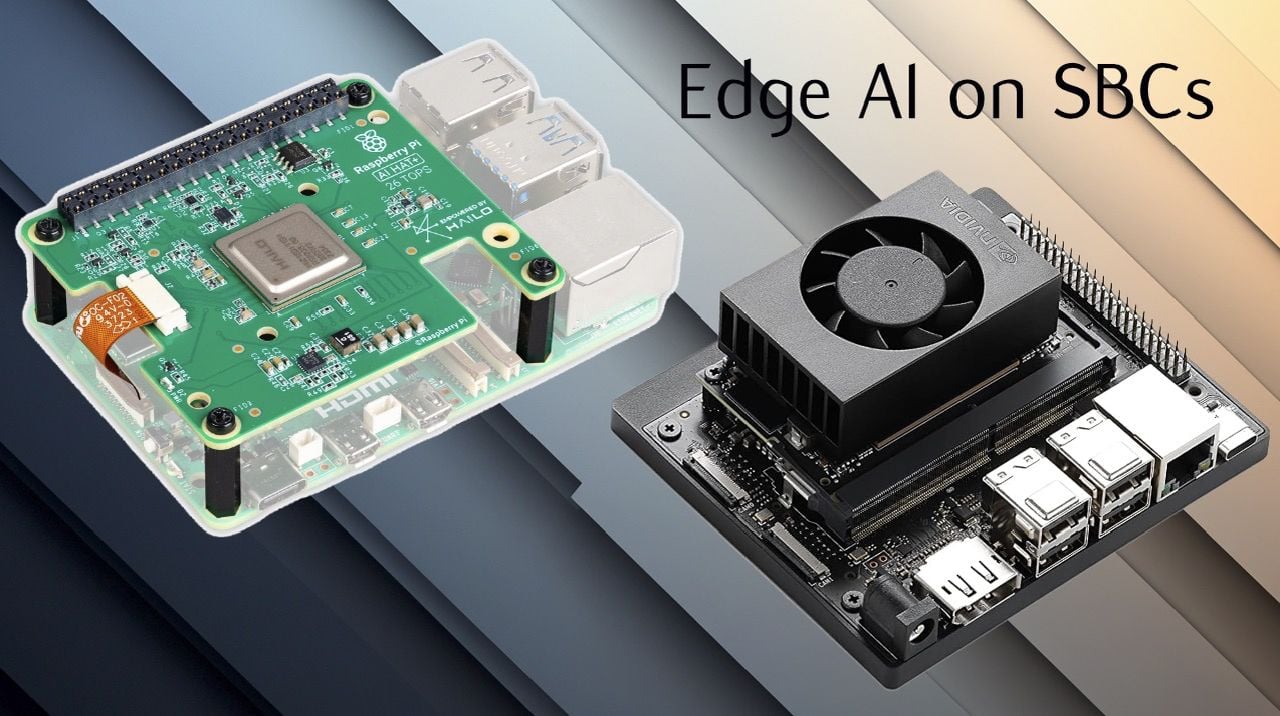
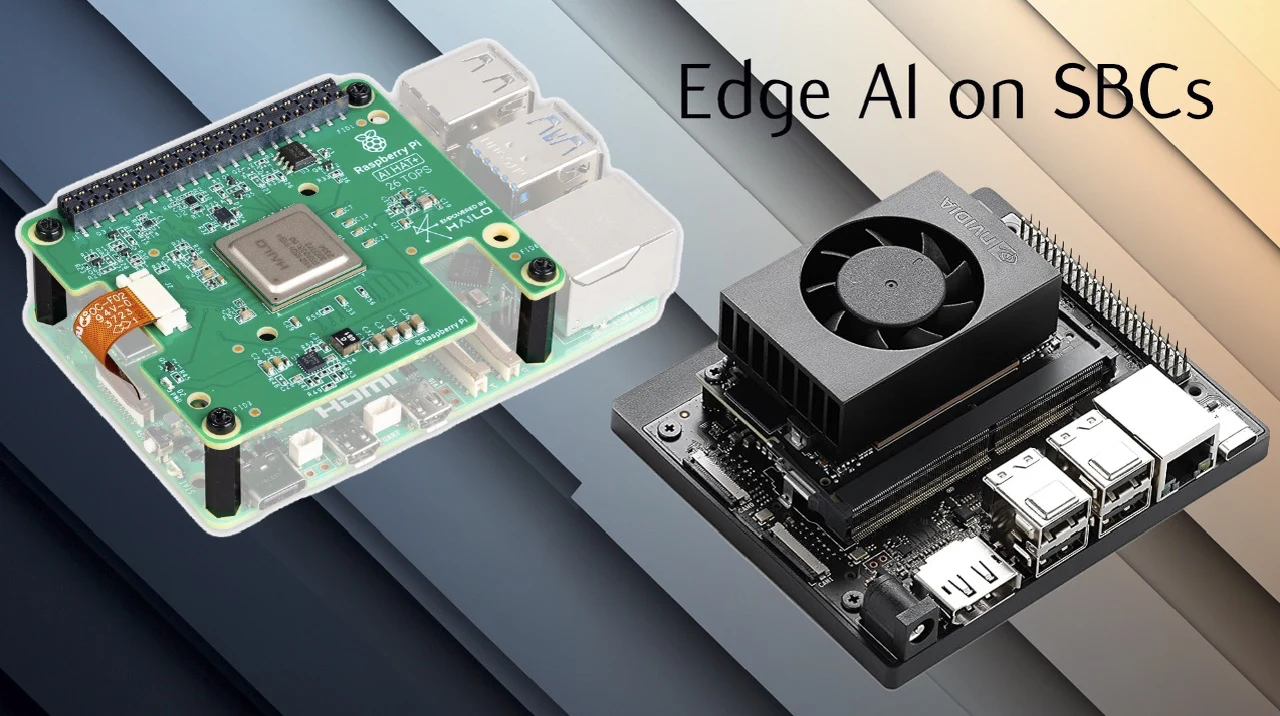
  • Raspberry Pi vs Hailo-8 vs Jetson Orin Nano : Edge AI Price, Power & Speed Compared

    Raspberry Pi vs Hailo-8 vs Jetson Orin Nano : Edge AI Price, Power & Speed Compared

    Raspberry Pi vs Hailo-8 vs Jetson Orin Nano : Edge AI Price, Power & Speed Compared

    Nvidia Orin Nano dev kit on bench, delivering near 7 millisecond latency with an active fan and stable output.

    What if your next AI-driven project could process data in real-time, without relying on the cloud, all while maintaining lightning-fast speeds and ironclad privacy? As edge AI continues to transform industries, from autonomous drones to smart cameras, the choice of hardware becomes a critical decision. But not all devices are created equal. The Raspberry Pi 5, the Hailo-8 neural accelerator, and the NVIDIA Jetson Orin Nano each bring distinct strengths and trade-offs to the table. Whether you’re a hobbyist exploring IoT or a developer tackling industrial-grade AI, the stakes are high: choose the wrong setup, and you might sacrifice performance, energy efficiency, or even your budget.

    This comprehensive comparison of edge AI hardware, Joyce Lin will help you navigate these choices with confidence. You’ll uncover how each contender handles real-time AI inference, balances power consumption, and meets the demands of diverse applications. Is the Raspberry Pi 5’s affordability enough to outweigh its limitations? Can the Hailo-8 accelerator transform the Pi into a real-time powerhouse? And does the Jetson Orin Nano’s raw performance justify its complexity? By the end, you’ll have a clear understanding of which solution aligns best with your goals, whether you’re building a smart home system or pushing the boundaries of robotics. The answer might surprise you.

    What is Edge AI and Why It Matters

    TL;DR Key Takeaways :

    • Edge AI enables local data processing, reducing latency, enhancing privacy, and making sure reliable performance in low-connectivity environments, making it essential for real-time applications like robotics and smart cameras.
    • The Raspberry Pi 5 is affordable and user-friendly but limited in processing power, making it suitable for non-real-time tasks like educational projects and basic IoT applications.
    • Pairing the Raspberry Pi 5 with the Hailo-8 neural accelerator significantly boosts AI performance, achieving 77 FPS with low latency and energy efficiency, ideal for real-time applications like home security and automation systems.
    • The NVIDIA Jetson Orin Nano delivers top-tier performance with 157 FPS and ultra-low latency, making it suitable for industrial-grade applications like robotics and advanced analytics, though it requires higher power and technical expertise.
    • Choosing the right hardware depends on your project’s requirements, budget, and expertise, with trade-offs between cost, performance, and usability across the three configurations.

    Edge AI enables devices to process data locally, eliminating the need for constant communication with cloud servers. This capability is critical for applications requiring real-time decision-making, such as autonomous drones, smart cameras, and robotics. By processing data on-site, you can reduce delays caused by network latency, mitigate the risk of data breaches, and maintain uninterrupted functionality even in low-connectivity environments.

    Real-time AI inference, which involves processing data frame by frame, demands hardware that balances power, speed, and efficiency. The ability to handle these tasks effectively is what sets edge AI solutions apart, making them indispensable for industries where split-second decisions are crucial.

    The Hardware Contenders

    Three distinct hardware setups were evaluated for their ability to handle edge AI workloads effectively. Each offers unique strengths and trade-offs, making them suitable for different applications:

    • Raspberry Pi 5: A versatile and affordable microcomputer popular among hobbyists and developers. While it is widely used for general-purpose computing, its limited processing power makes it less suitable for demanding real-time AI tasks.
    • Raspberry Pi 5 + Hailo-8 Accelerator: By integrating the Hailo-8 neural accelerator, this setup significantly enhances the Raspberry Pi’s AI processing capabilities. It becomes a strong contender for real-time applications, offering a balance of performance and energy efficiency.
    • NVIDIA Jetson Orin Nano: Designed for industrial-grade AI, this device features a dedicated GPU and tensor cores, offering exceptional performance. However, it comes with higher costs and a more complex setup process.

    Edge AI Showdown: Raspberry Pi vs Hailo-8 vs Jetson Orin Nano

    Below are more guides on Edge AI from our extensive range of articles.

    Performance Comparison

    To evaluate these setups, key metrics such as processing speed, latency, power consumption, and thermal stability were analyzed. Each configuration demonstrates distinct performance characteristics:

    • Raspberry Pi 5: Achieves around 5 frames per second (FPS) for AI tasks, with high latency and a tendency to overheat without additional cooling. It is best suited for non-real-time applications like dashboards, educational projects, or basic IoT tasks.
    • Raspberry Pi 5 + Hailo-8: With the Hailo-8 accelerator, this setup delivers approximately 77 FPS with low latency in the tens of milliseconds. It consumes just 5 watts of power and maintains stable temperatures around 40°C, making it ideal for real-time AI tasks where energy efficiency is critical.
    • NVIDIA Jetson Orin Nano: Offers top-tier performance with 157 FPS and ultra-low latency of about 7 milliseconds. However, it requires 13 watts of power and relies on active cooling to maintain stability, making it more power-intensive and better suited for industrial-grade applications.

    Use Cases and Applications

    Each hardware configuration has unique strengths, making them suitable for specific edge AI applications. Understanding these use cases can help you determine which setup aligns best with your project’s requirements:

    • Raspberry Pi 5: Best for general-purpose tasks that don’t require real-time processing, such as basic analytics, educational experiments, or simple IoT projects. Its affordability and ease of use make it a great starting point for beginners.
    • Raspberry Pi 5 + Hailo-8: Ideal for real-time applications like home security systems, smart cameras, and automation systems where low latency and energy efficiency are critical. This setup strikes a balance between performance and cost, making it suitable for small to medium-scale projects.
    • NVIDIA Jetson Orin Nano: Tailored for industrial-grade applications, including robotics, advanced retail analytics, and safety-critical systems. Its superior performance makes it indispensable for high-stakes projects, though it requires a higher budget and technical expertise.

    Challenges in Setup and Usability

    Ease of setup is a crucial factor when choosing edge AI hardware, as it directly impacts the time and effort required to get your system operational. The Raspberry Pi 5 and its Hailo-8-enhanced version are relatively straightforward to configure, making them accessible to beginners and hobbyists. Their user-friendly setup process allows you to focus on developing applications rather than troubleshooting hardware.

    In contrast, the NVIDIA Jetson Orin Nano requires more advanced technical knowledge. Its firmware configuration and setup process can be complex, potentially deterring less experienced users. However, for seasoned developers working on high-stakes projects, the additional effort is often justified by its superior performance and advanced capabilities. This trade-off highlights the importance of aligning your technical expertise with the complexity of the hardware you choose.

    Making the Right Choice

    Selecting the right hardware for edge AI depends on your specific requirements, budget, and technical expertise. If you’re seeking an affordable option for non-real-time tasks, the Raspberry Pi 5 is a practical choice. For a balance of performance and cost, the Raspberry Pi 5 with the Hailo-8 accelerator offers an excellent solution for real-time applications. Meanwhile, the NVIDIA Jetson Orin Nano is the go-to option for industrial-grade workloads, provided you’re prepared to navigate its complexity.

    By weighing the trade-offs between cost, performance, and usability, you can make an informed decision that aligns with your edge AI goals. Whether you’re building a smart home system, developing robotics, or exploring AI-driven analytics, understanding these hardware options ensures you’re equipped to meet the demands of your application.

    Media Credit: Joyce Lin

    Filed Under: AI, Guides, Hardware

    Latest Geeky Gadgets Deals

    Disclosure: Some of our articles include affiliate links. If you buy something through one of these links, Geeky Gadgets may earn an affiliate commission. Learn about our Disclosure Policy.

  • Meet OpenCode, a Community-Built Agent That Trims Tokens & Costs

    Meet OpenCode, a Community-Built Agent That Trims Tokens & Costs

    Meet OpenCode, a Community-Built Agent That Trims Tokens & Costs

    A developer switches sessions in OpenCode while viewing LSP hints and quick commands in the sidebar.

    What if we told you the AI coding agent you’ve been waiting for is here, and it’s open source? Meet OpenCode, a new tool that’s redefining the way developers interact with AI in their workflows. Forget the limitations of Gemini CLI or the quirks of ClaudeCode; OpenCode isn’t just a competitor, it’s a fantastic option. Packed with powerful features like multi-session management, semantic search, and a sleek desktop application, this tool is designed to make coding faster, smarter, and more intuitive. Whether you’re juggling complex projects or diving into experimental workflows, OpenCode promises to deliver unmatched flexibility and efficiency.

    In this detailed overview, World of AI explore how OpenCode is setting a new standard for AI-driven development. From its Text User Interface (TUI) that prioritizes simplicity to its seamless integration with tools like Zed editor, OpenCode offers a developer experience that’s both robust and user-friendly. You’ll discover how its Zen Model Provider optimizes AI performance, why its sandbox environment is a playground for innovation, and how its real-time metrics empower smarter decision-making. But what truly sets OpenCode apart? It’s not just the features, it’s the philosophy of accessibility and open source collaboration that’s driving this revolution. Let’s see how this tool is reshaping the future of coding.

    OpenCode: AI Coding

    TL;DR Key Takeaways :

    • OpenCode introduces a feature-rich terminal-based AI coding agent with a Text User Interface (TUI), multi-session management, and Language Server Protocol (LSP) support for enhanced usability and productivity.
    • Performance improvements include the addition of Mgrep, a semantic search tool that accelerates searches, reduces costs, and improves efficiency for large-scale projects.
    • A new desktop application complements the terminal interface, offering multi-session handling and seamless integration with terminal tools for a more flexible user experience.
    • Integration capabilities are expanded with the Z.dev extension for the Zed editor, a sandbox environment for SDK testing, and type-safe JavaScript/TypeScript clients for robust automation and customization.
    • Advanced features like the Zen Model Provider, real-time context panels, and streamlined installation ensure adaptability, transparency, and accessibility for developers across diverse coding environments.

    Key Features That Elevate Usability

    OpenCode is designed as a terminal-based AI coding agent, offering a Text User Interface (TUI) that prioritizes clarity and ease of use. Recent updates to the TUI have introduced smoother animations and usability improvements, making sure an intuitive and efficient user experience. This focus on simplicity allows developers to navigate the interface seamlessly, even during demanding tasks.

    A standout feature is its multi-session management, which enables you to run and switch between multiple sessions effortlessly. This functionality keeps workflows organized and minimizes disruptions, particularly when managing complex projects or parallel tasks. New commands have been added to further streamline session handling, making sure that developers can maintain focus and efficiency.

    Additionally, OpenCode supports the Language Server Protocol (LSP) out of the box. This feature enables advanced code analysis and autocompletion across multiple programming languages, making it a versatile tool for developers working in diverse environments.

    Performance Enhancements: Faster and Smarter

    OpenCode’s performance has been significantly enhanced with the introduction of Mgrep, a semantic search tool that delivers faster and more precise results. By optimizing token usage, Mgrep not only accelerates searches but also reduces operational costs. This improvement ensures that developers can locate the information they need without delays, allowing them to focus on coding rather than troubleshooting inefficiencies.

    The semantic search capabilities of Mgrep are particularly beneficial for large-scale projects, where quick and accurate searches are essential. By integrating this tool, OpenCode provides a cost-effective solution for developers who rely on frequent and precise code searches.

    OpenCode AI Coding Agent : Open Source

    Discover other guides from our vast content that could be of interest on AI coding.

    The Desktop Application: A Visual Complement

    To complement its terminal-based functionality, OpenCode now offers a desktop application. This addition provides a graphical interface that works alongside terminal operations, making it easier to manage terminal agents. Key features of the desktop app include multi-session handling and enhanced integration with terminal tools, allowing developers to juggle multiple tasks with greater ease.

    The desktop application is especially useful for developers who prefer a visual interface to complement their command-line workflows. By bridging the gap between graphical and terminal-based tools, OpenCode ensures a more flexible and user-friendly experience.

    Seamless Integration and Extensions

    OpenCode’s flexibility is further enhanced by its robust integration capabilities. The Z.dev extension allows you to integrate OpenCode directly into the Zed editor, allowing seamless access to its features within your preferred coding environment. This integration streamlines workflows and reduces the need to switch between tools, saving time and effort.

    Additionally, OpenCode offers a sandbox environment for testing its SDK on the web. This secure space allows developers to experiment with workflows and refine their processes without risk. By providing a safe and controlled testing environment, OpenCode encourages innovation and customization.

    Advanced SDK and Type-Safe Clients

    The OpenCode SDK is a powerful tool for developers looking to embed and control OpenCode programmatically. With type-safe JavaScript and TypeScript clients, the SDK ensures robust and error-free integration into your projects. This capability enables automation, parallel task execution, and the creation of custom integrations tailored to specific requirements.

    By using the SDK, developers gain greater control over their development environment, allowing them to optimize workflows and enhance productivity. The type-safe clients also reduce the likelihood of errors, making sure a smoother and more reliable coding experience.

    Zen Model Provider and Model Switching

    OpenCode introduces the Zen Model Provider, a curated collection of pre-tested AI models optimized for coding tasks. This feature simplifies the process of selecting and deploying AI models, offering plug-and-play functionality that enhances performance. The Zen Model Provider ensures that developers can access the most suitable models for their needs without extensive configuration.

    New commands for model switching further enhance OpenCode’s versatility. These commands allow you to adapt to different tasks or requirements seamlessly, making sure that the tool remains effective across a wide range of coding scenarios.

    Context Panels and Real-Time Metrics

    The latest updates include context panels that display real-time metrics, such as usage statistics and spending data. These panels provide valuable insights into your AI interactions, helping you monitor and optimize resource usage effectively. By offering a clear overview of resource allocation, OpenCode enables developers to make informed decisions and improve their workflows.

    The inclusion of real-time metrics also enhances transparency, allowing you to track the performance and efficiency of your coding processes. This feature is particularly useful for teams managing shared resources or working on budget-sensitive projects.

    Streamlined Installation and Accessibility

    OpenCode is designed with accessibility in mind, offering straightforward installation via npm or other package managers. Its compatibility with various coding workflows and model providers ensures seamless integration into existing development environments. Whether you’re working on a small project or managing a large-scale application, OpenCode adapts to your needs with minimal setup.

    The installation process is quick and user-friendly, allowing developers to get started with OpenCode without unnecessary delays. This focus on accessibility ensures that the tool is available to a wide range of users, regardless of their technical expertise.

    A Comprehensive Tool for Developers

    OpenCode stands out as a powerful and efficient AI coding agent, offering a wide array of features tailored to the needs of modern developers. From its enhanced TUI and semantic search capabilities to its desktop application and SDK, OpenCode provides the tools necessary to streamline coding workflows. Its open source foundation and commitment to continuous improvement position it as an invaluable resource for developers worldwide. By integrating advanced features with user-friendly design, OpenCode enables developers to achieve greater efficiency and innovation in their projects.

    Media Credit: WorldofAI

    Filed Under: AI, Technology News, Top News

    Latest Geeky Gadgets Deals

    Disclosure: Some of our articles include affiliate links. If you buy something through one of these links, Geeky Gadgets may earn an affiliate commission. Learn about our Disclosure Policy.

  • Apple’s Starflow : Fast AI Image and Video Model With Tradeoffs

    Apple’s Starflow : Fast AI Image and Video Model With Tradeoffs

    Apple’s Starflow : Fast AI Image and Video Model With Tradeoffs

    Close-up of pixels generated by Starflow at 256x256 resolution, highlighting speed and edit precision from reversible steps.

    What if the next big leap in artificial intelligence wasn’t just impressive, it was almost too good to be true? Imagine an AI model so advanced it could generate stunning images and videos in mere seconds, all while consuming fewer resources than its competitors. Apple’s new Starflow AI model claims to do just that, boasting a new hybrid architecture that promises both speed and precision. But here’s the catch: despite its dazzling potential, some of its limitations and bold claims have sparked skepticism. Could this be the future of creative content, or is it another overhyped experiment in the ever-expanding AI race? The answers may surprise you.

    In this exploration, Better Stack uncover what makes Starflow unique, from its innovative hybrid architecture to its promise of reshaping content creation workflows. But we’ll also examine the cracks beneath the surface, its resolution cap, lack of optimization for Apple’s own hardware, and the absence of key features like high-resolution video checkpoints. Is Starflow truly a glimpse into the future, or does it reveal the growing pains of AI innovation? By the end, you’ll have a clearer picture of whether Apple’s latest venture is a fantastic option or simply too good to be true.

    What Makes Starflow Unique?

    TL;DR Key Takeaways :

    • Apple’s Starflow AI model introduces a hybrid auto-regressive normalizing flow architecture, allowing efficient and high-quality image and video generation.
    • Starflow’s unique features include reversible transformations for detailed edits, faster generation times, and open source accessibility, fostering collaboration and innovation.
    • Current limitations include a resolution cap of 256×256 pixels, lack of a publicly available video generation checkpoint, and no optimization for Apple Silicon hardware.
    • Compared to diffusion models, Starflow offers faster computational efficiency but lags in high-resolution output capabilities, leaving room for improvement.
    • Starflow reflects Apple’s growing role in AI innovation, emphasizing open source contributions and a focus on advancing scalable, efficient AI tools for future applications.

    Starflow’s defining feature lies in its hybrid architecture, which integrates auto-regressive and normalizing flow techniques. This approach sets it apart from traditional diffusion models, which often rely on computationally intensive processes. By using parallel Jacobi iterations, Starflow accelerates the generation process without sacrificing accuracy. This combination of speed and precision makes it a strong contender against established tools like OpenAI’s Midjourney.

    Additionally, Starflow’s architecture is designed to handle both image and video generation, offering versatility that could appeal to a wide range of users. Its ability to optimize computational resources while maintaining output quality highlights its potential to transform content creation workflows.

    Core Features and Current Limitations

    Starflow features several standout features that underscore its potential:

    • Reversible transformations: These allow for detailed edits, giving users greater control over the generated content.
    • Efficient processing: The hybrid architecture ensures faster generation times compared to traditional models.
    • Open source accessibility: As an open source project, Starflow invites collaboration and innovation from the broader AI community.

    However, the model is not without its challenges. Its current resolution is capped at 256×256 pixels, which limits its application for high-definition content. While the model shows promise in video generation, a publicly available checkpoint for this feature has yet to be released. These constraints highlight the early-stage nature of Starflow’s development and the need for further refinement to meet professional-grade standards.

    Apple Starflow: Fast AI Images with a Catch

    Learn more about AI image generators by reading our previous articles, guides and features :

    Technical Requirements and Compatibility

    Running Starflow requires a robust technical setup. The model is built on Python and PyTorch frameworks, necessitating GPU resources to achieve its computational efficiency. Despite being an Apple project, Starflow is not yet optimized for Apple Silicon hardware, such as the M1 or M2 chips. This limitation underscores its focus on research and development rather than immediate consumer use.

    For developers and researchers, the model’s compatibility with widely used frameworks like PyTorch ensures accessibility. However, the lack of optimization for Apple’s own hardware suggests that the project is still in its experimental phase, with broader hardware support likely to come in future iterations.

    Starflow vs. Diffusion Models: A Comparative Perspective

    Starflow offers a distinct advantage over diffusion models in terms of computational efficiency. Diffusion models often require iterative refinement, which can be resource-intensive and time-consuming. In contrast, Starflow’s hybrid architecture and use of parallel Jacobi iterations streamline the generation process, allowing faster results.

    That said, diffusion models currently maintain an edge in certain areas. For instance, their ability to produce high-resolution outputs and their established presence in the market make them a preferred choice for some applications. Starflow’s resolution cap and the absence of video checkpoints leave room for diffusion models to remain competitive, particularly for users requiring high-definition content.

    Apple’s Expanding Role in AI Innovation

    Starflow is a testament to Apple’s growing ambitions in the field of artificial intelligence and machine learning. With over 200 machine learning repositories on GitHub, Apple is actively contributing to the open source community. Starflow aligns with this broader vision, showcasing Apple’s commitment to developing accessible and efficient AI tools.

    This project also reflects Apple’s strategic focus on advancing AI research. By prioritizing open source collaboration, Apple is fostering innovation and encouraging the development of tools that could benefit both professionals and hobbyists. While Starflow is not yet ready for mainstream use, it serves as a promising indicator of Apple’s dedication to pushing the boundaries of AI technology.

    The Road Ahead for Starflow

    The future of Starflow holds significant promise, particularly in the area of high-resolution video generation. As the model evolves, it could become a cornerstone for AI-driven content creation, catering to a diverse audience ranging from creative professionals to casual users.

    However, several challenges must be addressed before Starflow can achieve widespread adoption. These include improving its hardware compatibility, increasing its resolution capabilities, and releasing a publicly available checkpoint for video generation. Overcoming these hurdles will be critical to unlocking the model’s full potential and establishing it as a leader in the field.

    Starflow’s development also raises broader questions about the future of AI in content creation. As tools like this become more advanced, they have the potential to reshape industries, streamline workflows, and provide widespread access to access to high-quality creative resources. For now, Starflow remains a research-focused project, but its trajectory suggests a bright future for AI-driven innovation.

    Media Credit: Better Stack

    Filed Under: AI, Apple, Top News

    Latest Geeky Gadgets Deals

    Disclosure: Some of our articles include affiliate links. If you buy something through one of these links, Geeky Gadgets may earn an affiliate commission. Learn about our Disclosure Policy.

  • 12 Free Movie Streaming Sites With No Sign Up Requirements

    12 Free Movie Streaming Sites With No Sign Up Requirements

    Streaming services like Netflix, Paramount+, and Disney+ make watching movies and shows wonderfully simple, but you need to sign up and pay a monthly subscription fee. Over time, this can really add up and stretch your wallet, which is why you should check out the best free movie streaming sites with no sign-up required.

    You May Need to Use a VPN: All the streaming services listed below are free and have no sign-up requirements. However, you may need to use a VPN to access the content if it’s unavailable in your region. If the listed sites are region-blocked, a VPN is the only way to enjoy them. Given that there are totally free VPN services and VPNs with free trial periods, that shouldn’t be an issue.

    1 YouTube

    Kendra Gerken/ MakeUseOf

    YouTube needs no introduction. It’s one of the most popular free video hosting sites for watching videos online.

    YouTube not only offers user-uploaded videos, but there are many channels where you can watch legal movies and shows. You can enjoy YouTube on every device you have, including TV, PC, tablet, and smartphone.

    You don’t need to sign up to access YouTube content, but there are a few things you need to know. You will get ads shown while watching and sometimes uploaded movies, and shows can be removed without warning. Nevertheless, it’s still a great free option.

    Of course, YouTube isn’t the only platform you can use. There are many great YouTube alternatives for watching videos online.

    2 Crackle

    Kendra Gerken/ MakeUseOf

    Crackle is one of the best free online movie streaming sites available. It doesn’t ask you to sign up for it, and the fact that Sony Pictures owns it gives the site credibility.

    Crackle doesn’t just offer movies and TV shows but also the latest film information. You can opt in to get notified of any new or upcoming flicks. Alternatively, you can enjoy the latest full-length films and series at no cost, which is quite the bargain.

    3 Tubi

    Kendra Gerken/ MakeUseOf

    Tubi doesn’t ask you to sign up to enjoy its services. The streaming site lets you access an array of content: Tubi originals, movies, shows, and docuseries⁠—all for free. Everything is neatly organized by genre, and there’s even a section for kids’ content.

    You can access Tubi from any device, and it also has an app (iOS and Android) you can download for your smartphone or tablet. A handy feature that the streaming service offers is how it lets you sync your activities and favorite movies or shows across all devices. You can pick up where you left off, regardless of the device you’re using.

    4 Pluto

    Kendra Gerken/ MakeUseOf

    Pluto is a free streaming service with great live content. The streaming site boasts exclusive content that’s unavailable on other streaming sites. You do get commercial breaks, though, just like regular network television.

    The Pluto site works a bit differently than other streaming sites. Instead of only giving you on-demand movies and TV shows, you also get access to hundreds of channels that offer live content. You can browse through the over 250 unique live channels and consume whatever is being broadcast at that moment.

    5 Plex

    NAR by Gavin

    Plex is a versatile platform that offers free streaming without signing up. You can head straight to the Plex home page, hit Start Streaming, and begin watching movies and shows immediately.

    Plex offers a wide selection of ad-supported movies, TV shows, web series, and documentaries. Everything is neatly organized, and the interface is clean and easy to use. Plex works across nearly every device, so you can start watching wherever you are.

    Of course, Plex isn’t just a place to stream free content. If you have a collection of movies, TV shows, or music stored on your computer or external drive, you can turn Plex into your personal media server. Just install the Plex Media Server app on your device and add your media folders. Plex will organize everything with posters, descriptions, and more. From there, you can stream your personal library to any device using the Plex app.


    Here Are My 5 Tips for Setting Up Plex Like a Pro

    Take your Plex server to a whole new level.

    6 Internet Archive

    NAR by Gavin

    The Internet Archive is a treasure trove of free content, including thousands of classic movies, short films, and documentaries, and all available to stream with no sign-up required.

    You can browse the Movies section and start watching immediately. The platform specializes in public domain and older content, so you’ll find a lot of vintage films, educational reels, silent movies, cult classics, and even old commercials. It’s perfect if you’re a fan of film history or want something a little different from today’s mainstream offerings.

    One of the best parts about Internet Archive is that there are no ads, paywalls, or logins. Just click and watch. You can even download most of the content to keep for offline viewing.

    7 XUMO Play

    XUMO Play is a free streaming platform for live and on-demand TV. It doesn’t require you to sign up and gives you access to over 190 channels.

    The free streaming service’s On Demand category neatly divides all of its available channels into categories. You can easily browse through them and select what to view.

    You have Holiday Hub, TV & Movies, Comedy, and more. For example, from TV & Movies, you can select American Classics and see plenty of titles to choose from. At the time of writing, some of these classics include The Lone Ranger and The Immortal.

    XUMO offers an impressive library of movies and shows, and the best part of the viewing experience is that you won’t see any ads.

    8 Fawesome

    no attributions required – screenshot by Simona Tolcheva

    Fawesome, or Fawesome TV, stands for free awesome movies and TV shows. And, as you can imagine, it’s free. It also has no sign-up requirements and needs no subscriptions.

    All you have to do is download the free app for Android or iOS and enjoy all the content it offers. And it’s a lot. Fawesome TV has over 10,000 movies and shows from every genre and over 250 channels to browse, so there’s a lot to choose from when it comes to your next watch.

    9 Tencent Video

    no attributions required – screenshot by Simona Tolcheva

    Tencent Video offers a library full of popular and original features under every genre you can imagine. The catalog is extensive, so if you’re looking for some Asian shows or movies, this is where to find them. Believe it or not, it’s also a great anime streaming service if that’s what you feel like watching.

    You can watch Tencent Video for free without signing in to an account. But as with most other streaming services, the platform offers various perks if you decide to sign in or sign up. For example, you can view content in advance, skip ads, add a second device linked to the same account, and so on.

    You can subscribe to WeTV VIP and pay monthly ($5.99), quarterly ($17.49), or annual ($56.99) fees, or you can enjoy it for free.

    10 WeTV

    no attributions required – screenshot by Simona Tolcheva

    WeTV is the international version of Tencent Video. Where Tencent Video focuses on Eastern content, WeTV very much focuses on Western, with heaps of US and other European content.

    WeTV has a catalog chock-full of reality TV and dramas, perfect for those guilty pleasure viewings. Some content on the platform requires you to sign in so you can view it, but other features do not. You can press play and start watching.

    It’s completely free to enjoy, but like cable TV programming, you have to put up with a lot of ads along the way.